1. Introduction
Thank you for choosing the InnoVibe IVSP1597 Bluetooth Speaker. This device combines a portable wireless speaker, a sleep therapy sound machine, and a 15W wireless charger into one compact unit. This manual provides detailed instructions for setting up, operating, and maintaining your device to ensure optimal performance.
2. Package Contents
- InnoVibe IVSP1597 Bluetooth Speaker
- USB Charging Cable
- User Manual
Note: Batteries are included and pre-installed.
3. Product Overview
Familiarize yourself with the components and controls of your InnoVibe IVSP1597 speaker.

Image 3.1: Front view of the InnoVibe IVSP1597 speaker with a smartphone wirelessly charging on its top surface. The speaker is pink with control buttons visible on the front.

Image 3.2: Diagram illustrating the key features of the InnoVibe IVSP1597: Built-in Speaker, Wireless Charger, Sound Machine, 6 Built-in Sounds, 3 Timer Modes, and Rechargeable Battery.
Control Buttons:
- Power Button: Turns the device on/off.
- Mode Button (M): Switches between Bluetooth and Sound Machine modes.
- Volume Up (+): Increases volume.
- Volume Down (-): Decreases volume.
- Play/Pause Button: Plays or pauses audio in Bluetooth mode; cycles through sleep sounds in Sound Machine mode.
- Timer Button: Sets auto-off timer (15, 30, or 60 minutes).
4. Setup
4.1 Charging the Device
- Connect the provided USB charging cable to the charging port on the back of the speaker.
- Connect the other end of the USB cable to a compatible USB power adapter (not included).
- The charging indicator light will illuminate during charging and turn off when fully charged.
- A full charge provides several hours of operation.
4.2 Powering On/Off
- To power on, press and hold the Power Button until the indicator light turns on.
- To power off, press and hold the Power Button again until the indicator light turns off.
5. Operating Instructions
5.1 Bluetooth Speaker Functionality
Stream audio wirelessly from your smartphone, tablet, or other Bluetooth-enabled devices.
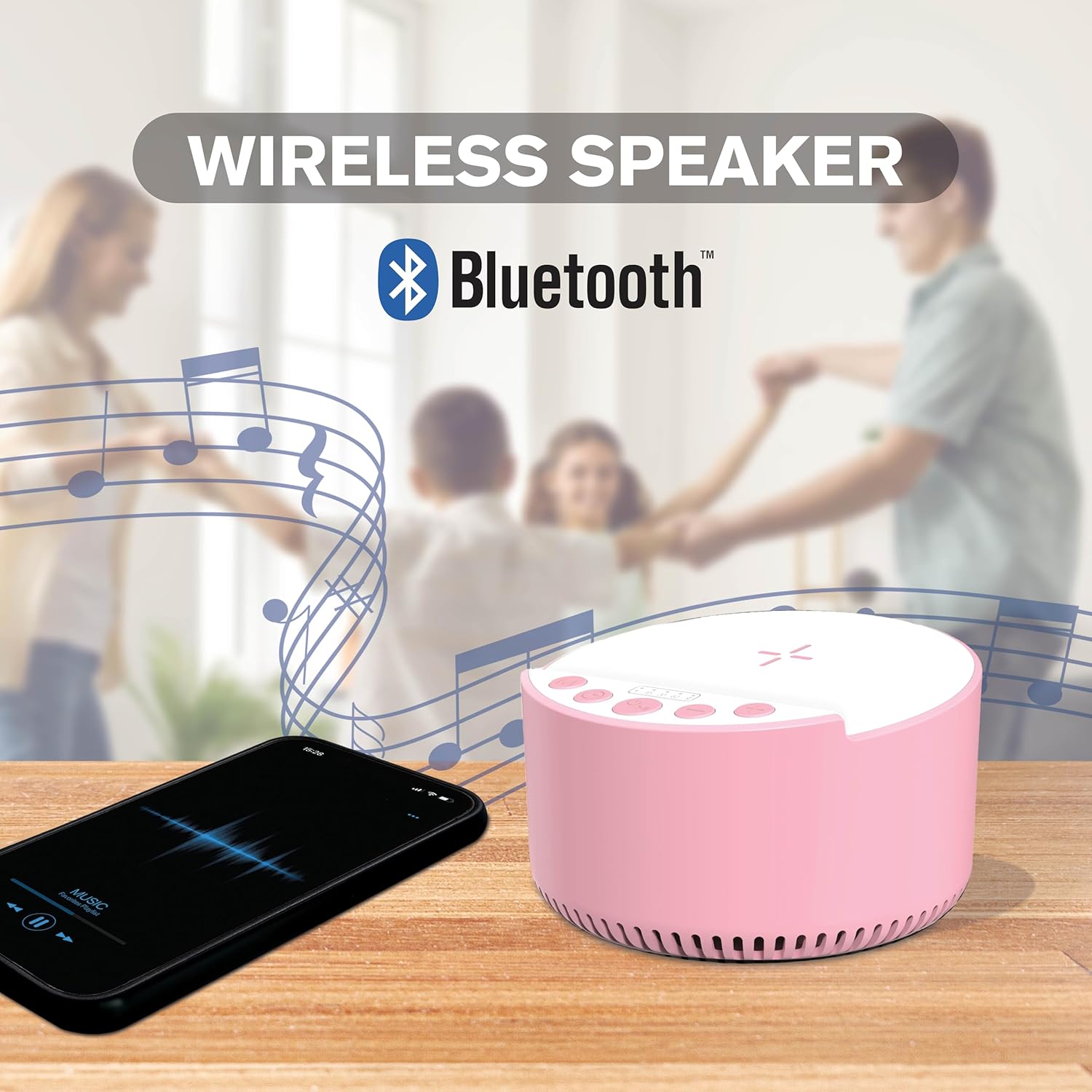
Image 5.1: The InnoVibe IVSP1597 speaker on a wooden table, wirelessly connected via Bluetooth to a smartphone playing music. Musical notes are depicted around the speaker.
- Ensure the speaker is powered on.
- Press the Mode Button (M) until the device is in Bluetooth pairing mode (a voice prompt or flashing indicator light will confirm).
- On your device, enable Bluetooth and search for "InnoVibe IVSP1597" in the list of available devices.
- Select "InnoVibe IVSP1597" to pair. Once paired, you will hear a confirmation sound.
- You can now play audio from your device through the speaker.
- Use the Volume Up (+) and Volume Down (-) buttons to adjust the speaker's volume.
- Use the Play/Pause Button to control playback.
5.2 Sleep Therapy Sounds
Utilize the built-in sound machine for relaxation and sleep aid.

Image 5.2: Visual representation of the six built-in sleep therapy sounds: Brook, White Noise, Lullaby, Rain & Thunder, Crackling Fire, and Sea Waves.
- Ensure the speaker is powered on.
- Press the Mode Button (M) to switch to Sound Machine mode.
- Press the Play/Pause Button to cycle through the 6 built-in sleep sounds:
- Brook
- White Noise
- Lullaby
- Rain & Thunder
- Crackling Fire
- Sea Waves
- Adjust the volume using the Volume Up (+) and Volume Down (-) buttons.
5.3 Timer Modes
Set an automatic shut-off timer for the sleep therapy sounds or Bluetooth audio.
- While audio is playing (either Bluetooth or sleep sounds), press the Timer Button.
- Each press will cycle through the available timer settings: 15 minutes, 30 minutes, 60 minutes, or Off.
- The selected timer duration will be indicated by a light or display on the device.
- The device will automatically power off after the set time.
5.4 Wireless Charging
Charge your Qi-enabled smartphone or other compatible devices wirelessly.

Image 5.3: The InnoVibe IVSP1597 speaker on a wooden block on a desk, with a smartphone placed on its top surface, indicating wireless charging in progress.
- Ensure the speaker is powered on and connected to a power source (for optimal charging speed).
- Place your Qi-enabled device (e.g., smartphone) directly onto the center of the wireless charging pad located on the top surface of the speaker.
- The charging indicator on your device will confirm that charging has begun.
- If charging does not start, adjust the position of your device on the charging pad.
- Remove any thick cases or metallic objects from your device, as they may interfere with wireless charging.
6. Maintenance
- Cleaning: Use a soft, dry cloth to clean the surface of the speaker. Do not use abrasive cleaners or solvents.
- Storage: Store the device in a cool, dry place away from direct sunlight and extreme temperatures.
- Battery Care: To prolong battery life, avoid fully discharging the battery frequently. Charge the device regularly, even if not in use for extended periods.
7. Troubleshooting
| Problem | Possible Solution |
|---|---|
| Device does not power on. | Ensure the device is fully charged. Connect to a power source and try again. |
| Cannot pair via Bluetooth. |
|
| No sound from speaker. |
|
| Wireless charging not working. |
|
8. Specifications
| Feature | Detail |
|---|---|
| Model Name | IVSP1597 |
| Brand | InnoVibe |
| Connectivity Technology | Bluetooth |
| Speaker Output Power | 3 Watts |
| Wireless Charging Output | 15W |
| Sleep Therapy Sounds | 6 Built-in (Brook, White Noise, Lullaby, Rain & Thunder, Crackling Fire, Sea Waves) |
| Timer Modes | 15, 30, 60 minutes |
| Battery | Rechargeable (1 Nonstandard Battery included) |
| Product Dimensions | 2.52"D x 3.98"W x 4.02"H |
| Item Weight | 0.83 Pounds (13.3 ounces) |
| UPC | 810182221021 |
9. Warranty and Support
InnoVibe products are designed for reliability and performance. This product comes with a standard manufacturer's warranty. For specific warranty details, please refer to the documentation included with your purchase or contact InnoVibe customer support.
For technical assistance, troubleshooting, or general inquiries, please visit the official InnoVibe website or contact our customer support team.
Please retain your proof of purchase for warranty claims.
