1. Introduction
This manual provides essential information for setting up, operating, maintaining, and troubleshooting your Lenovo IdeaPad Slim 3 laptop. Please read this manual thoroughly to ensure proper use and to maximize the performance and longevity of your device.
The Lenovo IdeaPad Slim 3 is a versatile laptop designed for home and business use, featuring a 13th Gen Intel Core i5-13420H processor, 16GB DDR5 RAM, and a 512GB PCIe SSD, running Windows 11 Pro.
2. Initial Setup
2.1 Unpacking and First Use
Carefully remove your laptop and all accessories from the packaging. Ensure all components are present:
- Lenovo IdeaPad Slim 3 Laptop
- 65W Round Tip (3-pin) Power Adapter
- Documentation (this manual, warranty information)
Before first use, connect the power adapter to the laptop and a power outlet to fully charge the battery. The power connector is typically located on the side of the laptop.
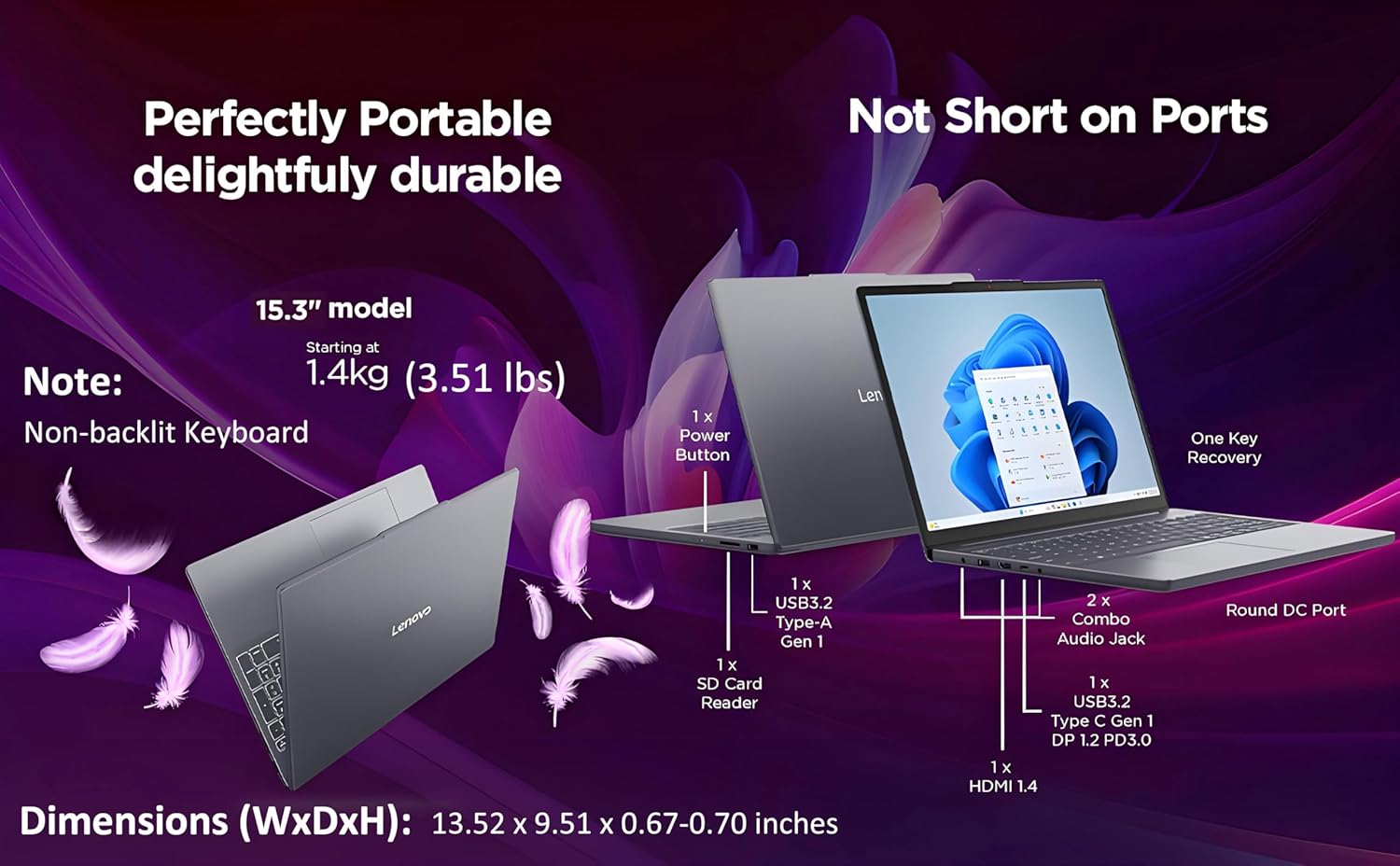
Figure 2.1: Side view of the IdeaPad Slim 3 highlighting the available ports and power connector.
2.2 Powering On and Windows 11 Pro Setup
Press the power button, usually located on the side or top right of the keyboard deck. The laptop will boot up. Follow the on-screen instructions to complete the Windows 11 Pro initial setup, which includes:
- Selecting your region and keyboard layout.
- Connecting to a Wi-Fi network (Wi-Fi 6, 802.11ax 2x2).
- Signing in with or creating a Microsoft account.
- Setting up security features.
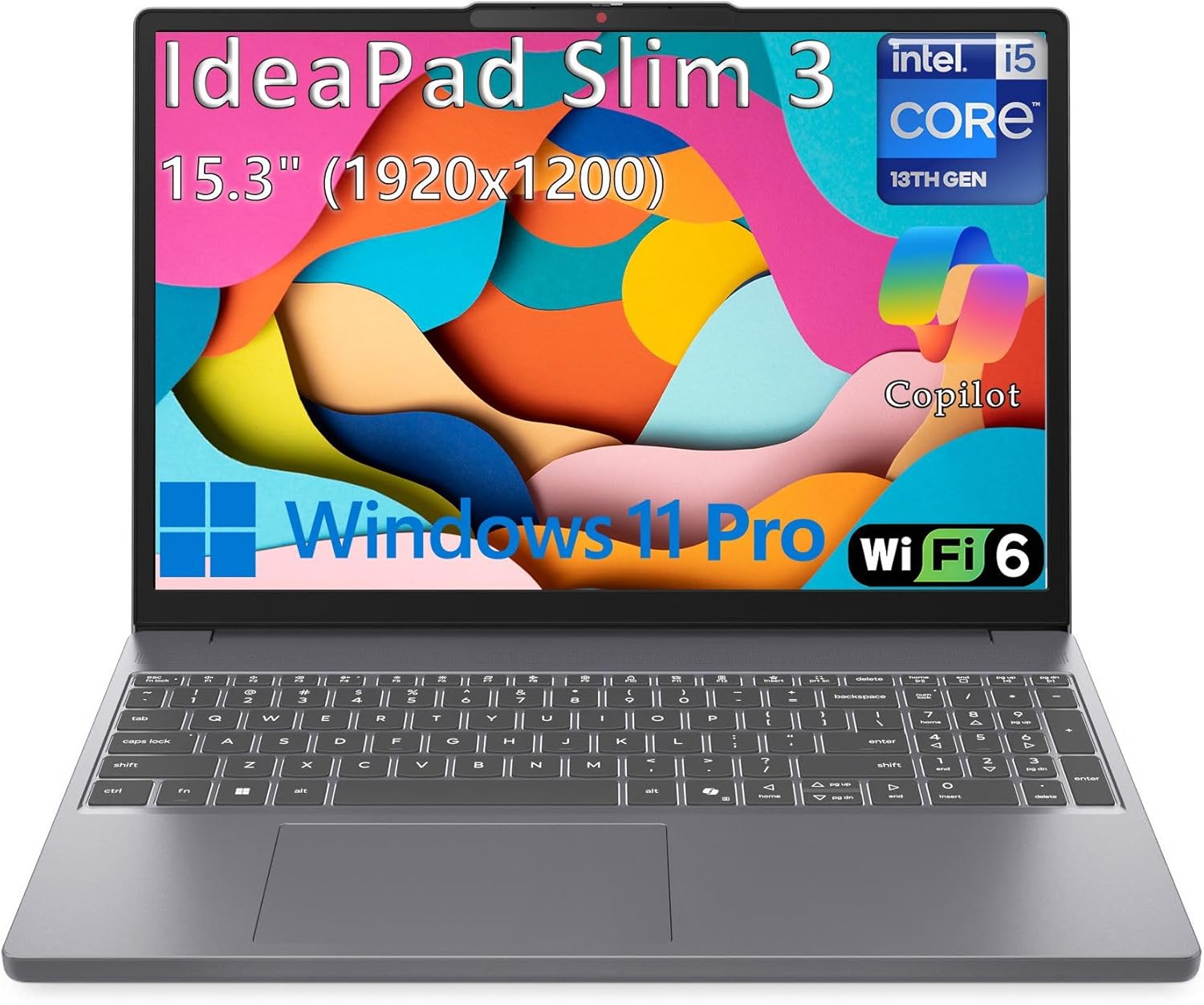
Figure 2.2: The Lenovo IdeaPad Slim 3 powered on, showing the display and keyboard.
3. Operation
3.1 Basic Functions
- Power On/Off: Press the power button to turn on. To turn off, click the Start button in Windows, then Power > Shut down.
- Sleep Mode: Close the lid or click the Start button, then Power > Sleep.
- Restart: Click the Start button, then Power > Restart.
3.2 Keyboard and Touchpad
The laptop features a full-size non-backlit keyboard with a numeric keypad for efficient data entry. The precision touchpad supports multi-touch gestures for navigation.

Figure 3.1: Keyboard layout with numeric keypad and touchpad.
3.3 Display and Camera
The 15.3-inch WUXGA (1920x1200) IPS anti-glare display provides clear visuals. The integrated HD 720p camera includes a physical privacy shutter for enhanced security. Slide the shutter to cover or uncover the camera lens.
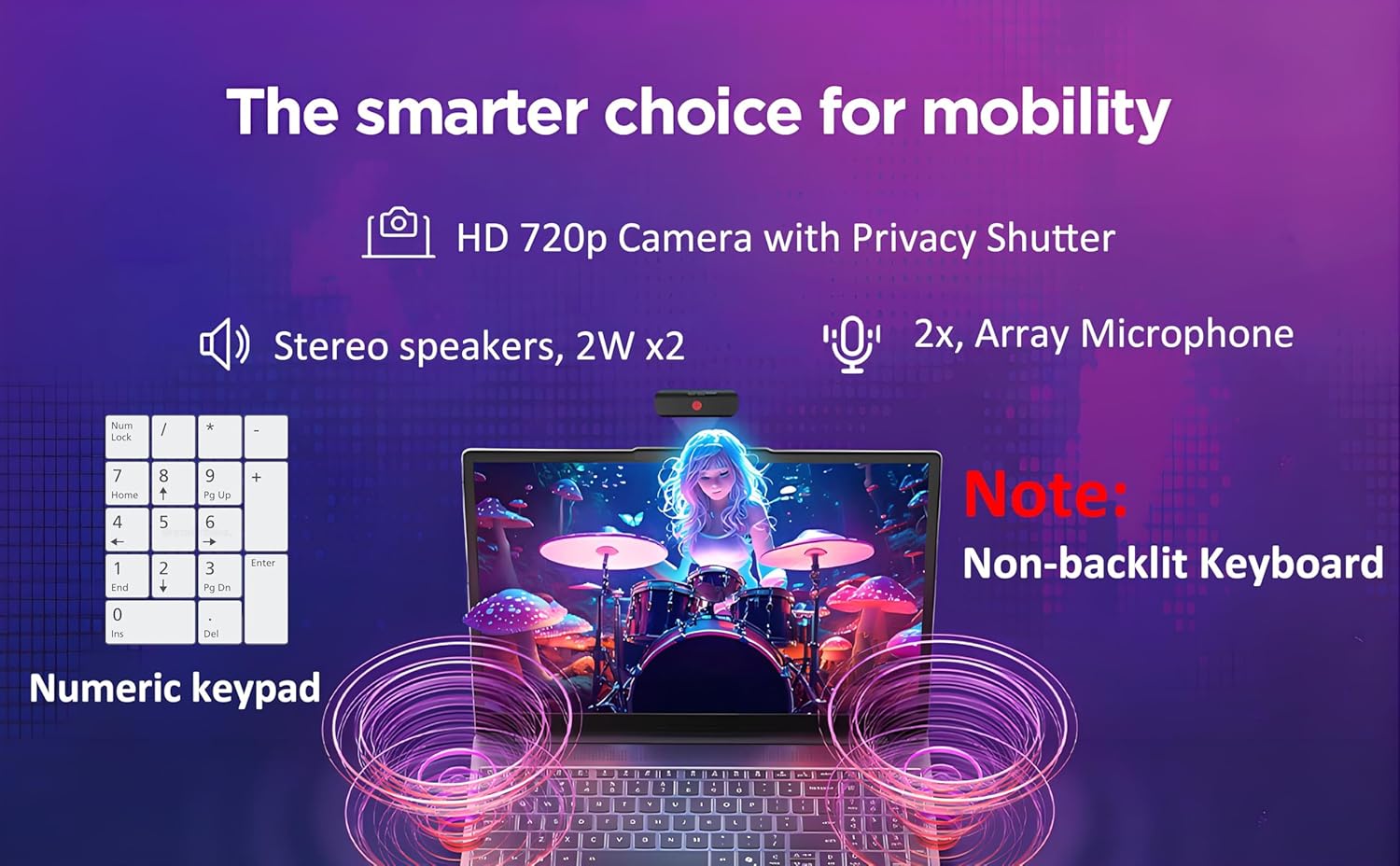
Figure 3.2: Camera with privacy shutter and audio components.
3.4 Connectivity
Your laptop supports Wi-Fi 6 (802.11ax 2x2) for high-speed wireless internet and Bluetooth 5.2 for connecting wireless peripherals. Standard ports include:
- 2x USB-A (USB 5Gbps / USB 3.2 Gen 1)
- 1x USB-C (USB 5Gbps / USB 3.2 Gen 1), with USB Power Delivery 3.0 and DisplayPort 1.2
- 1x HDMI 1.4
- 1x Headphone / microphone combo jack (3.5mm)
- 1x SD card reader
- 1x Power connector
The USB-C port supports both power delivery to charge the laptop and video output to an external display.
4. Maintenance
4.1 Cleaning Your Laptop
- Screen: Use a soft, lint-free cloth lightly dampened with water or a screen cleaner. Do not spray liquid directly onto the screen.
- Keyboard and Chassis: Use a soft, dry cloth. For stubborn dirt, a slightly damp cloth with mild soap solution can be used, ensuring no liquid enters openings.
- Ports: Use compressed air to gently clear dust from ports.
4.2 Battery Care
To prolong battery life:
- Avoid extreme temperatures.
- Do not fully discharge the battery frequently.
- For long-term storage, charge the battery to about 50-60%.
The laptop supports Rapid Charge Boost, providing approximately 2 hours of runtime from a 15-minute charge.
4.3 Software Updates
Regularly update Windows 11 Pro and Lenovo drivers to ensure optimal performance and security. Access Windows updates via Settings > Windows Update. Lenovo Vantage software can assist with driver updates.
5. Troubleshooting
5.1 Common Issues and Solutions
- Laptop does not power on: Ensure the power adapter is securely connected and the battery has sufficient charge. Try a different power outlet.
- No display: Connect an external monitor to check if the issue is with the laptop's screen. Adjust brightness settings.
- Wi-Fi connectivity issues: Check if Wi-Fi is enabled. Restart your router and laptop. Ensure drivers are updated.
- Slow performance: Close unnecessary applications. Check for malware. Ensure sufficient free storage space on the SSD.
5.2 System Recovery
Your Lenovo IdeaPad Slim 3 may include a "One Key Recovery" feature for system restoration. Refer to the Lenovo support website for detailed instructions on using this feature or performing a clean Windows installation.
6. Specifications
| Feature | Detail |
|---|---|
| Processor | 13th Gen Intel Core i5-13420H (8C/12T, up to 4.6GHz) |
| Graphics | Integrated Intel UHD Graphics |
| Memory | 16GB DDR5 RAM |
| Storage | 512GB SSD M.2 PCIe NVMe |
| Display | 15.3" WUXGA (1920x1200) IPS 300nits Anti-glare, 45% NTSC, 60Hz |
| Operating System | Windows 11 Pro, English |
| Wireless Connectivity | Wi-Fi 6 (802.11ax 2x2), Bluetooth 5.2 |
| Ports | 2x USB-A (3.2 Gen 1), 1x USB-C (3.2 Gen 1, PD 3.0, DP 1.2), 1x HDMI 1.4, 1x Headphone/Mic Combo, 1x SD Card Reader, 1x Power Connector |
| Audio | Stereo speakers, 2W x2, High Definition (HD) Audio |
| Camera | HD 720p with Privacy Shutter |
| Microphone | 2x, Array |
| Keyboard | Non-backlit, English, with Numeric Keypad |
| Power Adapter | 65W Round Tip (3-pin) |
| Dimensions (WxDxH) | 343.4 x 239.5 x 16.9-17.9 mm (13.52 x 9.51 x 0.67-0.70 inches) |
| Weight | Starting at 1.59 kg (3.51 lbs) |
| Security | Firmware TPM 2.0 Enabled, Camera privacy shutter |
| Color | Luna Grey |

Figure 6.1: Key specifications and features overview.
7. Warranty Information
Your Lenovo IdeaPad Slim 3 laptop comes with a standard manufacturer's warranty. For detailed information regarding warranty terms, conditions, and duration, please refer to the warranty card included in your product packaging or visit the official Lenovo support website.
Keep your proof of purchase for warranty claims.
8. Customer Support
For technical assistance, driver downloads, or further support, please visit the official Lenovo Support website:
You may also find helpful resources and community forums on the Lenovo website.


