
1. Introduction
Thank you for choosing the XEGA XG-03 Solar Powered 4G LTE Outdoor Security Camera. This camera is designed for outdoor surveillance in locations without Wi-Fi or consistent power access, utilizing 4G LTE connectivity and solar power for continuous operation. It features advanced motion detection, two-way audio, and high-resolution night vision to provide reliable security monitoring.
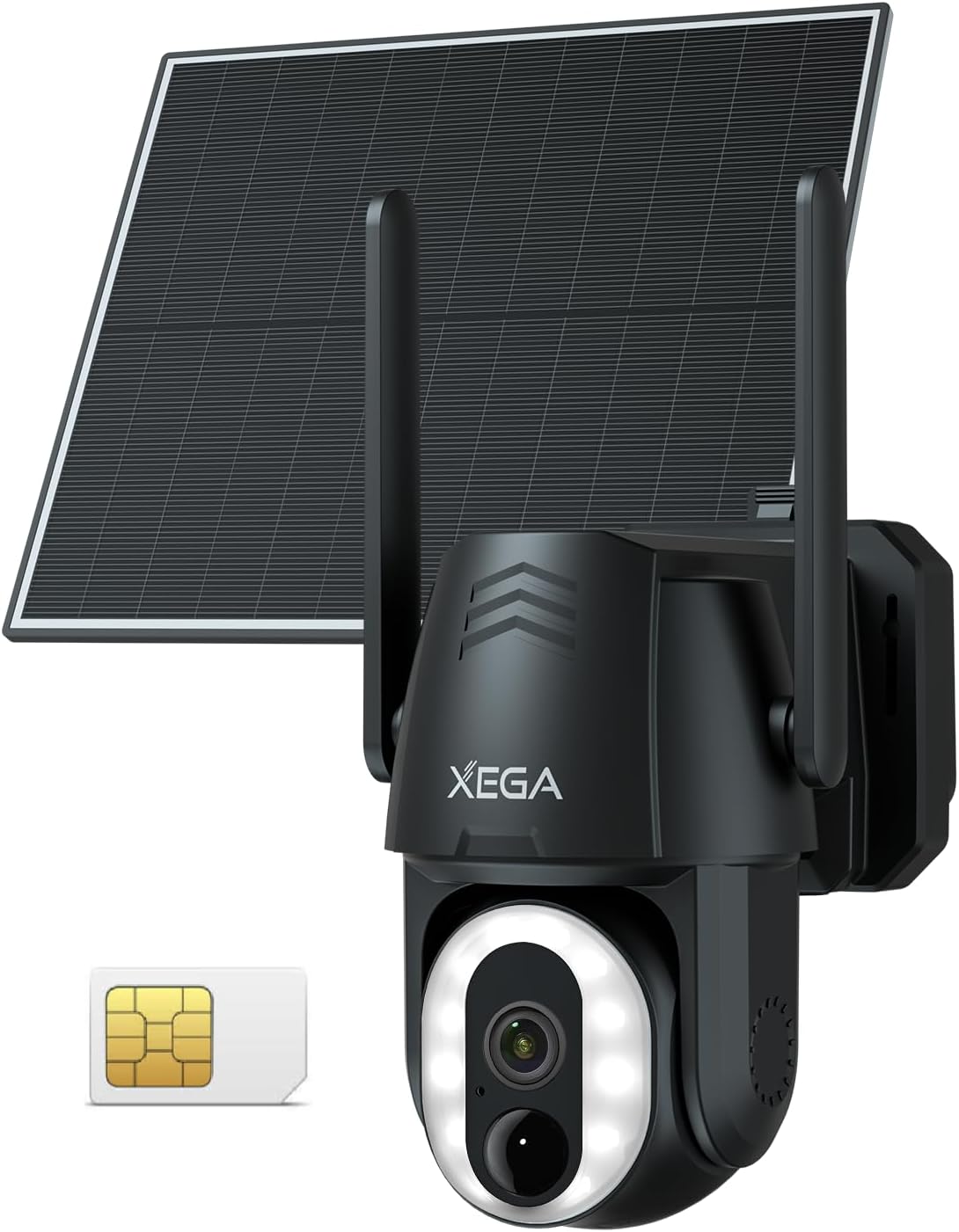
Image: The XEGA XG-03 camera with its solar panel, showcasing its compact design.
2. Package Contents
Please verify that all items are present in your package:
- XEGA XG-03 Security Camera
- Solar Panel (6W)
- Mounting Stand
- Charging Cable
- Mounting Screws and Wall Plugs
- Instruction Manual
- Pre-installed SIM Card (with 7-day trial data)

Image: A visual representation of all items included in the XEGA XG-03 product package.
3. Product Overview
The XEGA XG-03 camera integrates a high-resolution lens, infrared and LED lights for night vision, a PIR motion sensor, a microphone, and a speaker. It is powered by a 10,400mAh battery, continuously charged by a 6W solar panel. The camera supports 4G LTE connectivity via a pre-installed SIM card and is controlled via a mobile application.

Image: The XEGA XG-03 camera deployed in different outdoor environments, highlighting its versatility.
4. Setup
4.1 Initial Charging
Before installation, fully charge the camera using the provided charging cable. This ensures the battery has sufficient power for initial setup and operation, especially if solar charging conditions are not immediately optimal.
4.2 SIM Card Activation
The camera comes with a pre-installed SIM card that includes a 7-day trial data plan. This SIM card is specifically designed for this device and cannot be replaced with other SIM cards. After the trial period, you must subscribe to a data plan for the pre-installed SIM card to continue using the 4G LTE features. This camera does not support Wi-Fi connectivity.

Image: The XEGA XG-03 camera and solar panel, illustrating its 4G LTE capability and lack of Wi-Fi support.
4.3 Mounting the Camera and Solar Panel
Choose a location that provides a clear view of the area you wish to monitor and receives ample direct sunlight for the solar panel. The camera and solar panel can be installed separately or together. No electrical wiring is required.
- Secure the mounting stand to a wall or suitable surface using the provided screws.
- Attach the camera to the mounting stand.
- Position the solar panel to maximize sun exposure throughout the day. Connect the solar panel to the camera using the provided cable.

Image: A person installing the XEGA XG-03 camera and solar panel on an exterior wall.
4.4 App Installation and Pairing
Download the Ubox app from your smartphone's app store (Android/iOS). Follow the in-app instructions to pair your camera. This typically involves scanning a QR code on the camera or entering its device ID.

Image: A smartphone displaying the camera app interface, indicating simple setup procedures.
5. Operating Instructions
5.1 Live View and Remote Control
Access the live video feed from your camera anytime via the Ubox app. You can remotely control the camera's pan (350° horizontal) and tilt (90° vertical) movements to cover a wide area. The camera also supports 4x digital zoom for closer inspection of details.

Image: The XEGA XG-03 camera demonstrating its pan and tilt capabilities, along with 4x digital zoom.
5.2 Motion Detection and Alerts
The camera features a PIR human motion sensor combined with AI human detection to minimize false alarms from animals or swaying trees. Upon detecting human movement, the camera can send alarm notifications to your smartphone within 0.2 seconds. You can customize detection zones within the app to focus on specific areas and reduce unnecessary alerts.

Image: An illustration of how to set custom detection areas for motion alerts around a property.
5.3 Night Vision Modes
The camera offers two night vision modes: infrared (850nm) for discreet monitoring and a 500-lumen high-brightness LED spotlight for color night vision. The spotlight can illuminate dark areas, deterring intruders while recording clear, vivid footage even at night. This ensures 24-hour reliable surveillance.

Image: A visual comparison demonstrating the superior clarity and brightness of 500-lumen LED night vision.
5.4 Two-Way Audio and Deterrent Functions
With the built-in microphone and speaker, you can engage in two-way conversations through the camera. This is useful for communicating with visitors or warning potential intruders. You can also remotely activate a siren and the spotlight to deter unwanted activity.

Image: The camera's spotlight and siren actively deterring an individual during nighttime surveillance.
6. Storage Options
The XEGA XG-03 camera offers flexible recording storage solutions:
- Cloud Storage: A 30-day free trial is included. After the trial, a subscription is required to continue cloud services. Cloud data is protected with bank-level encryption.
- Local TF Card Storage: Supports up to 128GB TF (MicroSD) cards (sold separately).
You can review live footage and recorded videos remotely at any time through the app.
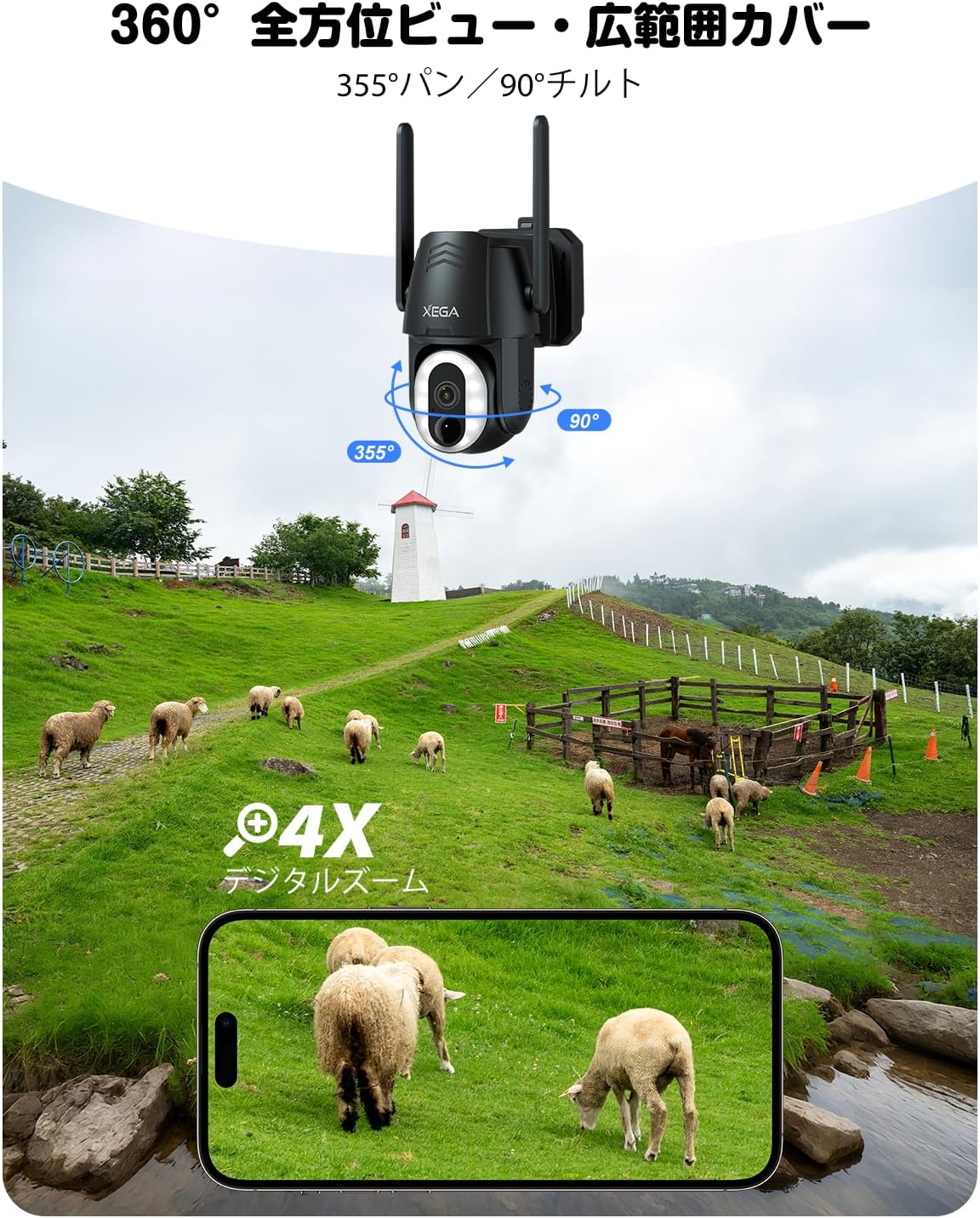
Image: A graphic illustrating the two available storage methods: local TF card and cloud storage.
7. Maintenance
7.1 Solar Panel Care
Ensure the solar panel remains clean and free of obstructions (e.g., leaves, dirt) to maximize charging efficiency. Regular cleaning with a soft, damp cloth is recommended.

Image: The camera and solar panel, highlighting the 6W solar charging and 10400mAh battery capacity.
7.2 Weather Resistance
The camera has an IP66 waterproof rating, making it resistant to rain, snow, and dust. However, avoid submerging the device in water or exposing it to extreme weather conditions beyond its operating limits (-20°C to 60°C).

Image: The XEGA XG-03 camera and solar panel enduring rainfall, demonstrating its IP66 waterproof design.
8. Troubleshooting
- Camera not powering on: Ensure the battery is fully charged. Check the connection between the solar panel and the camera.
- No 4G signal: Verify that the pre-installed SIM card's data plan is active. Ensure the camera is in an area with 4G LTE network coverage.
- Frequent false alarms: Adjust the motion detection sensitivity in the Ubox app. Define specific detection zones to exclude areas with frequent non-human movement.
- Poor night vision: Ensure the camera lens is clean. Check for any obstructions blocking the infrared or LED lights.
- Cannot connect to app: Ensure your smartphone has a stable internet connection. Restart the camera and try pairing again.
9. Specifications
| Feature | Detail |
|---|---|
| Model Name | XG-03 |
| Connectivity | 4G LTE (Wireless, Wi-Fi not supported) |
| Power Source | Solar Powered |
| Battery Capacity | 10,400mAh |
| Solar Panel | 6W Movable |
| Video Resolution | 3MP (1296p) |
| Night Vision | Infrared (850nm) & 500 Lumen LED Spotlight (Color Night Vision) |
| Pan/Tilt Range | Horizontal 350°, Vertical 90° |
| Digital Zoom | 4x |
| Motion Detection | PIR Sensor + AI Human Detection |
| Audio | Two-Way Audio (Built-in Mic & Speaker) |
| Storage Options | Cloud Storage (Subscription after trial), Local TF Card (Max 128GB, sold separately) |
| Waterproof Rating | IP66 |
| App Compatibility | Ubox App (Android/iOS) |
| Dimensions | 19 x 16 x 13 cm |
| Weight | 1 kg |
10. Warranty Information
The XEGA XG-03 Solar Powered 4G LTE Outdoor Security Camera comes with a 2-year warranty from the date of purchase. This warranty covers manufacturing defects and malfunctions under normal use. Please retain your proof of purchase for warranty claims.
11. Customer Support
If you encounter any issues or have questions regarding your XEGA XG-03 camera, please contact our customer support team. Our experienced support team will respond within 24 hours to assist you.
- Email: Refer to the official XEGA website or your purchase documentation for the official email address.
- Amazon: Contact us through the Amazon platform where you made your purchase.
- Ubox App: Use the support features available within the Ubox application.

Image: A team of customer support representatives ready to assist with product inquiries.


