
1. Product Overview
The TORRAS CF20 PRO Solar Panel is designed to provide supplementary solar charging for compatible devices, specifically the CF20/20 Pro model. It utilizes high-performance monocrystalline silicon to convert sunlight into electrical energy, enhancing the charging experience. This panel incorporates an intelligent circuit for safety protection during operation.
Key features include:
- Custom-Built Compatibility: Specifically designed for the CF20/20 Pro model.
- Safe Charging Protection: Features a built-in intelligent circuit providing overcurrent, overvoltage, overheat, and short circuit protection.
- High Solar Conversion: Employs high-performance monocrystalline silicon for efficient energy conversion.
- Reusable Adhesive Design: Equipped with a washable, repositionable adhesive film that can be reapplied multiple times without leaving residue.
2. Product Components and Construction
The CF20 PRO Solar Panel is constructed with durable and efficient materials to ensure reliable performance.

Image 2.1: Exploded view illustrating the internal layers of the TORRAS CF20 PRO Solar Panel, including the tempered glass layer, EVA sealing layer, monocrystalline silicon cell layer, and backsheet layer, all encased in an aerospace-grade aluminum alloy for heat resistance and durability.
The panel's construction includes:
- Aerospace-grade Aluminum Alloy: Provides heat resistance and durability for the outer casing.
- Tempered Glass Layer: Protects the internal components from environmental factors.
- EVA Sealing Layer: Ensures moisture protection and structural integrity.
- Monocrystalline Silicon Cell Layer: The core component responsible for solar energy conversion.
- Backsheet Layer: Provides insulation and protection for the rear of the solar cells.
3. Setup Instructions
Follow these steps to properly install your TORRAS CF20 PRO Solar Panel:
- Clean the Surface: Ensure the intended installation surface (e.g., dashboard) is clean, dry, and free of dust or oils.
- Prepare the Adhesive: The solar panel features a washable, repositionable adhesive film. Carefully peel off the protective backing from the adhesive pad on the solar panel.
- Position the Panel: Place the solar panel in a location that receives maximum direct sunlight, typically on the dashboard or a similar flat surface. Ensure it is securely attached and does not obstruct your view or vehicle controls.
- Secure Attachment: Press firmly on the panel to ensure the adhesive makes full contact with the surface. The strong adhesion prevents vibrations during transportation.
- Connect to Device: Connect the solar panel to your CF20/20 Pro device as per its instructions.
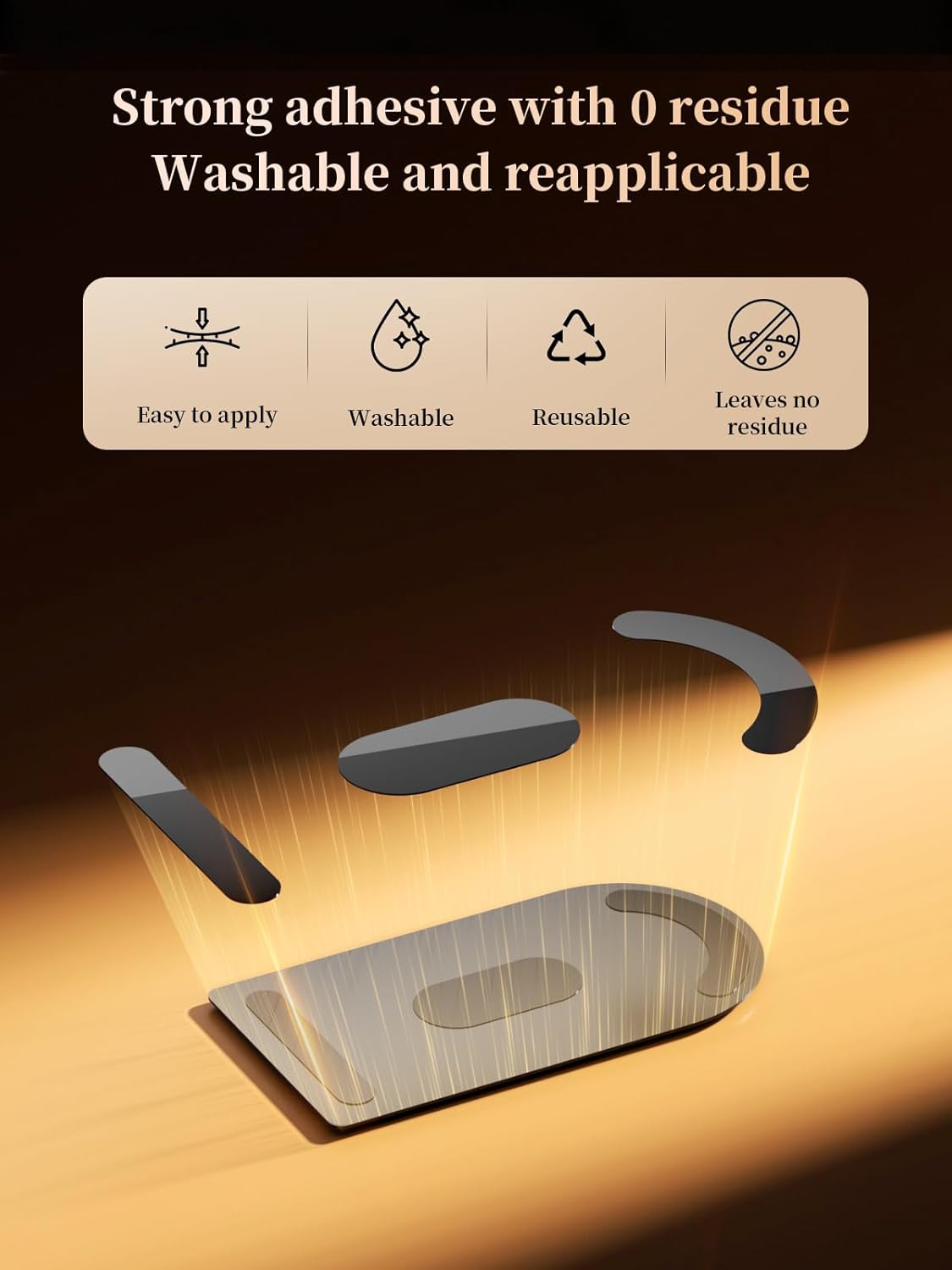
Image 3.1: Visual representation of the adhesive features, highlighting its ease of application, washability, reusability, and residue-free removal.
4. Operating Instructions
The TORRAS CF20 PRO Solar Panel operates automatically using solar energy.
- Solar Charging: Once installed and connected, the panel will automatically begin charging your CF20/20 Pro device when exposed to sufficient sunlight. No manual activation is required.
- Optimal Sunlight Exposure: For best performance, ensure the solar panel receives direct and unobstructed sunlight. Factors such as season, weather conditions, and geographical location can affect solar radiation intensity and charging efficiency.
- Charging Efficiency: The panel boasts a photovoltaic conversion efficiency of up to 20%, maximizing the conversion of sunlight into electrical energy.

Image 4.1: The TORRAS CF20 PRO Solar Panel designed for eco-friendly wireless charging, automatically utilizing solar energy.

Image 4.2: Illustration of the solar panel's contribution to extended battery life and its 20% photovoltaic conversion efficiency. Note: Solar charging is an auxiliary method and efficiency varies with conditions.
Safety Protection System
The integrated intelligent circuit provides comprehensive safety features:
- Overcurrent Protection: Prevents damage from excessive current flow.
- Overvoltage Protection: Safeguards against voltage spikes.
- Overheat Protection: Ensures safe operation even in high-temperature environments.
- Short Circuit Protection: Protects the device from short-circuit conditions.

Image 4.3: Diagram illustrating the powerful intelligent protection system, detailing overcurrent, overvoltage, overheat, and short circuit protection features.
5. Maintenance
Regular maintenance ensures optimal performance and longevity of your solar panel.
- Cleaning the Panel Surface: Periodically wipe the solar panel surface with a soft, damp cloth to remove dust, dirt, or debris. A clean surface ensures maximum sunlight absorption and charging efficiency.
- Adhesive Maintenance: If the adhesive film loses its stickiness, it can be washed with water and allowed to air dry. Once dry, it will regain its adhesive properties for reapplication. Ensure the surface is clean before reapplying.
- Inspection: Regularly inspect the panel and its connections for any signs of damage or wear.
6. Troubleshooting
If you encounter issues with your TORRAS CF20 PRO Solar Panel, consider the following:
- Panel Not Charging:
- Ensure the panel is receiving direct and sufficient sunlight. Obstructions like shade, tinting, or heavy cloud cover will reduce or prevent charging.
- Verify that the panel surface is clean. Dust or dirt can significantly reduce efficiency.
- Check the connection between the solar panel and your CF20/20 Pro device. Ensure it is secure.
- Adhesive Not Sticking:
- Clean the installation surface thoroughly.
- Wash the adhesive film with water and let it air dry completely before reapplication.
- Panel Overheating:
- The panel has built-in overheat protection. If it feels excessively hot, ensure it is not placed in an enclosed space without adequate ventilation. While designed for high temperatures, extreme conditions can affect performance.
If problems persist after attempting these troubleshooting steps, please contact TORRAS customer support.
7. Specifications
| Feature | Detail |
|---|---|
| Model Number | US-CF20-Solar Panel |
| Compatibility | TORRAS CF20/20 Pro devices |
| Photovoltaic Efficiency | Up to 20% |
| Material | Monocrystalline Silicon, Aerospace-grade Aluminum Alloy, Tempered Glass |
| Safety Features | Overcurrent, Overvoltage, Overheat, Short Circuit Protection |
| Adhesive Type | Washable, Repositionable, Residue-free |
| Color | Black |
| Package Dimensions | 8.58 x 5.08 x 0.67 inches |
| Item Weight | 6.74 ounces |
8. Warranty and Support
The TORRAS CF20 PRO Solar Panel comes with a one-year warranty from the date of purchase. This warranty covers manufacturing defects and ensures reliable operation under normal use.
For any issues, questions, or support needs, please contact TORRAS customer service. Our team is committed to providing quick and honest service to ensure your satisfaction.
Please refer to your product packaging or the official TORRAS website for the most current contact information.
