
Datewink ZQ02375
Datewink Mini Moving Head Light (Model ZQ02375) Instruction Manual
Model: ZQ02375 | Brand: Datewink
Introduction
This manual provides essential information for the safe and effective operation of your Datewink Mini Moving Head Light, Model ZQ02375. Please read these instructions thoroughly before installation and use, and retain them for future reference. This device is designed for stage lighting applications in small venues, offering versatile lighting effects.
Safety Instructions
- Power Supply: Ensure the input voltage (AC100V-240V 50/60Hz) matches your local power supply.
- Grounding: Always connect the device to a grounded power outlet to prevent electric shock.
- Ventilation: Do not block ventilation openings. Ensure adequate airflow around the unit to prevent overheating.
- Temperature: Maintain a minimum distance of 0.20m from flammable materials. The maximum temperature of the external surface is 120°C.
- Moisture: Do not expose the device to rain or moisture. Avoid using it in damp or wet environments.
- Handling: Handle with care. Avoid dropping or subjecting the unit to strong impacts.
- Servicing: Refer all servicing to qualified personnel. Do not attempt to repair the unit yourself.
- Eye Safety: Avoid direct eye exposure to the light source, especially the green laser, as it can cause eye damage.
Package Contents
Verify that all items listed below are included in your package:
- Datewink Mini Moving Head Light (ZQ02375)
- Power Cable
- Light Hook Bracket
- Mounting Screws (2)
- Remote Control
- Instruction Manual

Product Overview
Familiarize yourself with the components of your Datewink Mini Moving Head Light.
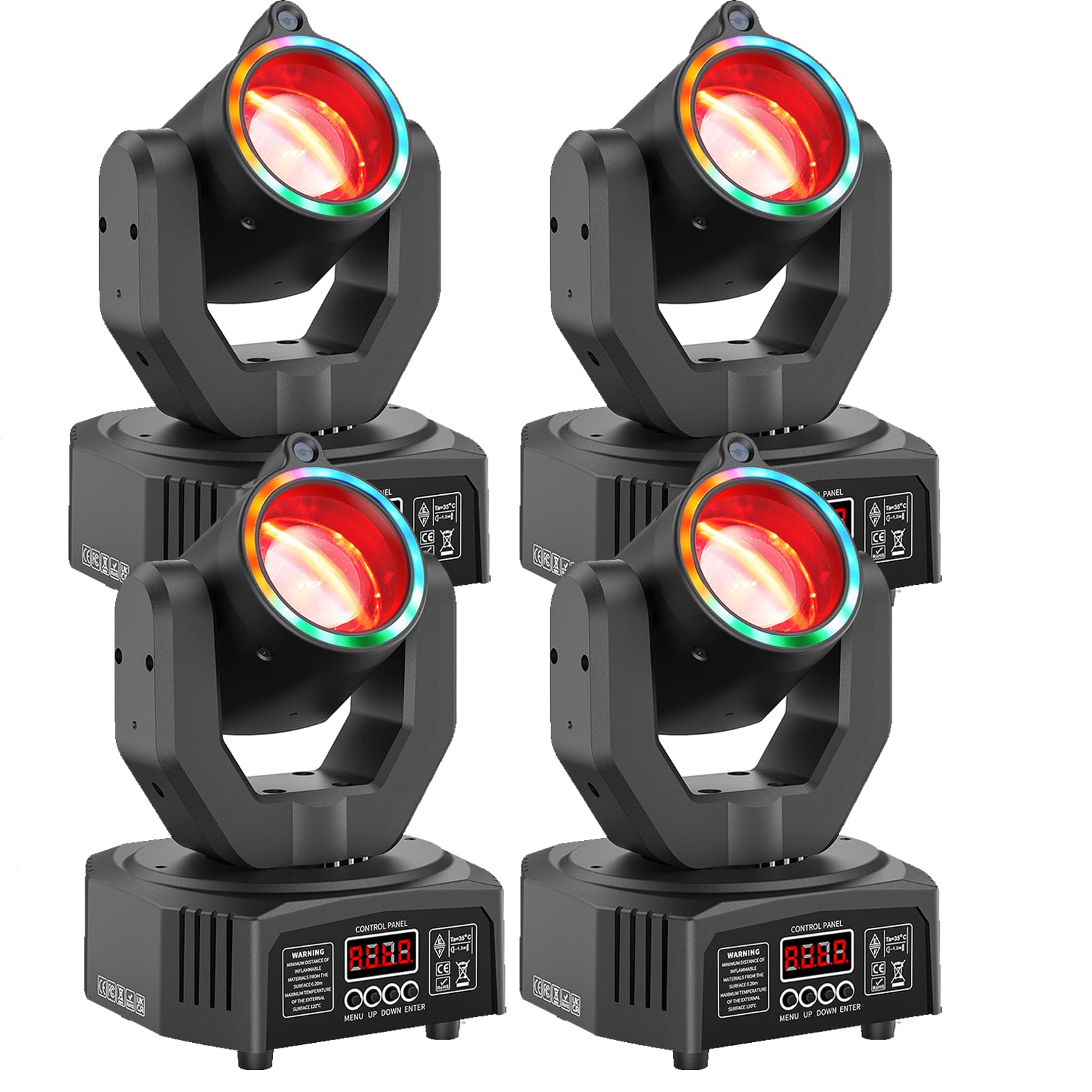
- Light Source: Features 3x 10W RGBW Beam LEDs, 12x 0.2W RGB LEDs, and a green beam light for diverse effects.
- Control Panel: A 4-digit digital display with 4-key buttons for menu navigation and settings adjustment.
- DMX Ports: DMX IN and DMX OUT ports for connection to DMX controllers.
- Power Connection: Standard power input for AC100V-240V.
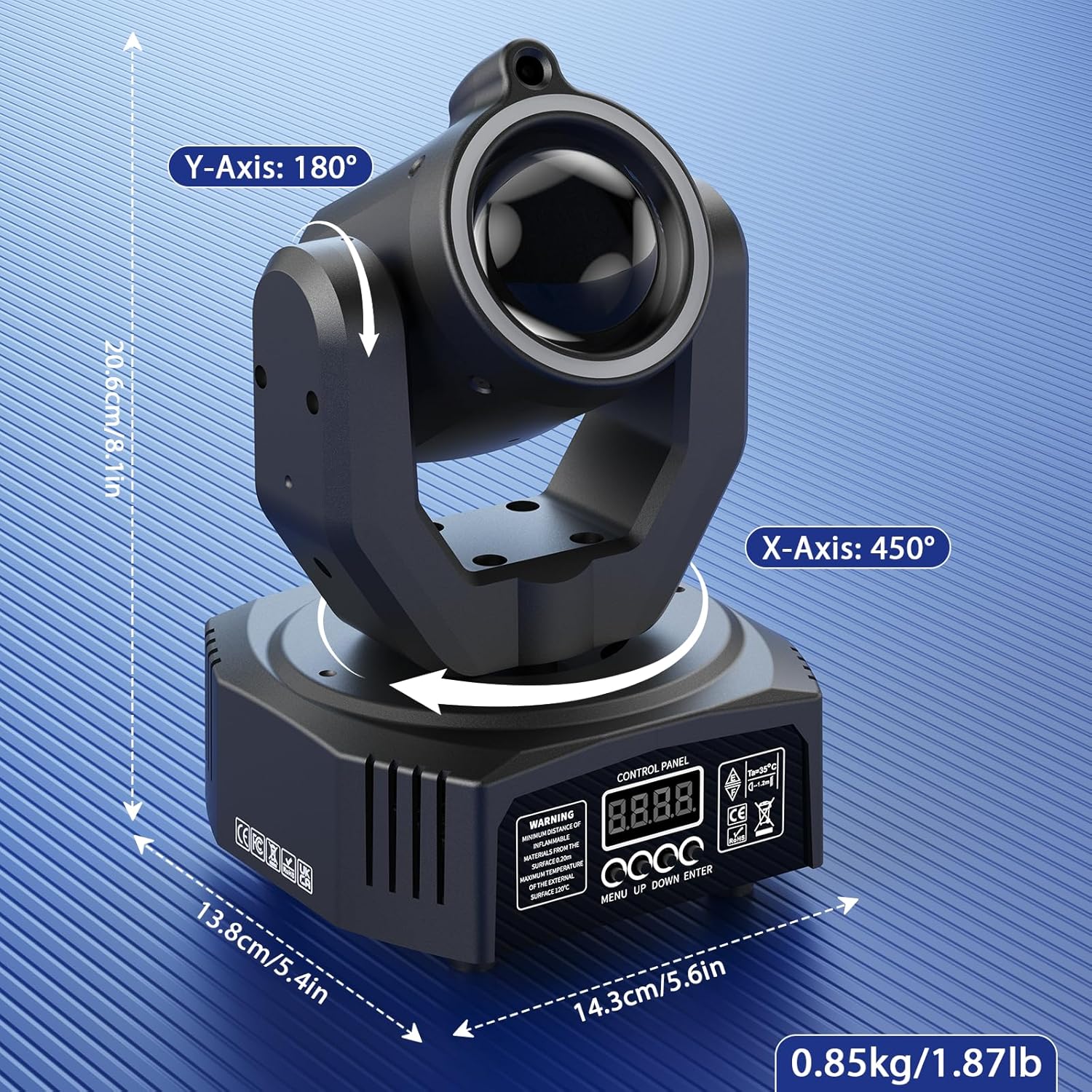
- Movement: X-Axis (Pan) rotation up to 450°, Y-Axis (Tilt) rotation up to 180°.
- Cooling System: Integrated fan for efficient heat dissipation, ensuring stable operation and extended LED lifespan.

Setup
- Unpacking: Carefully remove the light from its packaging and inspect for any damage.
- Mounting:
- For overhead installation, securely attach the light hook bracket using the provided screws. Ensure the mounting surface or truss can support the weight of the fixture.
- Alternatively, the unit can be placed on a stable, flat surface using its integrated feet.
- Power Connection: Connect the power cable to the unit's power input and then to a suitable grounded power outlet.
- DMX Connection (Optional): If using a DMX controller, connect a DMX cable from the DMX OUT of your controller to the DMX IN of the first light. For multiple lights, daisy-chain them by connecting the DMX OUT of the first light to the DMX IN of the next, and so on.
Operating Modes
The Datewink Mini Moving Head Light offers multiple operating modes for versatile control:
- Auto-Run Mode: The light cycles through pre-programmed patterns and effects automatically.
- Sound Activation Mode: The light reacts to ambient sound or music, changing patterns and movements in sync with the beat.
- Master-Slave Mode: Connect multiple units. One unit acts as the master, controlling all other connected slave units to synchronize effects.
- DMX512 Mode: For professional control, connect to a DMX controller to customize every aspect of the light's movement, color, and effects using 13 DMX channels.
- Remote Control Mode: Use the included infrared remote control for convenient wireless operation.


Video 1: Demonstration of Datewink Mini Moving Head Light features. This video showcases the various lighting effects, movement, and control options of the product.
Remote Control Operation
The included remote control provides convenient access to various functions:
| Button | Function |
|---|---|
| ON | Turns the light on. |
| OFF | Turns the light off. |
| DMX | Activates DMX Mode. |
| AUTO | Activates Combined Effect Auto Mode. |
| SPEED+/- | Adjusts the speed of auto effects. |
| VOICE | Activates Sound-activated Mode. |
| MIC+/- | Adjusts sound sensitivity in Sound-activated Mode. |
| 1-9, 0 | Selects specific pre-programmed effects (e.g., Red Beam LED, Green Starfield Light, Strobe, etc.). |

Maintenance
- Cleaning: Regularly clean the lens and housing with a soft, lint-free cloth. Do not use abrasive cleaners or solvents.
- Ventilation: Ensure the ventilation grilles are free from dust and debris to maintain optimal cooling.
- Storage: When not in use, store the light in a dry, dust-free environment, preferably in its original packaging or a protective case.
- Inspection: Periodically check power cables and DMX connections for any signs of wear or damage.

Troubleshooting
| Problem | Possible Cause | Solution |
|---|---|---|
| No power | Power cable disconnected; no power from outlet; blown fuse. | Check power cable connection; test outlet with another device; replace fuse if necessary. |
| Light not responding to remote | Remote batteries low/dead; remote not pointed at sensor; interference. | Replace remote batteries; ensure clear line of sight to the light's sensor; reduce interference. |
| DMX control issues | Incorrect DMX address; faulty DMX cable; DMX terminator missing. | Verify DMX address settings; check DMX cables for damage; use a DMX terminator on the last fixture in the chain. |
| Light not moving/stuck | Obstruction; internal error. | Check for physical obstructions; power cycle the unit. If problem persists, contact support. |
Specifications
| Feature | Detail |
|---|---|
| Model Number | ZQ02375 |
| Input Voltage | AC100V-240V 50/60Hz |
| Light Source | 3x 10W RGBW Beam LED, 12x 0.2W RGB LEDs, 1x Green Beam Light |
| Light Source Wattage | 50 Watts |
| Optimal Projection Distance | 3-5 meters |
| Average LED Life | 10,000 hours |
| Dimming Curve | 0-100% Linear Dimming |
| Strobe Rate | 1-20Hz |
| X-Axis (Pan) Movement | 450° |
| Y-Axis (Tilt) Movement | 180° |
| Operation Modes | Auto, Sound Activation, Master-Slave, DMX512, Remote Control |
| Control Channels | 13 DMX Channels |
| Data Connection | Three-core XLR input/output |
| Display | 4-digit digital display |
| Protection Level | IP20 |
| Working Environment | -20°C to 40°C |
| Material | Aluminum alloy structure/plastic shell (ABS) |
| Product Dimensions (L x W x H) | 14.3cm x 13.8cm x 20.6cm (5.63"L x 5.43"W x 8.11"H) |
| Net Weight | 0.85kg / 1.87lb |

Warranty and Support
This Datewink product is covered by a 180-day manufacturer's warranty from the date of purchase. This warranty covers defects in materials and workmanship under normal use.
For technical support, warranty claims, or any questions regarding your product, please contact Datewink customer service through the retailer where the product was purchased. Please have your model number (ZQ02375) and proof of purchase ready.
Related documentsZQ02375


Ask a question about this manual
Ask about setup, troubleshooting, compatibility, parts, safety, or missing instructions. Manuals+ will review the question and use this page’s manual context to help answer it.