
1. Introduction
Thank you for choosing the VASAGLE LSD144WZ02 Height Adjustable Desk. This manual provides essential information for the safe assembly, operation, and maintenance of your new desk. Please read these instructions carefully before use and retain them for future reference.
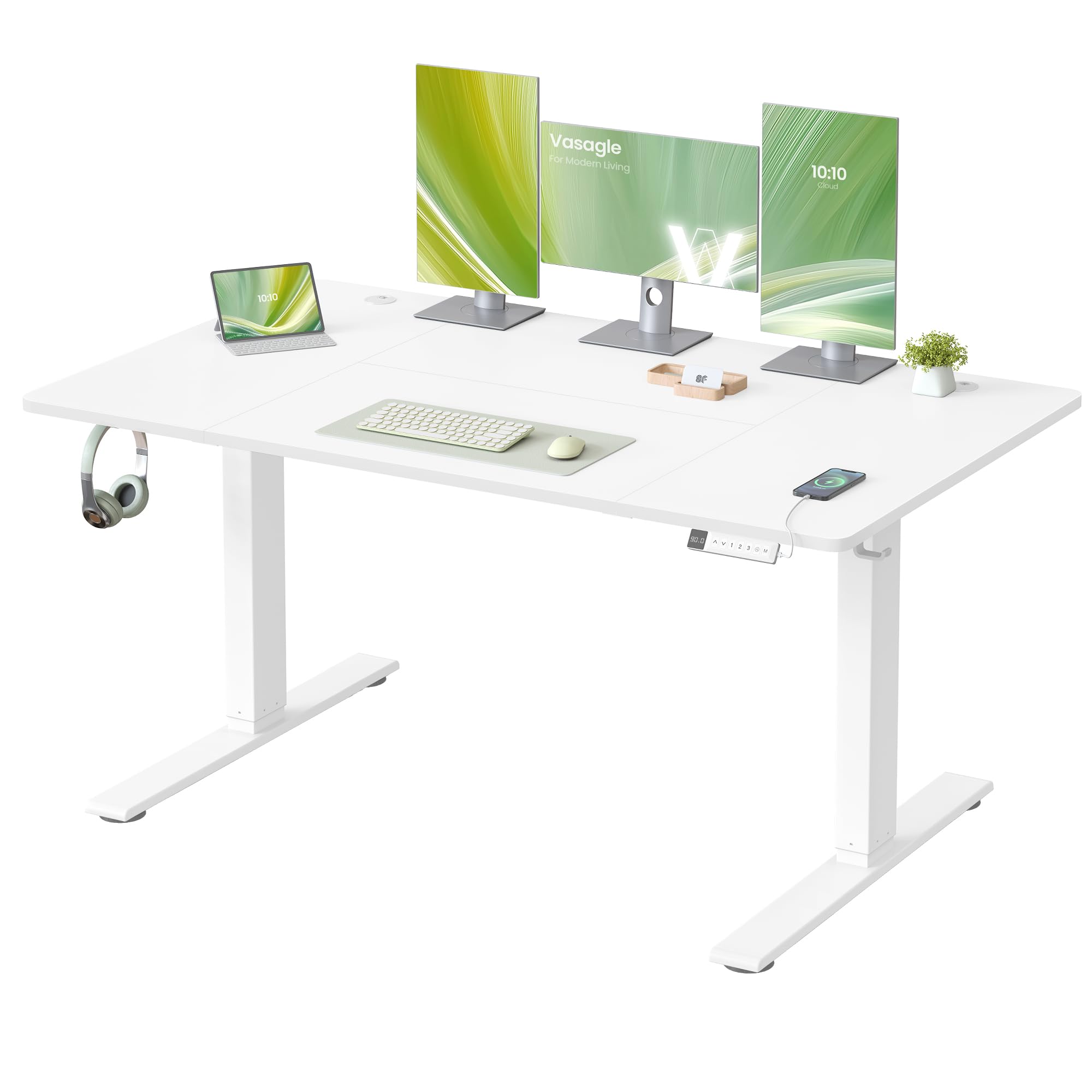
Figure 1: VASAGLE LSD144WZ02 Height Adjustable Desk
The VASAGLE LSD144WZ02 is a versatile electric standing desk designed to enhance your workspace with adjustable height, smart features, and efficient cable management. Its robust construction ensures stability and quiet operation, making it suitable for various office and study environments.
2. Safety Information
- Do not place the desk directly against a wall when raising or lowering it to prevent scratches.
- The desk is designed for indoor use only.
- Keep all electrical components away from liquids.
- Do not place heavy objects exceeding the 80 kg (176 lbs) load capacity on the desk.
- Ensure all cables are properly routed and secured to prevent tripping hazards or damage during height adjustment.
- Keep children and pets away from the desk during operation.
3. Package Contents
Before assembly, please verify that all components listed below are present and undamaged:
- 1 x Electric Height Adjustable Desk
- 1 x Accessory Kit (includes screws, tools, etc.)
- 1 x User Manual
If any parts are missing or damaged, please contact customer support.
4. Setup and Assembly
The VASAGLE LSD144WZ02 desk is designed for effortless assembly. Follow the illustrated instructions provided in the accessory kit. All parts are marked for easy identification.
- Prepare the Tabletop: Lay out the tabletop sections on a soft, clean surface to prevent scratches.
- Attach Legs and Crossbar: Secure the desk legs and crossbar according to the diagrams.
- Install Support Bars: Fasten the support bars to ensure structural integrity.
- Connect Other Components: Attach the control panel, power strip shelf, and any other accessories.

Figure 2: Assembly Steps Overview
Ensure all screws are tightened securely before using the desk. It is recommended to have two people for assembly to ensure stability and ease of handling larger components.
5. Operating Instructions
5.1 Height Adjustment
The desk's height can be adjusted electrically from 72 cm (28.3 inches) to 120 cm (47.2 inches).
- Raise Desk: Press and hold the Up Arrow button on the control panel.
- Lower Desk: Press and hold the Down Arrow button on the control panel.

Figure 3: Desk Height Adjustment for Sitting and Standing
5.2 Memory Functions
The control panel features 3 memory buttons (1, 2, 3) to save and quickly recall your preferred desk heights.
- To Save a Height: Adjust the desk to your desired height. Press the M button, then press one of the memory buttons (1, 2, or 3) within 3 seconds. The height is now saved.
- To Recall a Height: Simply press the corresponding memory button (1, 2, or 3). The desk will automatically move to the saved position.
5.3 Sedentary Reminder
The sedentary reminder feature helps you maintain a healthy work routine by prompting you to change positions. To activate or deactivate this feature, refer to the detailed instructions in the included user manual. The reminder interval can typically be customized.
5.4 USB-C Charging Port
The control panel includes a 20W USB-C port for convenient and fast charging of your smartphones and other compatible devices.

Figure 4: Control Panel with USB-C Charging

Figure 5: USB-C Fast Charging Function
6. Features Overview
6.1 Spacious Tabletop
The 140 x 80 cm (55.1 x 31.5 inches) tabletop offers a generous 33.3% more space compared to traditional desks. This ample surface is ideal for accommodating multiple monitors, laptops, and other office essentials, allowing for a comfortable viewing distance and an organized workspace.

Figure 6: Spacious Work Surface with Multiple Devices

Figure 7: Deep Surface for Optimal Viewing Distance
6.2 Stable and Quiet Operation
The desk features reinforced legs and extended bases, combined with a high-quality motor, ensuring stable and smooth height adjustments. It can support a load of up to 80 kg (176 lbs) with a noise level of ≤ 48 dB, comparable to a quiet library environment.

Figure 8: Enhanced Stability with Reinforced Legs

Figure 9: Quiet Operation (≤ 48 dB)
6.3 Cable Management and Organization
The desk includes a spacious lower shelf designed to hold double or extra-long power strips. Two cable grommets ensure tidy routing of cables, and two side hooks provide convenient storage for headphones or bags, keeping your workspace clutter-free.

Figure 10: Integrated Cable Management

Figure 11: Thoughtful Cable Management Design
7. Maintenance
- Cleaning: Wipe the desk surface with a soft, damp cloth. Avoid abrasive cleaners or harsh chemicals that may damage the finish.
- Electrical Components: Regularly check the power cord and connections for any signs of damage. Ensure they are securely plugged in.
- Moving the Desk: When moving the desk, lower it to its lowest position and disconnect the power. Lift the desk rather than dragging it to prevent damage to the legs or floor.
- Fasteners: Periodically check and tighten all screws and fasteners to ensure the desk remains stable.
8. Troubleshooting
- Desk Not Moving:
- Check if the power cord is securely plugged into both the desk and the wall outlet.
- Ensure there are no obstructions preventing the desk from moving.
- If the control panel displays an error code, refer to the full user manual for specific troubleshooting steps.
- Wobbling at Max Height:
- While the desk is designed for stability, some minimal wobbling may occur at maximum height, which is typical for two-leg standing desks. Ensure all fasteners are tight.
- Buzzing Sound:
- A slight buzzing sound from the motor during adjustment is normal. The control panel may also emit a low sound when active, but it should enter standby mode and become silent after a few minutes of inactivity.
9. Specifications
| Feature | Specification |
|---|---|
| Brand | VASAGLE |
| Model Number | LSD144WZ02 |
| Dimensions (D x W x H) | 80 x 140 x 72-120 cm (31.5 x 55.1 x 28.3-47.2 inches) |
| Color | Matte White |
| Material | Engineered Wood (Particleboard), Alloy Steel, PA Plastic |
| Minimum Height | 72 cm (28.3 inches) |
| Maximum Height | 120 cm (47.2 inches) |
| Tabletop Thickness | 1.5 cm (0.6 inches) |
| Max. Load Capacity | 80 kg (176 lbs) |
| Noise Level | ≤ 48 dB |
| Special Features | Height Adjustable, Sedentary Reminder, USB-C Port (20W), Cable Management (Power Strip Shelf, Grommets) |
| Assembly Required | Yes |
| GTIN (UPC) | 194343465340 |
10. Warranty and Support
This product comes with a limited warranty. For specific details regarding the warranty period and coverage, please refer to the documentation included with your purchase or contact the retailer.
Return Policy: Products purchased from Amazon.es are eligible for a refund/replacement within 30 days, subject to Amazon's return policy.
For technical assistance, missing parts, or any other inquiries, please contact VASAGLE customer support through the retailer's platform or visit the official VASAGLE website for contact information.