
Introduction
The Rumoon Captain 500 2.4GHz Wireless Headphones offer professional-grade audio with versatile connectivity options. Designed for musicians, DJs, and audio enthusiasts, these headphones provide ultra-low latency wireless performance and extended battery life for prolonged creative sessions.
- Professional-Grade True Wireless Freedom: Experience instant 2.4GHz ultra-low latency audio (only 20ms) via the included dongle. Ideal for wireless jamming, DJ mixing, and studio-level music creation with instruments like guitars, keyboards, mixers, and other professional audio gear.
- All-In-One Connectivity for Every Scenario: Seamlessly switch between 2.4GHz wireless, Bluetooth, 3.5mm, and 6.35mm connections. Whether you're playing on your phone, producing on your laptop, or gaming on your PC, these headphones adapt to your needs.
- Power That Keeps Up With Your Creativity: Enjoy extended usage without battery concerns. Get up to 40 hours in 2.4GHz mode and 55 hours in Bluetooth mode, with a quick 1–2 hour recharge time.
- Studio-Level Sound You Can Trust: Equipped with a high-precision 50mm neodymium driver and responsive single-layer PET diaphragm, these headphones deliver clean mids, detailed highs, and transparent sound, engineered for serious monitoring and critical listening.
- Comfortable for Long Sessions: Soft protein-leather earpads ensure breathable all-day comfort, making them suitable for extended use.
What's in the Box
Verify that all the following items are included in your package:
- Rumoon Captain 500 Wireless Headphones
- 2.4GHz Wireless Transmitter (Dongle)
- 3.5mm to 3.5mm Audio Cable (Coiled)
- 6.35mm Adapter
- USB-C Charging Cable
- Soft Carrying Bag
- User Manual
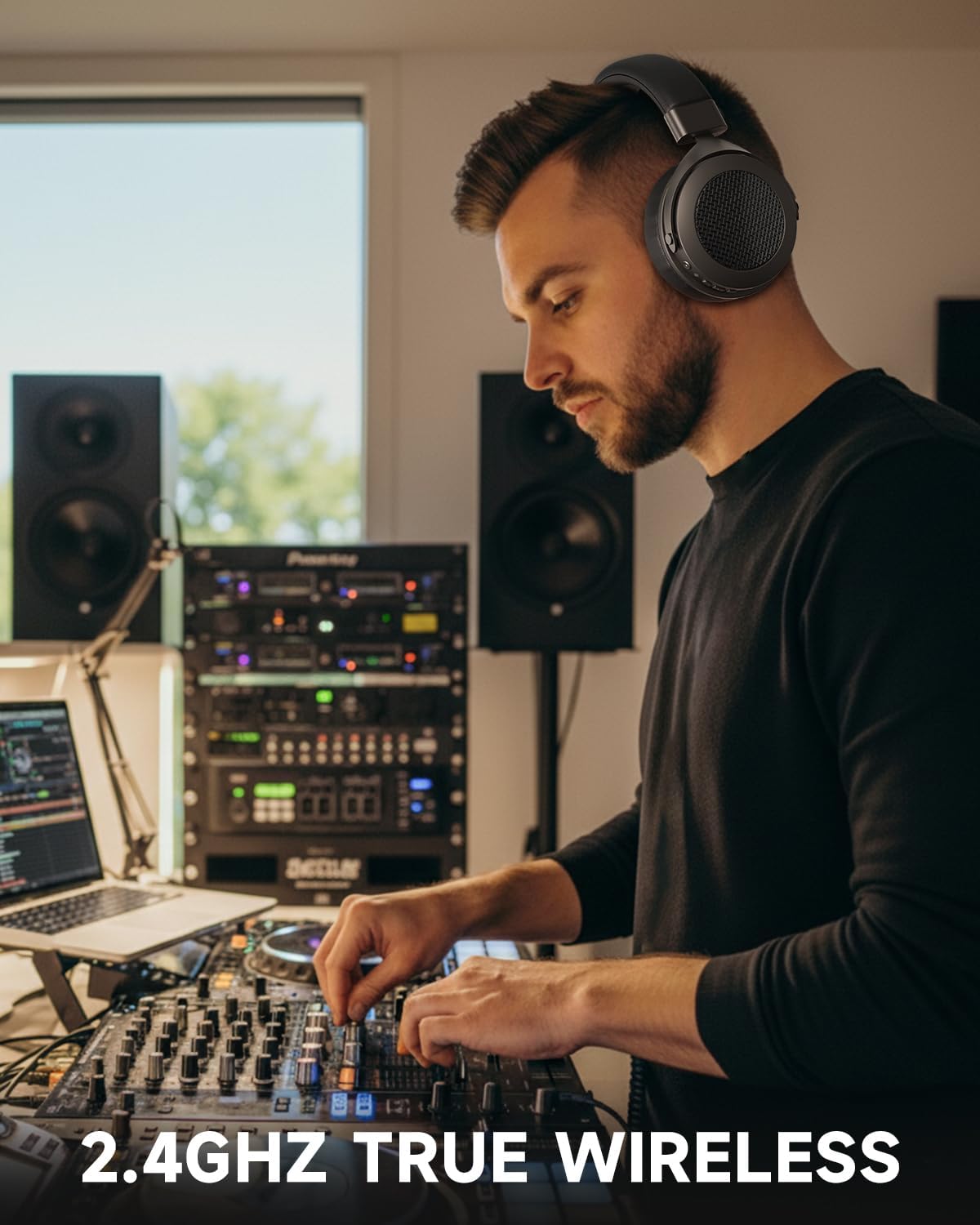
Image: All components of the Rumoon Captain 500 package, including the headphones, wireless transmitter, various cables, and adapters.
Setup
1. Charging the Headphones
- Connect the USB-C end of the charging cable to the USB-C port on the headphones.
- Connect the USB-A end of the charging cable to a compatible USB power source (e.g., computer, wall adapter).
- The LED indicator on the headphones will show charging status. A full charge typically takes 1-2 hours.
2. Connecting via 2.4GHz Wireless Transmitter
- Attach the 6.35mm adapter to the 2.4GHz wireless transmitter if your device requires a larger jack.
- Plug the transmitter into the audio output jack of your instrument (e.g., guitar, keyboard, mixer) or audio interface.
- Power on the headphones by pressing and holding the power button.
- The headphones and transmitter should automatically pair, indicated by a steady blue light on the transmitter.
3. Connecting via Bluetooth
- Ensure the headphones are powered on.
- Activate Bluetooth on your mobile device, laptop, or tablet.
- Search for "Rumoon Captain 500" in your device's Bluetooth settings and select to pair.
- The LED indicator on the headphones will confirm successful pairing.
4. Connecting via Wired Cable
- Connect one end of the 3.5mm audio cable to the audio input port on the headphones.
- Connect the other end of the 3.5mm audio cable to your audio source (e.g., PC, gaming console, mobile phone).
- If your audio source requires a 6.35mm jack, attach the provided 6.35mm adapter to the 3.5mm cable before plugging it into the device.
Video: A detailed overview of the Rumoon Captain 500 headphones, demonstrating the various components and connectivity options for studio monitoring and DJ mixing.
Operating Instructions
Controls Overview
The main controls are located on the earcup for easy access:
- Power Button: Press and hold to power on/off. Short press to play/pause audio or answer/end calls.
- Volume Up/Next Track: Short press for volume up. Long press for next track.
- Volume Down/Previous Track: Short press for volume down. Long press for previous track.
- Mode Button (Sound Effects): Cycle through different sound effect modes (e.g., Bass, Guitar, Music) to optimize audio for your specific instrument or listening preference.
- Built-in Microphone: Use for hands-free calls or recording when connected via Bluetooth or wired.

Image: The right earcup of the Rumoon Captain 500 headphones, highlighting the power, volume, and mode buttons, along with the USB-C charging port and 3.5mm audio jack.
Adjusting for Comfort
The headphones feature an adjustable headband and soft protein-leather earpads for a comfortable fit during long listening or production sessions. Adjust the headband by sliding the earcups up or down until they comfortably fit over your ears.
Connectivity Modes
The Rumoon Captain 500 headphones offer multiple connectivity options to suit various applications:
- 2.4GHz Wireless: Provides ultra-low latency (20ms) for real-time audio monitoring with musical instruments and professional audio equipment.
- Bluetooth: Ideal for general wireless listening with smartphones, tablets, and computers.
- 3.5mm Wired: For direct connection to devices like gaming consoles (Xbox, PS4), PCs, and mobile phones, ensuring compatibility and zero latency.
- 6.35mm Wired: Utilizes the included adapter for connection to professional audio interfaces, mixers, electronic pianos, guitars, and drum sets.

Image: A visual representation of the diverse devices compatible with the 2.4GHz wireless connection, showcasing the headphones' versatility for musical instruments and digital audio equipment.
Charging and Battery Life
The Rumoon Captain 500 headphones are designed for extended use with impressive battery performance:
- 2.4GHz Mode: Up to 40 hours of continuous playback.
- Bluetooth Mode: Up to 55 hours of continuous playback.
- Charging Time: Approximately 1.5 to 2 hours for a full charge.
- Charging Indicator: The LED light on the earcup indicates charging status (e.g., red for charging, off when fully charged).

Image: The Rumoon Captain 500 headphones are shown with a graphic emphasizing their long battery life, providing up to 40 hours in 2.4GHz mode and 55 hours in Bluetooth mode.
Maintenance
- Cleaning: Use a soft, dry cloth to clean the headphones. Do not use harsh chemicals or abrasive materials.
- Storage: Store the headphones in the provided carrying bag when not in use to protect them from dust and scratches.
- Battery Care: To prolong battery life, avoid fully discharging the headphones frequently. Charge them regularly, even if not in constant use.
- Avoid Extreme Conditions: Do not expose the headphones to extreme temperatures, humidity, or direct sunlight.
Troubleshooting
No Sound
- Ensure the headphones are powered on and charged.
- Check the volume levels on both the headphones and the connected device.
- If using 2.4GHz wireless, ensure the transmitter is correctly plugged in and paired (steady blue light).
- If using Bluetooth, ensure the headphones are correctly paired to your device. Try unpairing and re-pairing.
- If using a wired connection, ensure the audio cable is fully inserted into both the headphones and the audio source.
Connection Issues
- For 2.4GHz wireless, ensure no other 2.4GHz devices are causing interference. Try moving closer to the transmitter.
- For Bluetooth, ensure your device is within the effective range (typically 10 meters/33 feet).
- Reset the headphones by powering them off and on again.
Charging Problems
- Ensure the USB-C charging cable is not damaged and is securely connected.
- Try a different USB power source or wall adapter.
Specifications
| Feature | Detail |
|---|---|
| Brand | Rumoon |
| Model Number | Captain 500 |
| Color | Pure Black |
| Connectivity | 2.4GHz Wireless, Bluetooth, 3.5mm Wired, 6.35mm Wired |
| Low Latency | 20ms (2.4GHz mode) |
| Battery Life (2.4GHz) | Up to 40 Hours |
| Battery Life (Bluetooth) | Up to 55 Hours |
| Charging Time | 1.5 - 2 Hours |
| Driver Size | 50mm Neodymium |
| Frequency Range | 20 Hz - 20 KHz |
| Additional Features | Built-in Microphone, Multi-Connectivity, Extended Battery Life |
Warranty and Support
For warranty information, technical support, or customer service inquiries, please refer to the contact details provided in the original product packaging or visit the official Rumoon website. Keep your purchase receipt for warranty claims.