
DOOGEE DOOGEE V Max Play
DOOGEE V Max Play 5G Rugged Smartphone User Manual
Comprehensive instructions for setup, operation, and maintenance of your DOOGEE V Max Play smartphone.
1. Introduction
This manual provides detailed instructions for the safe and efficient use of your DOOGEE V Max Play 5G Rugged Smartphone. Please read this manual thoroughly before operating the device to ensure optimal performance and longevity.
2. Setup
2.1 Package Contents
Verify that all items are present in the package:
- 1x DOOGEE V Max Play Rugged Phone
- 1x Charging Cable
- 1x Charger
- 1x Silk Screen Printing Protective Film (Pre-applied)
- 1x Tempered Glass Screen Protector
- 1x User Manual
- 1x Warranty Card
- 1x Package Box
- 1x Portable Storage Box
- 1x Phone Back Clip
- 1x Magnetic Projection Stand (VIP Edition)
- 1x Magnetic Bluetooth Speaker (VIP Edition)

Figure 2.1: Contents of the DOOGEE V Max Play retail package.
2.2 Initial Charging and Power On
- Connect the charging cable to the phone's USB-C port and the charger.
- Plug the charger into a power outlet. The phone supports 45W fast charging.
- Allow the phone to charge until the battery is sufficiently powered, indicated by the charging icon on the screen.
- To power on, press and hold the Power button (located on the side) until the DOOGEE logo appears.

Figure 2.2: The DOOGEE V Max Play connected for 45W fast charging.
2.3 SIM Card and Storage Installation
The DOOGEE V Max Play supports dual 5G SIM cards and expandable storage up to 2TB.
- Locate the SIM card tray on the side of the device.
- Use the provided SIM ejector tool to open the tray.
- Carefully place your Nano-SIM cards and/or microSD card into the designated slots.
- Insert the tray back into the phone until it clicks into place.
3. Operating Instructions
3.1 Basic Device Functions
- Power Button: Press and hold to power on/off or restart. Short press to lock/unlock the screen.
- Volume Buttons: Adjust media volume during playback or ringtone volume during calls.
- Touchscreen: Navigate the Android 15 interface using taps, swipes, and pinch gestures.
- Biometric Authentication: Utilize fingerprint or face unlock for secure access.
3.2 Projector Functionality
The DOOGEE V Max Play features a built-in 100-lumen projector with auto-focus.
- To activate the projector, locate the dedicated projector button or access it via the quick settings panel.
- Point the projector lens towards a flat surface (wall, screen).
- The projector will automatically adjust focus. Manual focus adjustment may also be available in settings.
- Adjust projection size and aspect ratio as needed.
- For optimal viewing, use in a dimly lit environment.

Figure 3.1: One-Press Projection with Auto-Focus features.
Video 3.1: Demonstration of the DOOGEE V Max Play's projector in use, showing its auto-focus and projection capabilities in an outdoor setting.
3.3 Camera System
The device is equipped with a versatile camera system:
- 200MP AI Main Camera: For high-resolution photos with EIS stabilization.
- 20MP Night Vision Sensor: Captures details in low-light conditions.
- 8MP Ultra-Wide-Angle & Macro Camera: For expansive shots and close-up details.
- 32MP Front Camera: Optimized for selfies and video calls.
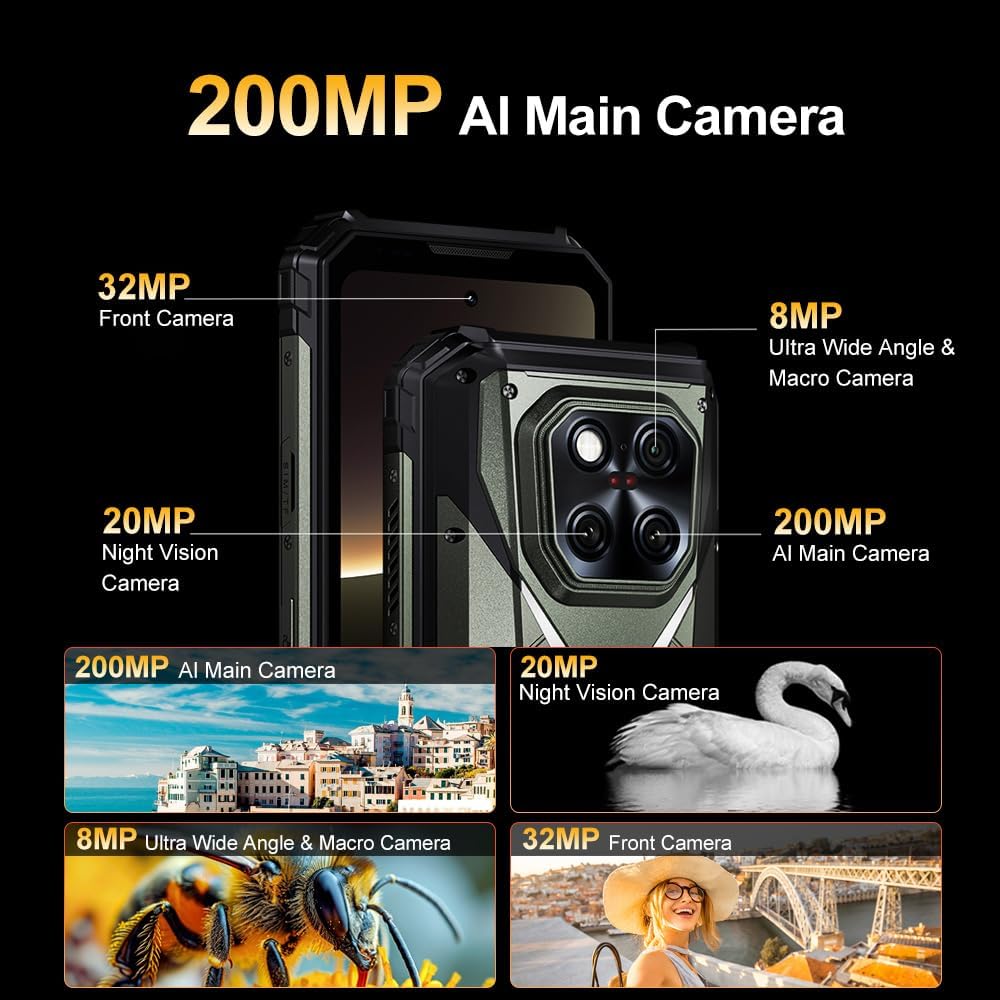
Figure 3.2: Overview of the DOOGEE V Max Play's multi-camera system.
3.4 Display Features
The 6.78-inch FHD+ (1080×2460 pixels) display offers a smooth visual experience.
- 120Hz Refresh Rate: Ensures fluid scrolling and gaming.
- 500 Nits Brightness: Provides clear visibility even in direct sunlight.
- Resolution: 1080 x 2460 pixels.

Figure 3.3: Key features of the DOOGEE V Max Play's display.
3.5 Dual Camping Lights and Loud Speaker
- 1200LM LED Lights: The device features powerful LED lights for illumination, suitable for camping or emergency situations. These lights offer 3 modes of adjustment.
- 130dB Smart PA Loud Speaker: Provides clear and powerful audio output for media playback or hands-free communication.

Figure 3.4: The device's dual camping lights and loud speaker.
3.6 Connectivity and Navigation
- Dual 5G SIM: Supports 5G connectivity on both SIM slots.
- Wi-Fi 6: For high-speed wireless internet access.
- Bluetooth 5.2: For connecting wireless accessories.
- NFC (Google Pay): Enables contactless payments.
- GPS/Beidou/GLONASS/Galileo: Multiple satellite systems for precise navigation.
3.7 Android 15 Operating System
The DOOGEE V Max Play runs on Android 15, offering enhanced security, customization options, and performance. It also integrates AI features for an optimized user experience.
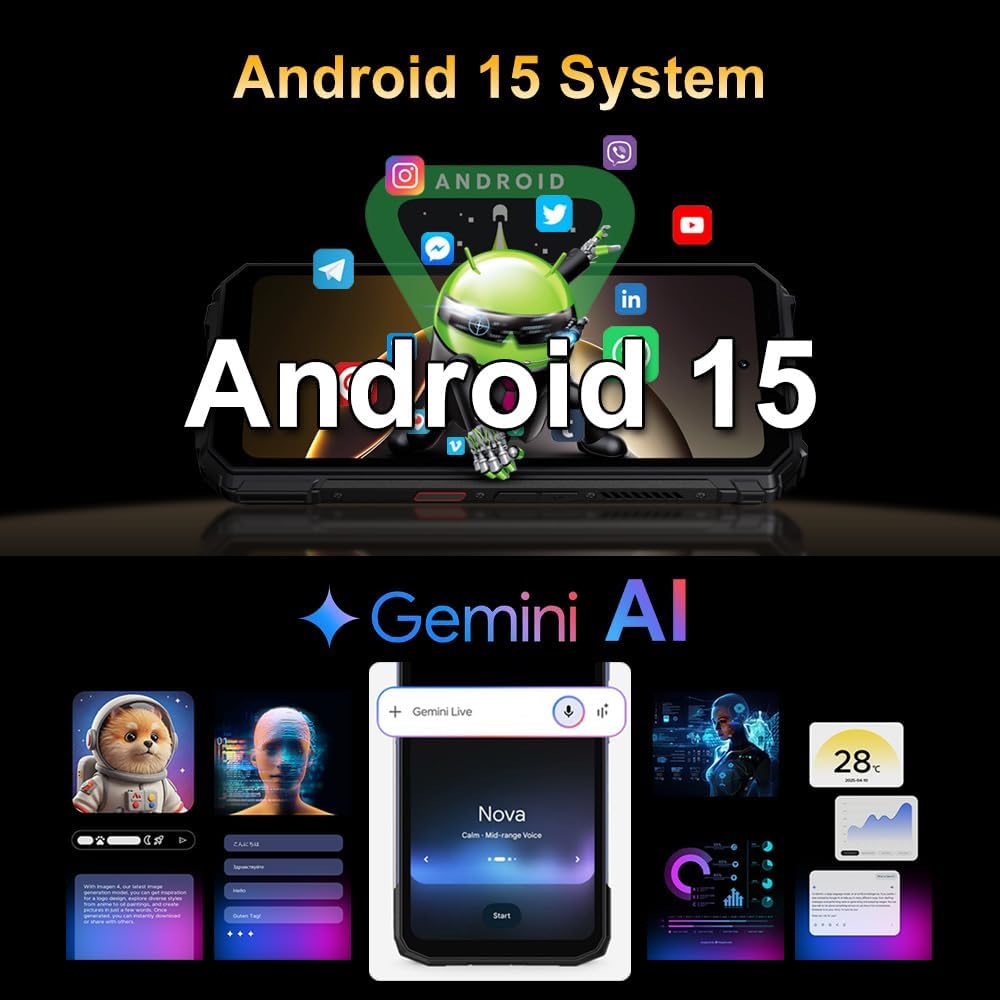
Figure 3.5: Android 15 operating system with AI integration.
4. Maintenance
4.1 Ruggedness and Durability
The DOOGEE V Max Play is certified IP68/IP69K and MIL-STD-810H, making it resistant to water, dust, and drops. It is designed for use in harsh environments and extreme temperatures (-40°C to 70°C).
- Waterproof: Can withstand immersion in water up to 1.5 meters for 30 minutes. Ensure all ports are securely closed before exposure to water.
- Dust-proof: Fully protected against dust ingress.
- Drop-proof: Designed to endure drops from a certain height onto hard surfaces.

Figure 4.1: The DOOGEE V Max Play demonstrating its waterproof design.
Video 4.1: The DOOGEE V Max Play being dropped and submerged in water, highlighting its IP68/IP69K and MIL-STD-810H certifications.
4.2 Cleaning
To clean your device, use a soft, damp cloth. Avoid harsh chemicals or abrasive materials that could damage the screen or casing.
4.3 Battery Care
The device features a 20,500mAh high-capacity battery. To maximize battery life:
- Avoid extreme temperatures.
- Use the original charger and cable for optimal charging.
- Do not fully discharge the battery frequently.
- The phone supports 10W reverse OTG charging, allowing it to act as a power bank for other devices.
Figure 4.2: Battery features including capacity, fast charging, and reverse charging.
5. Troubleshooting
If you encounter issues with your DOOGEE V Max Play, refer to the following common solutions:
- Device not powering on: Ensure the battery is charged. Connect to the charger and wait a few minutes before attempting to power on again.
- Projector not working: Check if the projector is enabled in settings. Ensure the lens is clean and unobstructed.
- Poor camera quality: Clean the camera lenses. Ensure adequate lighting. Check camera settings for resolution and mode.
- Connectivity issues (Wi-Fi/Bluetooth/5G): Restart the device. Toggle the respective connectivity option off and on. Check network settings.
- Slow performance: Close unnecessary background applications. Clear cache. Consider a factory reset if issues persist (back up data first).
6. Specifications
| Feature | Detail |
|---|---|
| Model Name | DOOGEE V Max Play |
| Operating System | Android 15 |
| Processor | MediaTek Dimensity 7300 5G (4nm Octa-core, 2.5GHz) |
| RAM | 16GB Physical RAM + 20GB Virtual RAM (Total 36GB) |
| Internal Storage | 512GB ROM (Expandable up to 2TB) |
| Display | 6.78 inches FHD+ (1080 x 2460) IPS, 120Hz Refresh Rate |
| Main Camera | 200MP AI Main Camera with EIS |
| Night Vision Camera | 20MP |
| Ultra-Wide & Macro Camera | 8MP |
| Front Camera | 32MP |
| Projector | 100 Lumens, 60Hz Refresh Rate, 854x480 Resolution, Auto-Focus |
| Battery Capacity | 20,500mAh |
| Charging | 45W Fast Charging, 10W Reverse OTG |
| Durability | IP68/IP69K, MIL-STD-810H |
| Connectivity | Dual 5G, Wi-Fi 6, Bluetooth 5.2, NFC |
| Navigation | GPS, Beidou, GLONASS, Galileo |
| Dimensions | 7.22 x 3.36 x 1.2 inches |
| Weight | 1.51 pounds (683 grams) |
7. Warranty and Support
Your DOOGEE V Max Play smartphone comes with a 24-month warranty covering hardware or software issues. For technical assistance or warranty claims, please contact DOOGEE customer support.
Additional protection plans may be available for purchase:
- 2-Year Protection Plan
- Complete Protect: Monthly plan covering eligible past and future purchases.
Refer to your warranty card for specific terms and conditions.
Related documentsDOOGEE V Max Play


Ask a question about this manual
Ask about setup, troubleshooting, compatibility, parts, safety, or missing instructions. Manuals+ will review the question and use this page’s manual context to help answer it.