
Introduction
This manual provides essential information for the setup, operation, and maintenance of your Arcade1Up Ms.PAC-Man Head-to-Head Arcade Machine. This unit is designed to bring classic arcade gaming into your home, featuring 12 legendary games in a functional coffee table design. Please read these instructions carefully before assembly and use to ensure safe and optimal performance.
Setup
Unboxing and Component Check
Carefully remove all components from the packaging. Verify that all parts listed in the included assembly guide are present and undamaged. Keep packaging materials until assembly is complete.
Assembly
The Arcade1Up Ms.PAC-Man Head-to-Head Arcade Machine requires assembly. All necessary tools and detailed instructions are provided in the box. Follow the step-by-step guide to assemble the cabinet, control panels, and display unit. Ensure all connections are secure before proceeding.

Image: The Arcade1Up Ms.PAC-Man Head-to-Head Arcade Machine, showcasing the top-down view of the game screen and the list of 12 included games.

Image: A side view of the Arcade1Up Ms.PAC-Man Head-to-Head Arcade Machine, illustrating its key features such as the 17-inch color LCD monitor, real-feel joysticks, and light-up control deck.
Placement
Place the assembled machine on a flat, stable surface. Ensure adequate ventilation around the unit and avoid direct sunlight or extreme temperatures. The machine dimensions are approximately 29.02 x 23.62 x 35.67 inches.
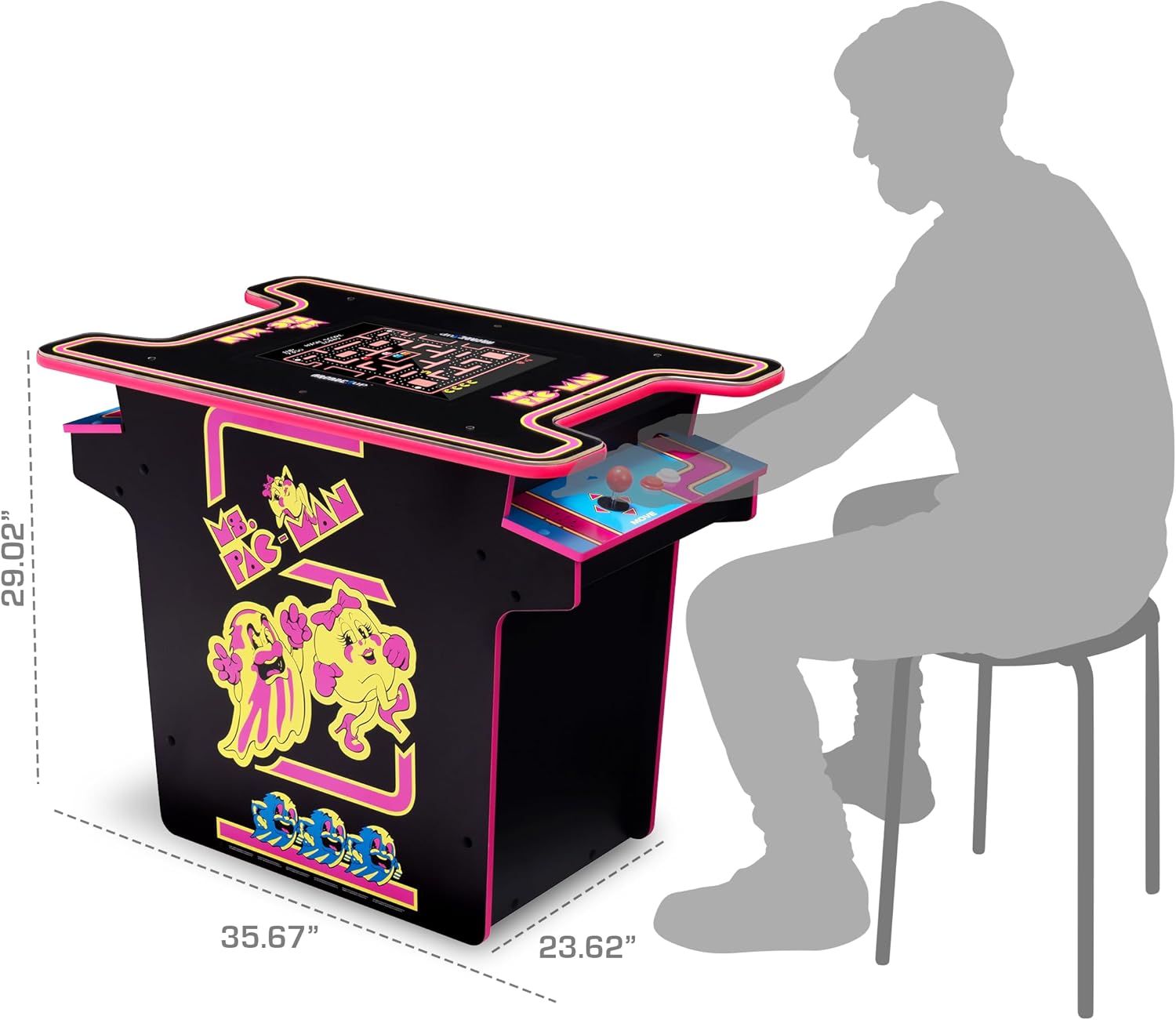
Image: The Arcade1Up Ms.PAC-Man Head-to-Head Arcade Machine with its dimensions (29.02" x 23.62" x 35.67") clearly marked, and a person sitting on a stool next to it to provide a sense of scale.
Operating Instructions
Powering On/Off
Locate the ON/OFF switch on the control panel. Press to power on the machine. The display will illuminate, and the game selection menu will appear. To power off, press the switch again.
Game Selection
Use the joysticks to navigate through the list of 12 classic games. Press the 'Start Game' button to select and launch your desired game.
Controls
- Joysticks: Use the red joysticks for movement within games.
- Buttons: Utilize the various colored buttons for game actions such as firing, jumping, or other specific commands as indicated by the game.
- Volume Control: Adjust the game volume using the dedicated volume buttons on the control panel.
- Headphone Jack: A headphone jack is available for private listening.
- Light-Up Control Deck: The control deck features integrated lighting for an enhanced arcade experience.
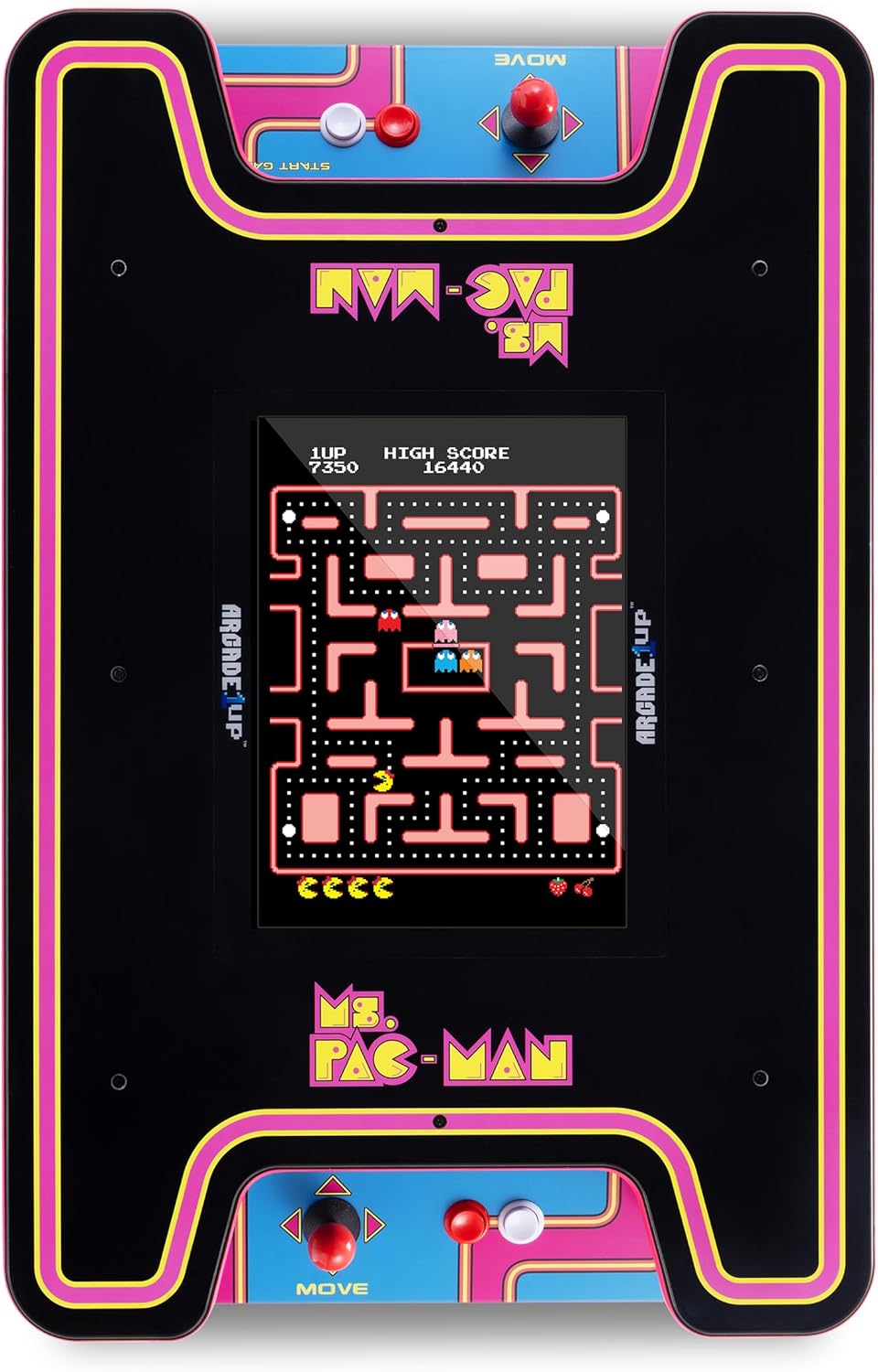
Image: A close-up, top-down view of the Arcade1Up Ms.PAC-Man Head-to-Head Arcade Machine, highlighting the dual control panels and the central game screen displaying Ms.PAC-Man gameplay.
Game List
Your Arcade1Up machine includes the following 12 classic games:
- Ms.Pac-Man
- Pacmania
- Dig Dug
- Dig Dug II
- Galaxian
- Galaga
- Galaga ‘88
- Mappy
- Rolling Thunder
- Tower of Druaga
- Rompers
- New Rally X
Maintenance
Cleaning
To clean the machine, power it off and unplug it from the wall outlet. Use a soft, damp cloth to wipe down surfaces. Avoid abrasive cleaners or solvents that could damage the finish or screen. For the clear acrylic top, use a non-abrasive cleaner specifically designed for acrylics.
Storage
When not in use for extended periods, store the machine in a cool, dry place away from direct sunlight and extreme temperatures. Ensure it is unplugged.
Troubleshooting
- No Power: Ensure the power cord is securely plugged into both the machine and a working wall outlet. Check the ON/OFF switch.
- No Display: If the machine powers on but the screen remains blank, ensure all internal display connections are secure (refer to assembly guide). Try powering off and on again.
- Controls Unresponsive: If joysticks or buttons are not working, power off the machine and check the connections of the control panels.
- No Sound: Check the volume settings using the volume buttons. Ensure no headphones are plugged into the jack if you expect sound from the speakers.
If issues persist, please refer to the manufacturer's support resources.
Specifications
| Model Number | MSP-H-501200 |
| Brand | ARCADE1UP |
| Product Dimensions | 29.02 x 23.62 x 35.67 inches |
| Display | 17-inch Color LCD Monitor |
| Included Games | 12 Classic Games (Ms.Pac-Man, Pacmania, Dig Dug, Dig Dug II, Galaxian, Galaga, Galaga ‘88, Mappy, Rolling Thunder, Tower of Druaga, Rompers, New Rally X) |
| Control Type | Real-Feel Joysticks and Buttons, Light-Up Control Deck |
| Manufacturer Recommended Age | 10 years and up |
Warranty and Support
For detailed warranty information, please refer to the documentation included with your product or visit the official ARCADE1UP website. For customer support, technical assistance, or replacement parts, please contact ARCADE1UP customer service through their official channels.
You can visit the ARCADE1UP Store for more information: ARCADE1UP Store


