
Introduction
This manual provides detailed instructions for the DEKELIFE CS5 Fitness Tracker Smart Watch. Please read this manual thoroughly before using your device to ensure proper operation and to maximize its features. The DEKELIFE CS5 is designed to help you monitor your health and fitness activities with ease and style.
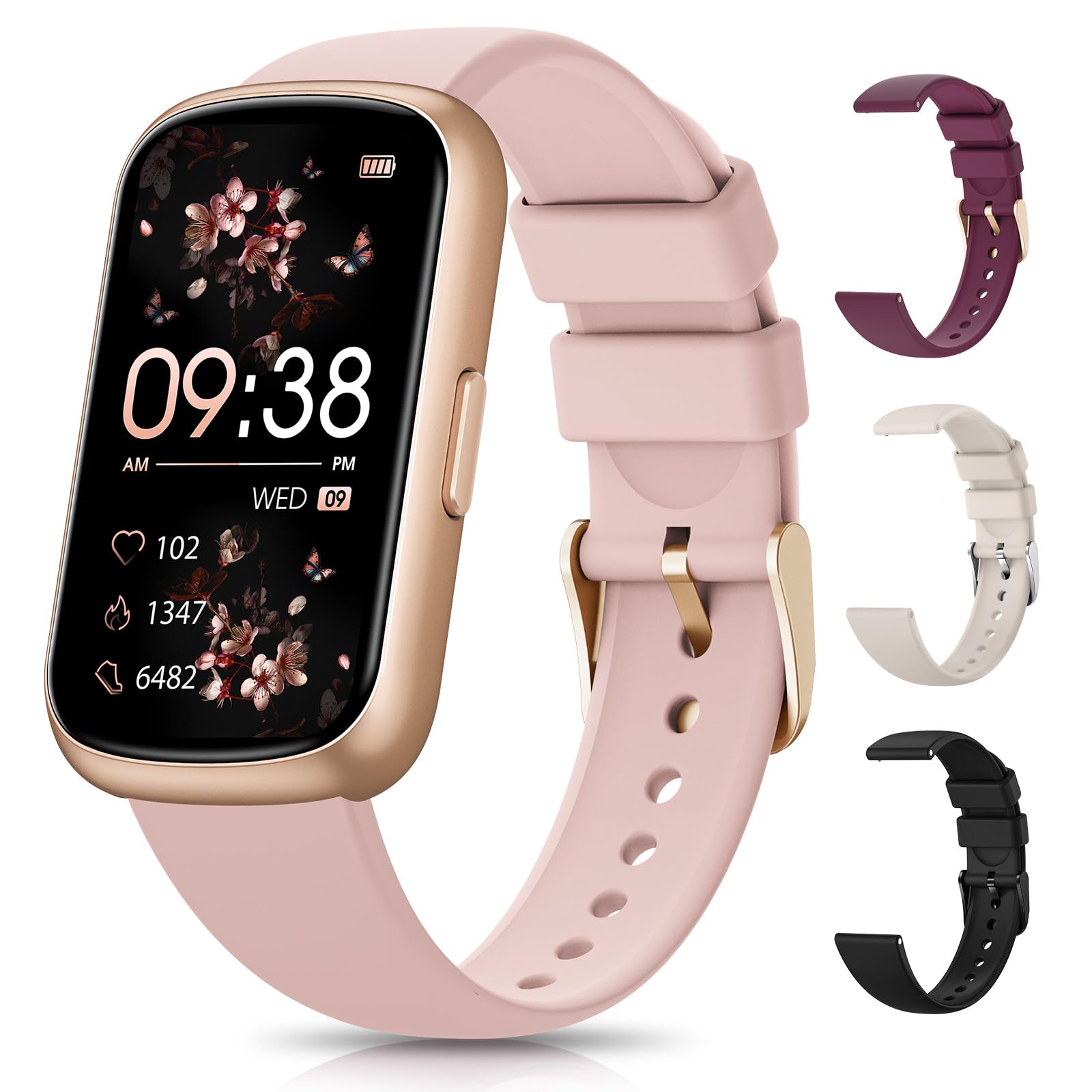
The DEKELIFE CS5 Fitness Tracker Smart Watch, featuring a rose gold finish and a clear display.
Package Contents
Ensure all items are present in the package:
- DEKELIFE CS5 Fitness Tracker Smart Watch
- Charging Cable
- User Manual (this document)
- Two Watch Bands (sporty silicone and exquisite metal)
Setup
1. Initial Charging
Before first use, fully charge your DEKELIFE CS5 Smart Watch. Connect the provided charging cable to the watch and a USB power source. A full charge typically takes approximately 1.5 hours.

The DEKELIFE CS5 Smart Watch charging, highlighting its 200 mAh battery and IP68 waterproof rating.
2. App Download and Pairing
- Download the official companion app from your smartphone's app store (compatible with Android 4.4 and above, iOS 9.0 and above).
- Ensure Bluetooth is enabled on your smartphone.
- Open the app and follow the on-screen instructions to pair your DEKELIFE CS5 Smart Watch.
- During pairing, ensure the watch is close to your phone.
3. Adjusting the Watch Band
The DEKELIFE CS5 comes with two interchangeable bands: a sporty silicone band and a metal mesh band. The metal band is highly adjustable for various wrist sizes. To adjust, simply slide the clasp to your desired length and secure it until you hear a click.

The DEKELIFE CS5 Smart Watch with its 1.47-inch HD screen and various band options for personalized style and comfort.
Operating Instructions
1. Basic Navigation
- Wake Screen: Lift your wrist or press the side button to wake the screen.
- Swipe Up/Down: Scroll through menus and notifications.
- Swipe Left/Right: Access quick views for health data, sports modes, and other features.
- Tap: Select an item or confirm an action.
2. Watch Faces & Customization
The DEKELIFE CS5 offers over 165 online watch faces. You can also customize your dial with personal photos through the companion app. Access watch face settings via the app to change or create new designs.

A selection of 165+ online dials and DIY options available for the 1.47-inch HD screen, compatible with Android and iOS via Bluetooth.
3. Health Monitoring
The watch provides 24/7 health monitoring features:
- Heart Rate: Continuous 24-hour heart rate monitoring. View real-time data on the watch or detailed reports in the app.
- Blood Oxygen: Detects blood oxygen levels.
- Breathing Training: Guided breathing exercises to help manage stress.
- Menstrual Cycle Tracking: For women, the watch can infer and provide reminders for menstrual cycles.

The DEKELIFE CS5 Smart Watch intelligently monitors your health 24/7, including breathing training, heart rate, and blood oxygen levels, with a dedicated female function.
4. Sports Modes & Activity Tracking
Choose from over 20 sports modes, including running, cycling, dancing, and yoga. The watch accurately records calorie consumption, distance, and heart rate during exercise. It also functions as a pedometer, automatically tracking daily steps, distance, and calories.

The DEKELIFE CS5 Smart Watch offers 20+ optional sports modes and 24/7 activity tracking, monitoring steps, distance, and calories.
5. Sleep Tracking
The watch records sleep data from 6 PM to 12 PM the next day, providing insights into deep sleep, light sleep, and awake times. View detailed analysis and weekly sleep reports in the companion app to understand and improve your sleep quality.

The DEKELIFE CS5 Smart Watch monitors your sleep quality at night, analyzing deep sleep, light sleep, and awake periods.
6. Notifications
When connected to your smartphone via Bluetooth, the watch will provide real-time reminders for incoming calls, text messages, and app notifications. While you can receive alerts on the watch, answering calls or replying to messages must be done using your smartphone.

The DEKELIFE CS5 Smart Watch notifies you of calls and messages, and receives app notifications from various platforms.
7. Additional Functions
The DEKELIFE CS5 includes several convenient functions:
- Weather Display: Get current weather information.
- Music Control: Control music playback on your smartphone.
- Camera Control: Remotely trigger your smartphone's camera.
- Sedentary Reminder: Alerts you to move after periods of inactivity.
- Find Phone: Helps locate your paired smartphone.
- Timer: Built-in timer function.
Maintenance
- Cleaning: Wipe the watch and bands regularly with a soft, dry cloth. Avoid harsh chemicals.
- Water Resistance: The watch is IP68 waterproof, meaning it is resistant to dust and can withstand immersion in water up to 1.5 meters for up to 30 minutes. It is suitable for daily use, hand washing, and light rain, but not recommended for hot showers, saunas, or diving.
- Charging: Use only the provided charging cable. Avoid exposing the charging contacts to water or corrosive liquids.
- Storage: Store the watch in a cool, dry place when not in use.
Troubleshooting
- Watch not turning on: Ensure the watch is fully charged. Connect it to the charger for at least 30 minutes.
- Unable to pair with phone:
- Ensure Bluetooth is enabled on your phone.
- Make sure the watch is within Bluetooth range (typically 10 meters).
- Restart both your phone and the watch.
- Check if the app has necessary permissions on your phone.
- Inaccurate step count/health data:
- Ensure the watch is worn snugly on your wrist, about one finger's width from your wrist bone.
- Calibrate the watch through the app if available.
- Movement patterns can affect accuracy; ensure natural arm swing for step tracking.
- Notifications not received:
- Verify the watch is paired and connected to your phone.
- Check notification settings in the companion app and your phone's system settings.
- Ensure the app is running in the background.
- Short battery life:
- Reduce screen brightness.
- Disable continuous heart rate monitoring if not needed 24/7.
- Limit the number of app notifications.
Specifications
| Feature | Detail |
|---|---|
| Model Number | CS5 |
| Screen Size | 1.47 Inches |
| Item Weight | 4.6 ounces (0.13 Kilograms) |
| Battery Capacity | 300 Milliamp Hours |
| Daily Use Time | Up to 7 Days |
| Charging Time | Approx. 1.5 Hours |
| Water Resistance | IP68 |
| Connectivity | Bluetooth |
| Operating System Compatibility | Android 4.4+, iOS 9.0+ |
| Special Features | Activity Tracker, Alarm Clock, Multisport Tracker, Time Display, Weather Forecast |
| GPS | Via Smartphone |
| Memory Storage Capacity | 1 GB |
Warranty and Support
For warranty information and customer support, please refer to the contact details provided on the product packaging or the official DEKELIFE website. Keep your purchase receipt as proof of purchase for any warranty claims.

