
1. Introduction
This manual provides essential information for the safe and efficient operation of your Anjfylque 3000W Hybrid Solar Inverter. This device integrates a 100A MPPT solar charger, a pure sine wave inverter, and a battery charger into a single unit, designed for off-grid solar systems, home backup, and various power applications. Please read this manual thoroughly before installation and use, and retain it for future reference.
2. Safety Information
Important Safety Instructions:
- Installation must be performed by qualified personnel.
- Ensure all wiring complies with local and national electrical codes.
- Do not disassemble the inverter. There are no user-serviceable parts inside.
- Disconnect all power sources (PV, battery, utility) before performing any maintenance or wiring.
- Wear appropriate personal protective equipment (PPE) during installation and maintenance.
- The inverter contains high voltage. Avoid contact with internal components.
- Ensure proper ventilation around the inverter to prevent overheating.
- Keep children away from the inverter and battery system.

Figure 2.1: Anjfylque Hybrid Solar Inverter with visible caution label. Always observe safety warnings.
3. Product Overview
The Anjfylque 3000W Hybrid Solar Inverter is designed for robust performance and flexibility. Key features include:
- 100A MPPT Solar Charger: Optimizes energy harvest from PV arrays with up to 4,000W solar input and a wide MPPT voltage range (60V–450V).
- Pure Sine Wave Output: Provides clean and stable power suitable for sensitive electronics.
- Battery Mode Flexibility: Supports both standard battery operation and a No-Battery Mode (requires PV ≥130Vdc or utility power).
- Li-ion Battery Compatibility: Features RS485 protocol for PYLON US2000 batteries and user-defined settings for other Li-ion types.
- Built-in WiFi: Enables remote monitoring and control via the SmartESS app.
- LCD Display: Real-time data, operational status, and auto-error codes for diagnostics.
- Industrial-Grade Safety: IP21 rating, removable dust cover, and multi-layer protection against overload, overheat, and surges.
3.1. Product Components and Interface

Figure 3.1: Front and bottom view of the inverter with labeled components.
- LCD Display
- Status indicator
- Charging indicator
- Fault indicator
- Dry contact port
- Function buttons
- Built-in WiFi
- AC input
- AC output
- PV input
- Battery input
- Power on/off switch
- RS485 communication port
- Grounding
3.2. Key Capabilities
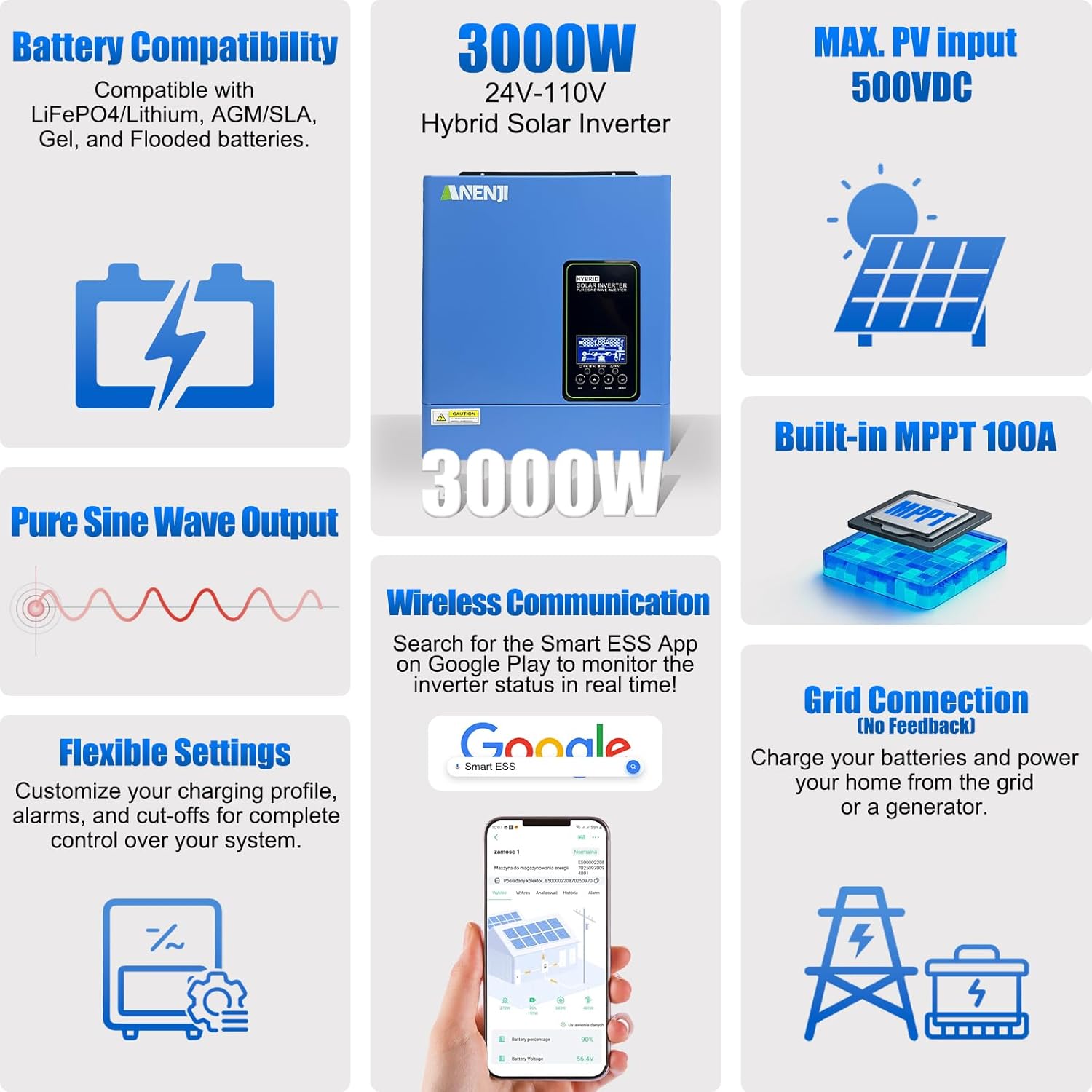
Figure 3.2: Overview of the inverter's main features and capabilities.
This inverter is compatible with various battery types including LiFePO4, Lithium, AGM/SLA, Gel, and Flooded batteries. It offers a maximum PV input of 500VDC and features a built-in 100A MPPT controller for efficient solar charging. The pure sine wave output ensures stable power for all connected devices. Wireless communication via the SmartESS app allows for real-time monitoring and flexible settings for charging profiles and alarms. It also supports grid connection for charging batteries from utility power or a generator.
3.3. Product Video Overview
Video 3.1: A detailed look at the Anjfylque 3000W Hybrid Solar Inverter, demonstrating its physical connections and features in a real-world setup with batteries.
4. Setup & Installation
Proper installation is crucial for the safe and efficient operation of your hybrid solar inverter. Follow these guidelines carefully.
4.1. Mounting the Inverter
The inverter should be mounted vertically on a sturdy surface in a well-ventilated area, away from direct sunlight, heat sources, and flammable materials. Ensure sufficient clearance around the unit for airflow.


Figure 4.1: The compact design of the inverter allows for easy wall mounting.
4.2. Wiring Connections
Refer to the wiring diagram below for proper connection of solar panels, batteries, utility grid, and household loads. Always ensure correct polarity for DC connections.

Figure 4.2: Solar System Connection Diagram. Note: If the inverter is connected separately to solar panels to power household loads (without connection to batteries and the utility grid), the photovoltaic output power must not be less than 130Vdc.
The inverter supports a 24-volt DC system. For optimal performance, use batteries with a capacity of at least 100 ampere-hours.

Figure 4.3: Multi-Battery Connection Diagram. The ANJ-3KW-24V-LV-WIFI model supports a 24-volt DC system and is recommended for use with batteries of at least 100 ampere-hours.
5. Operating Instructions
The inverter offers various configurable settings to optimize its operation based on your specific needs. These settings can be adjusted via the LCD display and function buttons, or remotely via the SmartESS app.
5.1. Charging Priority Modes
These modes control how the battery bank is charged from available power sources. Setting 16 on the inverter allows adjustment of these modes:
- Solar Priority (CSO): The inverter prioritizes solar energy for charging. Utility power is used only when solar energy is insufficient.
- Solar and Utility (SNU - Default): The inverter charges the battery simultaneously with solar and grid power.
- Only Solar (OSO): Solar energy is the exclusive charging source, regardless of utility power availability.

Figure 5.1: Charger Power Priority options.
5.2. Output Power Priority Modes
These modes determine the power source for your connected loads. Setting 01 on the inverter allows adjustment of these modes:
- Utility Priority (UTL - Default): Utility power is the primary source for loads. Solar and battery power are used only when utility power is unavailable.
- Solar Priority (SOL): Solar energy is the primary source for loads. If solar energy is insufficient, the inverter automatically switches to AC input (utility/generator).
- Solar-Battery-Utility (SBU): Solar energy is the primary source. If solar is insufficient, battery energy supplements the power. Utility power is used only when battery voltage drops to a low level or a set point in Program 12.
- Solar-Utility-Battery (SUB): Solar energy is charged first and then powers the loads. If solar energy is not sufficient, utility energy supplies power to the loads. Battery energy is used as a last resort.

Figure 5.2: Load Priority options. Note: The image labels AC Priority and DC Priority, which correspond to Utility Priority and Solar-Battery-Utility/Solar-Utility-Battery in the text description.
5.3. No-Battery Operation
The inverter can operate without a battery, provided that the PV input is ≥130Vdc or utility power is available to directly supply loads. Li-ion activation can be enabled via setting 42 (disabled by default).
5.4. Remote Monitoring with WiFi
The built-in WiFi module allows for real-time monitoring and remote control via the SmartESS app. Download the app from Google Play or the App Store. Through the app, you can track power usage, PV input, battery status, adjust settings (e.g., output priority, charging current), and receive fault alerts.

Figure 5.3: Monitor your system anytime, anywhere using the SmartESS app.
6. Maintenance
Regular maintenance ensures the longevity and optimal performance of your inverter.
- Cleaning: Periodically clean the exterior of the inverter and ensure the removable dust cover is free from debris to maintain proper ventilation.
- Connections: Regularly check all electrical connections for tightness and signs of corrosion.
- Battery Health: Monitor battery voltage and health, especially for non-communicating Li-ion batteries, to prevent BMS conflicts.
- Firmware Updates: Check for available firmware updates via the SmartESS app or manufacturer's website to ensure the inverter operates with the latest features and improvements.
7. Troubleshooting
The inverter's LCD display provides real-time data and auto-error codes for quick diagnostics. Additionally, the SmartESS app sends fault alerts (e.g., overload, high temperature).
- Overload Protection: The unit will shut down if a sustained load exceeds 140% for 5 seconds. Reduce the load and restart the inverter.
- Overheat/Surge Cutoff: The inverter will cut off if DC input exceeds 32V or AC input exceeds 150V. Verify input voltages are within specifications.
- No Power Output: Check all connections (PV, battery, AC input/output). Verify the power on/off switch is engaged. Check for error codes on the LCD.
- Battery Not Charging: Ensure solar panels are receiving adequate sunlight. Verify charging priority settings. Check battery connections and health.
- WiFi Connectivity Issues: Ensure the inverter is within range of your WiFi network. Restart the inverter and your router. Reconfigure WiFi settings in the SmartESS app if necessary.
For persistent issues, consult the full user manual or contact Anjfylque customer support.
8. Specifications
| Feature | Specification |
|---|---|
| Brand | Anjfylque |
| Model Name | ANJ-3KW-24V-LV-WIFI |
| Model Number | 3KW-24V-100A MPPT-WIFI |
| Wattage | 3000 watts |
| Output Power | 3000 Watts |
| Peak Output Power | 3000 Watts |
| Voltage | 24 Volts |
| Input Voltage (DC) | 24 Volts |
| Output Voltage (AC) | 110 Volts |
| Electrical Output Waveform | Pure Sine Wave |
| Frequency | 60 Hz |
| MPPT Solar Charger | 100A |
| Max. PV Array Power | 4000W |
| Max. PV Array Open Circuit Voltage | 500VDC |
| MPPT Voltage Range | 60V-450V |
| Standby Power Shutoff Efficiency | 97% |
| Item Dimensions L x W x H | 12"L x 13"W x 4.5"H |
| Item Weight | 8 Kilograms |
| Operating Temperature | -10°C to 50°C |
| Protection Rating | IP21 |
| Energy Specifications Met | FCC |
| UPC | 757577878586 |
9. Warranty & Support
This Anjfylque Hybrid Solar Inverter comes with a 5-Year Manufacturer Warranty. For warranty claims, technical support, or service inquiries, please contact Anjfylque customer service through their official channels or the retailer where the product was purchased.
For additional resources and support, visit the Anjfylque Store on Amazon.