
Important Safety Instructions
To reduce the risk of fire, electric shock, or injury, always follow basic safety precautions when operating this appliance.
- Read all instructions before using the humidifier.
- Place the humidifier on a firm, flat, water-resistant surface away from walls and heat sources.
- Do not add essential oils directly into the water inlet tank, base chamber, or water tank. Only add essential oils to the designated aroma pad.
- Do not immerse the humidifier in water or other liquids.
- Unplug the humidifier before cleaning, refilling, or moving it.
- Keep the humidifier out of reach of children and pets.
- Do not block the mist outlet.
- Use only clean, cool tap water or distilled water.
Package Contents
- 1 × DREO 16L Humidifier (DR-HHM015S)
- 1 × Power Adapter
- 1 × Quick Start Guide
- 1 × User Manual
- 1 × Cartridge
- 2 AAA batteries (included for remote control)
Product Overview
The DREO 16L Smart Humidifier (HM755S) is designed to provide long-lasting, efficient humidification for large rooms. Its advanced features ensure optimal comfort and ease of use.
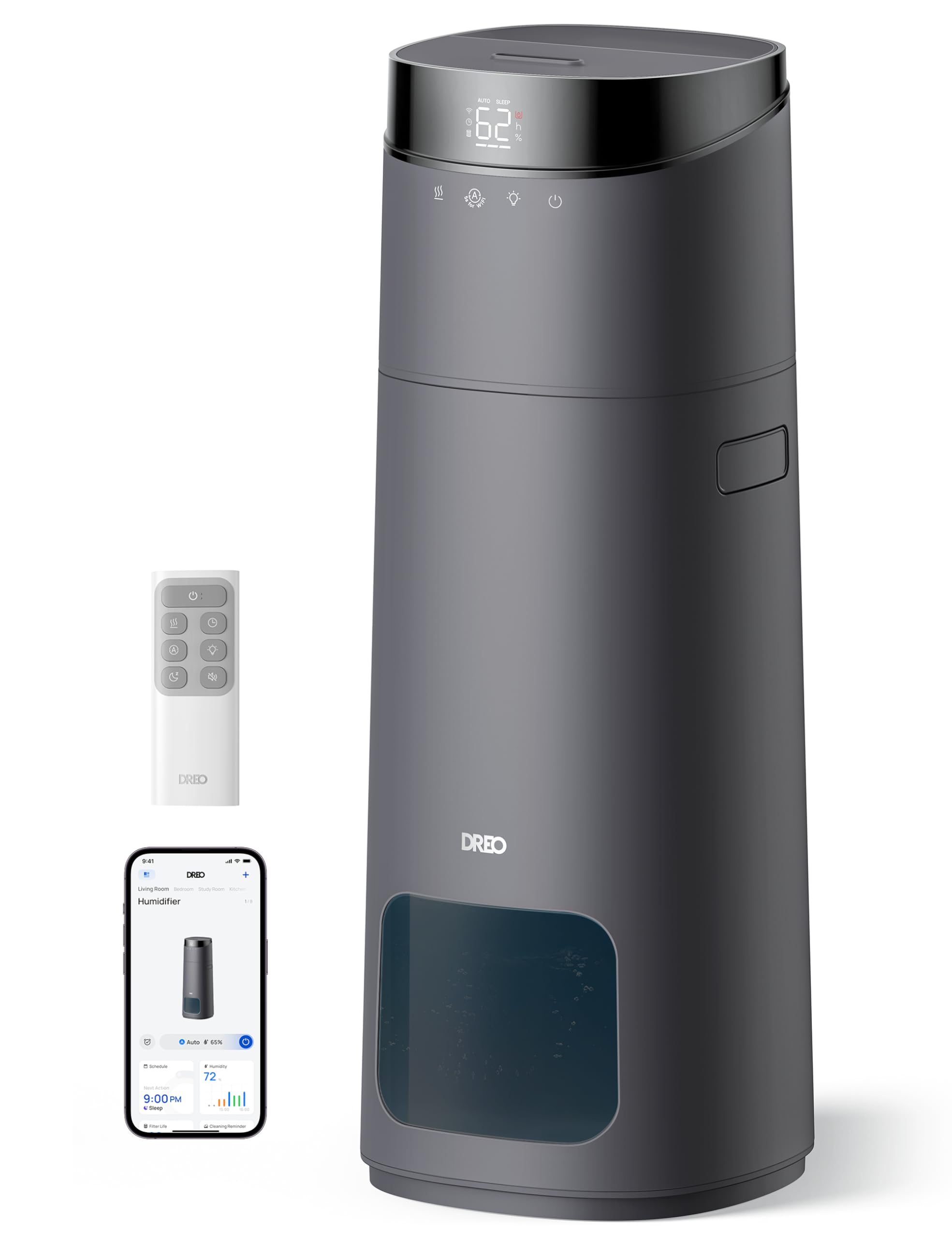
The DREO 16L Smart Humidifier features a large 16-liter tank capacity, providing up to 130 hours of continuous operation without frequent refills.

Experience powerful mist output, reaching up to 6 feet high and covering large rooms up to 1000 square feet, with a maximum mist output of 400 ml/h.
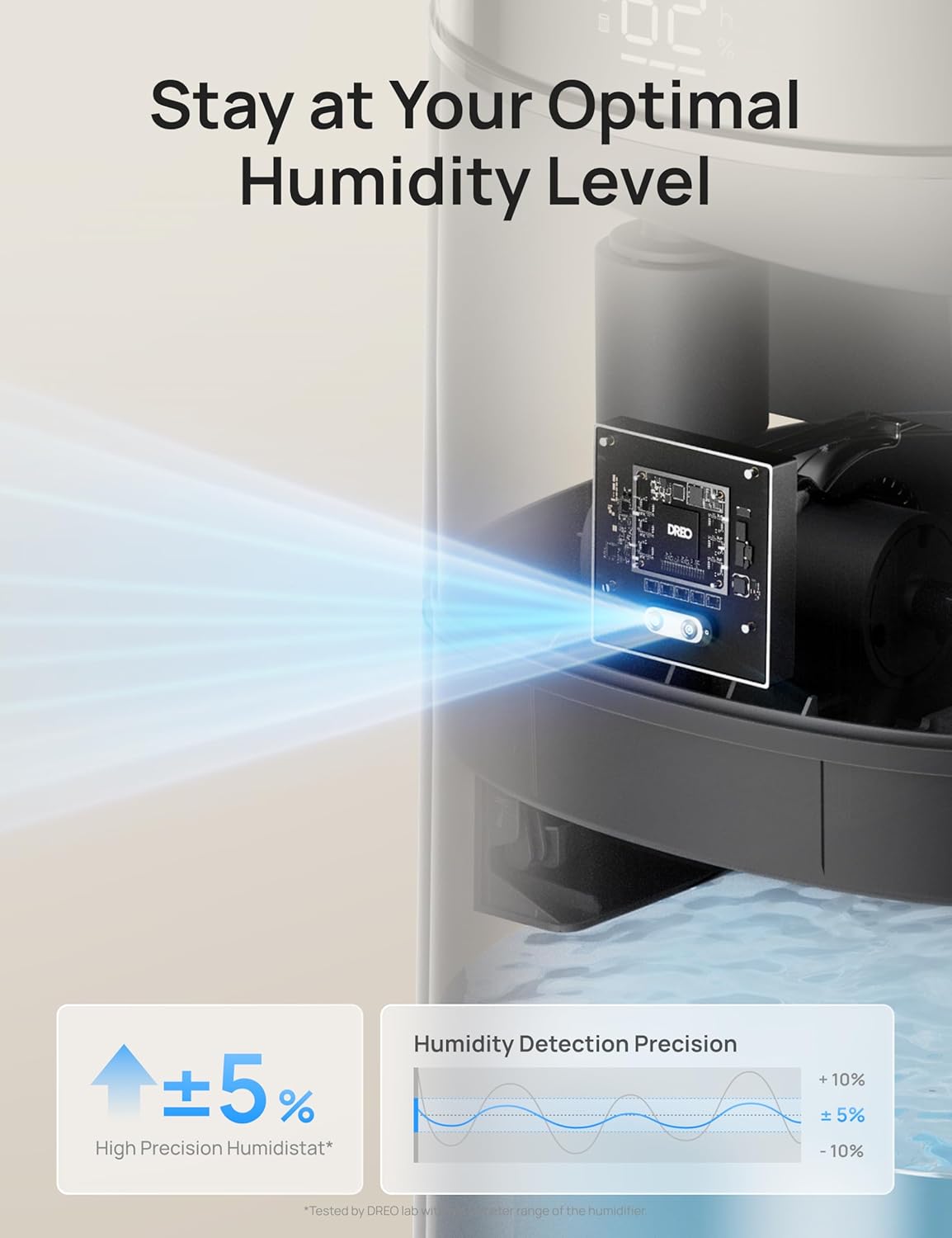
Maintain precise humidity levels with the 5% high-accuracy sensor and intuitive 3-color light indicator, ensuring optimal comfort without constant screen checks.

Control your humidifier conveniently via the dedicated app, voice commands (Alexa, Google Assistant), or the included remote control. Set timers and personalized schedules for seamless humidification.

Enjoy a peaceful environment with ultra-quiet operation at just 30dB, complemented by a dimmable LED display for undisturbed sleep.

Designed for convenience with a top-fill water tank, automatic shut-off when water runs low, an easy-to-clean structure, and clean tank technology to prevent mineral buildup.

Product Dimensions: 9.45"D x 9.45"W x 25.04"H.
Setup
1. Unboxing and Initial Placement
- Carefully remove all packaging materials from the humidifier.
- Place the humidifier on a flat, stable surface in your desired room. Ensure it is away from direct sunlight, heat sources, and electronics.
2. Filling the Water Tank
- Remove the top cover of the humidifier.
- Fill the water tank with clean, cool tap water or distilled water. Do not exceed the MAX line indicated on the tank.
- Replace the top cover securely.
3. Power On
- Plug the power adapter into a wall outlet.
- Press the Power button on the control panel or remote to turn on the humidifier.
4. App Connection (Optional)
For smart control features, download and connect the DREO app.
This video demonstrates how to download and register the DREO app for your smart humidifier.
This video provides instructions on how to connect your DREO HM755S Smart Humidifier to the app.
Operating Instructions
1. Power On/Off
- Press the Power button on the control panel or remote to turn the humidifier on or off.
2. Mist Volume Adjustment
- Press the Mist Volume button to cycle through different mist output levels (e.g., Low, Medium, High).
3. Auto Mode
- Activate Auto Mode to allow the humidifier to automatically adjust mist output based on the ambient humidity detected by its sensor.
4. Sleep Mode
- Press the Sleep Mode button to dim the LED display and reduce noise levels for a quiet, undisturbed sleep environment.
5. Timer Function
- Use the Timer button to set a specific operating duration (e.g., 1-12 hours) after which the humidifier will automatically turn off.
6. Customizing Humidity
- Press the Customize Humidity button to set your desired humidity percentage. The humidifier will work to maintain this level.
7. Aroma Box (Essential Oils)
- Locate the aroma pad compartment, usually at the back or side of the unit.
- Add a few drops of essential oil onto the aroma pad. Do not add oils directly into the water tank.
- Reinsert the aroma pad compartment.
Maintenance
Regular cleaning and maintenance are crucial for optimal performance and longevity of your humidifier.
1. Routine Cleaning
- Unplug the humidifier before any cleaning.
- Remove the water tank and drain any remaining water.
- Wipe the base chamber with a soft, damp cloth.
- Clean the inside of the water tank with a cleaning brush and rinse with room-temperature water.
- For optimal performance, descale the humidifier at least once a month.
2. Cartridge Replacement
- The humidifier includes a scale-inhibitor cartridge to reduce mineral buildup. Replace the cartridge as indicated by the app or user manual for continued clean mist.
Troubleshooting
1. No Mist Output
- Ensure the water tank is properly seated and filled with water.
- Check if the power adapter is securely plugged in.
- Verify that the mist outlet is not blocked.
2. Humidifier Leaking
- Ensure the humidifier is placed on a flat, stable surface.
- Do not overfill the water tank beyond the MAX line.
- Check if the water tank cover is securely closed.
3. White Dust Around Humidifier
- White dust is typically caused by hard water. Use distilled water or ensure the scale-inhibitor cartridge is properly installed and replaced regularly.
4. App Connectivity Issues
- Ensure your mobile device's Bluetooth is enabled during pairing.
- Verify that your Wi-Fi network is 2.4GHz, as the device only supports this frequency.
- Keep your phone close to the humidifier during the pairing process.
Specifications
| Brand | Dreo |
| Model Name | DR-HHM015S |
| Color | Grey |
| Capacity | 16 Liters |
| Floor Area Coverage | 1000 Square Feet |
| Operation Mode | Ultrasonic |
| Special Feature | Adjustable Humidity Control, Auto Shut Off, Digital Display, Humidistat, Leakproof |
| Product Dimensions | 9.45"D x 9.45"W x 25.04"H |
| Item Weight | 6.95 pounds |
| Wattage | 26 watts |
| Batteries | 2 AAA batteries required. (included) |
Warranty and Support
Dreo provides a limited warranty for this product. For detailed warranty information, product support, or to register your product, please visit the official Dreo website or contact customer service.
You can typically find contact information in the Quick Start Guide or on the manufacturer's website.
- Online Support: Visit www.dreo.com for FAQs, troubleshooting, and support resources.
- Email Support: Refer to your Quick Start Guide for the customer service email address.


