
Introduction
This manual provides detailed instructions for the safe and efficient operation of your Dreo HM755S 16L Smart Humidifier. Please read this manual thoroughly before use and retain it for future reference. This humidifier is designed to add moisture to the air, improving comfort in large rooms up to 1000 sq ft.

Image: Dreo HM755S Smart Humidifier, showcasing the unit, its remote control, and the mobile application interface.
Important Safety Instructions
- Read all instructions before operating the humidifier.
- Place the humidifier on a firm, level, and waterproof surface at least 12 inches (30 cm) away from walls and appliances.
- Do not block air inlets or mist outlets.
- Keep the humidifier away from heat sources such as stoves, ovens, and radiators.
- Always unplug the humidifier from the power outlet before cleaning, refilling, or moving it.
- Do not immerse the humidifier base in water or other liquids.
- Keep the humidifier out of reach of children and pets.
- Use only clean, cool tap water or distilled water. Do not add essential oils or other additives directly into the water tank.
- The humidifier features an auto shut-off function when the water level is low, but it is important to monitor the water level.
- Do not attempt to repair or modify the humidifier yourself. Contact customer support for assistance.
Package Contents
Verify that all items are present in the package:
- 1 x Dreo 16L Humidifier (Model: DR-HHM015S)
- 1 x Remote Control (includes 2 x AAA Batteries)
- 1 x Power Adapter
- 1 x Scale-Inhibitor Cartridge
- 1 x Cleaning Brush
- 1 x Quick Start Guide
- 1 x User Manual
Product Overview
Familiarize yourself with the components of your Dreo Smart Humidifier.
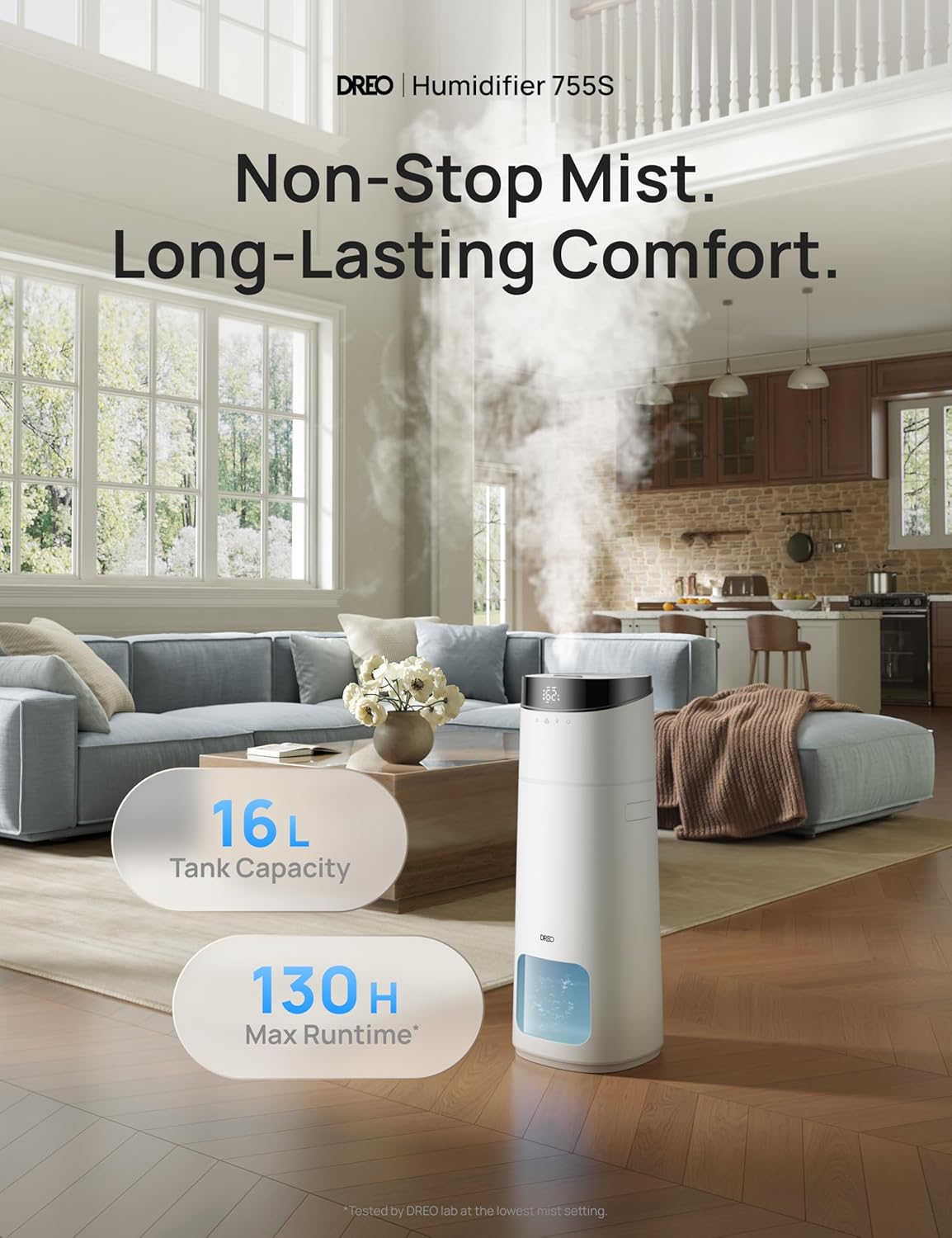
Image: The Dreo HM755S Humidifier positioned in a living room, illustrating its large 16L tank capacity and extended 130-hour maximum runtime.
Main Components
- Mist Outlet: Where the cool mist is dispersed.
- Top Cover: Removable for water refilling and cleaning.
- Control Panel: Touch-sensitive interface for settings adjustment.
- Water Tank: 16L capacity for extended operation.
- Water Level Window: Allows visual inspection of water level.
- Base: Contains the ultrasonic transducer and electronic components.
- Remote Control: For convenient operation from a distance.
Setup
1. Unpacking and Placement
- Carefully remove the humidifier and all packaging materials from the box.
- Place the humidifier on a flat, stable, and waterproof surface. Ensure it is not placed directly on carpet or near furniture that could be damaged by moisture.
2. Filling the Water Tank

Image: A visual guide demonstrating the humidifier's top-fill design, auto shut-off safety feature, easy-to-clean components, and self-cleaning tank functionality.
- Remove the top cover of the humidifier.
- Pour clean, cool tap water or distilled water directly into the water tank. Do not exceed the 'MAX' fill line indicated on the tank.
- Replace the top cover securely.
3. Power Connection
- Plug the power adapter into the humidifier's power port.
- Plug the power adapter into a standard electrical outlet. The humidifier will enter standby mode.
Operating Instructions
Control Panel and Remote Control
The humidifier can be operated using the touch control panel on the unit or the included remote control.
- Power Button: Turns the humidifier on or off.
- Mist Level Button: Adjusts mist output (Low, Medium, High).
- Humidity Setting Button: Sets desired humidity level (e.g., 40% to 60%).
- Timer Button: Sets an automatic shut-off timer.
- Night Light Button: Controls the RGB ambient light.
- Sleep Mode Button: Activates quiet operation and dims the display.
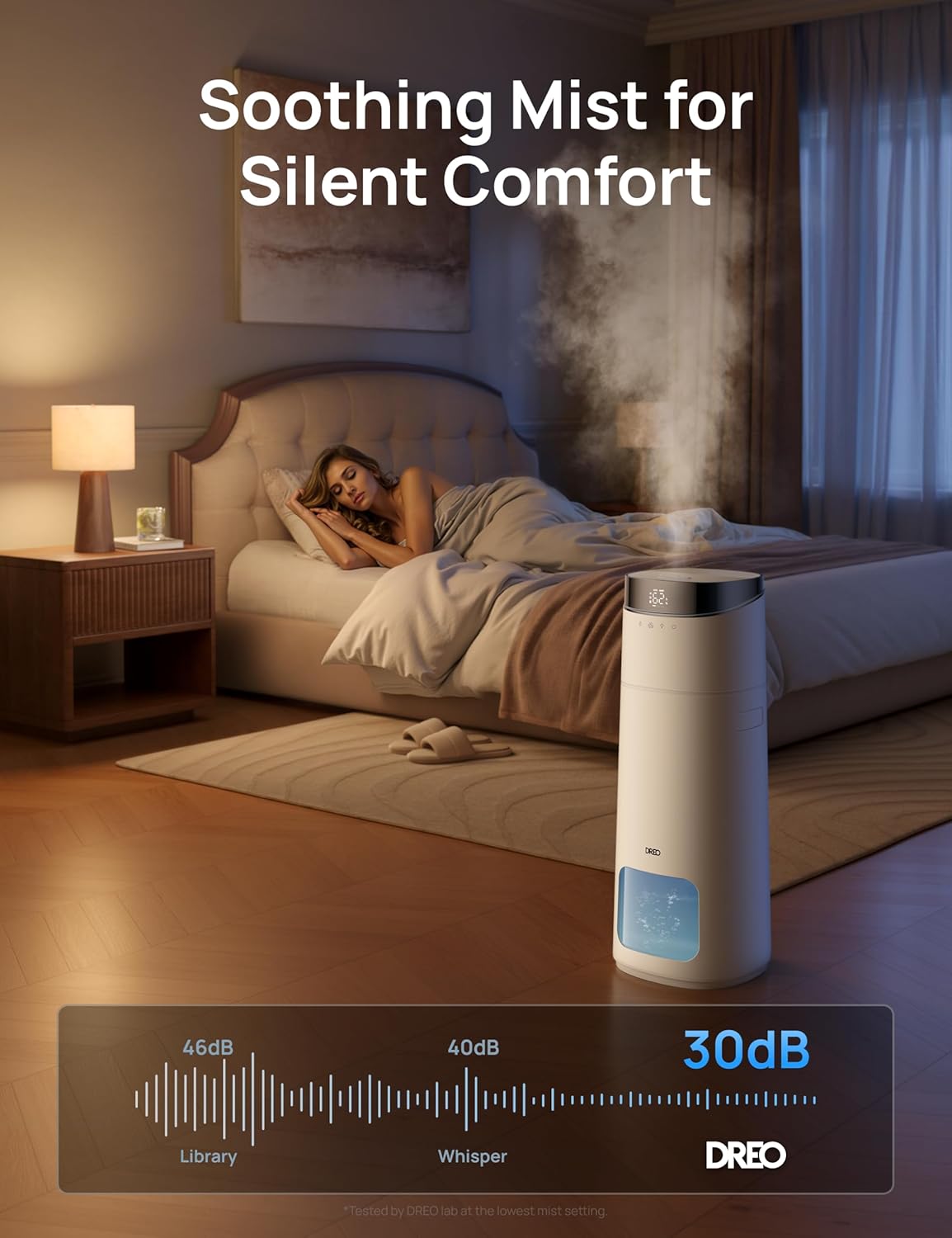
Image: The Dreo HM755S Humidifier providing quiet humidification in a bedroom, demonstrating its low noise level of 30dB for undisturbed sleep.
Smart Control (App & Voice)
The Dreo HM755S offers advanced control options via the Dreo mobile application and voice assistants.

Image: A user interacting with the Dreo mobile application on a smartphone to control the humidifier, illustrating smart connectivity and remote management.
- Download the Dreo App: Search for 'Dreo' in your smartphone's app store and install the application.
- Pairing: Follow the in-app instructions to connect your humidifier to your home Wi-Fi network.
- Remote Control: Once paired, you can control all humidifier functions (power, mist level, humidity, timer, light) from your smartphone.
- Voice Control: Integrate with Amazon Alexa or Google Assistant for hands-free operation.
- Scheduling: Set personalized schedules for the humidifier to turn on/off or adjust settings automatically.
Precision Humidity Control
The humidifier features a high-accuracy sensor to maintain optimal humidity levels.

Image: An internal diagram highlighting the high-precision humidistat sensor within the Dreo humidifier, capable of detecting humidity with a ±5% accuracy.
- Auto Mode: The humidifier will automatically adjust mist output to reach and maintain your set target humidity.
- Humidity Display: The digital display shows the current humidity level.
Maintenance
Regular cleaning and maintenance are essential for optimal performance and longevity of your humidifier.
Daily Maintenance
- Refill the water tank with fresh, clean water daily.
Weekly Cleaning
- Unplug the humidifier from the power outlet.
- Remove the top cover and mist outlet.
- Empty any remaining water from the tank and base.
- Clean the water tank with a soft brush and a mild detergent. Rinse thoroughly to remove all detergent residue.
- Use the provided cleaning brush to gently clean the ultrasonic transducer (the small metal disc in the base) to remove any mineral buildup.
- Wipe the exterior of the humidifier with a soft, damp cloth.
- Allow all parts to air dry completely before reassembling.
Scale-Inhibitor Cartridge Replacement
The scale-inhibitor cartridge helps reduce mineral buildup. It is recommended to replace the cartridge monthly. Search for 'DREO Scale-Inhibitor Cartridge' for replacement parts.
Troubleshooting
Refer to this section for common issues and their solutions.
| Problem | Possible Cause | Solution |
|---|---|---|
| No mist is being produced. | Low water level; Power not connected; Mist outlet blocked; Transducer dirty. | Refill water tank; Ensure power is connected; Clear any blockages; Clean the transducer. |
| Unusual odor from mist. | Stagnant water; Dirty water tank. | Empty and refill with fresh water; Clean the water tank thoroughly. |
| Loud or excessive noise. | Humidifier not on a flat surface; Foreign object in base. | Place on a firm, level surface; Check for and remove any foreign objects. |
| Humidifier not turning on. | No power; Components not assembled correctly. | Check power connection; Ensure top cover and tank are correctly seated. |
| App connectivity issues. | Wi-Fi signal weak; Incorrect pairing. | Ensure strong 2.4GHz Wi-Fi signal; Re-attempt pairing process as per app instructions. |
Specifications
Technical details for the Dreo HM755S Smart Humidifier.
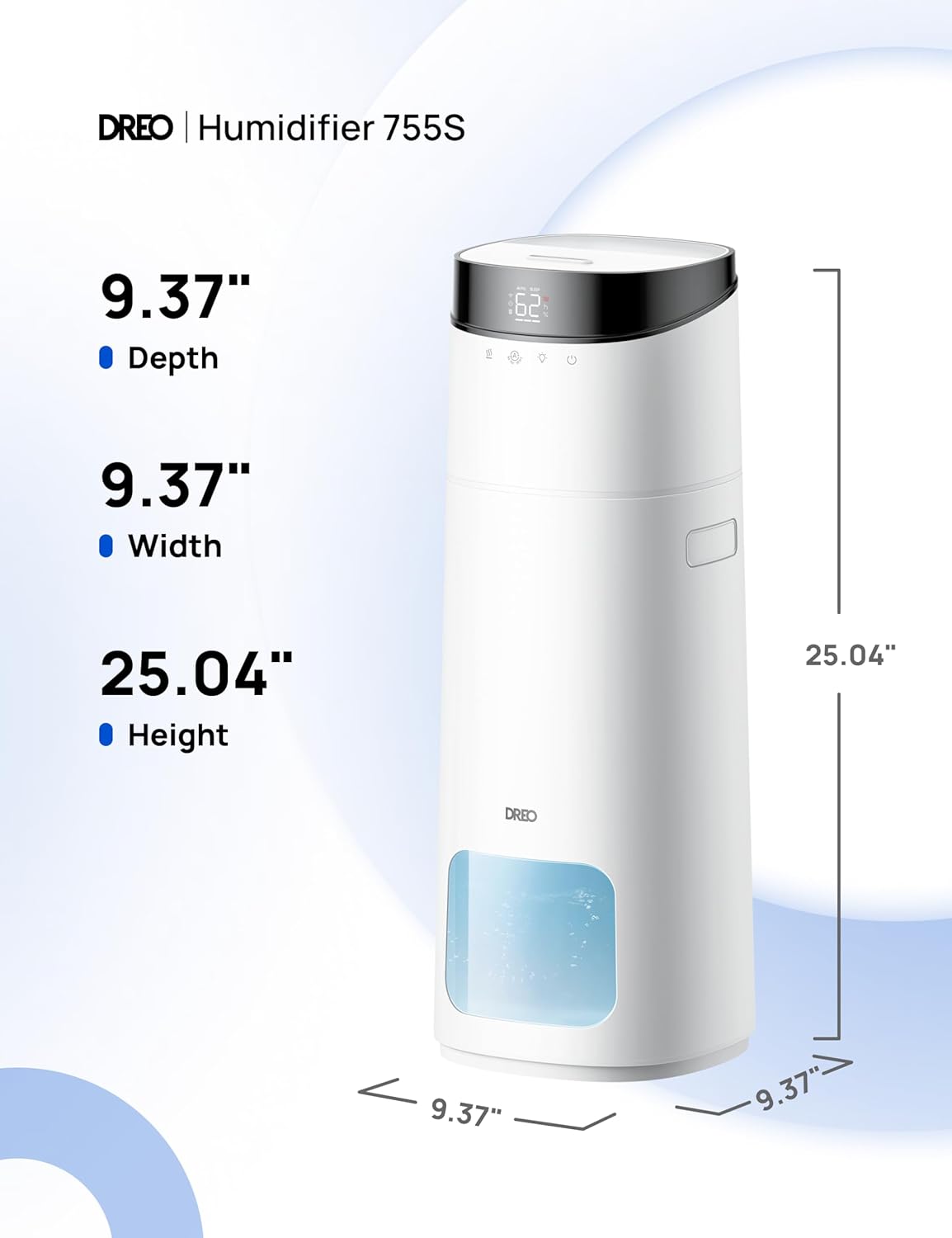
Image: A diagram illustrating the physical dimensions of the Dreo HM755S Humidifier, including its depth, width, and height.
| Feature | Detail |
|---|---|
| Brand | Dreo |
| Model Name | HM755S (DR-HHM015S) |
| Operation Mode | Ultrasonic |
| Water Tank Capacity | 16 Liters |
| Max Runtime | Up to 130 hours |
| Max Mist Output | 400 ml/h |
| Coverage Area | Up to 1000 sq ft |
| Noise Level | 30dB (in Sleep Mode) |
| Product Dimensions | 9.45"D x 9.45"W x 25.04"H |
| Item Weight | 6.95 pounds |
| Wattage | 26 watts |
| Special Features | Adjustable Humidity Control, Auto Shut Off, Digital Display, Humidistat, Remote Control, App Control, Voice Control, Self-Cleaning Tank, RGB Light, Timer |
| UPC | 810142858090 |
Warranty and Support
Dreo provides a warranty for its products. Please refer to the warranty card included in your package or visit the official Dreo website for detailed warranty information.
For customer support, technical assistance, or to inquire about replacement parts, please contact Dreo customer service. Contact details can typically be found on the official Dreo website or in the Quick Start Guide.
An electronic version of this user manual is available for download: Dreo HM755S User Manual (PDF)


