
Introduction
Thank you for choosing the HOMCOM 360° Swivel Mirror Jewellery Cabinet. This manual provides essential information for the safe assembly, operation, and maintenance of your new jewellery cabinet. Please read these instructions thoroughly before use and retain them for future reference.

Image: A woman uses the HOMCOM 360° Swivel Mirror Jewellery Cabinet, applying makeup in front of the illuminated full-length mirror.
Safety Instructions
- Ensure all parts are present and undamaged before assembly.
- Assemble the unit on a soft, clean surface to prevent scratches.
- Do not overtighten screws during assembly.
- Keep children and pets away from the assembly area.
- Place the cabinet on a flat, stable surface to prevent tipping.
- Do not hang heavy items on the cabinet door or back shelves that could cause instability.
- Disconnect the power adapter before cleaning or moving the unit.
Package Contents
Verify that all the following components are included in your package:
- 1 x Jewellery Mirror Cabinet
- 1 x Power Adapter
- 1 x Manual (this document)
Setup and Assembly
Assembly is required for this product. Please follow the instructions provided in the separate assembly guide included in your package. Ensure all components are securely fastened before use.

Image: Three views of the HOMCOM Jewellery Cabinet, illustrating its 3-in-1 design: a closed full-length mirror, the cabinet open to reveal interior storage, and the back with additional shelves.
General Assembly Steps (Refer to detailed guide for specifics):
- Unpack all components and verify against the parts list.
- Attach the main cabinet body to the rotating base.
- Secure any additional support structures or back shelves as indicated.
- Connect the power adapter for the LED lights.
Operating Instructions
360° Swivel Function
The jewellery cabinet is designed with a 360° rotating base, allowing you to easily turn the mirror to any desired angle for full-length viewing or to access the storage compartments from different sides.
LED Lighting
The cabinet features built-in LED lights with three color modes. Connect the provided power adapter to an electrical outlet and the cabinet. Use the control button (location specified in assembly guide) to cycle through the light modes:
- Warm Glow: For a soft, ambient light.
- Natural Light: A balanced light for everyday use.
- Daylight Bright: A bright, clear light ideal for makeup application.
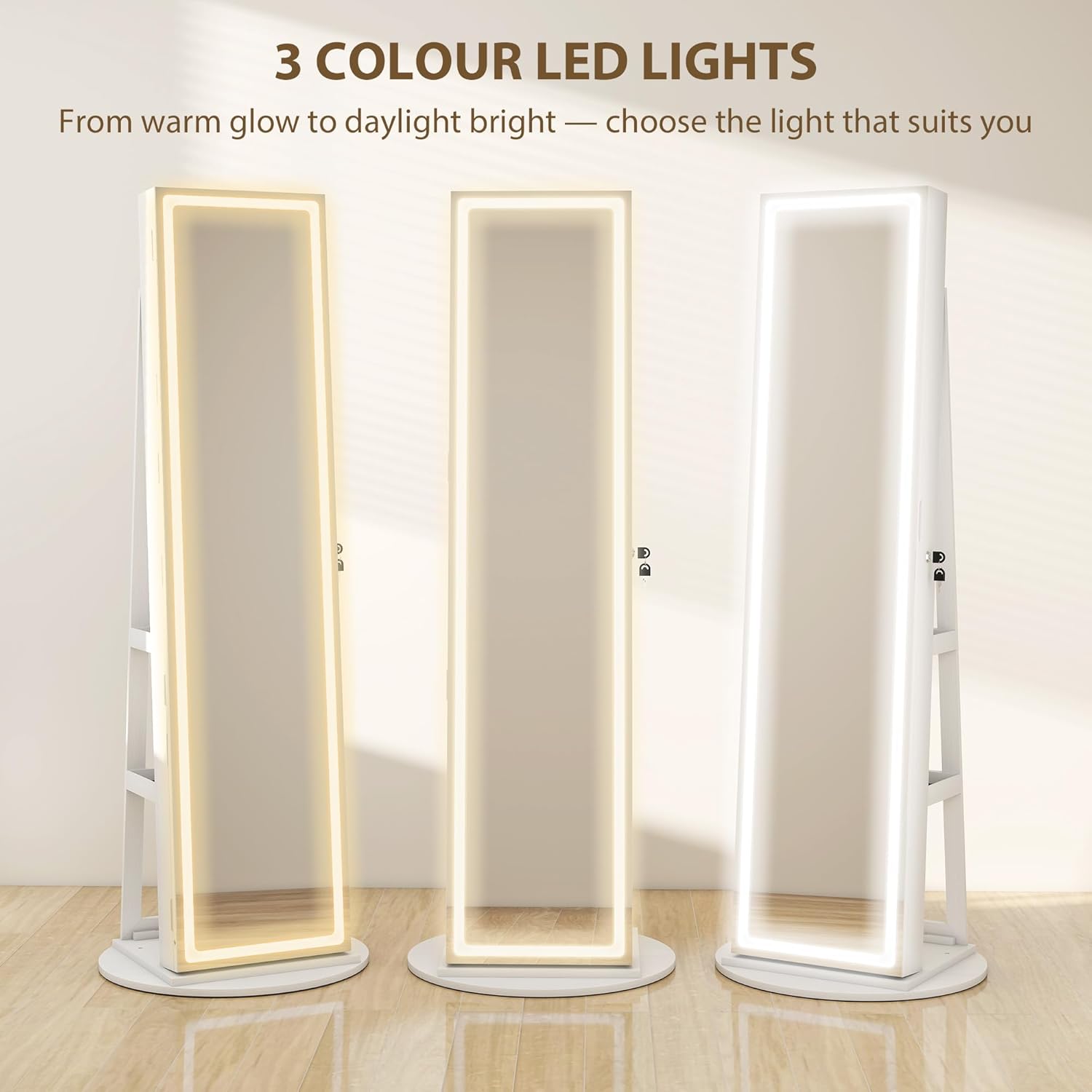
Image: The HOMCOM Jewellery Cabinet's LED lights showcasing three distinct color modes: warm glow, natural light, and daylight bright.
Locking Mechanism
The cabinet is equipped with a side-hook lock and a magnetic closure to secure your valuables. Insert the key into the lock and turn to lock or unlock the cabinet door. Ensure the door is fully closed before locking.

Image: A close-up view of the lockable door mechanism on the HOMCOM Jewellery Cabinet, with a key inserted into the lock.
Inner Makeup Mirror
A small inner mirror is provided inside the cabinet for detailed makeup application or selecting specific jewellery items.

Image: The full-length mirror and a detailed close-up of the inner makeup mirror, shown with brushes, highlighting its practical use.
Storage Features
The HOMCOM Jewellery Cabinet offers extensive storage solutions:
- Ring Slots: 78 slots for organizing rings.
- Earring Slots: 108 slots for various earring types.
- Necklace Hooks: 36 hooks for necklaces and chains.
- Bracelet Rod: A dedicated rod for bracelets.
- Face Mask Storage Bag: A convenient bag for face masks or small accessories.
- Inner Shelves: 4 shelves for cosmetics, perfumes, or other items.
- Back Shelves: 3 additional shelves on the back of the cabinet for larger items like handbags or shoes.

Image: A detailed diagram illustrating the interior storage layout of the HOMCOM Jewellery Cabinet, with specific callouts for ring slots, earring slots, necklace hooks, bracelet rod, face mask storage bag, and inner shelves.

Image: A view of the HOMCOM Jewellery Cabinet's rotating base and the three functional storage shelves positioned on the back of the unit.
Maintenance
Cleaning
- Wipe the exterior surfaces with a soft, damp cloth. Avoid abrasive cleaners.
- For the mirror, use a standard glass cleaner and a lint-free cloth.
- Ensure the power adapter is unplugged before cleaning.
Care
- Avoid exposing the cabinet to direct sunlight or extreme humidity.
- Periodically check all screws and fasteners to ensure they remain tight.
- Do not place excessively heavy objects on shelves or inside compartments to prevent damage.
Troubleshooting
- LED Lights Not Working:
- Check if the power adapter is securely plugged into both the cabinet and the wall outlet.
- Ensure the wall outlet is functional.
- Verify that the light control button is being pressed correctly.
- Cabinet Door Not Locking:
- Ensure the door is fully closed and aligned with the lock mechanism.
- Check if the key is fully inserted and turned correctly.
- Cabinet Wobbles:
- Ensure the cabinet is placed on a flat, level surface.
- Check all assembly screws to ensure they are tightened.
- Distribute weight evenly within the cabinet.
Specifications
| Feature | Detail |
|---|---|
| Model Number | 83D-021V70WT |
| Color | White |
| Material | MDF, Glass, Plastic Coat |
| Overall Dimension | 55W x 55D x 158.5H cm (21.65"D x 21.65"W x 62.4"H) |
| Large Mirror Dimension | 37W x 155H cm |
| Cabinet Dimension | 37W x 9.5D x 155H cm |
| Weight Capacity | 15 kg (33 lbs) |
| Item Weight | 22 kg (48.4 lbs) |
| Special Features | 360° Swivel, LED Lighting (3 colors), Lockable, Full-Length Mirror, Inner Makeup Mirror, Multiple Storage Compartments |

Image: A technical drawing of the HOMCOM Jewellery Cabinet, clearly indicating its overall dimensions including width (55 cm), depth (55 cm), and height (158.5 cm), along with specific mirror and cabinet dimensions.
Warranty Information
This product comes with a standard manufacturer's warranty. Please refer to the warranty card included in your package or contact customer support for detailed information regarding warranty terms and conditions.
Customer Support
For any questions, concerns, or assistance with your HOMCOM 360° Swivel Mirror Jewellery Cabinet, please visit the official HOMCOM store or contact their customer service department.
HOMCOM Store: Visit the HOMCOM Store on Amazon