1. Introduction
Thank you for choosing the OYLUS KPT-2000 5172(02)L Space Heater with Humidifier. This manual provides essential information for the safe and efficient operation, maintenance, and troubleshooting of your new appliance. Please read it thoroughly before use and retain it for future reference.
2. Important Safety Information
WARNING: To reduce the risk of fire, electric shock, or injury, observe the following safety precautions:
- Always plug the heater directly into a wall outlet. Never use with an extension cord or relocatable power tap.
- Do not operate any heater with a damaged cord or plug, or after the heater malfunctions or has been dropped or damaged in any manner.
- Keep combustible materials, such as furniture, pillows, bedding, papers, clothes, and curtains at least 3 feet (0.9 m) from the front of the heater and keep them away from the sides and rear.
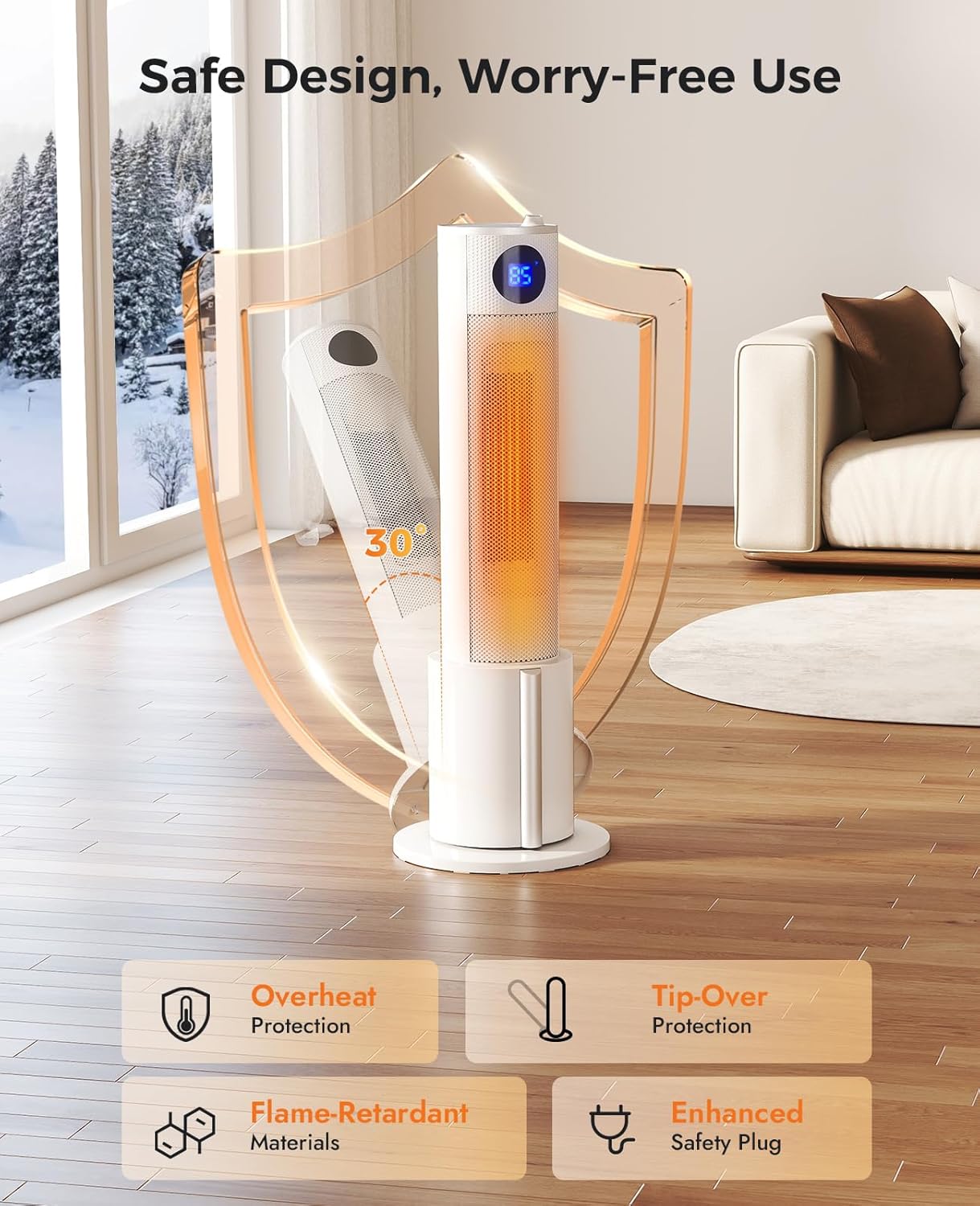
- The appliance features Tip-Over Protection: The heater will automatically shut off if it is accidentally tipped over.
- The appliance features Overheat Shut-Off: The heater will automatically turn off if it overheats.
- After turning off, the unit initiates a 30-second residual heat cooling system to ensure safe shutdown.
- Constructed with Flame-Retardant Materials for enhanced safety.
- Equipped with an Enhanced Safety Plug.
- Do not use outdoors.
- Do not use in bathrooms, laundry areas, or similar indoor locations.
3. Product Overview
3.1 Components
The OYLUS KPT-2000 5172(02)L Space Heater with Humidifier consists of the main tower unit, a detachable humidifier water tank, a top control panel, and a remote control.
3.2 Key Features
- 3 Heat Settings: Choose from Low (500W), Medium (1000W), or High (1500W) heat modes.
- Smart Thermostat: Adjustable temperature range from 50°F to 90°F with 1°F precision.
- Built-in Humidifier: Integrated 1-liter water tank provides comfortable moisture, preventing dry air. Features automatic shut-off when empty and a detachable design for easy refilling.
- 90° Oscillation: Distributes warmth evenly across the room.
- 1-12 Hour Timer: Allows for automatic shut-off after a set duration.
- Quiet Operation: Operates at approximately 30dB for minimal disturbance.
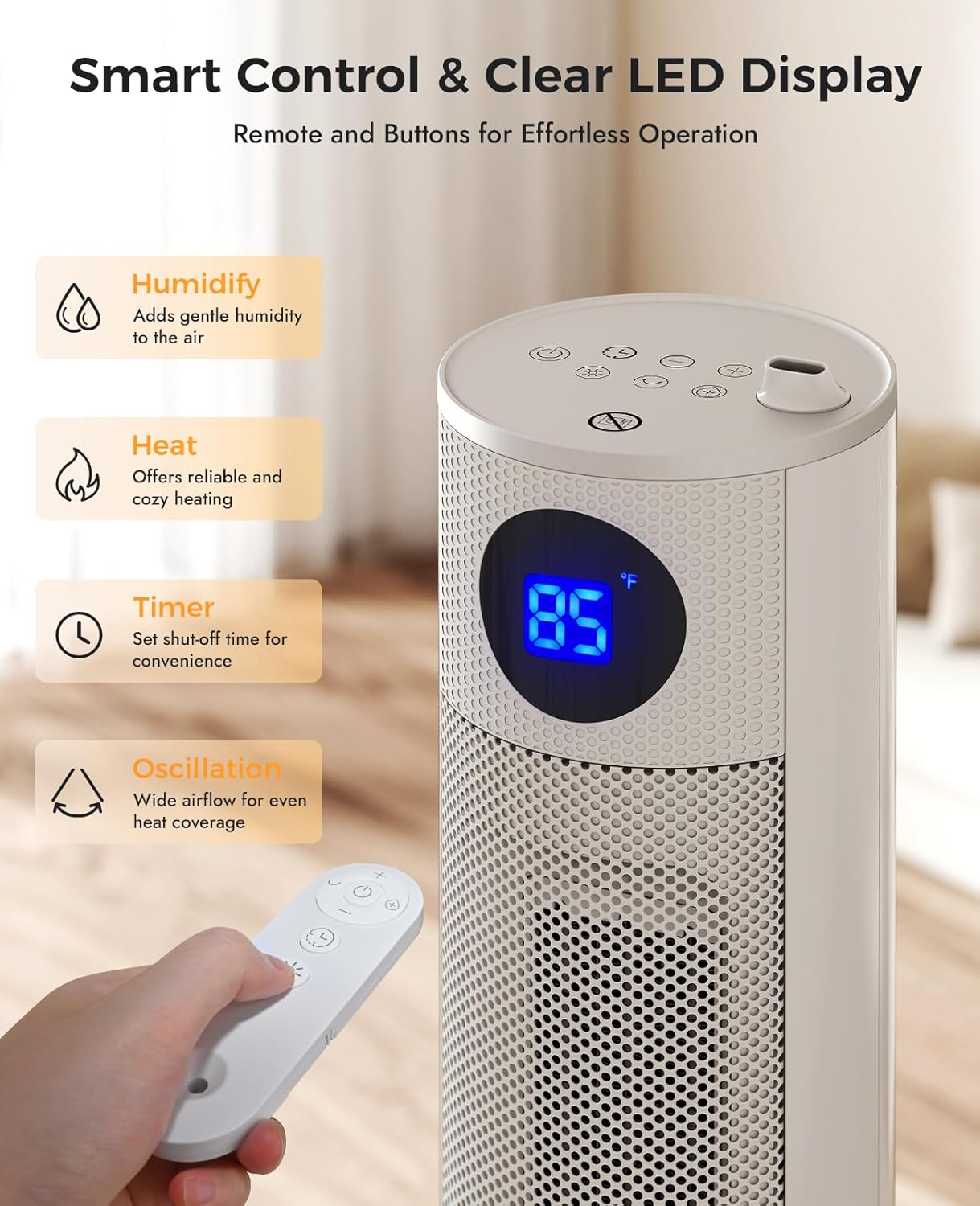
- Dual Control: Operate the heater using either the intuitive top control panel or the included remote control.
- Smart Display: Clear LED display shows current room temperature, set temperature, heat mode, and humidifier status icons.
- Compact Design: Lightweight tower design with a sleek, minimalist white finish.


4. Setup
- Unpacking: Carefully remove the heater from its packaging. Retain packaging for storage.
- Base Assembly: Attach the main heater unit to its base using the provided screws. Ensure it is securely fastened.
- Placement: Place the heater on a firm, level surface. Ensure there is at least 3 feet (0.9 m) of clear space around the heater to prevent obstruction of air intake and output. Do not place on soft surfaces like beds or rugs where openings may become blocked.
- Power Connection: Plug the power cord into a grounded 120V AC electrical outlet.
- Filling Humidifier Tank: To use the humidifier function, detach the 1-liter water tank from the base. Open the cap, fill with clean water, and securely close the cap. Reinsert the tank into the base until it clicks into place.
5. Operating Instructions
5.1 Power On/Off
Press the Power button on the control panel or remote control to turn the unit ON or OFF. Upon turning off, the unit will initiate a 30-second cooling countdown before fully shutting down.
5.2 Adjusting Heat Modes
With the heater ON, press the 'Mode' button on the control panel or remote to cycle through the 3 heat settings: Low (500W), Medium (1000W), and High (1500W).
5.3 Setting Temperature
Use the '+' and '-' buttons on the control panel or remote to set your desired temperature between 50°F and 90°F. The smart thermostat will maintain the set temperature.
5.4 Oscillation Function
Press the 'Oscillation' button on the control panel or remote to activate the 90° oscillation feature, distributing heat across a wider area. Press again to stop oscillation.

5.5 Setting the Timer
Press the 'Timer' button on the control panel or remote to set the automatic shut-off timer from 1 to 12 hours. Each press increases the timer by one hour.
5.6 Humidifier On/Off
Press the 'Humidifier' button on the control panel or remote to turn the humidifier function ON or OFF. The humidifier will automatically stop when the water tank is empty.
5.7 Using the Remote Control
The included remote control allows for convenient operation of all heater functions from a distance. Ensure the remote is pointed towards the heater's display for optimal response.
5.8 Display Information
The LED display on the front of the heater shows the current room temperature, your set temperature, the active heat mode (Low, Medium, High), and humidifier status icons.
6. Maintenance
6.1 Cleaning the Unit
Always unplug the heater before cleaning. Use a soft, damp cloth to wipe the exterior surfaces. Do not use abrasive cleaners or allow water to drip into the interior of the heater.
6.2 Humidifier Tank Maintenance
Regularly clean the humidifier water tank to prevent mineral buildup and ensure optimal performance. Detach the tank, empty any remaining water, and rinse thoroughly. For stubborn deposits, use a mild descaling solution or vinegar. Ensure the tank is dry before refilling or storing.
6.3 Storage
When not in use, store the heater in a cool, dry place. It is recommended to store it in its original packaging to protect it from dust and damage.
7. Troubleshooting
| Problem | Possible Cause | Solution |
|---|---|---|
| Heater does not turn on. | No power, tip-over switch activated, overheat protection activated. | Check power cord connection. Ensure heater is on a flat, stable surface. Allow unit to cool down if it overheated. |
| No heat output. | Incorrect heat mode selected, thermostat set too low. | Select a higher heat mode. Increase the set temperature. |
| Humidifier not producing mist. | Water tank empty, humidifier function off. | Refill the water tank. Ensure the humidifier function is turned on. |
| Heater makes unusual noise. | Obstruction in air intake/output, unit not level. | Check for and remove any obstructions. Ensure the heater is on a stable, level surface. |
8. Specifications
| Feature | Detail |
|---|---|
| Brand | OYLUS |
| Model Number | KPT-2000 5172(02)L |
| Product Dimensions | 10.24"D x 10.24"W x 29.53"H |
| Item Weight | 7.5 pounds |
| Voltage | 120 Volts (AC) |
| Heat Settings | 3 (Low, Medium, High up to 1500W) |
| Min Temperature Setting | 50 Degrees Fahrenheit |
| Max Temperature Setting | 95 Degrees Fahrenheit |
| Special Features | Adjustable Temperature, Fast Heating, Oscillating, Overheat Protection, Tip-Over Protection, Humidifier |
| Indoor/Outdoor Usage | Indoor |
| UPC | 607609477440 |
9. Warranty and Support
This OYLUS product is covered by a manufacturer's warranty. Please refer to the warranty card included in your product packaging for specific terms and conditions. For technical support, troubleshooting assistance, or warranty claims, please contact OYLUS Direct customer service. Contact information can typically be found on the product packaging or the official OYLUS website.


