1. Introduction
Thank you for choosing the ZXBEER HEPA Double-Sided Air Purifier, Model AP380. This device is designed to enhance your indoor air quality by efficiently removing airborne particles and odors. Please read this manual thoroughly before operation to ensure proper use and maintenance.
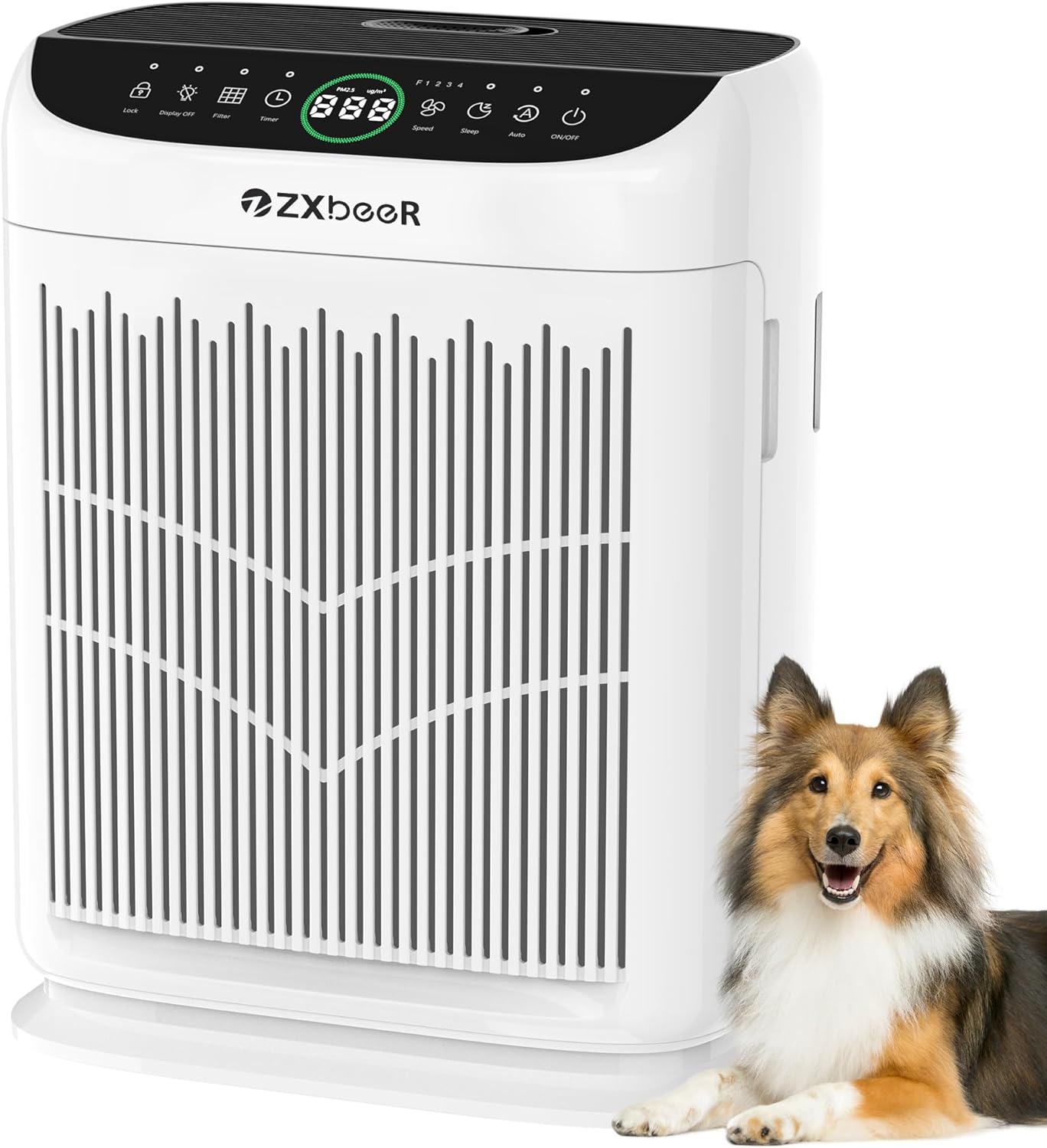
Figure 1: ZXBEER HEPA Double-Sided Air Purifier (Model AP380)
2. Product Features
- Double-Sided Air Inlet: Enhances purification speed by drawing air from two sides.
- HEPA Filtration: Captures 99.97% of 0.1μm particles, including dust, pollen, pet dander, and smoke.
- PM2.5 Air Quality Sensor: Provides real-time air quality readings and adjusts fan speed in Auto Mode.
- Aromatherapy Function: Integrated tray for essential oils to diffuse pleasant scents.
- Ultra-Quiet Sleep Mode: Operates at less than 20dB for undisturbed rest.
- Washable Pre-Filter: Reusable pre-filter for easy cleaning and extended filter lifespan.
- Large Coverage: Effective for rooms up to 3000 sq ft per hour.
- Smart Touch Control: Intuitive control panel with various settings.
3. Package Contents
Upon unpacking, ensure all items are present:
- ZXBEER Air Purifier (Model AP380)
- HEPA Filter (pre-installed, ensure plastic packaging is removed before use)
- Power Adapter
- User Manual (this document)
- Aromatherapy Pads (6 included)
4. Setup
- Unpack the Air Purifier: Carefully remove the air purifier and all accessories from the packaging.
- Remove Filter Packaging:
- Locate the filter covers on both sides of the unit. Gently pull to open.
- Remove the HEPA filter(s) from inside the unit.
- Remove all plastic packaging from the filter(s).
- Reinsert the filter(s) into the unit, ensuring the 'INSERT' arrow on the filter points upwards.
- Close the filter covers securely until they click into place.
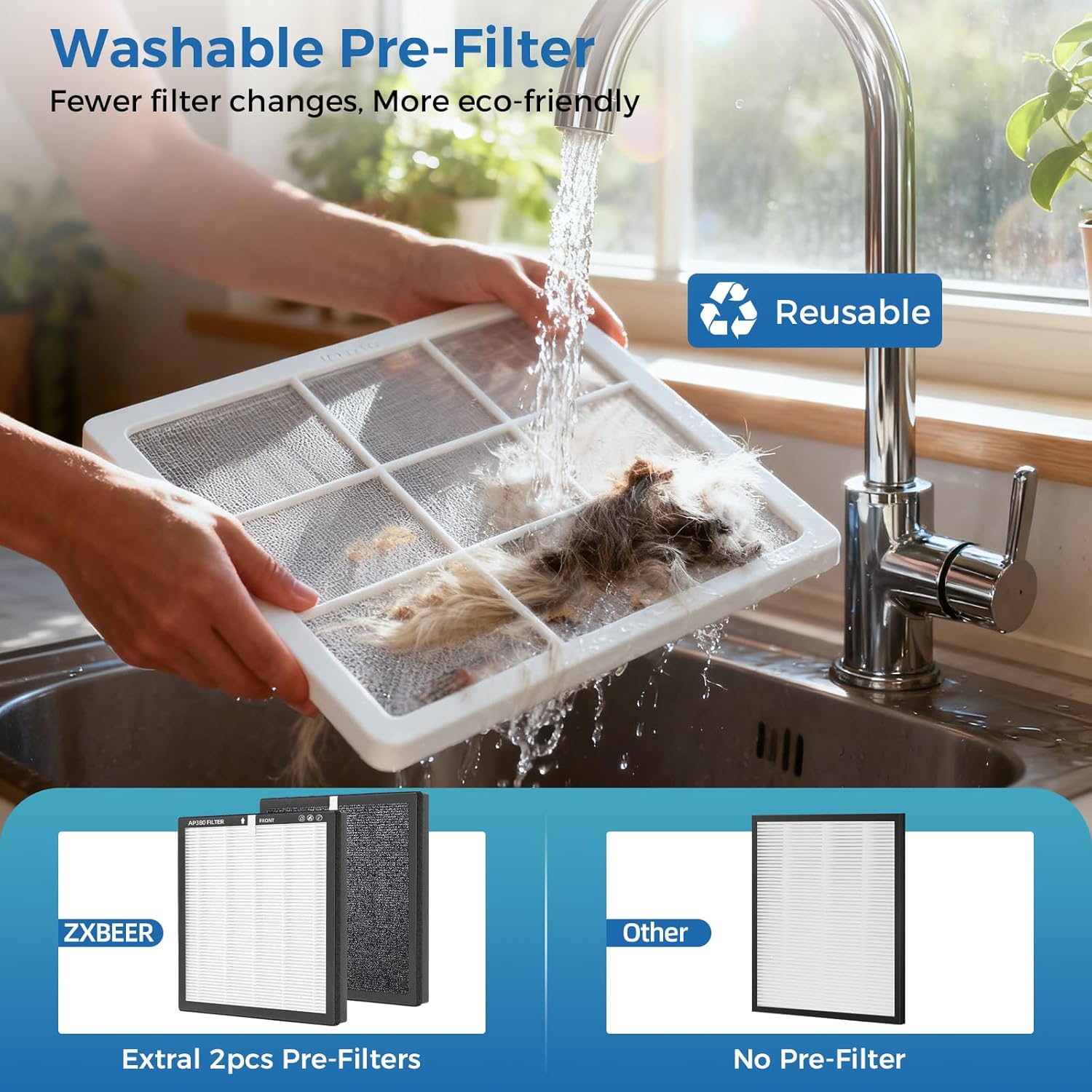
Figure 2: Removing plastic packaging from the washable pre-filter.
- Power Connection: Plug the power adapter into the power inlet located at the bottom of the air purifier, then plug the adapter into a standard electrical outlet.
Video 1: Overview of the ZXBEER Smart Air Purifier, demonstrating its features and ease of use.
5. Operating Instructions
The control panel is located on the top of the unit. It features touch-sensitive buttons and a digital display.
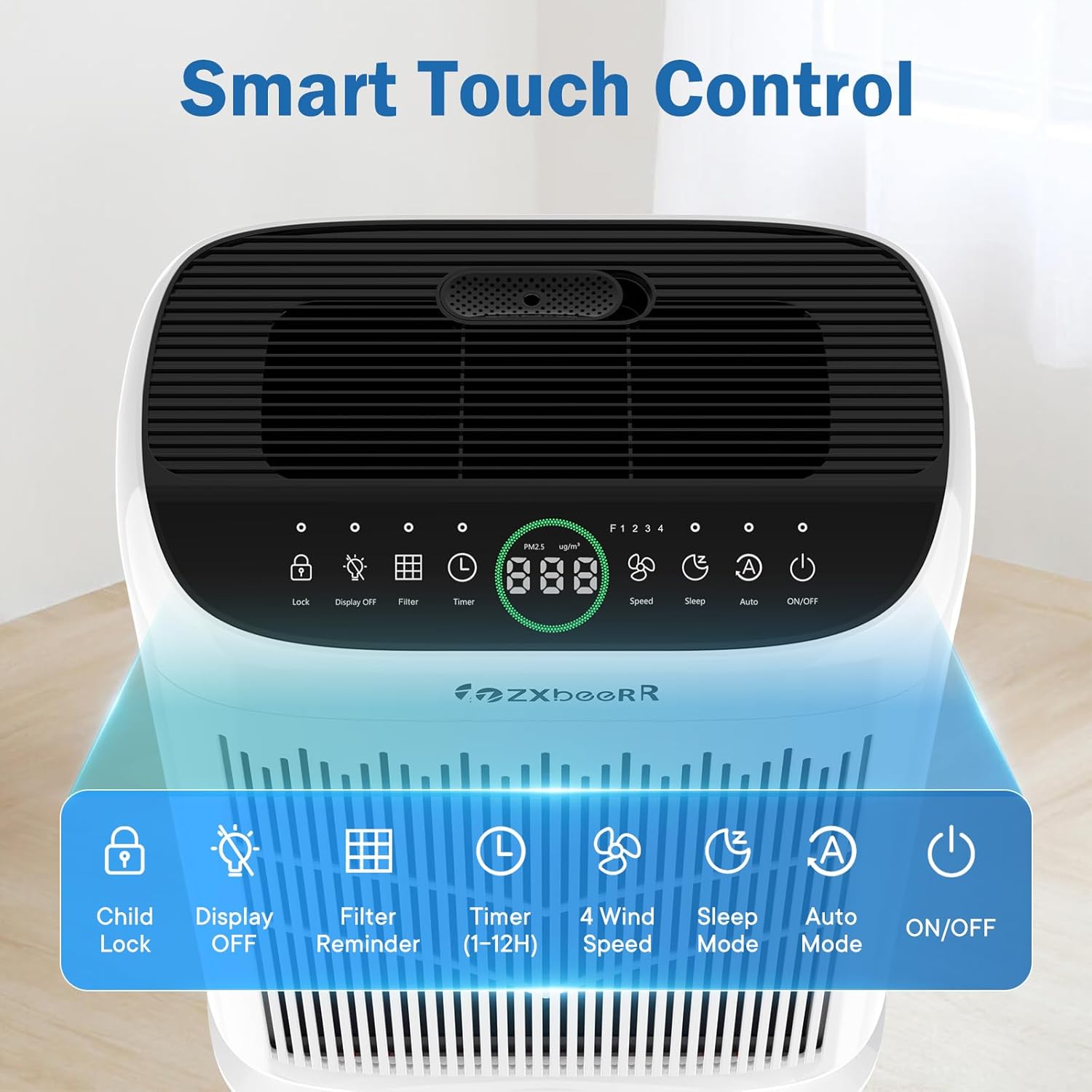
Figure 3: Smart Touch Control Panel
Control Panel Functions:
- Power Button (⏻): Turns the unit On or Off.
- Speed Button (⏴): Cycles through 4 fan speeds (1-4). Higher speeds provide faster purification but may increase noise.
- Sleep Mode Button (☾): Activates ultra-quiet operation (less than 20dB) and dims the display for undisturbed sleep.
- Auto Mode Button (A): Automatically adjusts fan speed based on real-time PM2.5 air quality readings.
- Timer Button (◴): Sets the operating time for 2, 4, 8, or 12 hours. The unit will automatically turn off after the set time.
- Child Lock Button (🔒): Press and hold for 3 seconds to activate/deactivate. Locks all other buttons to prevent accidental changes.
- Display Off Button (💡): Turns the digital display lights off/on.
- Filter Reset Button (⊞): Indicates when the filter needs replacement. Press and hold to reset after changing the filter.
Air Quality Indicator:
The digital display shows real-time PM2.5 levels and changes color to indicate air quality:
- Green: 0-39 μg/m³ (Excellent)
- Yellow: 40-75 μg/m³ (Good)
- Orange: 76-150 μg/m³ (Moderate)
- Red: >151 μg/m³ (Bad)
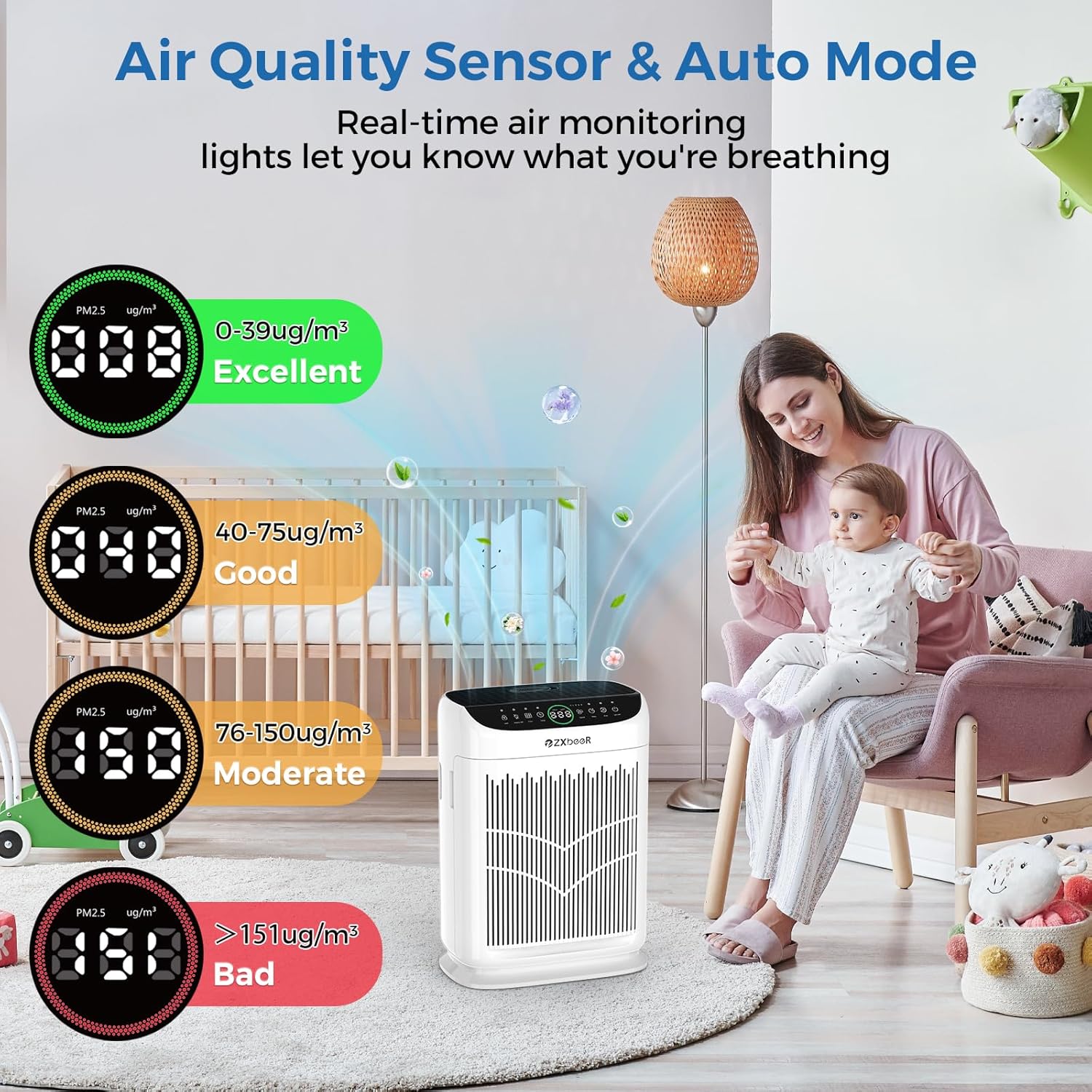
Figure 4: Air Quality Sensor and Auto Mode Display
Aromatherapy Function:
To use the aromatherapy feature:
- Locate the aromatherapy tray on the side of the unit.
- Gently press to open the tray and insert an aromatherapy pad.
- Add 6-10 drops of your preferred essential oil onto the pad.
- Close the tray securely.
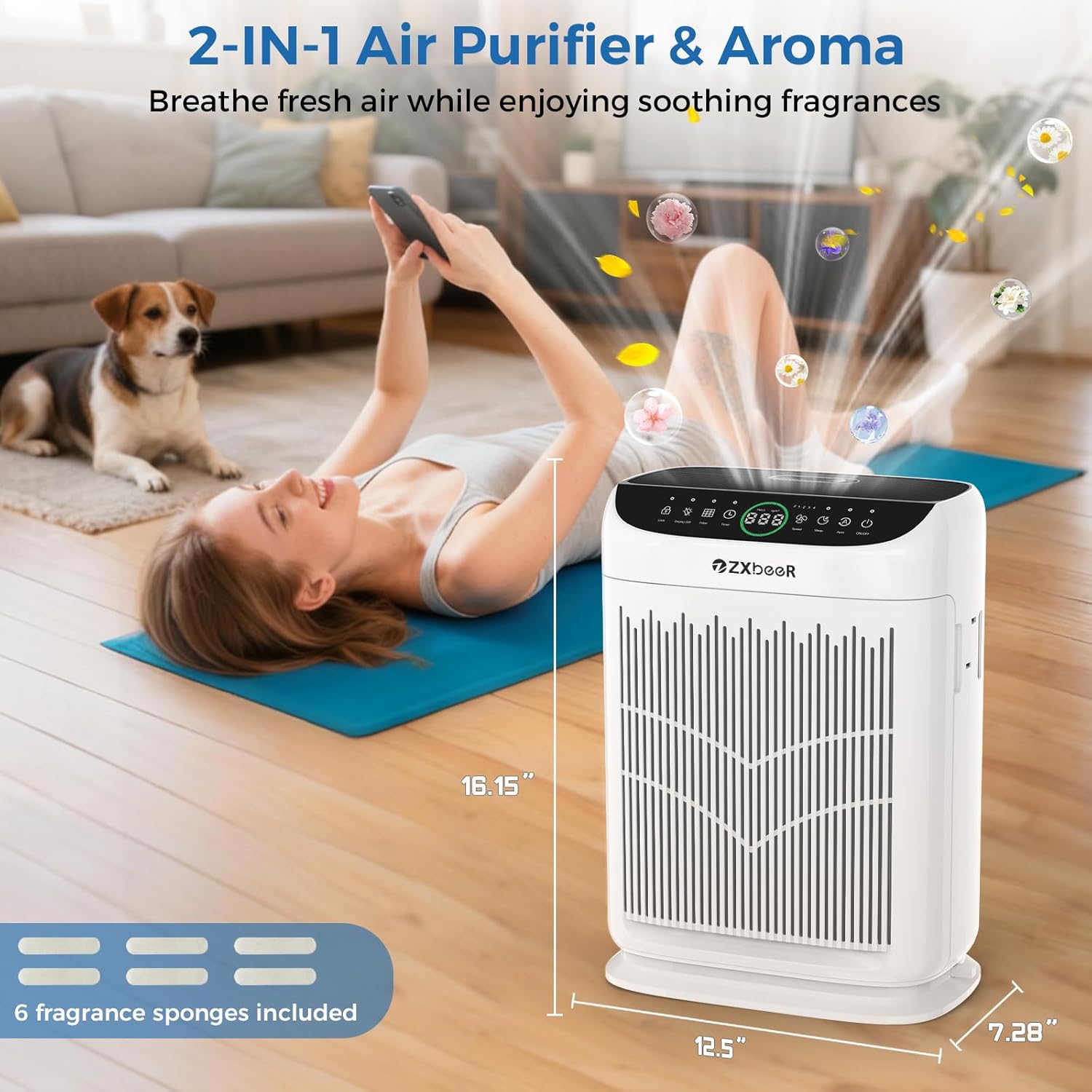
Figure 5: Adding essential oils to the aromatherapy tray.
6. Maintenance
Filter Replacement:
The filter replacement indicator (⊞) will illuminate when it's time to replace the filter (typically every 4-8 months, depending on usage and air quality).
- Turn off and unplug the air purifier.
- Open the filter covers on both sides of the unit.
- Remove the old filter(s).
- Insert new official ZXBEER replacement filters (search for B0FM7HC673 on Amazon), ensuring the 'INSERT' arrow points upwards.
- Close the filter covers securely.
- Plug in the unit and press and hold the Filter Reset button (⊞) for 3 seconds until the indicator light turns off.

Figure 6: ZXBEER AP380 Replacement Filter
Washable Pre-Filter Cleaning:
The pre-filter can be cleaned regularly to maintain performance and extend the life of the HEPA filter.
- Turn off and unplug the air purifier.
- Open the filter covers and carefully remove the pre-filter.
- Vacuum or rinse the pre-filter with water to remove accumulated dust and debris.
- Ensure the pre-filter is completely dry before reinserting it into the unit.
- Close the filter covers securely.
7. Troubleshooting
If you encounter any issues, please refer to the following common solutions:
| Problem | Possible Cause | Solution |
|---|---|---|
| Unit does not turn on | Not plugged in; Power outage; Child Lock active | Check power connection; Restore power; Deactivate Child Lock (press and hold 🔒) |
| Airflow is weak | Blocked air inlets/outlets; Dirty filter; Incorrect fan speed | Ensure clear space around unit; Clean/replace filter; Increase fan speed |
| Unusual noise | Foreign object inside; Unit not on a flat surface | Turn off and inspect for obstructions; Place on a stable, flat surface |
| Filter indicator remains on after replacement | Filter reset not performed | Press and hold the Filter Reset button (⊞) for 3 seconds |
8. Specifications
- Model Number: AP380
- Product Dimensions: 7.28"D x 12.6"W x 16.17"H
- Item Weight: 6.6 Pounds
- Power Source: AC/DC
- Coverage Area: Up to 3000 sq ft/hour
- Noise Level (Sleep Mode): < 20dB
- Manufacturer: Zhongshan Turbos Technology Co. Ltd.
- Certifications: ETL Certified, CARB Certified, EPA Certified, FCC Certified, CE Certified
9. Safety Information
Please adhere to the following safety guidelines:
- Always unplug the air purifier before cleaning or performing any maintenance.
- Do not operate the unit with a damaged cord or plug.
- Keep the unit away from water or moist environments.
- Ensure proper ventilation by not blocking air inlets or outlets.
- Keep out of reach of children and pets.
- Use only official ZXBEER replacement filters for optimal performance and safety.
10. Warranty and Support
The ZXBEER HEPA Double-Sided Air Purifier comes with a 2-year warranty. In case of quality issues within this timeframe, please reach out to us, and a brand-new product will be provided.
For further assistance, troubleshooting, or to purchase official replacement filters (B0FM7HC673), please visit the ZXBEER Store on Amazon or contact customer support.