
Introduction
Thank you for choosing the Basike BA-SPO259 Selfie Stick Tripod. This versatile 3-in-1 device functions as a selfie stick, a portable tripod, and a desktop stand, designed for capturing photos, videos, vlogs, and live streams. It features an automatic tripod opening mechanism, dual 360° rotation, and a detachable Bluetooth remote control for enhanced convenience and flexibility. Please read this manual carefully before use to ensure proper operation and to maximize your product experience.
Safety Information
- Do not expose the device to extreme temperatures or direct sunlight for prolonged periods.
- Keep the device away from water and other liquids.
- Do not attempt to disassemble or modify the product. This may void the warranty and cause damage.
- Ensure your smartphone is securely mounted in the holder before extending the stick or using it as a tripod.
- Avoid placing the tripod on uneven or unstable surfaces to prevent tipping.
- The manufacturer is not responsible for damages caused by improper use or use with incompatible electrical devices.
Package Contents
Please check the package for the following items:
- 1x Basike BA-SPO259 Selfie Stick Tripod
- 1x Detachable Bluetooth Remote Control
- 1x User Manual
Setup
- Unfolding the Tripod: Hold the device vertically and gently tap the bottom on a flat surface. The tripod legs will automatically open and extend, providing a stable base.
- Extending the Selfie Stick: Pull the top section upwards to extend the telescopic pole to your desired height (up to 177cm).
- Mounting Your Smartphone:
- Gently pull apart the smartphone holder clamps.
- Insert your smartphone (compatible with widths from 6cm to 9.5cm) into the holder, ensuring it is centered and securely gripped by the silicone pads.
- Pairing the Bluetooth Remote Control:
- Remove the magnetic remote control from its slot on the stick.
- Turn on the remote control (usually by pressing and holding a button until an indicator light flashes).
- On your smartphone, go to Bluetooth settings and search for available devices.
- Select "Basike Remote" or a similar name to pair. The indicator light on the remote will stop flashing once paired.
- The remote is compatible with both iOS and Android devices.

Image: The reinforced tripod base with automatic opening feature and the detachable magnetic Bluetooth remote control.

Image: Illustrates the Bluetooth 5.2 remote control and its compatibility with iOS and Android devices for perfect photos.
Operating Instructions
Using as a Selfie Stick:
- Ensure your phone is securely mounted.
- Extend the stick to your desired length.
- Adjust the phone holder's angle for the best shot.
- Use the detachable Bluetooth remote to capture photos or start/stop video recording.
Using as a Tripod:
- Place the tripod on a flat, stable surface. The automatic opening mechanism will deploy the legs.
- Extend the telescopic pole to the desired height (up to 177cm).
- Adjust the phone holder's angle. The dual-axis rotation allows for 360° horizontal rotation and 180° tilt, enabling both portrait and landscape orientations.
- Use the Bluetooth remote for hands-free photo and video capture.

Image: Demonstrates the versatility of the Basike BA-SPO259, showing its use as a stable tripod, an extended selfie stick (referred to as Gimbal mode), and for capturing dynamic movement shots.
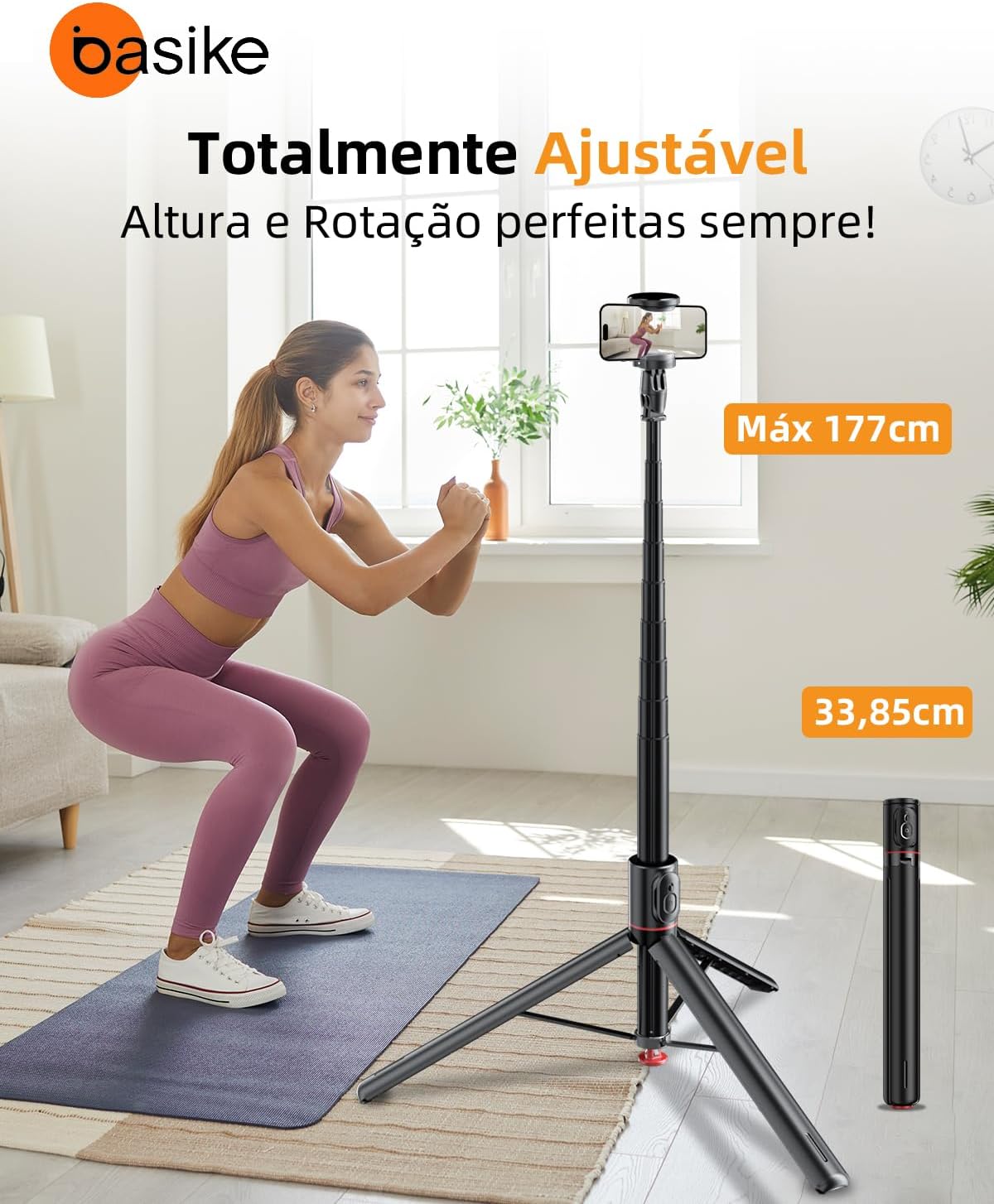
Image: Shows the Basike BA-SPO259 fully extended to its maximum height of 177cm, highlighting its adjustable nature, and also its compact folded size of 33.85cm.

Image: Details the smartphone holder's expandable width (6-9.5cm) and its dual 180-degree rotation capabilities, allowing for flexible horizontal and vertical shooting angles.
Maintenance
- Clean the device with a soft, dry cloth. Do not use abrasive cleaners or solvents.
- Store the selfie stick tripod in a cool, dry place when not in use.
- Ensure the telescopic sections are free of dust and debris to maintain smooth extension and retraction.
- Recharge the Bluetooth remote control as needed.
Troubleshooting
- Q: The tripod legs do not open automatically.
- A: Ensure the device is held vertically and gently tapped on a flat, firm surface. If the mechanism is stiff, gently assist the legs to open manually a few times to loosen them.
- Q: The Bluetooth remote control does not pair with my phone.
- A:
- Make sure the remote control is charged and turned on.
- Ensure Bluetooth is enabled on your smartphone.
- Try unpairing and re-pairing the device.
- Check if the remote's battery needs replacement or recharging.
- Ensure no other Bluetooth devices are interfering with the connection.
- Q: My phone does not fit in the holder.
- A: The holder supports smartphones with widths between 6cm and 9.5cm. Please check your phone's dimensions. Do not force a phone into the holder if it exceeds these dimensions.
- Q: The selfie stick is unstable when extended.
- A: Ensure all telescopic sections are fully locked into place. When used as a tripod, always place it on a flat and stable surface. Avoid extending to maximum height in windy conditions or with heavy phones if stability is a concern.
Specifications
| Model | BA-SPO259 |
| Material | Aluminum + ABS |
| Weight | 430 g (product), 510 g (package) |
| Folded Length | 33.85 cm |
| Adjustable Height | 33.85 cm – 177 cm |
| Smartphone Holder Width | 6 cm – 9.5 cm |
| Max Load Capacity | Up to 1.5 kg |
| Remote Control | Bluetooth 5.2 (iOS/Android compatible, up to 10 m range) |
| Rotation | 360° horizontal, 225° vertical (180° tilt, 180° rotation) |
| Power Source | Lithium Polymer Battery (for remote) |
| Special Features | Automatic Tripod Opening, Detachable Remote, Lightweight, Anti-slip, Telescopic |
| Color | Black |
| Certification | ANATEL: 01666-25-14103 |
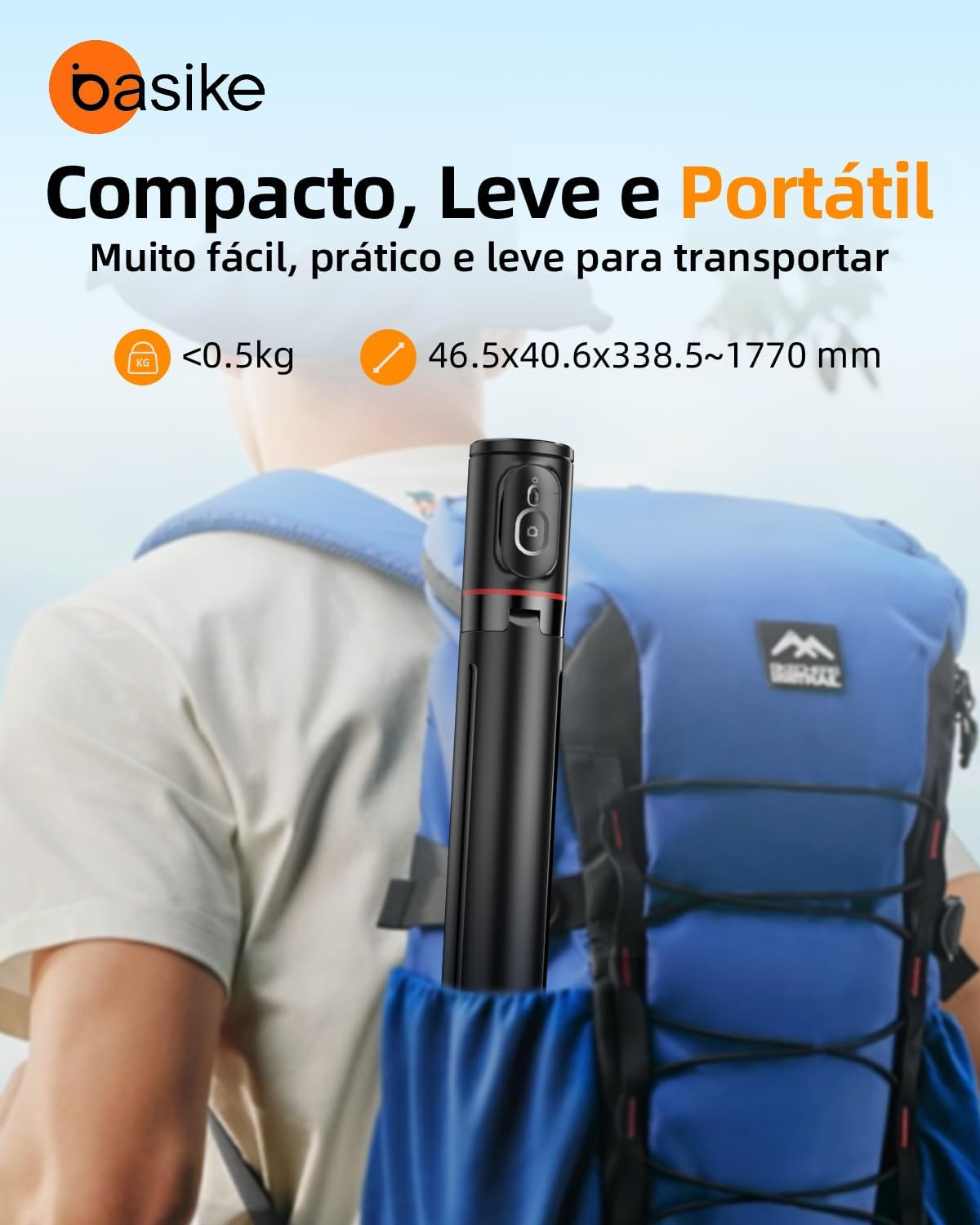
Image: Highlights the compact and portable nature of the Basike BA-SPO259, indicating its light weight (under 0.5kg) and dimensions when folded and extended, making it easy to transport in a backpack.
Warranty and Support
Warranty: This product comes with a 1-year warranty against manufacturing defects.
Support: Customer support is available 24 hours a day, 7 days a week. For assistance, please refer to the contact information provided with your purchase or visit the official Basike website.
Basike is not responsible for damages caused by improper use of the product or use with an incompatible electrical device.