
Introduction
Thank you for purchasing the SUBSONIC Superdrive 270 GT Racing Wheel. This manual provides essential information for setting up, operating, and maintaining your racing wheel to ensure an optimal gaming experience. Please read these instructions carefully before use.
The Superdrive 270 GT is designed for multi-platform compatibility, offering an immersive driving experience with its responsive controls and ergonomic design.
Product Features
- Multi-Compatible Gaming Steering Wheel: Supports PS4, Nintendo Switch 2, Switch, Xbox Series X/S, Xbox One, and PC. Note: Not compatible with PS5.
- Dual Joysticks: Integrates all controller functions directly onto the steering wheel for enhanced control, especially in games like GTA.
- Immersive Driving Experience: Features analog pedals (accelerator and brake), a 27 cm wheel diameter, 270° rotation angle, and paddle shifters for smooth gear changes.
- Programmable RGB LEDs: Customizable lighting around the dual sticks and programmable buttons to suit various driving styles.
- Three Sensitivity Modes: Adjust sensitivity for different circuit types, from low for most racing games to high for tight turns.
- Vibration Motor: Provides haptic feedback in sequential mode for a more realistic feel.
- Ergonomic Design: Sturdy ABS structure with micro-perforated faux leather grip for comfort during extended gaming sessions.
- Stable Fixation: Equipped with a suction cup or screw clamp mounting system for secure attachment to most surfaces.
Package Contents
Please ensure all items are present in the package:
- SUBSONIC Superdrive 270 GT Racing Wheel
- Pedal Unit (Accelerator and Brake)
- Mounting Clamp
- Suction Cups (pre-attached or separate)
- User Manual

Image: Product packaging showing the racing wheel and pedals.
Setup Instructions
Before connecting, ensure your console or PC is powered off.
General Connection
- Connect the pedal unit cable to the designated port on the back of the steering wheel base.
- Connect the steering wheel's USB cable to an available USB port on your console or PC.
Setup for PS4 / Xbox One
For proper operation on PS4 or Xbox One, an official controller must be connected to the steering wheel.
- Ensure the console is powered OFF.
- Connect the steering wheel's USB cable to the console.
- Connect an official PS4 or Xbox One controller to the USB port on the steering wheel base using a USB cable (provided). Ensure the controller is powered OFF.
- Power ON the console. The steering wheel should be recognized automatically. Press the HOME button on the steering wheel to confirm connection.

Image: Connection diagram for PS4 and Xbox One consoles.
Setup for Nintendo Switch
Before connecting to Nintendo Switch, adjust system settings.
- Go to System Settings > Controllers and Sensors > Pro Controller Wired Communication. Set this option to On.
- Ensure the Switch console is powered OFF.
- Connect the steering wheel's USB cable to the Switch Dock.
- Power ON the Switch console. The steering wheel should be recognized. Press the HOME button on the steering wheel to confirm connection.

Image: Connection diagram for Nintendo Switch console.
Setup for PC
Connect the steering wheel's USB cable directly to an available USB port on your PC. The system should automatically install the necessary drivers. If not, drivers may be available on the Subsonic website.
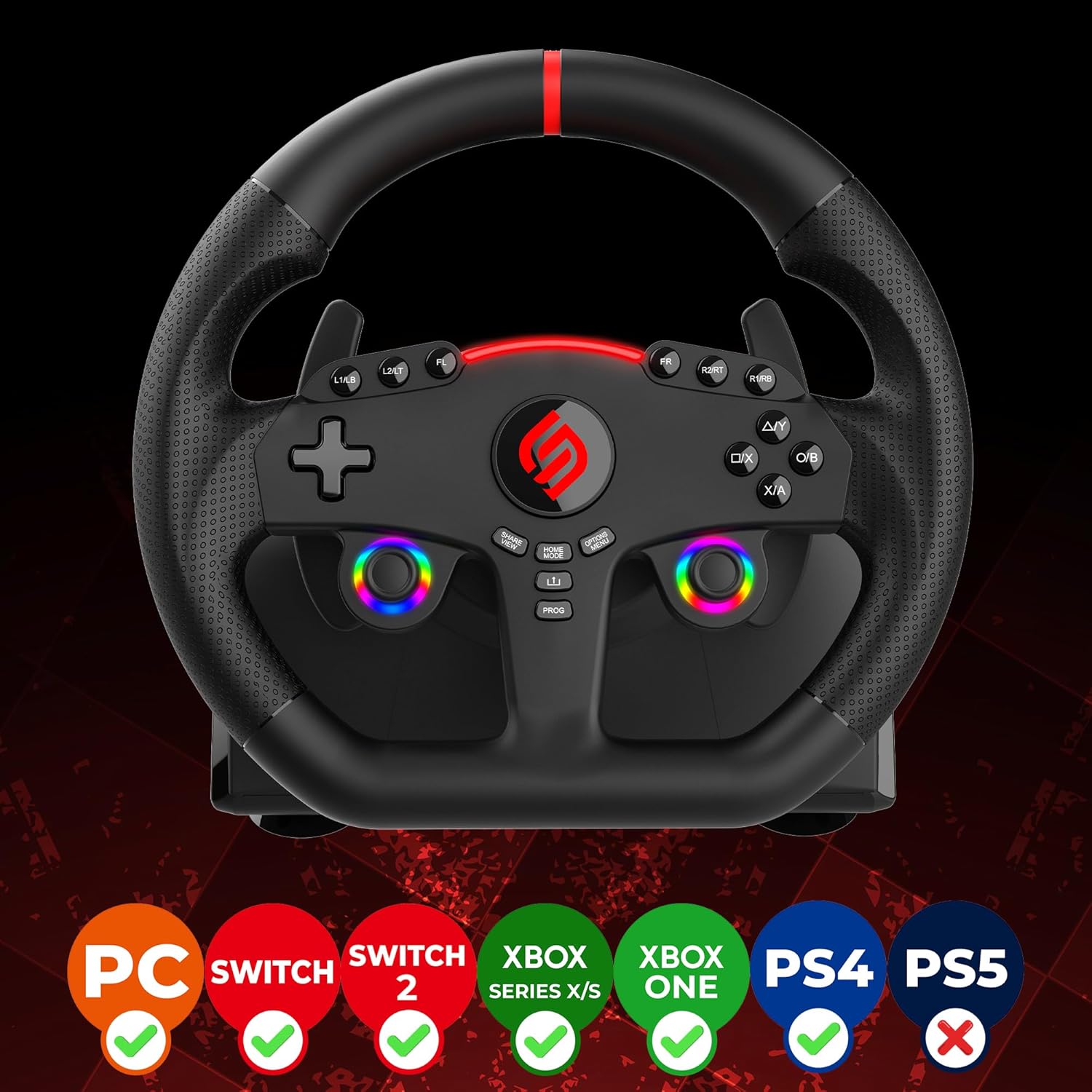
Image: Front view of the racing wheel highlighting multi-platform compatibility.
Operating Instructions
Steering and Rotation
The steering wheel offers a 270-degree rotation angle, providing precise control for racing games. The ergonomic design ensures comfortable handling.

Image: The racing wheel illustrating its 270-degree rotation capability.
Dual Joysticks and Programmable LEDs
The integrated dual joysticks replicate standard controller functions, allowing for versatile gameplay without needing to switch controllers. The RGB LEDs around the joysticks are programmable, offering various lighting modes:
- Fixed Colors
- Fixed Rainbow
- Breathing Colors
Refer to the programming section in the full manual for detailed instructions on customizing LED settings.
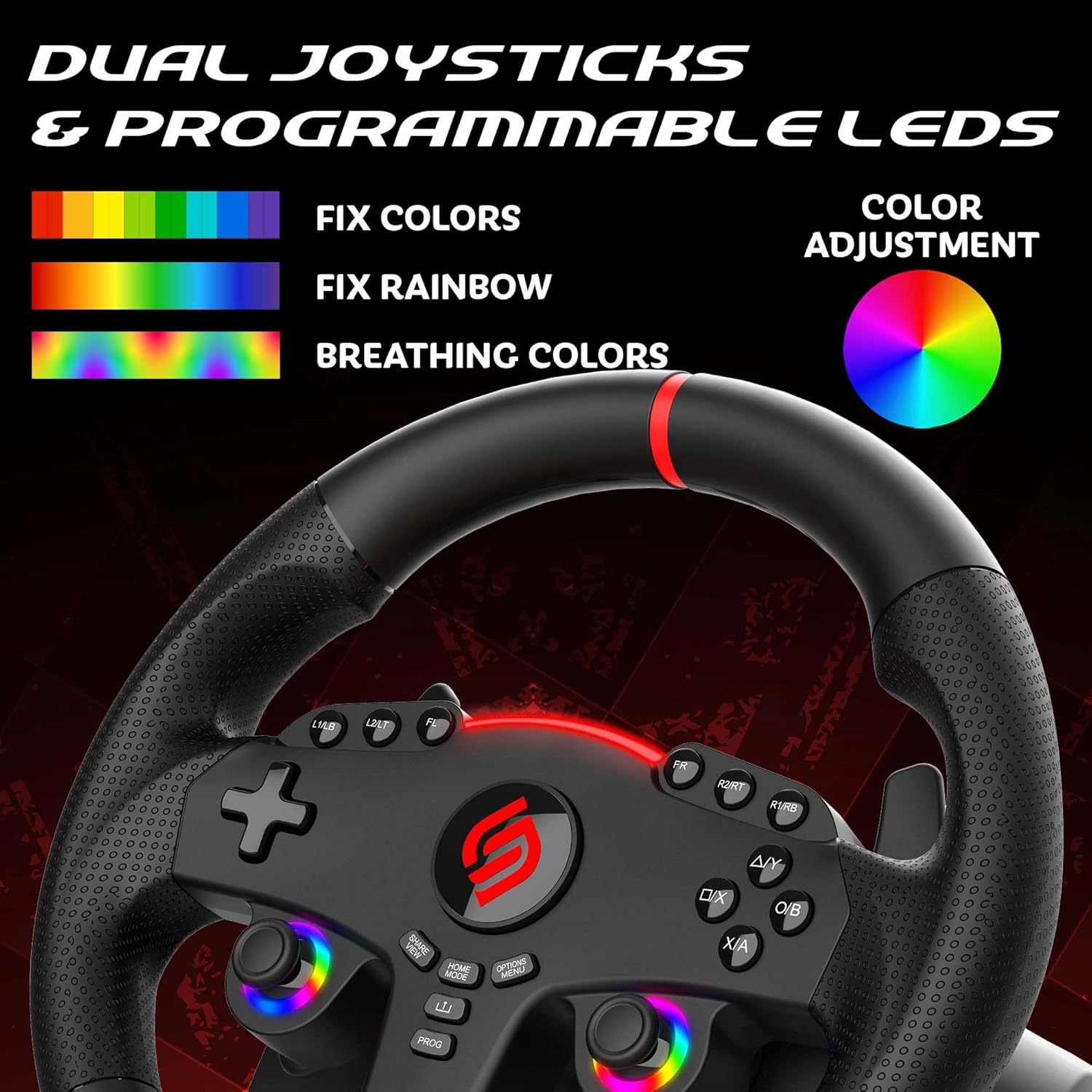
Image: Close-up of the racing wheel's dual joysticks with programmable RGB LEDs.
Paddle Shifters and Pedals
Use the paddle shifters located behind the steering wheel for quick and smooth gear changes. The analog pedals provide realistic acceleration and braking control.
Sensitivity Modes
The racing wheel features three sensitivity modes to adapt to different game types and driving preferences:
- Low Sensitivity: Suitable for most racing games, offering a balanced response.
- Medium Sensitivity: Ideal for games with many curves, providing increased responsiveness.
- High Sensitivity: Designed for linking tight turns, offering maximum steering precision.
To change sensitivity modes, refer to the programming section in the full manual.

Image: The racing wheel and pedals, demonstrating the three sensitivity levels.
Vibration Feedback
The built-in vibration motor provides haptic feedback, enhancing the realism of your racing experience, particularly in sequential mode.

Image: The racing wheel's progressive LED indicator for acceleration and braking.
Mounting and Stability
The Superdrive 270 GT offers two methods for stable fixation:
- Suction Cups: Five removable suction cups are located on the base of the steering wheel for quick and easy attachment to smooth, flat surfaces.
- Adjustable Clamp: An adjustable screw clamp is included for more secure mounting to desks or tables. Attach the clamp to the front underside of the steering wheel base and tighten it to your surface.

Image: The racing wheel base illustrating the adjustable clamp and removable suction cups for stable fixation.
Maintenance
To ensure the longevity and optimal performance of your racing wheel, follow these maintenance guidelines:
- Cleaning: Use a soft, dry cloth to clean the steering wheel and pedals. Avoid using abrasive cleaners or solvents, as these can damage the finish.
- Storage: When not in use, store the racing wheel in a clean, dry place away from direct sunlight and extreme temperatures.
- Cable Care: Avoid sharp bends or kinks in the cables. Do not pull on the cables to disconnect the device.
Troubleshooting
If you encounter issues with your Superdrive 270 GT, please try the following:
- Not Responding: Ensure all cables are securely connected to the steering wheel, pedals, and console/PC. For PS4/Xbox One, verify that an official controller is connected to the steering wheel and powered off before turning on the console.
- Incorrect Functionality: Check your game's control settings to ensure the steering wheel is properly configured. Some games may require manual button mapping.
- Sensitivity Issues: Adjust the sensitivity mode as described in the operating instructions.
- Unstable Mounting: Ensure suction cups are clean and applied to a smooth surface, or that the clamp is securely tightened.
- Firmware Updates: Check the official Subsonic website for any available firmware updates for your racing wheel.
If problems persist, please visit the Subsonic website for online support and FAQ sections.
Specifications
| Feature | Detail |
|---|---|
| Brand | SUBSONIC |
| Model Name | SUPERDRIVE 270 GT |
| Model Number | SA5721-1 |
| Compatible Devices | PlayStation 4, Nintendo Switch, Nintendo Switch 2, Xbox Series X/S, Xbox One, PC |
| Controller Type | Steering Wheel |
| Connectivity Technology | USB |
| Wheel Diameter | 27 cm |
| Rotation Angle | 270 Degrees |
| Button Quantity | 16 |
| Additional Features | Ergonomic, Rumble (Vibration Feedback), Dual Joysticks, Programmable RGB LEDs |
| Item Weight | 2.5 Kilograms |
| Color | Black |
Warranty and Support
The SUBSONIC Superdrive 270 GT Racing Wheel comes with a 2-year manufacturer's warranty.
For further assistance, frequently asked questions, or to check for product updates, please visit the official Subsonic website:


