
1. Introduction
Thank you for choosing the Vexilar W7 Robot Vacuum and Mop. This device is designed to provide efficient and convenient cleaning for your home, combining powerful vacuuming with effective mopping. Please read this manual carefully before use to ensure proper operation and maintenance.
The Vexilar W7 features a HyperForce 4500 Pa suction, a 3-in-1 electric water tank, and smart control options including Siri, App, Alexa, and IFTTT. It is designed for quiet operation at 55 dB and is suitable for homes with pets.
2. Product Overview
2.1 Package Contents
Ensure all items are present in the box:
- 1x W7 Robot Vacuum Cleaner
- 1x Charging Base
- 1x Power Adapter
- 1x Remote Control
- 2x HEPA Filters
- 2x Washable Mop Pads
- 1x Mop Pad Holder
- 1x Cleaning Tool
- 4x Side Brushes
- 1x 2-in-1 Water Tank and Dustbin
- 1x User Manual

Figure 2.1: What's in the Box
2.2 Robot Components
The Vexilar W7 is equipped with advanced features for comprehensive cleaning:
- HyperForce 4500 Pa Suction: Effectively lifts dust, dirt, pet hair, and debris from various surfaces.
- 3-in-1 Electric Water Tank: Allows for simultaneous vacuuming and mopping with adjustable water flow.
- Dual Brush System: Two rubber brushes agitate carpet fibers and prevent hair tangles, ideal for pet owners.
- Intelligent Sensors: 4 anti-collision infrared sensors and 3 high-sensitivity anti-drop sensors protect furniture and prevent falls.
- Slim Profile: At 7.8 cm, it can easily clean under furniture.

Figure 2.2: 4500Pa Suction Power
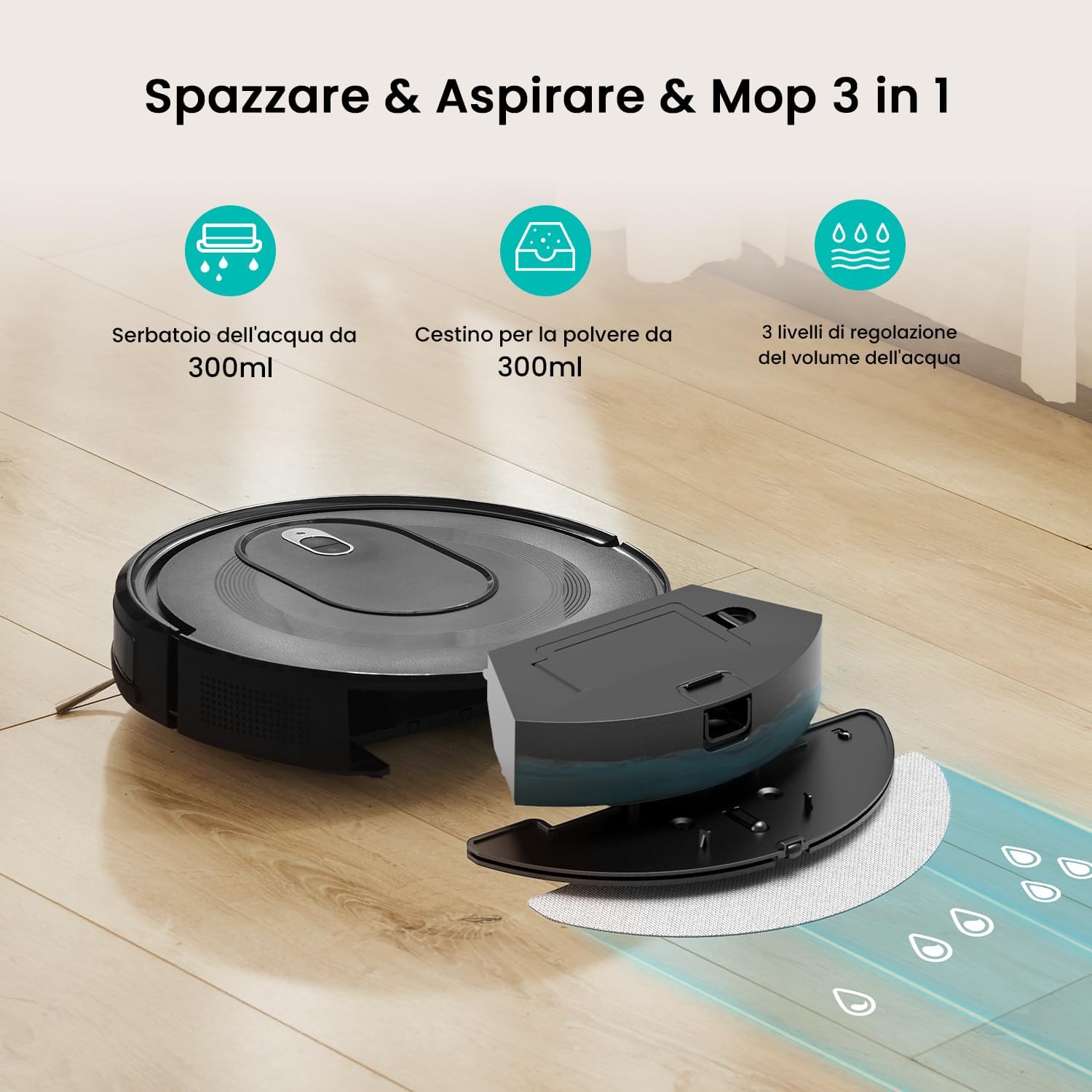
Figure 2.3: 3-in-1 Functionality

Figure 2.4: Dual Brush System
3. Setup
3.1 Charging Base Placement
Place the charging base against a wall in an open area, ensuring there are no obstacles within 1 meter (3 feet) to the sides and 2 meters (6 feet) in front of the base. Connect the power adapter to the charging base and plug it into a power outlet.
3.2 Initial Charging
Place the robot vacuum onto the charging base. The indicator light on the robot will show its charging status. For first-time use, fully charge the robot for at least 6 hours.
3.3 App Connection (Wi-Fi)
The Vexilar W7 connects via a 2.4 GHz Wi-Fi network. Follow these steps to connect your robot to the app:
- Download the Vexilar app from the Google Play Store or Apple App Store.
- Open the app, select "Add Device," and enable Bluetooth on your smartphone.
- Ensure the robot is powered on and press and hold both buttons on the robot for 5 seconds to enter pairing mode.
- The app will automatically detect the W7 robot and guide you to the connection page.
- Confirm your 2.4 GHz Wi-Fi network and enter the password.
- Wait for the robot to pair successfully.

Figure 3.1: App Connection Steps
4. Operating Instructions
4.1 Starting and Stopping Cleaning
- Manual Start: Press the power button on the robot or the "Start/Pause" button on the remote control.
- App Control: Use the Vexilar app to start, pause, or stop cleaning.
- Voice Control: Use voice commands with Siri, Alexa, or Google Assistant (e.g., "Alexa, turn on the Vexilar W7").

Figure 4.1: Smart Control Options

Figure 4.2: App Control in Use

Figure 4.3: Remote Control Functions
4.2 Cleaning Modes
The W7 offers multiple cleaning modes to suit different needs:
- Zigzag Mode: Covers the entire room systematically.
- Spot Cleaning: Concentrates on a specific dirty area.
- Edge Cleaning: Cleans along walls and corners.
- Casual Mode: Random cleaning pattern for general maintenance.

Figure 4.4: Cleaning Modes
4.3 Mopping Function
To use the mopping function, fill the 2-in-1 water tank with water and attach a clean mop pad. The robot offers 3 adjustable water flow levels: delicate for wood, medium for tiles, and intense for stubborn stains. The robot automatically adjusts suction power when detecting carpets.

Figure 4.5: Mopping in Action
4.4 Automatic Recharging
When the battery level drops below 15%, the Vexilar W7 will automatically return to its charging base. Ensure the charging base is accessible for the robot to dock successfully.

Figure 4.6: Automatic Recharging
5. Cleaning and Maintenance
Regular maintenance ensures optimal performance and extends the lifespan of your Vexilar W7.
5.1 Dustbin and Filter Cleaning
Empty the dustbin after each cleaning cycle. The HEPA filters should be cleaned regularly and replaced every 3-6 months, depending on usage.

Figure 5.1: HEPA Filtration System
5.2 Brush Cleaning
The dual rubber brushes are designed to prevent hair tangles. Periodically remove and clean the brushes to ensure efficient operation. The brushes are washable for practical hygiene.

Figure 5.2: Anti-Tangle Suction Port
5.3 Mop Pad Cleaning
Remove and wash the mop pads after each mopping session. Allow them to air dry completely before reattaching.
5.4 Sensor Cleaning
Wipe the anti-collision and anti-drop sensors with a dry cloth to remove any dust or debris that might obstruct their function.
6. Troubleshooting
If you encounter issues with your Vexilar W7, refer to the following common problems and solutions:
| Problem | Possible Cause | Solution |
|---|---|---|
| Robot does not turn on | Low battery; Power button not pressed | Charge the robot; Press and hold the power button for 3 seconds |
| Robot cannot charge | Charging base not powered; Poor contact with charging pins | Ensure charging base is plugged in; Clean charging pins on robot and base |
| Robot gets stuck frequently | Obstacles in path; Sensors dirty | Clear obstacles; Clean sensors |
| Poor cleaning performance | Dustbin full; Brushes tangled; Filter clogged | Empty dustbin; Clean brushes; Clean/replace filter |
| App connection fails | Incorrect Wi-Fi password; Not 2.4 GHz network; Robot not in pairing mode | Verify Wi-Fi details; Ensure 2.4 GHz network; Re-enter pairing mode |
7. Specifications
| Feature | Detail |
|---|---|
| Brand | Vexilar |
| Model Number | W7 |
| Suction Power | 4500 Pa |
| Battery Life | Up to 120 minutes (Standard Mode) |
| Battery Type | Lithium-ion |
| Voltage | 15 Volts |
| Noise Level | 55 Decibels |
| Dustbin/Water Tank Capacity | 2-in-1 tank (capacity not specified, but 250ml water tank mentioned in feature bullets) |
| Filter Type | Cartridge (HEPA) |
| Control Methods | App, Voice (Siri/Alexa/Google Assistant), Remote Control |
| Wi-Fi Connectivity | 2.4 GHz |
| Dimensions (L x W x H) | 32 cm x 32 cm x 8.3 cm |
| Weight | 1.8 Kilograms |
| Recommended Surfaces | Various floor coverings and carpets |
| Cleaning Modes | Zigzag, Spot, Edge, Casual |
8. Warranty and Support
8.1 Warranty Information
Vexilar products come with a standard manufacturer's warranty. Please refer to the warranty card included in your package or visit the official Vexilar website for detailed warranty terms and conditions. Keep your purchase receipt as proof of purchase for warranty claims.
8.2 Customer Support
For technical assistance, troubleshooting, or any questions regarding your Vexilar W7 Robot Vacuum and Mop, please contact Vexilar customer support. Contact details can typically be found on the Vexilar official website or in the product packaging.
Online Support: Visit Vexilar Official Store


