
Introduction
This manual provides essential information for the safe and efficient operation of your Metz 60MUF7000Z 60-inch 4K UHD Google TV. Please read this manual thoroughly before using the television and retain it for future reference. It contains instructions for setup, operation, maintenance, and troubleshooting.
Safety Information
Always observe the following safety precautions to prevent electric shock, fire, or damage to the television:
- Do not expose the TV to rain or moisture.
- Do not open the TV casing; refer all servicing to qualified personnel.
- Ensure proper ventilation around the TV.
- Use only the power cord supplied with the TV.
- Keep the TV away from direct sunlight, heat sources, and strong magnetic fields.
- Clean the TV with a soft, dry cloth. Do not use liquid or aerosol cleaners.
Package Contents
Verify that all items are present in the box:
- Metz 60MUF7000Z 60-inch 4K UHD Google TV
- Remote Control
- Power Cable
- Instruction Manual
- 2 x Support Bases
- Screws for Bases
- 2 x AAA Batteries for Remote Control

Image: Dimensions and included accessories for the Metz 60MUF7000Z television.
Setup
1. Unpacking
Carefully remove the television from its packaging. It is recommended to keep the original packaging for potential future transport or servicing.
2. Stand Installation
If you are not wall-mounting the TV, attach the two support bases to the bottom of the television using the provided screws. Ensure the bases are securely fastened to prevent the TV from tipping.
3. Wall Mounting (Optional)
If you choose to wall-mount your TV, please consult a professional installer and use a VESA-compatible wall mount kit (not included). Follow the instructions provided with your wall mount.
4. Connecting Peripherals
Connect your external devices (e.g., set-top box, game console, soundbar) to the appropriate ports on the TV. Refer to the port diagram below:

Image: Available input and output ports on the Metz 60MUF7000Z TV.
- HDMI (x3): For connecting high-definition devices like Blu-ray players, game consoles, or cable boxes.
- USB (x2): For connecting USB storage devices to play media files or for software updates.
- DVB-S/S2 (x1): For satellite antenna connection.
- CI Slot (x1): For Common Interface modules (e.g., for encrypted digital TV services).
- Digital Audio Out (x1): For connecting to an external audio receiver or soundbar via optical cable.
- LAN (x1): For wired internet connection.
- AV (x1): For connecting older devices using composite video and stereo audio cables.
- DVB-T/T2/C (x1): For terrestrial or cable antenna connection.
- Headphone (x1): For connecting headphones.
5. Initial Power On & First-Time Setup
After connecting all necessary cables, plug the power cord into an electrical outlet. Press the power button on the remote control or the TV. Follow the on-screen instructions to complete the initial setup, including network connection, Google account login, and channel scanning.
Operating Instructions
1. Remote Control Functions
The remote control allows you to navigate the TV's interface, change channels, adjust volume, and access various features. Insert the two AAA batteries into the remote control, ensuring correct polarity. If you misplace your remote, the TV features a 'Find-my Remote' function, which can be activated via voice command or a button on the TV itself (refer to the TV's physical controls for location).
2. Google TV Interface
Your Metz TV runs on Google TV, providing a personalized and intuitive user experience. Navigate through apps, streaming services, and live TV using the directional buttons on your remote. Utilize the integrated Google Assistant for voice control to search for content, control smart home devices, and get information.
3. Picture Settings
The Metz 60MUF7000Z offers advanced picture technologies for an optimized viewing experience:
- 4K HDR10 and HLG: Enjoy vibrant colors and realistic contrast. HDR10 enhances contrast and brightness, while HLG provides improved image quality over standard dynamic range (SDR).
- MEMC (Motion Estimation, Motion Compensation): This technology reduces motion blur in fast-moving scenes, ensuring clear and fluid action, ideal for sports and action films.
- S AI Engine: The integrated S AI Engine analyzes each frame in real-time to optimize color and detail, leveraging Metz's image quality database for brilliant colors and refined details.
- Eye Care: Features like personalized visual assistance for color deficiency, reduced blue light, and flicker-free technology are designed to protect your eyes and provide comfortable viewing without fatigue.
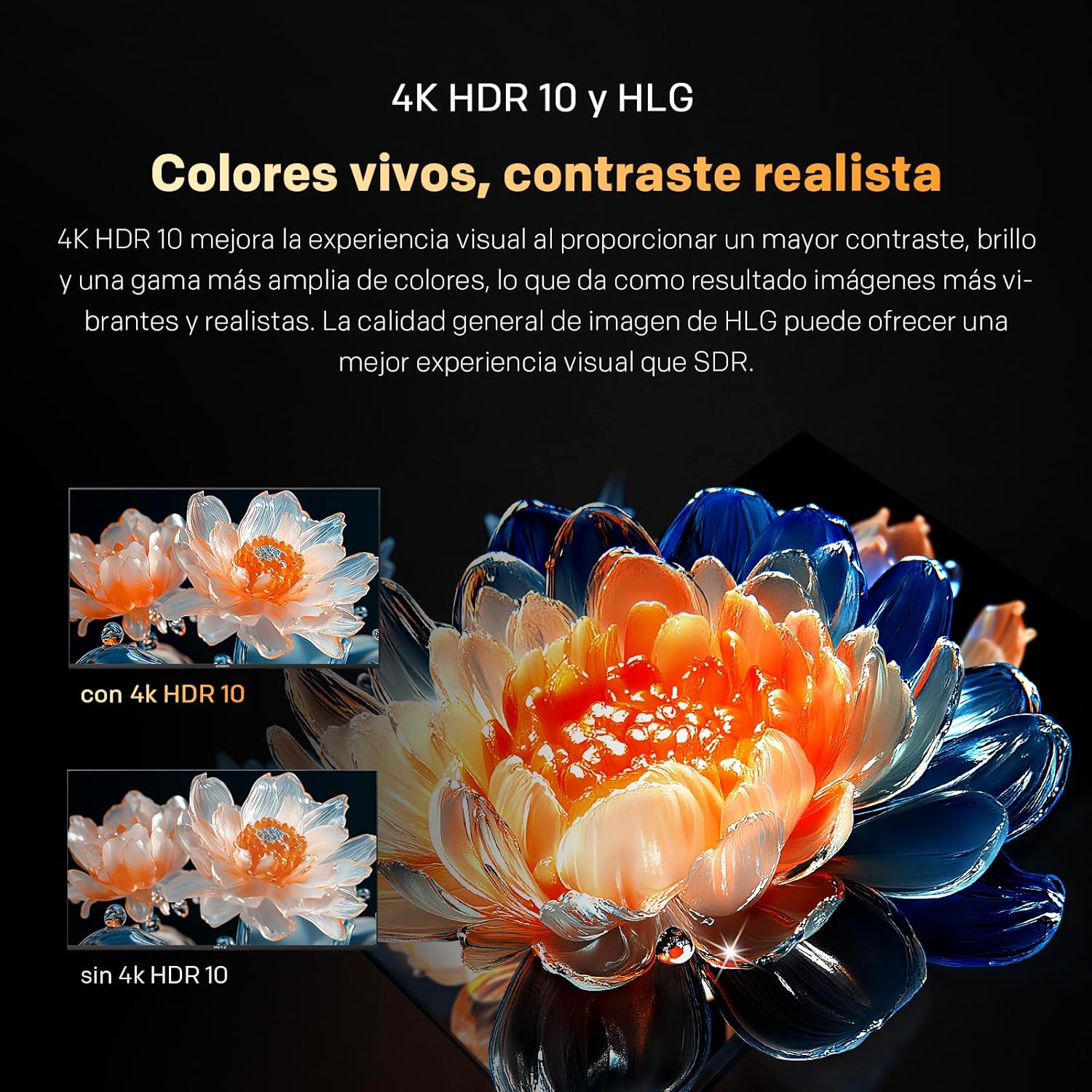
Image: Visual comparison of 4K HDR10 and HLG picture quality.

Image: MEMC technology for fluid motion and reduced visual fatigue.

Image: S AI Engine for intelligent image enhancement.
4. Audio Settings
Experience clear and immersive sound with:
- Dolby Audio: Provides rich, clear, and powerful sound.
- Wonder Audio: Metz's proprietary audio technology offers six adaptive sound modes to optimize audio for different content, ensuring a balanced and immersive experience.

Image: Wonder Audio for personalized and adaptive sound.
5. Connectivity
Your TV supports various connectivity options:
- Wi-Fi: Connect to your home network wirelessly for internet access and streaming.
- Bluetooth: Pair with compatible Bluetooth devices such as headphones or speakers.
- Google Cast: Cast content from your smartphone, tablet, or computer directly to your TV.
Maintenance
1. Cleaning the TV
Before cleaning, unplug the power cord from the wall outlet.
- Screen: Gently wipe the screen with a soft, lint-free cloth. For stubborn marks, lightly dampen the cloth with water or a specialized screen cleaner (do not spray directly onto the screen).
- Casing: Wipe the TV casing and stand with a soft, dry cloth. Avoid using abrasive cleaners or solvents.
2. Software Updates
Your TV may receive software updates periodically to improve performance and add new features. Ensure your TV is connected to the internet to receive these updates. You can usually check for updates manually in the TV's settings menu.
Troubleshooting
If you encounter issues with your TV, refer to the following common solutions:
| Problem | Possible Solution |
|---|---|
| No power | Check if the power cord is securely plugged into the TV and the wall outlet. Try a different outlet. |
| No picture, but sound is present | Ensure the correct input source is selected. Check cable connections to external devices. |
| No sound, but picture is present | Check the volume level and mute settings. Ensure external audio devices are properly connected and powered on. |
| Remote control not working | Replace the batteries. Ensure there are no obstructions between the remote and the TV. |
| Cannot connect to Wi-Fi | Check your router and modem. Re-enter the Wi-Fi password. Try restarting the TV and router. |
If the problem persists after trying these solutions, please contact customer support.
Specifications
Detailed technical specifications for the Metz 60MUF7000Z TV:
| Parameter | Value |
|---|---|
| Brand | Metz |
| Model Identifier | 60MUF7000Z |
| Screen Size | 60 Inches (152 cm diagonal) |
| Display Technology | LED |
| Resolution | 4K (3840 x 2160 pixels) |
| Refresh Rate | 60 Hz |
| Aspect Ratio | 16:9 |
| Special Features | Chromecast, Eye Care, Flicker Free, MEMC, S AI Engine |
| Connectivity Technology | Bluetooth, USB, Wi-Fi |
| Product Dimensions (with stand) | 134.5 cm (W) x 29.9 cm (D) x 85.8 cm (H) |
| Product Dimensions (without stand) | 134.5 cm (W) x 8.8 cm (D) x 78.5 cm (H) |
| Weight (with stand) | 12.1 kg |
| Weight (without stand) | 11.9 kg |
| Energy Efficiency Class (SDR) | E |
| Energy Efficiency Class (HDR) | G |
| Power Consumption (SDR) | 74.0 W |
| Power Consumption (HDR) | 105 W |
| Country of Origin | Poland |

Image: Energy label and product information sheet for the Metz 60MUF7000Z TV.
For more detailed energy information, visit the EPREL database.
Warranty and Support
Your Metz 60MUF7000Z TV comes with a 2-year manufacturer's warranty from the date of purchase. This warranty covers defects in materials and workmanship under normal use.
For technical support, warranty claims, or service inquiries, please refer to the contact information provided on the Metz official website or your purchase documentation. Please have your model number (60MUF7000Z) and proof of purchase ready when contacting support.