
GODOX LE300Bi
Contents
Godox Litemons LE300Bi COB LED Video Light Instruction Manual
Model: LE300Bi
1. Introduction
The Godox Litemons LE300Bi is a high-performance COB LED video light designed for professional photography, video recording, and live streaming applications. It features a 320W power output, adjustable color temperature from 2800K to 6500K, and high color accuracy with TLCI and CRI ratings of 98+. The LE300Bi offers multiple control options including on-device, Godox Light App via Bluetooth, and wired DMX/RDM, along with Bowens mount compatibility for a wide range of accessories.

Figure 1.1: Godox Litemons LE300Bi COB LED Video Light with standard reflector, power cable, and a smartphone displaying the control app interface.
2. Safety Precautions
To ensure safe operation and prevent damage to the product or injury to yourself and others, please read and adhere to the following safety guidelines:
- Do not disassemble or modify the product. Unauthorized repairs will void the warranty.
- Keep the product dry. Do not handle with wet hands or immerse in water.
- Ensure the power supply voltage matches the product's requirements.
- Avoid direct eye exposure to the light source, as it can cause eye damage.
- Do not block ventilation openings. Overheating can damage the product.
- Keep out of reach of children.
- Disconnect power before cleaning or maintenance.
- Use only Godox-approved accessories.
3. What's in the Box
Verify that all items are present upon unpacking:
- LE300Bi Light Body x 1
- AC Power Cord x 1
- Reflector BR30A x 1

Figure 3.1: Included components: LE300Bi light body, AC power cord, and BR30A reflector.
4. Product Overview
The LE300Bi features a robust design with intuitive controls. Key components include the COB LED array, Bowens mount for accessories, control panel with display, and integrated power supply.

Figure 4.1: Overview of the Godox Litemons LE300Bi highlighting key features such as stunning brightness, 2800K-6500K CCT, DMX/Bluetooth control, NFC addition, and integrated power supply.
5. Setup
5.1 Mounting the Light
- Attach the LE300Bi light body to a compatible light stand using the integrated mounting bracket. Secure it firmly.
- Adjust the tilt angle of the light as needed and tighten the locking knob.
5.2 Attaching the Reflector
- Align the three mounting tabs on the BR30A reflector with the slots on the Bowens mount of the light.
- Insert the reflector and rotate it clockwise until it locks securely into place.

Figure 5.1: The Bowens mount allows for attachment of various light modifiers, including the standard reflector and other accessories like softboxes.
5.3 Power Connection
- Connect the AC power cord to the power input port on the LE300Bi.
- Plug the other end of the AC power cord into a suitable power outlet.
6. Operating Instructions
6.1 Power On/Off
Press the power button located on the control panel to turn the light on or off.
6.2 Adjusting Brightness
Rotate the intensity dial on the control panel to adjust the light output from 0% to 100%. The current brightness level will be displayed on the screen.

Figure 6.1: Illumination data showing the brightness output of the LE300Bi at 1 meter with a BR30A reflector at 5600K, reaching 58900 lux.
6.3 Adjusting Color Temperature (CCT)
Press the CCT button (if available, or navigate via menu) and then rotate the dial to adjust the color temperature between 2800K (warm) and 6500K (cool). The selected CCT will be shown on the display.
6.4 Using FX Effects
The LE300Bi includes 11 built-in special effects. Navigate through the menu to select effects such as TV flicker, lightning, candlelight, fire, and more. Adjust parameters for each effect as desired.

Figure 6.2: The LE series offers adjustable CCT from 2800K to 6500K and 11 built-in FX effects including Flash, Storm, Cloudy, Broken Bulb, Television, Candle, Fire, Firework, Explosion, Welding, and SOS.
6.5 Control Methods
The LE300Bi can be controlled via multiple methods:
- On-Device Control: Use the physical buttons and dials on the light's control panel.
- Godox Light App (Bluetooth): Download the Godox Light App on your smartphone. Pair your device via Bluetooth for wireless control of brightness, CCT, and FX effects.
- Wired DMX/RDM: For professional setups, connect the light to a DMX console for precise control. CRMX network integration is also possible with an optional TimoLink RX.
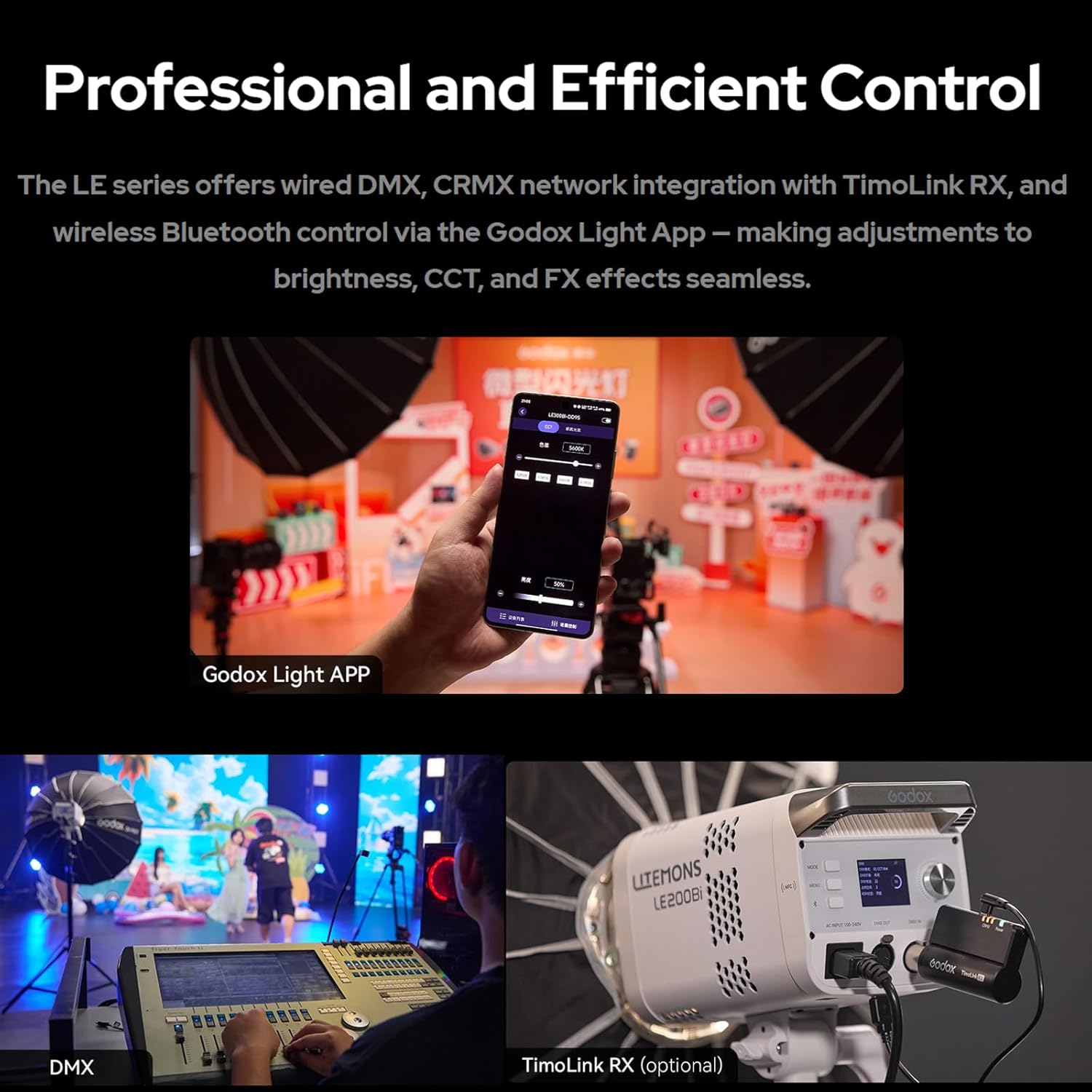
Figure 6.3: Control options include the Godox Light App on a smartphone, wired DMX, and optional TimoLink RX for CRMX integration.
6.6 Bluetooth Pairing and Reset
To pair with the Godox Light App, ensure Bluetooth is enabled on your smartphone and the light. Follow the app's instructions to connect. To reset Bluetooth settings, press and hold the dedicated Bluetooth reset button on the light.

Figure 6.4: The Bluetooth reset button allows for easy re-pairing. NFC functionality simplifies initial setup with compatible smartphones.
7. Maintenance
7.1 Cleaning
Ensure the device is powered off and unplugged before cleaning. Use a soft, dry cloth to wipe the exterior. Do not use harsh chemicals or abrasive materials.
7.2 Heat Dissipation
The LE300Bi features an ultra-quiet fan and robust metal body for efficient heat dissipation. Ensure ventilation openings are not obstructed during operation to maintain optimal performance and longevity.
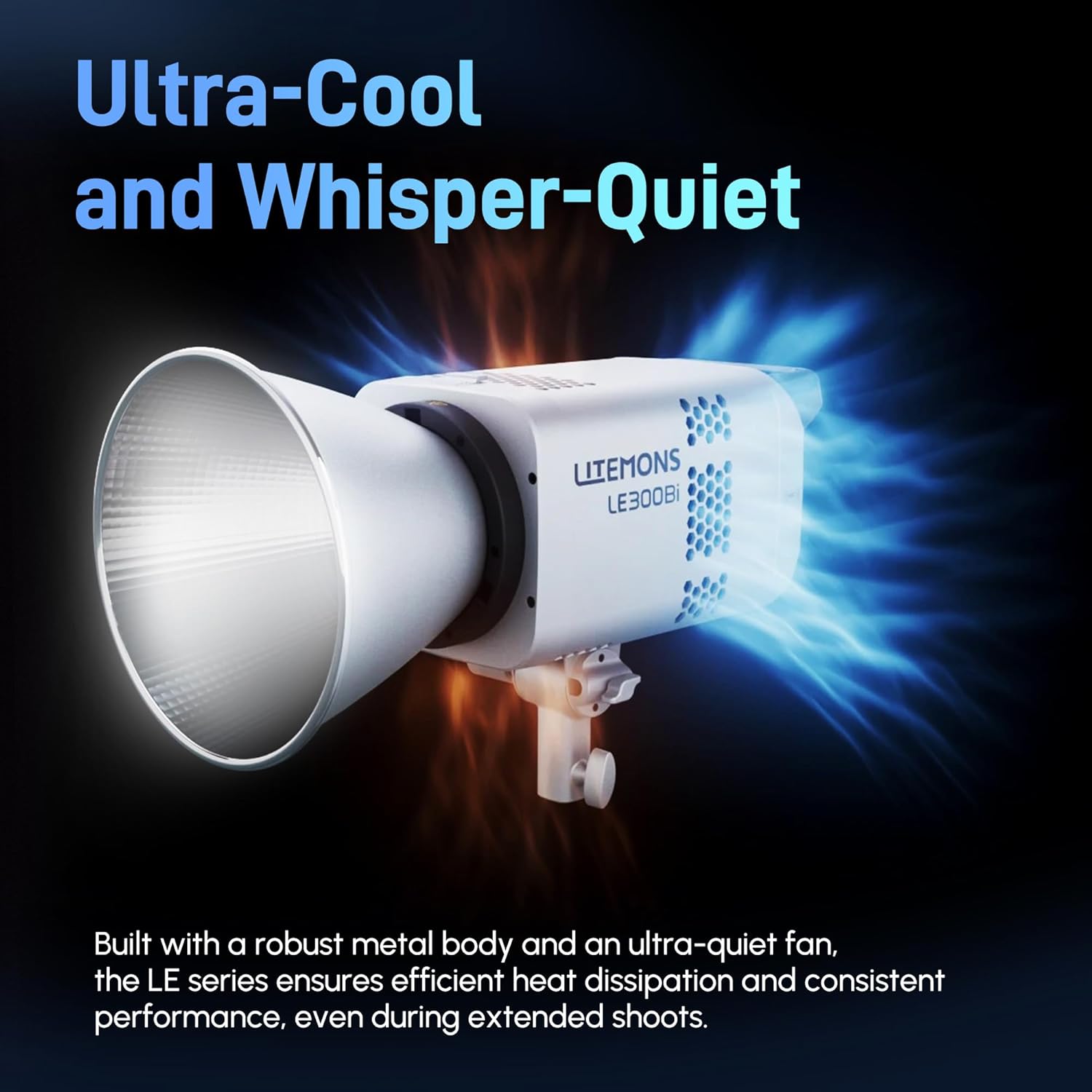
Figure 7.1: Illustration of the LE300Bi's efficient heat dissipation system, featuring a robust metal body and ultra-quiet fan.
7.3 Storage
Store the light in a cool, dry place away from direct sunlight and excessive humidity when not in use. Protect it from dust and physical impact.
8. Troubleshooting
| Problem | Possible Cause | Solution |
|---|---|---|
| Light does not power on. | Power cord not connected properly; no power from outlet. | Check power cord connections. Test outlet with another device. |
| Light output is weak or inconsistent. | Brightness setting too low; overheating. | Increase brightness. Ensure ventilation is clear. Allow light to cool if overheated. |
| Cannot connect via Bluetooth app. | Bluetooth not enabled; light not in pairing mode; interference. | Ensure Bluetooth is on. Reset Bluetooth on the light. Try pairing again. Reduce distance to light. |
| Abnormal noise from fan. | Dust accumulation; fan malfunction. | Clean ventilation openings. If noise persists, contact customer support. |
9. Specifications
| Feature | Detail |
|---|---|
| Model | LE300Bi |
| Power Output | 320W |
| Color Temperature (CCT) | 2800K-6500K |
| CRI | 98+ |
| TLCI | 98+ |
| Illumination (with Reflector BR30A @5600K, 1m) | 58900 Lux |
| Control Methods | On-device, Godox Light App (Bluetooth), Wired DMX/RDM |
| FX Effects | 11 built-in effects |
| Mount | Bowens Mount |
| Dimensions | 10.24 x 9.06 x 6.22 inches |
| Item Weight | 6.17 pounds |
| Included Components | LE300Bi Light Body, AC Power Cord, Reflector BR30A |
10. Warranty and Support
For warranty information and technical support, please refer to the official Godox website or contact your authorized dealer. Keep your purchase receipt as proof of purchase for warranty claims.
Manufacturer: GODOX
Date First Available: August 12, 2025
Ask a question about this manual
Ask about setup, troubleshooting, compatibility, parts, safety, or missing instructions. Manuals+ will review the question and use this page’s manual context to help answer it.