
Introduction
This manual provides detailed instructions for the RITHEM Vibrating Alarm Clock Watch. This device is designed to provide a silent, effective wake-up solution through strong vibrations, ideal for heavy sleepers or those who share a sleeping space. Please read this manual thoroughly before use.
1. Setup
1.1 Charging the Device
Before initial use, fully charge your RITHEM Vibrating Alarm Clock Watch.
- Locate the USB charging port on the device. This is typically integrated into one end of the wristband.
- Gently pull the wristband apart to expose the USB connector.
- Insert the USB connector into a standard USB charging port (e.g., computer, wall adapter).
- The display will indicate charging status. A full charge typically takes about 1 hour and provides up to 14 days of battery life.
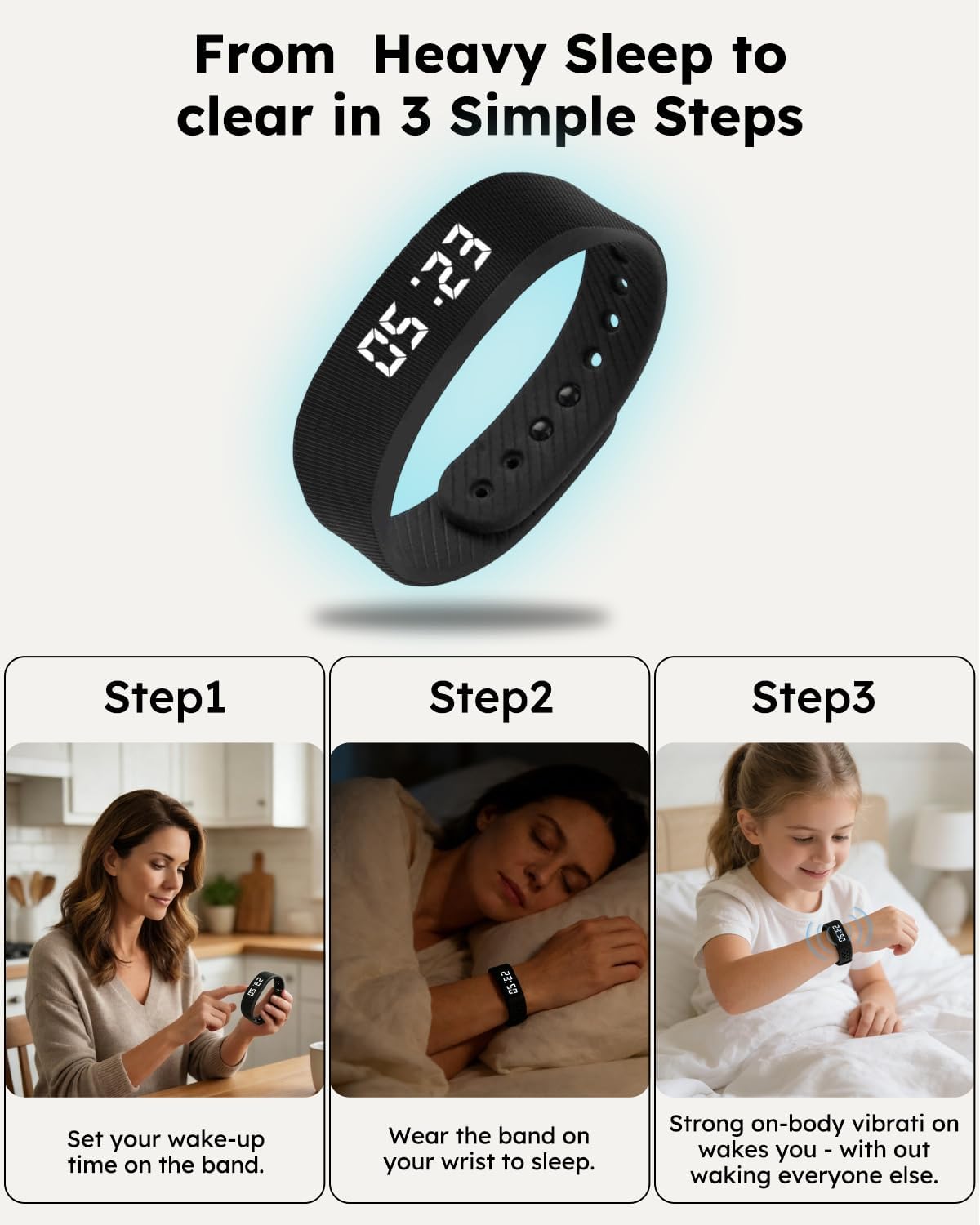
Image: The RITHEM Vibrating Alarm Clock Watch connected to a USB port for charging. The USB connector is integrated into the wristband itself.
Video: This video demonstrates how to charge the RITHEM Vibrating Alarm Clock Watch by exposing its integrated USB connector and plugging it into a power source.
1.2 Wearing the Wristband
The wristband is designed for comfortable wear throughout the night.
- Place the wristband around your wrist.
- Adjust the strap to ensure a snug, yet comfortable fit. The vibration mechanism is most effective when the device is in close contact with your skin.
- Avoid overtightening, which can cause discomfort, or leaving it too loose, which may reduce vibration effectiveness.

Image: The RITHEM Vibrating Alarm Clock Watch is shown being worn comfortably on the wrist during various activities, including sleep, highlighting its discreet design.
1.3 Initial Time and Alarm Setting
The device typically features a single button for navigation and setting.
- To activate the display, press the button once.
- To enter setting mode, press and hold the button until the time display begins to flash.
- Short presses of the button will cycle through hours, minutes, and alarm settings.
- Long presses will adjust the selected value (e.g., increase hour, minute).
- Repeat this process to set up to three customizable vibration alarms.
- Confirm settings by leaving the device idle for a few seconds, or by a final long press (refer to on-screen prompts if available).

Image: A visual representation of the three main steps: setting the wake-up time, wearing the band to sleep, and waking up to the strong vibration.
Video: This video demonstrates the process of setting the time and alarms on the RITHEM Vibrating Alarm Clock Watch using its single button interface.
2. Operation
2.1 Silent Wake-Up Function
The primary function of the RITHEM Vibrating Alarm Clock Watch is to provide a silent wake-up. When an alarm time is reached, the device will vibrate strongly on your wrist. This vibration is designed to rouse heavy sleepers without producing any audible sound, ensuring others in the vicinity are not disturbed.

Image: The silent wake-up feature is illustrated with a person waking up discreetly, emphasizing that the vibration only alerts the wearer.
2.2 Display and Time Reading
The device features a clear LED display.
- Press the button once to illuminate the display and show the current time.
- The display is designed to be bright and readable in various lighting conditions, including low light.
Video: This video highlights the bright and clear LED display of the RITHEM Vibrating Alarm Clock Watch, showing its readability in different conditions.
2.3 Exercise Modes (If Applicable)
Some models of the RITHEM Vibrating Alarm Clock Watch may include basic exercise tracking features.
- If available, these modes can record daily data such as steps, calories burned, and distance.
- Consult the device's display by cycling through modes with short button presses to access these features.
- This data can assist in understanding personal activity trends.

Image: An illustration detailing the various exercise tracking features, including a 3D sensor, time/date display, data memory, step counting, calorie tracking, and distance measurement.
3. Maintenance
3.1 Cleaning
To clean your RITHEM Vibrating Alarm Clock Watch:
- Wipe the device with a soft, damp cloth.
- Avoid using harsh chemicals or abrasive materials, which can damage the finish.
- Ensure the USB charging port is dry before charging.
3.2 Water Resistance
The device is rated IP68 for water resistance. This means it is protected against dust ingress and can withstand immersion in water up to 1.5 meters for up to 30 minutes.
- It is resistant to sweat, rain, and accidental spills.
- Avoid prolonged submersion or use in hot water (e.g., showers, saunas), as this can compromise the seals.
3.3 Battery Care
- Charge the device regularly to maintain optimal battery health.
- Avoid completely draining the battery frequently.
- If storing the device for an extended period, charge it to approximately 50% before storage and recharge every few months.
4. Troubleshooting
| Problem | Possible Cause | Solution |
|---|---|---|
| Device not turning on or display is blank. | Low battery or device is off. | Charge the device for at least 1 hour. Press and hold the button to attempt to power it on. |
| Alarm vibration is too weak or not waking me up. | Wristband is too loose, or individual sensitivity varies. | Ensure the wristband is snug against your skin. The vibration is designed to be strong, but personal response can differ. Ensure the alarm is set correctly. |
| Difficulty setting time or alarms. | Unfamiliarity with the single-button interface. | Refer to Section 1.3 "Initial Time and Alarm Setting". Practice the short press (cycle) and long press (adjust) actions. The interface is designed for simplicity, but may require a few attempts to master. |
| Device not holding a charge. | Faulty charging cable/port or battery degradation. | Try a different USB charging port or cable. If the issue persists, contact customer support. |
| Inaccurate exercise data (if applicable). | Improper wearing or sensor interference. | Ensure the wristband is worn correctly and securely. Avoid extreme movements that might interfere with sensor readings. |
5. Specifications
| Feature | Detail |
|---|---|
| Model Number | RITHEM |
| Dimensions (Package) | 3.94 x 3.27 x 1.57 inches |
| Weight | 1.45 ounces |
| Wristband Size | 7 Inches (Length) |
| Clasp Type | Magnetic |
| Bracelet Form | Wristband |
| Color | Black |
| Water Resistance | IP68 (Dust tight, immersion up to 1.5m for 30 min) |
| Battery Life | Up to 14 days (after 1 hour charge) |
6. Customer Support
For further assistance, technical support, or warranty inquiries, please contact RITHEM customer service.
- RITHEM offers 24-hour global service.
- Please refer to the packaging or the official RITHEM website for the most current contact information.

