
Introduction
The T&G TG117 Portable Bluetooth Speaker is designed to provide high-quality audio in a compact, durable, and portable form factor. Featuring IPX4 waterproofing, TWS stereo pairing, and multiple playback options, this speaker is suitable for various indoor and outdoor activities. This manual provides instructions for proper setup, operation, and maintenance to ensure optimal performance and longevity of your device.
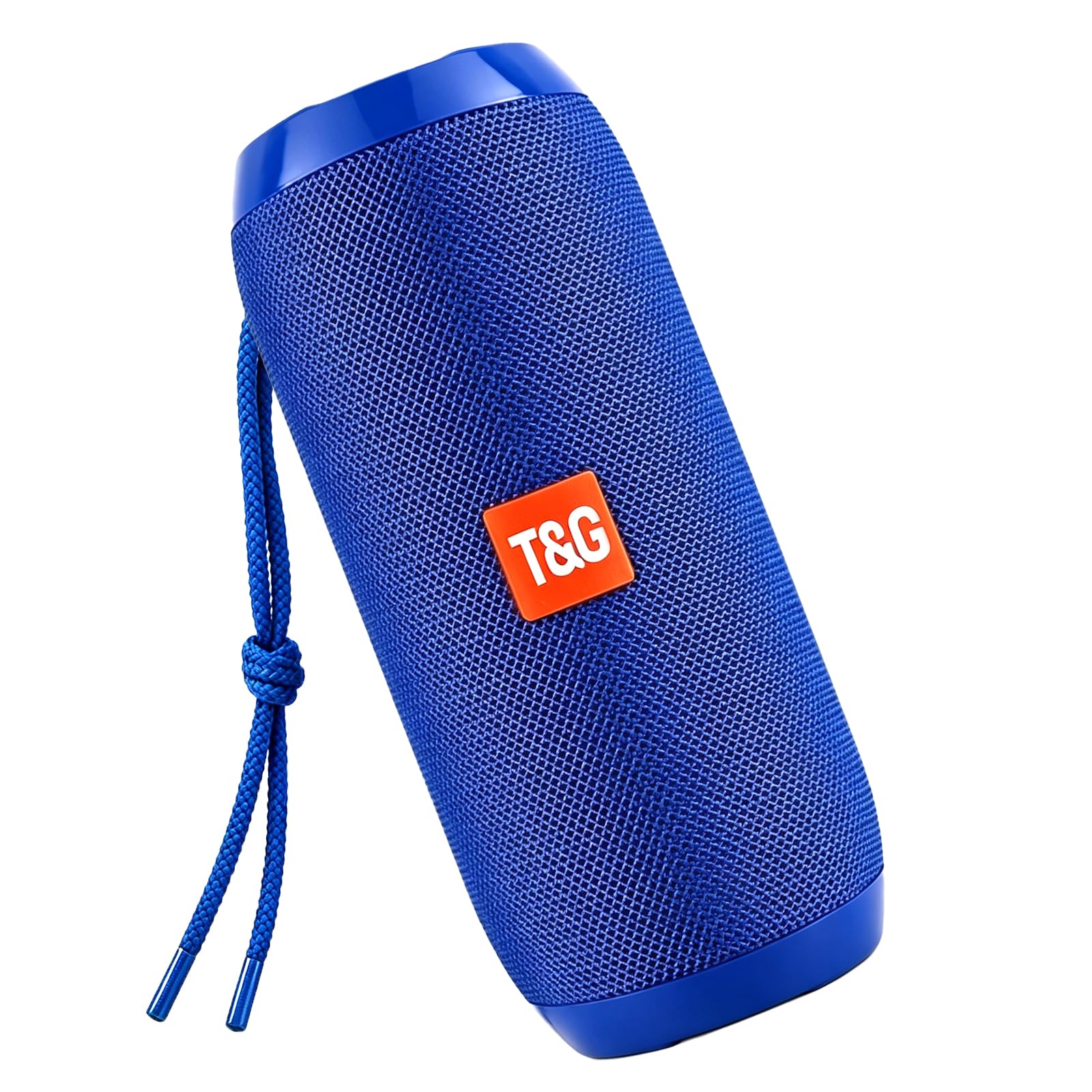
Image: The T&G TG117 Portable Bluetooth Speaker, showcasing its compact design.
Package Contents
Please check the package for the following items:
- T&G TG117 Portable Bluetooth Speaker
- Power Cable (USB charging cable)
- Quick Start Guide (this manual)
Setup
1. Charging the Speaker
Before first use, fully charge the speaker. Connect the provided USB charging cable to the speaker's charging port and to a 5V USB power adapter (not included). The charging indicator light will illuminate during charging and turn off once fully charged.
2. Initial Bluetooth Pairing
- Press and hold the Power button (U) for 2-3 seconds to turn on the speaker. A voice prompt will indicate that the speaker is in Bluetooth pairing mode.
- On your device (smartphone, tablet, etc.), enable Bluetooth and search for available devices.
- Select "TG117" from the list of devices. A voice prompt will confirm successful pairing.
3. True Wireless Stereo (TWS) Pairing
To achieve immersive stereo sound, you can pair two TG117 speakers together:
- Ensure both TG117 speakers are powered on and not connected to any other Bluetooth device.
- On one of the speakers, press the 'M' button twice. The speaker will emit a tone, indicating it is searching for another TG117 speaker.
- The two speakers will automatically connect to each other. A voice prompt will confirm successful TWS pairing.
- Once TWS paired, connect your device to one of the speakers via Bluetooth as described in step 2. Both speakers will now play audio in stereo.

Image: Two TG117 speakers demonstrating True Wireless Stereo pairing.
Operating Instructions
1. Basic Controls
- Power On/Off: Press and hold the Power button (U) for 2-3 seconds.
- Play/Pause: Short press the Play/Pause button (usually indicated by a triangle or similar symbol).
- Volume Up: Short press the '+' button.
- Volume Down: Short press the '-' button.
- Next Track: Long press the '+' button.
- Previous Track: Long press the '-' button.
- Mode Switch: Short press the 'M' button to cycle through Bluetooth, FM Radio, and TF Card modes.

Image: A close-up view of the control panel on the T&G TG117 speaker.
2. FM Radio Mode
- Switch to FM Radio mode by pressing the 'M' button until you hear the FM radio prompt.
- Long press the Play/Pause button to automatically scan and save available FM stations.
- Short press the '+' or '-' buttons to switch between saved stations.
3. TF Card Playback
Insert a TF (Micro SD) card with MP3 audio files into the TF card slot. The speaker will automatically switch to TF Card mode and begin playback. Use the '+' and '-' buttons for track control and volume adjustment.
4. Hands-Free Calling
When connected to a smartphone via Bluetooth, the speaker's built-in microphone allows for hands-free calling:
- Answer Call: Short press the Play/Pause button.
- End Call: Short press the Play/Pause button during a call.
- Reject Call: Long press the Play/Pause button.

Image: Illustration of hands-free calling functionality with the speaker.
5. Waterproof Feature (IPX4)
The TG117 speaker is IPX4 splashproof, meaning it can withstand splashes of water from any direction. It is suitable for use by the pool, at the beach, or during light rain. Do not submerge the speaker in water. Ensure the charging port cover is securely closed to maintain water resistance.
Video: Demonstrating the splashproof capabilities of the TG117 speaker.
Maintenance
1. Cleaning
Wipe the speaker with a soft, damp cloth. Do not use harsh chemicals, cleaning solvents, or strong detergents, as these may damage the surface or internal components.
2. Storage
Store the speaker in a cool, dry place away from extreme temperatures, direct sunlight, and humidity. If storing for an extended period, charge the battery to approximately 50% every few months to preserve battery life.
3. Battery Care
To maximize battery lifespan, avoid fully discharging the speaker frequently. Charge the speaker when the low battery indicator or voice prompt is activated.
Troubleshooting
| Problem | Possible Cause | Solution |
|---|---|---|
| Speaker does not turn on. | Battery is depleted. | Charge the speaker using the provided USB cable. |
| Cannot pair via Bluetooth. | Speaker is not in pairing mode or too far from device. | Ensure speaker is on and in pairing mode. Move device closer to speaker (within 10 meters). Turn off and on Bluetooth on your device. |
| No sound or low volume. | Volume too low on speaker or connected device. | Increase volume on both the speaker and your connected device. |
| TWS pairing fails. | Speakers are already connected to another device. | Ensure both speakers are disconnected from other devices before attempting TWS pairing. |
| FM radio reception is poor. | Weak signal. | Move the speaker to a location with better signal reception. |
Specifications
- Brand: T&G
- Model Number: TG117
- Speaker Maximum Output Power: 10 watts
- Audio Output Mode: Stereo
- Connectivity Technology: Wireless (Bluetooth 5.3)
- Bluetooth Range: Up to 10 meters (66 feet)
- Water Resistance Level: IPX4 (Splashproof)
- Power Source: Battery Powered (1200 mAh)
- Input Voltage: 5 volts
- Frequency Response: 120 Hz
- Signal-to-Noise Ratio: 90 dB
- Item Dimensions (D x W x H): 6.3" x 2.72" x 2.72"
- Additional Features: TWS Pairing, FM Radio, TF Card Playback, USB Port, Built-in Microphone
Warranty Information
The T&G TG117 Portable Bluetooth Speaker comes with a limited warranty. Please refer to the warranty card included in your package or contact customer support for details regarding warranty coverage and terms.
Support
For technical assistance, troubleshooting, or general inquiries about your T&G TG117 Portable Bluetooth Speaker, please contact T&G customer support. Contact information can typically be found on the product packaging or the official T&G website.


