
1. Introduction
Thank you for choosing the AVID POWER 12V Battery Charger. This manual provides essential information for the safe and efficient operation, maintenance, and troubleshooting of your charger. Please read this manual thoroughly before use and retain it for future reference.
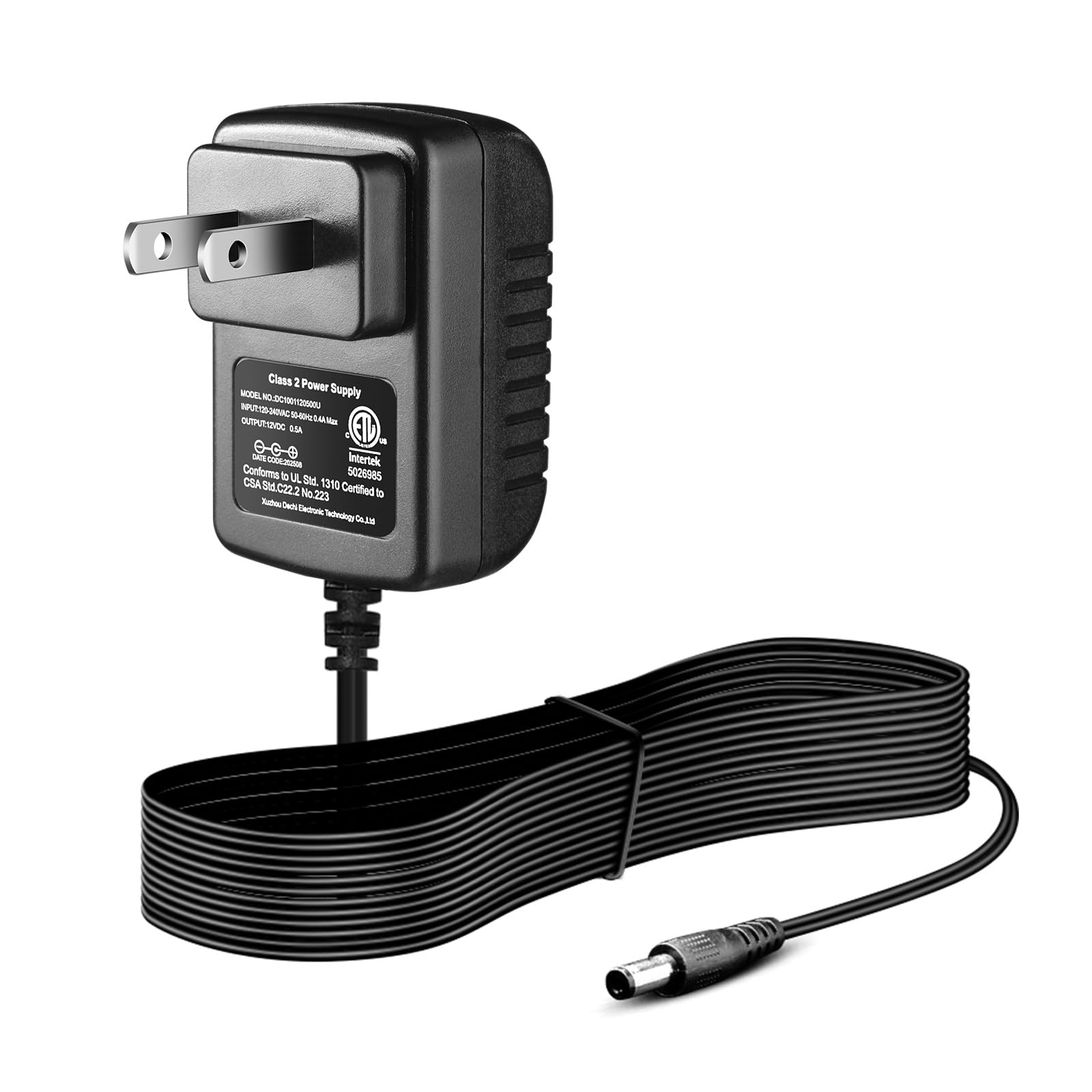
Image 1.1: AVID POWER 12V Battery Charger.
2. Important Safety Information
To prevent electric shock, fire, or serious injury, always follow basic safety precautions when using electrical appliances. This charger is designed for specific use; improper use can be dangerous.
2.1. Compatibility Warnings
- ONLY COMPATIBLE with AVID POWER 12V electric tools, specifically electric drills ACD121 and ACD122.
- NOT compatible with the 12V electric ratchet wrench ACRW309-3/8-Low or any other AVID POWER tools not listed above.
- NOT COMPATIBLE with any machines or batteries from other brands such as Hyper Tough, Dewalt, BLACK+DECKER, CRAFTSMAN, RYOBI, WORKPRO, Milwaukee, Makita, Bosch, etc.
- NOT COMPATIBLE with AVID POWER 20V batteries from 20V electric tools.

Image 2.1: Visual guide to charger compatibility, highlighting that only AVID POWER 12V batteries are supported.
2.2. General Safety Precautions
- Do not expose the charger to rain or wet conditions.
- Do not use the charger if the cord or plug is damaged.
- Always unplug the charger from the power outlet before attempting any cleaning or maintenance.
- Do not attempt to disassemble the charger. Refer all servicing to qualified service personnel.
- Ensure adequate ventilation during charging. Do not cover the charger.
3. Product Overview
The AVID POWER 12V Battery Charger is designed to provide reliable power to your compatible 12V AVID POWER batteries. It features a robust design with built-in safety mechanisms.
3.1. Charger Components
- US Standard Plug: For connecting to standard wall outlets.
- Flexible Cable Line: Durable and flexible for ease of use.
- Anti-oxidant Connector: Ensures a stable and efficient connection to the battery.
- LED Indicator: Provides charging status feedback.

Image 3.1: Detailed view of the charger's plug, cable, and connector.

Image 3.2: US Standard Plug detail.

Image 3.3: Anti-oxidant Connector detail.
3.2. Input and Output Specifications
- Input Voltage: 110V-240V ~ 60Hz (Wide Compatible Voltage)
- Output Voltage: 12 Volts

Image 3.4: Input and Output Voltage illustration.
4. Setup and Operating Instructions
4.1. Initial Setup
- Ensure the charger is placed on a stable, dry, and well-ventilated surface.
- Verify that the battery you intend to charge is an AVID POWER 12V battery (models ACD121 or ACD122).
4.2. Charging Process
- Plug the charger into a standard 110V-240V AC power outlet. The LED indicator on the charger should illuminate green, indicating an idle state or no load.
- Connect the anti-oxidant connector of the charger to the charging port of your AVID POWER 12V battery.
- Once connected, the LED indicator will turn red, signifying that the battery is actively charging.
- When the battery is fully charged, the LED indicator will change back to green.
- Disconnect the charger from the battery, then unplug the charger from the power outlet.
A 2.0Ah battery typically takes 3-5 hours to fully charge.

Image 4.1: LED Indicator states (Green: Fully Charged/No Load, Red: Charging).

Image 4.2: Charger in operation, showing input, output, and LED indicator.
5. Built-in Protections
The AVID POWER 12V charger incorporates multiple safety features to ensure a safe and reliable charging experience:
- Over-current Protection: Prevents damage from excessive current flow.
- Over-voltage Protection: Safeguards against damage from voltage surges.
- Short Circuit Protection: Automatically shuts off in case of a short circuit.

Image 5.1: Visual representation of the charger's multi-protection features.

Image 5.2: Battery protection features overview.
6. Maintenance
Proper maintenance ensures the longevity and optimal performance of your charger.
- Keep the charger clean and free from dust and debris. Use a dry, soft cloth for cleaning.
- Store the charger in a dry environment, away from direct sunlight and extreme temperatures.
- Regularly inspect the power cord and connector for any signs of damage. Do not use if damaged.
7. Troubleshooting
If you encounter issues with your charger, refer to the following common problems and solutions:
| Problem | Possible Cause | Solution |
|---|---|---|
| Charger LED does not light up. | No power to the outlet; charger or cord is damaged. | Check the power outlet with another device. Inspect the charger and cord for damage. If damaged, do not use. |
| LED remains green when battery is connected. | Battery not properly connected; battery is already fully charged; incompatible battery. | Ensure the battery is securely connected. Check if the battery is already fully charged. Verify battery compatibility (AVID POWER 12V only). |
| Battery does not charge after several hours. | Faulty battery; charger malfunction. | Test with another compatible battery if available. If the issue persists, contact customer support. |
8. Specifications
| Feature | Specification |
|---|---|
| Brand | AVID POWER |
| Model Number | AP12V-Charger |
| Input Voltage | 110-240 Volts |
| Output Voltage | 12 Volts |
| Item Weight | 0.19 Pounds |
| Manufacturer | AVID POWER |
9. Warranty and Support
This AVID POWER 12V Battery Charger comes with a 2-Year Warranty from the date of purchase. This warranty covers defects in materials and workmanship under normal use.
For warranty claims, technical support, or any questions regarding your product, please contact AVID POWER customer service through their official website or the retailer where the product was purchased. Please have your model number (AP12V-Charger) and proof of purchase ready.
