
Introduction
This manual provides essential information for setting up, operating, and maintaining your Samsung Galaxy A17 5G smartphone. Please read this guide carefully to ensure proper use and to maximize the device's capabilities.
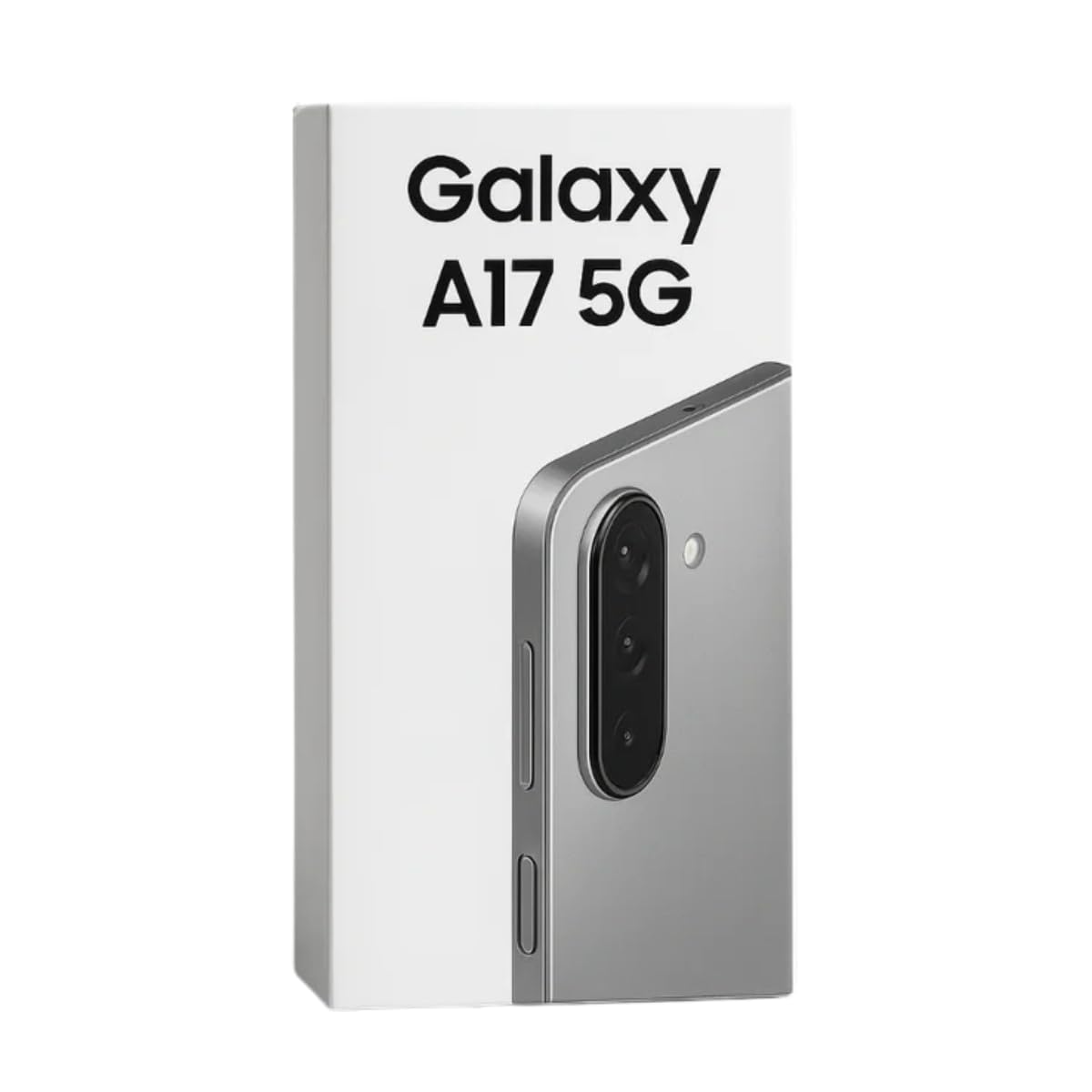
Image: Samsung Galaxy A17 5G smartphone. This image displays the device's front, highlighting its large display and sleek design.
Setup
1. Inserting the SIM Card
The Samsung Galaxy A17 5G supports Dual Nano SIM cards. Locate the SIM tray on the side of the device. Use the provided SIM ejector tool to open the tray. Place your Nano SIM card(s) into the designated slots with the gold contacts facing down. Gently push the tray back into the device until it clicks into place.
2. Initial Power On and Setup
Press and hold the Power button until the Samsung logo appears. Follow the on-screen prompts to select your language, connect to a Wi-Fi network, and set up your Google account. You will also be guided through setting up security features like fingerprint recognition.
Operating Instructions
Display and Navigation
Your device features a 6.7-inch Super AMOLED display with a 90Hz refresh rate for smooth visuals. Navigate the Android operating system using touch gestures. Swipe up from the bottom for the app drawer, swipe down from the top for quick settings and notifications.
Security Features
The Galaxy A17 5G includes fingerprint recognition for secure unlocking and authentication. To set up, go to Settings > Security and privacy > Biometrics > Fingerprints and follow the instructions.
Camera Features
The device is equipped with a versatile triple camera system on the rear and a single front camera.
- Rear Cameras:
- 50 Megapixel Wide-angle lens
- 5 Megapixel Ultra-wide angle lens
- 2 Megapixel Macro lens
- Front Camera: 13 Megapixel
- Video Recording: Supports 1080p video at 30 frames per second (FPS). Optical Image Stabilization (OIS) helps in capturing clearer videos and brighter photos, especially in low light.
To access the camera, tap the Camera app icon. You can switch between photo and video modes, and select different lenses for various shooting scenarios.
Performance and Connectivity
The Galaxy A17 5G is powered by an Octa-core processor (Exynos 2200 S5E9925) running at 2.4 GHz, paired with 8 GB of RAM, ensuring smooth performance for daily tasks and multitasking. It comes with 256 GB of internal storage.
5G Connectivity
Experience ultra-fast mobile data speeds with 5G connectivity, enabling quicker downloads, smoother streaming, and responsive online gaming. The device also supports LTE wireless technology.
Maintenance and Care
- Water Resistance: The device has an IP54 rating for splash protection. This means it is resistant to dust and splashing water from any direction. It is not waterproof; avoid submerging the device in water.
- Screen Protection: The display is protected by Corning Gorilla Glass Victus, offering enhanced scratch resistance. However, it is recommended to use a screen protector for additional safety.
- Cleaning: Use a soft, lint-free cloth to clean the screen and body. Avoid abrasive materials or harsh chemicals.
- Temperature: Operate the device within recommended temperature ranges. Extreme heat or cold can affect battery life and performance.
Troubleshooting
If you encounter issues with your Samsung Galaxy A17 5G, consider the following basic troubleshooting steps:
- Device Unresponsive: Press and hold the Power button for about 10 seconds to force a restart.
- Network Issues: Check if your SIM card is properly inserted. Try toggling Airplane Mode on and off. Verify your mobile data settings.
- App Malfunctions: Close and reopen the app. If the issue persists, clear the app's cache or reinstall it.
- Battery Drain: Reduce screen brightness, disable unnecessary background apps, and limit location services.
For more complex issues, refer to the official Samsung support website or contact customer service.
Specifications
| Feature | Detail |
|---|---|
| Brand | Samsung |
| Model Name | Galaxy A17 5G |
| Operating System | Android |
| RAM | 8 GB |
| Storage Capacity | 256 GB (Max Flash Memory Supported: 256 GB) |
| CPU Model | Exynos 2200 S5E9925 |
| CPU Speed | 2.4 GHz |
| Screen Size | 6.7 inches |
| Display Type | AMOLED |
| Resolution | 2340 x 1080 |
| Refresh Rate | 90 Hz |
| Rear Camera Resolution | 50 Megapixels (Main) |
| Front Camera Resolution | 13 Megapixels |
| Video Resolution | 1080 Pixels (Effective), 30 FPS |
| Cellular Technology | 5G, LTE |
| SIM Card Slots | Dual SIM (Nano) |
| Biometric Security | Fingerprint Recognition |
| Water Resistance Level | IP54 (Splash Resistant) |
| Headphone Jack | No 3.5 mm audio jack |
| Dimensions | 7 x 78 x 164 millimeters |
| GPS Functionality | True |
Note: The screen size in the original specifications was listed as "75 Pouces", which is a data entry error. Based on the product description, the correct screen size is 6.7 inches.
Warranty and Support
Samsung provides spare parts availability for 3 years for this device. For warranty details and specific terms, please refer to the warranty card included with your product or visit the official Samsung support website.
Important Note on Samsung Pay: Due to geographical restrictions imposed by Samsung, the Samsung Pay functionality may not be available in all regions. You can utilize other applications for NFC-based payments, such as Google Play.
For further assistance, product registration, or to find service centers, please visit the official Samsung Support website.


