1. Product Overview
The WAVLINK AC1200 Outdoor WiFi Extender is a high-power, dual-band wireless access point designed for extending Wi-Fi coverage in outdoor environments. It features a weatherproof and heat-resistant housing, making it suitable for various weather conditions. This device supports multiple operation modes including Mesh Extender, Access Point (AP), and Repeater, offering flexible deployment options for enhanced network connectivity.
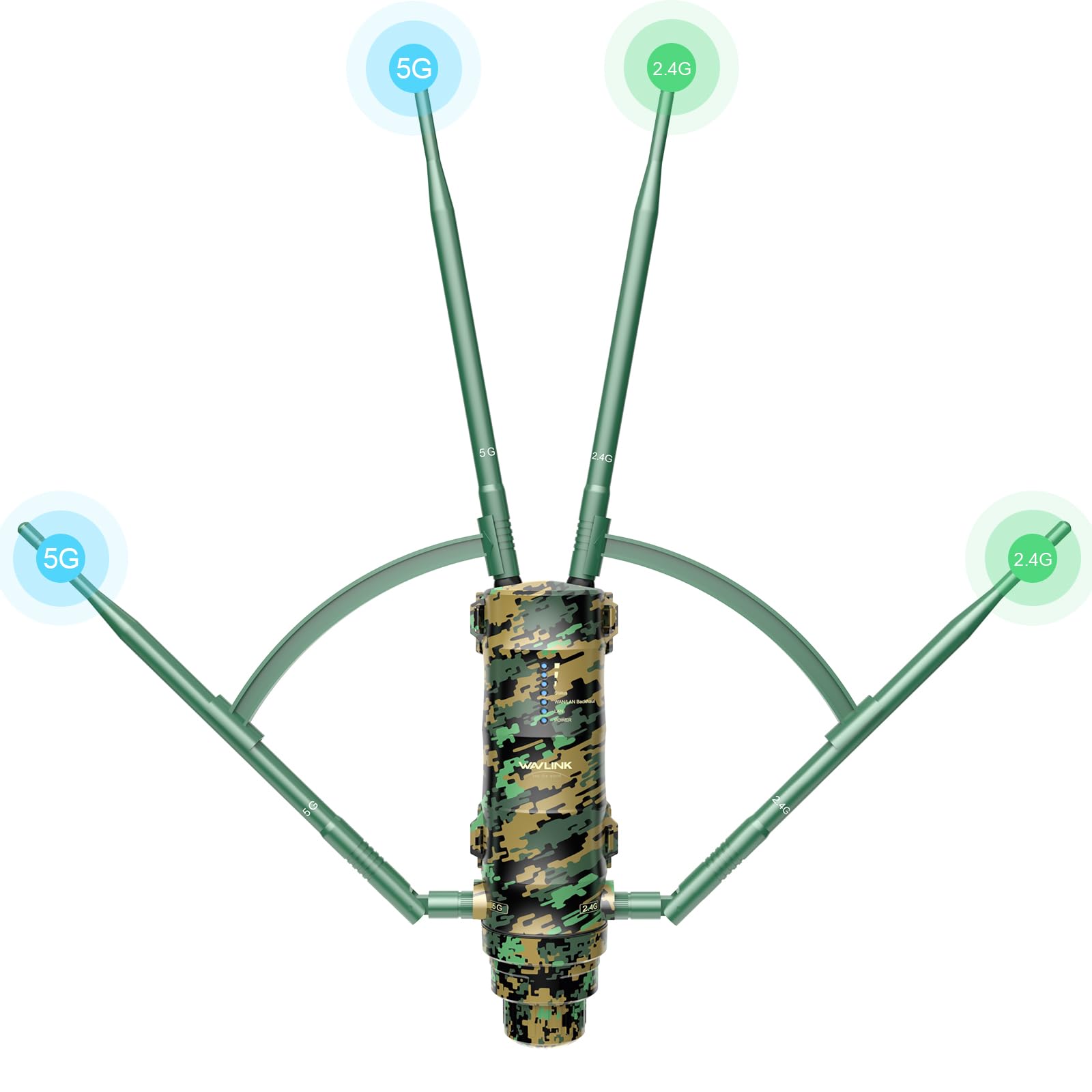
Image: WAVLINK AC1200 Outdoor WiFi Extender, showcasing its design and antennas.
2. Package Contents
Verify that all items are present in the package:
- 1x AC1200 Dual Band Outdoor WiFi Range Extender
- 2x 2.4GHz Omni Antennas
- 2x 5GHz Omni Antennas
- 1x RJ45 Networking Cable
- 1x Power Adapter
- 1x PoE Converter
- 1x Mounting Kit
- 1x Quick Start Guide

Image: All components included in the WAVLINK AC1200 Outdoor WiFi Extender package.
3. Key Features
- Weatherproof Design: Engineered with an IP65-rated, weatherproof, and heat-resistant housing, ensuring reliable operation in temperatures from -30°C to 70°C (-22°F to 158°F). It provides protection against 15KV ESD and 4KV lightning strikes. Note: The PoE port is not waterproof.

Image: Visual representation of the extender's weatherproof capabilities.
- Extended Wi-Fi Coverage: Equipped with dual high-gain 7dBi antennas and 800mW high-power amplifiers to significantly expand Wi-Fi signal, eliminate dead zones, and enhance penetration through obstacles. Advanced anti-interference technology helps avoid channel conflicts.
- High-Speed Dual-Band Wi-Fi: Supports dual-band speeds up to 867Mbps (5GHz) and 300Mbps (2.4GHz) for seamless streaming and browsing. Powered by the MT7621A chip and supporting Easy Mesh technology, it can integrate with other Wavlink devices and support 64–96 connected devices simultaneously.

Image: Diagram illustrating the dual-band AC1200 speeds.
- Flexible Installation with PoE & Multi-Mode: Offers multiple operation modes including Mesh Extender, AP, and Repeater. Integrated PoE support simplifies installation by using a single cable for both power and data. Two Gigabit Ethernet ports provide faster speeds than standard Ethernet ports.
4. Hardware Components
The device features ports for LAN/WAN connections and antenna connectors. The bottom panel includes:
- LAN Port: For local area network connection.
- WAN/LAN Backhaul Port (PoE IN): Supports Power over Ethernet for both power and data transmission.
- GND: Grounding terminal for lightning protection.
- Reset Button: Used to reset the device (Pair 2S, Reset 6S).
Antenna connectors are clearly marked for 2.4GHz and 5GHz bands.
5. Antenna Installation
To install the antennas:
- Identify the 2.4GHz and 5GHz antennas. They are marked accordingly.
- Align each antenna with its corresponding port on the device.
- Gently push the antenna into the port and twist clockwise until secure. Ensure the rubber washers are properly seated for waterproofing.
- Adjust the antenna direction for optimal signal reception and transmission.
6. Power Over Ethernet (PoE) Connection
The device utilizes Power over Ethernet (PoE) for simplified installation, requiring only one Ethernet cable for both power and data.
- Connect one end of the RJ45 Ethernet cable to the WAN/LAN Backhaul (PoE IN) port on the extender.
- Thread the Ethernet cable through the provided waterproof gland and rubber seal, then connect it to the 'PoE' port on the PoE converter.
- Connect the power adapter to the DC IN port on the PoE converter.
- Plug the power adapter into a standard electrical outlet.
- Connect another Ethernet cable from the 'LAN Data In' port on the PoE converter to your router or network switch.

Image: Illustration of the PoE setup, connecting the extender to power and network via a single Ethernet cable.
7. Operation Modes
The WAVLINK AC1200 Extender supports several operating modes:
- Repeater Mode: Extends existing Wi-Fi coverage by receiving a signal from your main router and re-transmitting it.
- Access Point (AP) Mode: Connects to a wired network and broadcasts a new Wi-Fi signal, converting a wired connection into a wireless one.
- Router Mode: Functions as a primary router, providing internet access to connected devices.
- Mesh Extender Mode: Integrates with other compatible Wavlink Mesh devices to create a seamless, unified Wi-Fi network. Note: This 572HP3 model supports functioning as a mesh extender, not a mesh controller.

Image: Visual guide to the different operational modes of the extender.

Image: Depiction of Mesh Technology providing stable roaming.
8. Mounting and Placement
The extender comes with a mounting kit for flexible installation. Consider the following for optimal performance:
- Choose a location that provides a clear line of sight to your main router (for Repeater/Mesh modes) or to the area requiring coverage.
- Mount the device vertically to allow for proper water drainage.
- Ensure the PoE converter is installed indoors or in a weatherproof enclosure, as it is not waterproof.
- Use the provided mounting kit to securely attach the extender to a pole or wall.
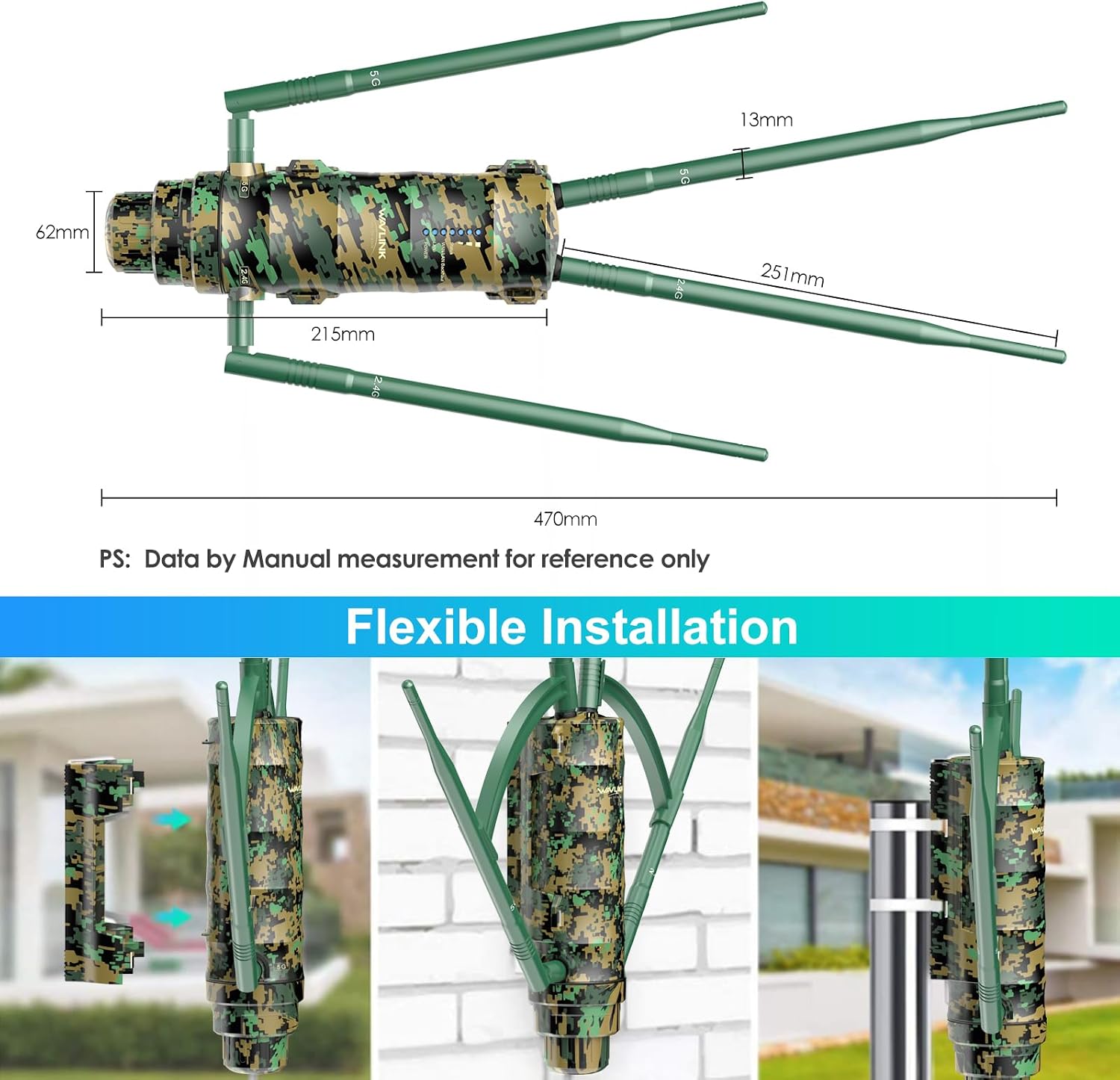
Image: Examples of mounting the extender for flexible installation.
9. Performance and Coverage
The high-power amplifiers and 7dBi omnidirectional antennas are designed to provide extensive outdoor Wi-Fi coverage. Performance may vary based on environmental factors such as obstacles, interference, and distance from the main router.

Image: Depiction of the extender providing broad outdoor Wi-Fi coverage.
10. Technical Specifications
| Model Number | WN572HP3 |
| Wireless Communication Standard | 802.11a/b/g/n/ac |
| Data Transfer Rate | 1200 Megabits Per Second (867Mbps on 5GHz, 300Mbps on 2.4GHz) |
| Frequency Band Class | Dual-Band |
| Antennas | 4x 7dBi Omni-directional Antennas |
| Special Features | 360-Degree Omnidirectional Signal, Access Point Mode / Repeater Mode, Power Over Ethernet, Weatherproof |
| Product Dimensions | 14.3 x 4.92 x 2.8 inches |
| Item Weight | 1.58 pounds |
11. Troubleshooting
- No Power: Ensure the PoE converter is properly connected to the power adapter and a working electrical outlet. Check the Ethernet cable connection to the extender's PoE IN port.
- No Internet Connection: Verify that your main router has an active internet connection. Check all Ethernet cable connections. If in Repeater mode, ensure the extender is receiving a strong signal from the main router.
- Weak Signal: Adjust antenna positions. Relocate the extender to a position with fewer physical obstructions between it and the main router or the area needing coverage.
- Cannot Access Setup Page: Ensure your device is connected to the extender's Wi-Fi network or via an Ethernet cable. Try resetting the extender to factory defaults by pressing the reset button for 6 seconds.
12. Warranty and Support
The WAVLINK AC1200 Outdoor WiFi Extender is backed by a 12-month warranty and lifetime technical support. For any questions or assistance, please contact WAVLINK support:
- Phone Support: +1 8889730883 (UTC-5) Mon-Fri 7AM-4PM
- Email Support: Contact@wavlink.com
- Alternatively, contact us via Amazon.
WAVLINK aims to provide solutions within 24 hours.


