
Introduction
The ASUS TUF Gaming LC III 360 ARGB is an All-in-One (AIO) liquid CPU cooler designed to provide efficient thermal management for your system. It features pre-installed triple fans for high airflow and static pressure, an efficient pump, and customizable ARGB lighting. This manual provides essential information for the installation, operation, maintenance, and troubleshooting of your cooler.
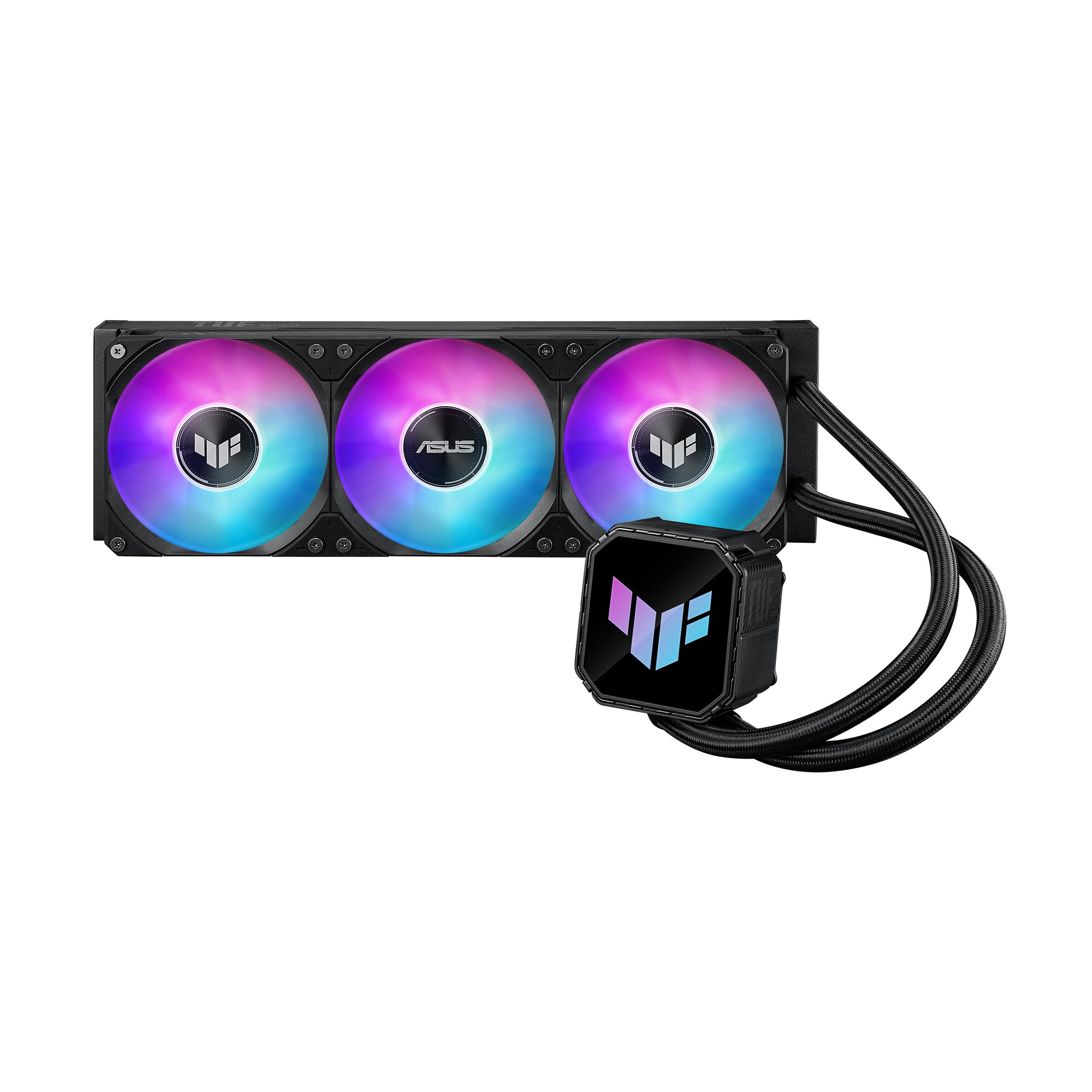
Image: The ASUS TUF Gaming LC III 360 ARGB AIO Cooler, showcasing the radiator with three ARGB fans and the pump block.
Package Contents
Verify that all components are present in the package before proceeding with installation.
- 1 x CPU Liquid Cooler (with pre-applied thermal compound)
- 1 x TUF GAMING Sticker
- 1 x Quick Start Guide
- 1 x Accessory Pack of Screws and Brackets

Image: All components included in the ASUS TUF Gaming LC III 360 ARGB AIO Cooler package, including the cooler, mounting hardware, sticker, and quick start guide.
Setup and Installation
This section outlines the general steps for installing your ASUS TUF Gaming LC III 360 ARGB AIO Cooler. For detailed, step-by-step instructions, please refer to the included Quick Start Guide.
Compatibility
The cooler supports a wide range of CPU sockets. Ensure your motherboard's socket type is listed below:
- Intel: LGA 1851, 1700, 1200
- AMD: AM5, AM4

Image: An illustration demonstrating the cooler's compatibility with various Intel (LGA 1851, 1700, 1200) and AMD (AM5, AM4) CPU sockets within a PC case.
Installation Steps Overview
- Prepare Motherboard: Install the appropriate backplate and standoffs for your CPU socket type.
- Mount Radiator: Secure the radiator with the pre-installed fans to your PC case. The fans are integrated and pre-installed for simplified cable management.
- Install Water Block: Position the water block onto the CPU. The cooler comes with pre-applied thermal compound, eliminating the need for manual application.
- Secure Water Block: Use the provided screws and brackets to firmly attach the water block to the motherboard.
- Connect Cables: Connect the pump and fan cables to the appropriate headers on your motherboard. The integrated fan design simplifies connections.
The reinforced, sleeved 400mm tubing offers enhanced durability and flexibility for chassis compatibility during installation.
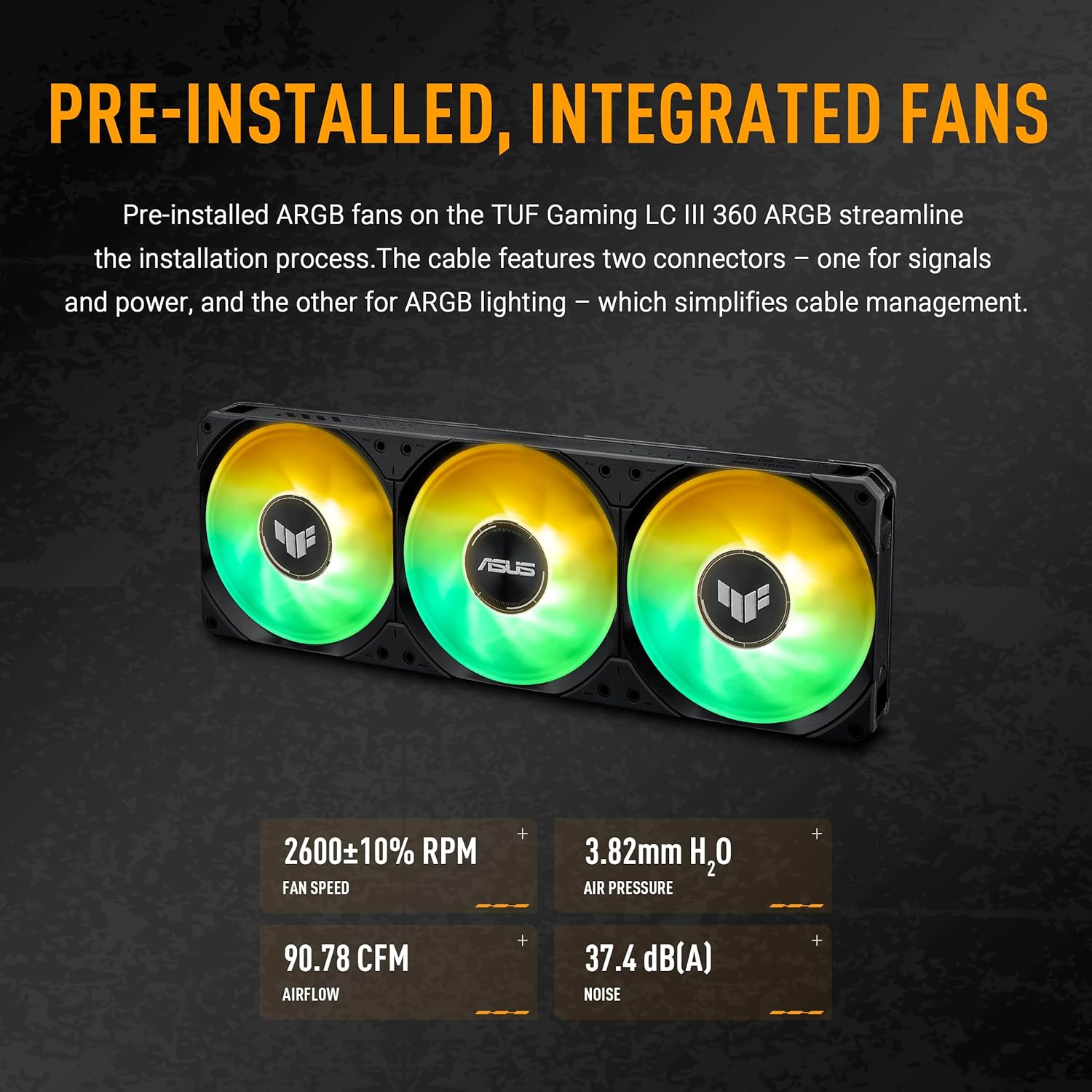
Image: The radiator and pre-installed fans of the ASUS TUF Gaming LC III 360 ARGB cooler, highlighting the integrated fan design and ARGB lighting capabilities.
Operation
Once installed, the ASUS TUF Gaming LC III 360 ARGB AIO Cooler operates automatically to maintain optimal CPU temperatures.
Monitoring and Customization
Utilize the exclusive TUF Gaming software to monitor real-time hardware status and customize the cooler's performance and aesthetics. The cooler supports AURA Sync for synchronized RGB lighting effects across compatible components.

Image: A close-up view of the water block's sleek pump top, featuring the illuminated TUF Gaming logo with customizable Aura ARGB lighting.
Performance Characteristics
- Fan Speed: 650 - 2600 ± 10% RPM
- Static Pressure: 3.82 mmH2O
- Air Flow: 90.78 CFM
- Noise Level: 37.4 dB(A)
The efficient pump ensures stable cooling performance even under heavy workloads.

Image: The underside of the water block, showing the copper CPU plate and the efficient pump mechanism designed for optimal thermal transfer.
Maintenance
Regular maintenance helps ensure the longevity and optimal performance of your AIO cooler.
- Dust Removal: Periodically clean the radiator fins and fan blades using compressed air to prevent dust buildup, which can impede airflow and cooling efficiency.
- Cable Management: Ensure all cables are neatly routed and not obstructing airflow within the case.
- Visual Inspection: Occasionally check the tubing and connections for any signs of leaks or damage. The reinforced tubing is designed for enhanced durability.
- Software Updates: Keep the TUF Gaming software updated to benefit from performance improvements and new features.
Troubleshooting
If you encounter issues with your ASUS TUF Gaming LC III 360 ARGB AIO Cooler, refer to the following common troubleshooting tips.
- High CPU Temperatures:
- Verify that the water block is securely mounted to the CPU and making proper contact.
- Ensure fans are spinning correctly and not obstructed.
- Check if the pump is operating (listen for a faint hum or check software monitoring).
- Clean any dust buildup on the radiator fins.
- ARGB Lighting Not Working:
- Confirm that the ARGB cables are correctly connected to the motherboard's ARGB header.
- Ensure AURA Sync or TUF Gaming software is installed and configured correctly.
- Check for any software conflicts or outdated drivers.
- Unusual Noises:
- A slight hum from the pump is normal. Excessive gurgling might indicate air in the loop, which usually resolves itself over time.
- Check fan blades for obstructions or loose mounting.
For further assistance, please contact ASUS customer support or visit the official ASUS support website.
Specifications
| Feature | Detail |
|---|---|
| Model | TUF GAMING LC III 360ARGB |
| Water Block Dimensions | 80.9 x 77 x 67.1 mm |
| CPU Plate Material | Copper |
| Radiator Dimensions | 397 x 120 x 27 mm |
| Radiator Material | Aluminum |
| Tube Length | 400 mm |
| Fan Type | TUF GAMING LC III 360 ARGB MF-12 FAN |
| Number of Fans | 3 x 120mm |
| Fan Speed | 650 - 2600 ± 10% RPM |
| Static Pressure | 3.82 mmH2O |
| Air Flow | 90.78 CFM |
| Noise Level | 37.4 dB(A) |
| Control Mode | PWM/DC |
| Special Features | Support AURA Sync |
| Compatible Sockets | Intel LGA 1851, 1700, 1200; AMD AM5, AM4 |
| Item Weight | 6.6 Pounds |
Warranty Information
The ASUS TUF Gaming LC III 360 ARGB AIO Cooler comes with a 6-year warranty. This warranty covers defects in materials and workmanship under normal use. Please retain your proof of purchase for warranty claims. For full warranty terms and conditions, refer to the official ASUS website or the documentation included with your product.
Support and Resources
For additional support, driver downloads, software updates, and frequently asked questions, please visit the official ASUS support website:
https://www.asus.com/support/
You can also find more information and product registration details on the ASUS website.
Product Video
Video: An official product video showcasing the features and design of the ASUS TUF Gaming LC III 360 ARGB AIO Cooler. This video provides a visual overview of the cooler's components and functionality.


