Download PDFFree PDF. The Save button below keeps a bookmark and private notes in your account.
SYMYNELEC W1 Window Camera Instruction Manual
Model: W1 | Brand: SYMYNELEC
1. Product Overview
The SYMYNELEC W1 Window Camera is designed for home security, offering 2K QHD resolution and full-color night vision. It features smart detection capabilities for humans, vehicles, and sounds, along with two-way audio communication. The camera is intended for indoor placement with outdoor monitoring through a window.
Image: The SYMYNELEC W1 Window Camera, highlighting its compact design and magnetic mounting base.
2. Package Contents
Before installation, please verify that all components are present in the package:
1x SYMYNELEC W1 Window Camera
1x Power Adapter with 3-meter USB Power Cable
1x Adhesive Mounting Base
Adhesive Cable Clips
Instruction Manual (this document)
Image: Various views of the SYMYNELEC W1 camera, illustrating its design and ports.
3. Setup and Installation
The SYMYNELEC W1 camera is designed for quick and drill-free installation on glass surfaces. It operates via a constant plug-in connection and is not battery-operated.
3.1 Choosing an Installation Location
Select a clean, flat glass surface (window, cupboard glass, glass wall, fish tank).
Ensure the location is within range of a 2.4GHz Wi-Fi network. Note: 5GHz Wi-Fi is not supported.
Avoid direct sunlight or areas with excessive glare to optimize image quality.
The camera is not water resistant; install it indoors, facing outwards.
Image: Examples of suitable mounting locations for the camera, including windows, cupboards, and glass walls.
3.2 Installation Steps
Clean the Surface: Thoroughly clean the chosen glass surface to ensure optimal adhesion of the mounting base.
Attach Adhesive Base: Peel the protective film from the adhesive mounting base and firmly press it onto the desired spot on the glass.
Mount the Camera: The camera features a magnetic back. Simply snap the camera onto the adhesive base.
Connect Power: Plug the 3-meter USB power cable into the camera and connect the power adapter to an electrical outlet. Use the provided adhesive cable clips to manage the cable neatly.
App Download and Pairing: Download the SYMYNELEC app on your smartphone (iOS or Android). Follow the in-app instructions to pair your camera with your Wi-Fi network. Ensure your phone is connected to a 2.4GHz Wi-Fi network during the pairing process.
Image: Illustrates the magnetic mounting process of the camera onto a window.
4. Operating Instructions
Once installed and connected, the SYMYNELEC W1 camera offers various monitoring and security features.
4.1 Live View and Recording
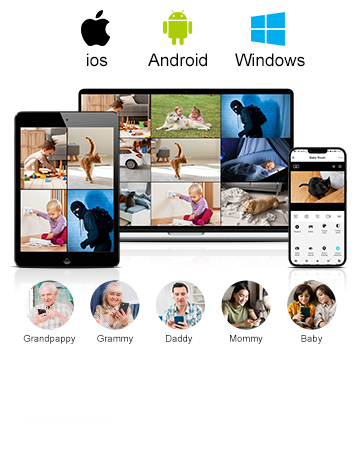
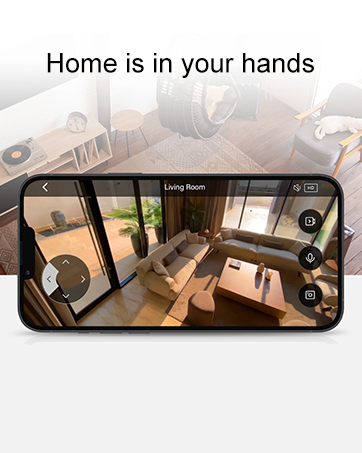
Access live 2K QHD video streams through the SYMYNELEC app on your smartphone, tablet, desktop, or laptop.
The camera supports continuous recording to a local memory card (not included) or encrypted AWS cloud storage (optional subscription).
View up to 16 camera feeds simultaneously within the app.
Image: A smartphone screen showing a live 2K video feed from the camera, demonstrating clear detail and zoom capabilities.
4.2 Full-Color Night Vision
The camera provides full-color night vision, capturing vivid images even in low-light conditions up to 8 meters, without relying on traditional infrared black and white vision.
Image: A comparison demonstrating the camera's full-color night vision capabilities against standard night vision.
4.3 Smart Detection and Alerts
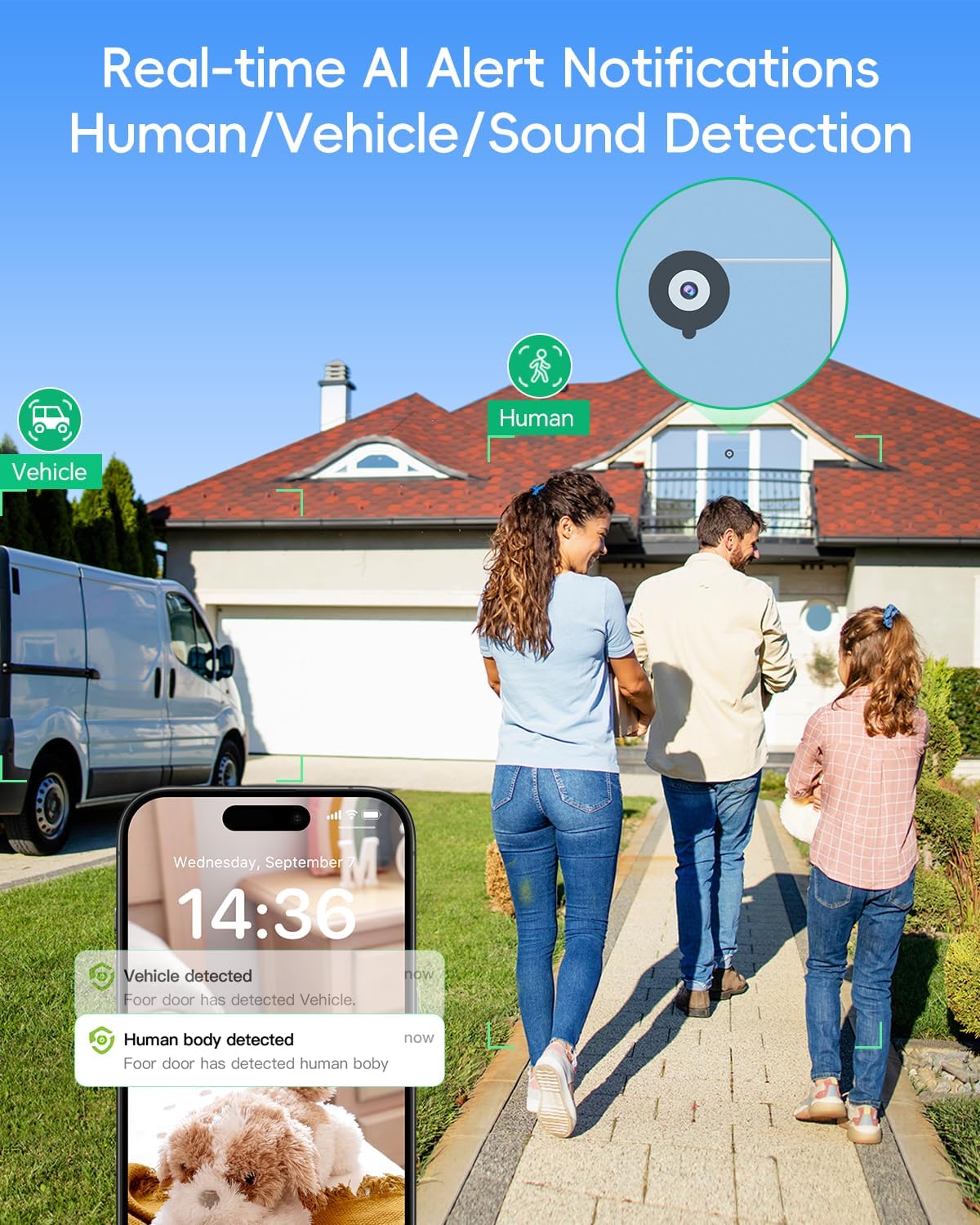
The camera utilizes AI to detect specific events and send real-time notifications to your phone:
Motion Detection: General movement detection.
Human Detection: Identifies human figures, reducing false alarms from pets or swaying branches.
Vehicle Detection: Recognizes vehicles, useful for monitoring driveways or streets.
Sound/Cry Detection: Alerts you to unusual sounds, including crying.
Customizable Zones: Define specific areas within the camera's 105-degree viewing angle for detection.
Built-in Siren: Activate the siren remotely or automatically upon detection to deter intruders.
Image: Human detection feature in action, showing a person at a door and a corresponding phone alert.
Image: Vehicle detection feature, illustrating a vehicle on a driveway and a phone alert with license plate detail.
4.4 Two-Way Talk
Use the built-in microphone and speaker to communicate with individuals on the other side of the camera, such as delivery personnel or visitors.
Image: Demonstrates the two-way talk feature, allowing communication with someone at the door.
4.5 Smart Home Integration
The SYMYNELEC W1 camera is compatible with Amazon Alexa and Google Home, allowing for voice control and integration into your smart home ecosystem.
Image: The camera's compatibility with smart home devices like Amazon Alexa.
Video: Detailed guide on setting up and configuring the SYMYNELEC W1 Window Camera.
5. Maintenance
Proper maintenance ensures the longevity and optimal performance of your SYMYNELEC W1 camera.
Cleaning: Gently wipe the camera lens and body with a soft, dry cloth. Avoid abrasive cleaners or solvents.
Placement: As the camera is not water resistant, ensure it remains indoors and protected from direct weather exposure.
Cable Management: Periodically check the power cable and connections for any signs of wear or damage. Use the provided cable clips to keep the cable secure and out of the way.
Software Updates: Keep the SYMYNELEC app updated to the latest version to benefit from new features and security enhancements.
6. Troubleshooting
If you encounter issues with your SYMYNELEC W1 camera, refer to the following common troubleshooting steps:
Camera Not Connecting to Wi-Fi:
Ensure your Wi-Fi network is 2.4GHz. The camera does not support 5GHz Wi-Fi.
Verify that your smartphone is connected to the 2.4GHz network during the initial setup.
Check the Wi-Fi signal strength at the camera's location.
Restart your Wi-Fi router and the camera.
Frequent False Alarms (Motion/Sound Detection):
Adjust the detection sensitivity settings within the SYMYNELEC app.
Utilize customizable detection zones to exclude areas prone to irrelevant motion (e.g., busy streets, swaying trees).
Recording Issues:
If using local storage, ensure a compatible memory card is inserted and properly formatted.
Check the available storage space on the memory card or cloud service.
Verify that recording schedules or event-triggered recording settings are correctly configured in the app.
Poor Image Quality / Glare:
Clean the camera lens and the glass surface it is mounted on.
Reposition the camera to avoid direct sunlight or strong light sources that cause glare. The camera material is anti-glare and anti-reflection, but extreme conditions can still affect performance.
Google Home App Video Viewing:
Video feeds from the SYMYNELEC W1 camera can typically be viewed directly in the SYMYNELEC app or on a Google Nest Hub, but may not be viewable directly within the Google Home app interface itself.
7. Specifications
Feature
Specification
Model Name
W1
Video Capture Resolution
2K QHD (1296p)
Viewing Angle
105 Degrees
Night Vision Range
8 Meters
Frame Rate
20-25 frames per second
Connectivity Technology
2.4GHz Wi-Fi Only (5GHz NOT SUPPORTED), Wireless
Power Source
Corded Electric (100 Volts, 5 Watts)
Mounting Type
Window Mount, Self Adhesive
Special Features
2-Way Audio, Full Color Night Vision, Local/Cloud Recording, Motion/Human/Vehicle/Sound/Cry Detection
Amazon Alexa, Android, Google Assistant, Smartphone, iOS
Material
Anti-glare, Anti-reflection, Fire-resistant and flame-retardant plastics
Water Resistance Level
Not Water Resistant
Product Dimensions (L x W x H)
5.99 x 3.28 x 5.99 cm
Item Weight
190 g
Country of Origin
China
8. Warranty and Support
SYMYNELEC is committed to providing reliable products and customer satisfaction.
Warranty: The SYMYNELEC W1 Window Camera comes with a 1-year manufacturer's warranty for replacement.
Customer Support: Lifetime 24/7 online customer service and technical support are available to assist with installation, operation, and any inquiries you may have.
Ask a question about this manual
Ask about setup, troubleshooting, compatibility, parts, safety, or missing instructions. Manuals+ will review the question and use this page’s manual context to help answer it.