
Introduction
Welcome to your new Fastrack VOX Plus Smart Watch. This manual provides essential information for setting up, operating, and maintaining your device. Please read it carefully to ensure optimal performance and longevity of your smartwatch.
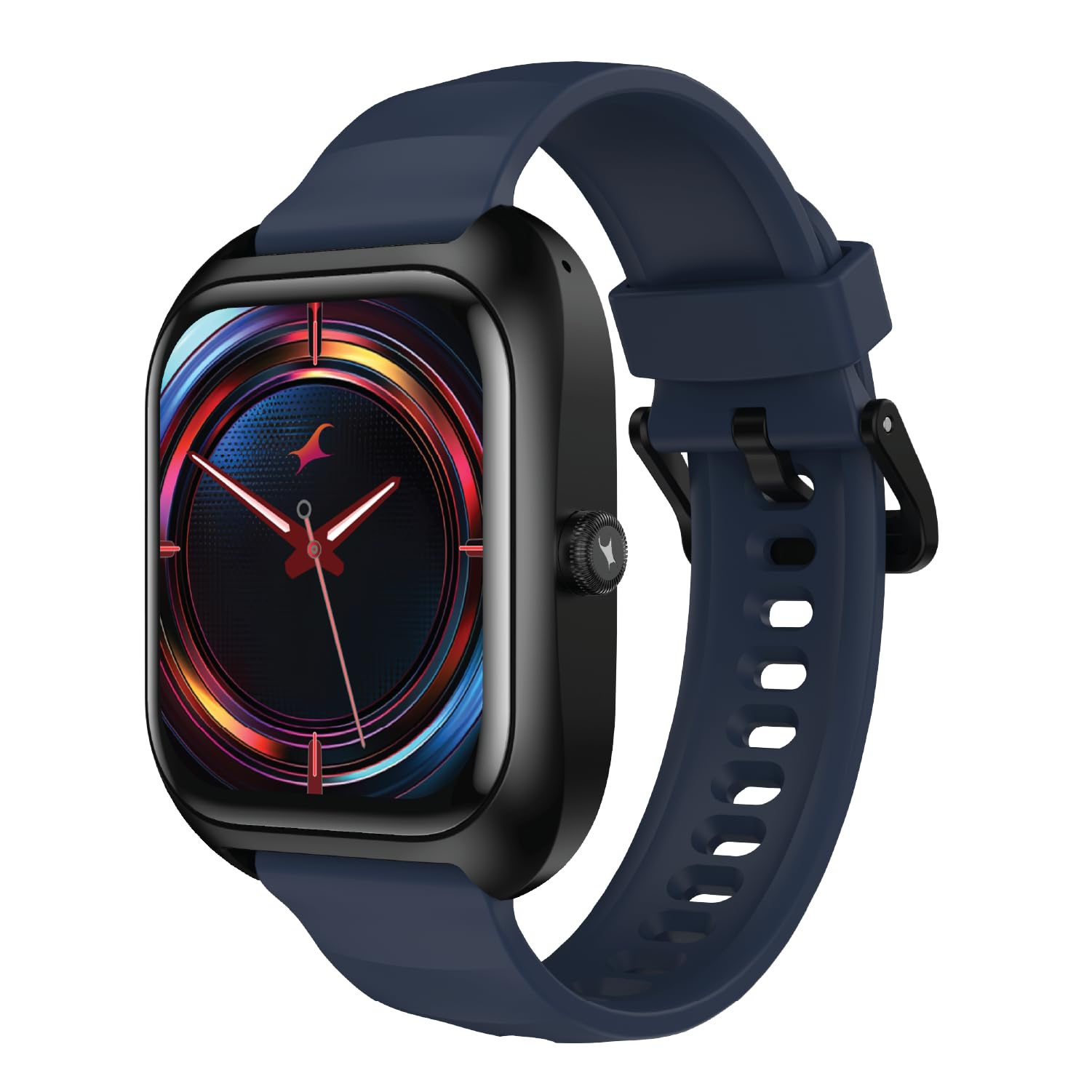
Image: The Fastrack VOX Plus Smart Watch, showcasing its sleek design and vibrant display.
Setup
1. Unboxing and Initial Inspection
Carefully remove all items from the packaging. The box contents include:
- Fastrack VOX Plus Smart Watch
- Magnetic Charging Cable
- Quick Start Guide
- Warranty Card
Inspect the watch for any visible damage. If any components are missing or damaged, contact customer support immediately.
2. Initial Charging
Before first use, fully charge your Fastrack VOX Plus Smart Watch. Connect the magnetic charging cable to the charging port on the back of the watch and plug the USB end into a compatible power adapter (not included). A full charge typically takes approximately 1.5 hours.
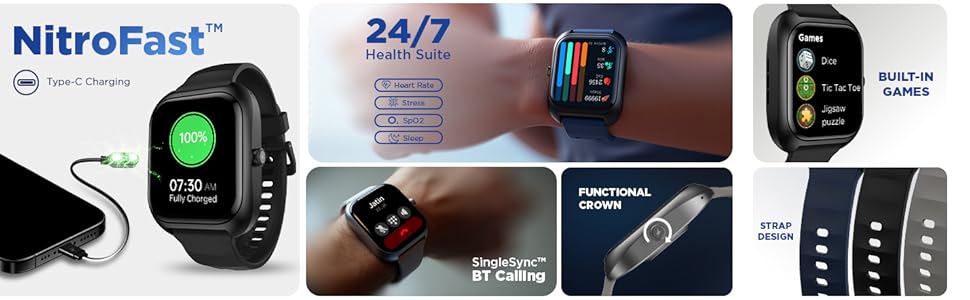
Image: The Fastrack Smart World App displayed on a smartphone, alongside three Fastrack smartwatches, illustrating app connectivity.
3. App Installation and Pairing
To unlock the full potential of your smartwatch, download and install the Fastrack Smart World App on your smartphone. The app is compatible with both Android and iOS devices.
- Search for "Fastrack Smart World" in your smartphone's app store.
- Download and install the app.
- Open the app and follow the on-screen instructions to create an account or log in.
- Ensure Bluetooth is enabled on your smartphone.
- In the app, select "Add Device" and choose your Fastrack VOX Plus from the list of available devices.
- Confirm the pairing request on both your smartphone and the watch.
Operating Instructions
1. Display and Navigation
The Fastrack VOX Plus features a 1.85 inch Ultra VU Display for clear visuals. Navigate through the watch interface using the touchscreen and the functional rotary crown.
- Touchscreen: Swipe up, down, left, or right to access different menus and notifications. Tap to select items.
- Rotary Crown: Rotate the crown to scroll through lists and menus. Press the crown to return to the home screen or confirm selections.
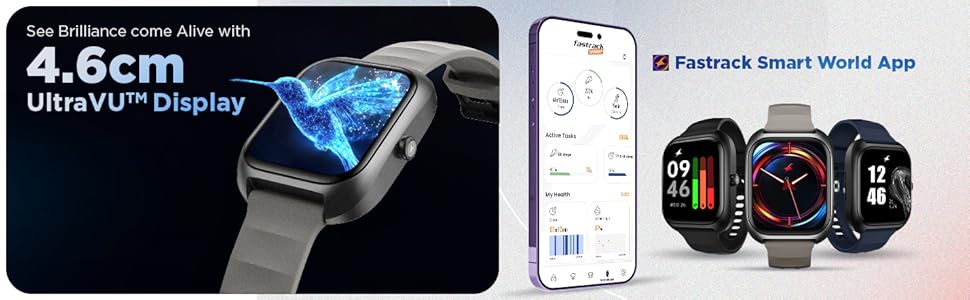
Image: The Fastrack VOX Plus Smart Watch showcasing its 1.85 inch UltraVU Display with vibrant graphics.
2. Bluetooth Calling
With Bluetooth calling, you can make and receive calls directly from your wrist. Ensure your watch is connected to your smartphone via Bluetooth.
- Making a Call: Access the dialer or contacts list on your watch to initiate a call.
- Receiving a Call: When a call comes in, you can answer or reject it directly from the watch screen.
3. Offline Voice Commands
The Fastrack VOX Plus supports offline voice commands for convenient control. Simply say "Hey Fastrack" followed by your command.
- Example commands: "Hey Fastrack, Open My fitness", "Hey Fastrack, Open to-do list", "Hey Fastrack, Open Alarm", "Hey Fastrack, Call SOS".
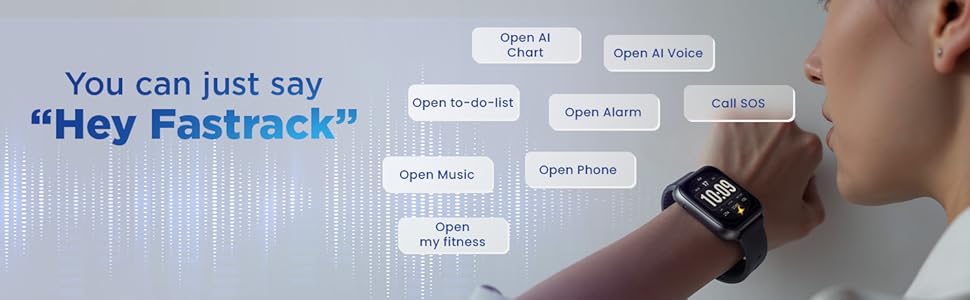
Image: A user interacting with the Fastrack VOX Plus Smart Watch using voice commands, demonstrating the "Hey Fastrack" feature.
Health Monitoring
Your Fastrack VOX Plus Smart Watch is equipped with a 24/7 Health Suite to help you monitor your well-being.
- Heart Rate Monitor (HRM): Continuously tracks your heart rate throughout the day.
- SpO2 Monitoring: Measures your blood oxygen saturation levels.
- Sleep Tracking: Analyzes your sleep patterns, including deep sleep, light sleep, and wake times.
- Stress Tracking: Monitors your stress levels to help you manage daily pressures.
- Activity Tracker: Records steps, distance, and calories burned.
For detailed insights and historical data, refer to the Fastrack Smart World App.
Smart Features
The Fastrack VOX Plus integrates several smart features to assist with daily tasks:
- To-do List: Create and manage your tasks directly from your wrist.
- Calculator: Perform basic calculations on the go.
- Calendar: View your schedule and appointments.
- Games: Enjoy built-in games like Dice, Tic Tac Toe, and Jigsaw Puzzle.
- Alarm: Set alarms for reminders and wake-up calls.
- Stopwatch & Timer: Useful tools for timing activities.
- Multiple Menu Styles: Customize the look and feel of your watch interface.

Image: The Fastrack VOX Plus Smart Watch screen showing a to-do list with items like 'Buy Groceries' and 'Workout - 6pm'.
Charging and Battery
The Fastrack VOX Plus features NitroFast Type-C Charging for quick power-ups. The watch is powered by a Lithium Polymer battery.
- Battery Life: Up to 5 days of average use.
- Charge Time: Approximately 1.5 hours for a full charge.
- Charging Method: Use the provided magnetic charging cable.
Maintenance
To ensure the longevity and proper functioning of your Fastrack VOX Plus Smart Watch, follow these maintenance guidelines:
- Cleaning: Regularly wipe the watch screen and strap with a soft, dry cloth. For stubborn dirt, use a slightly damp cloth and then dry thoroughly. Avoid harsh chemicals or abrasive materials.
- Water Resistance: The watch has an IP68 water resistance rating, meaning it is protected against dust and can withstand immersion in water up to 1.5 meters for 30 minutes. It is suitable for everyday use, such as hand washing or light rain. Avoid prolonged immersion, hot water, or steam. Do not press buttons underwater.
- Storage: Store the watch in a cool, dry place when not in use. Avoid extreme temperatures.
- Charging Port: Keep the magnetic charging contacts clean and free from debris to ensure efficient charging.
Troubleshooting
If you encounter issues with your Fastrack VOX Plus, try the following solutions:
| Problem | Solution |
|---|---|
| Watch not turning on | Ensure the watch is fully charged. Connect it to the charger for at least 30 minutes. |
| Cannot pair with smartphone | Check if Bluetooth is enabled on your phone and watch. Restart both devices. Ensure the Fastrack Smart World App is updated. |
| Inaccurate health data | Ensure the watch is worn snugly on your wrist, about one finger-width above the wrist bone. Clean the sensor on the back of the watch. |
| Notifications not received | Check app permissions on your smartphone to ensure notifications are allowed for the Fastrack Smart World App. Verify Bluetooth connection. |
| Short battery life | Reduce screen brightness, disable continuous heart rate monitoring if not needed, and limit background app refresh. Ensure full charge cycles. |
If the issue persists, please contact Fastrack customer support.
Specifications
| Feature | Detail |
|---|---|
| Model Name | Fastrack VOX Plus |
| Model Number | 38175PP02K |
| Display | 1.85 Inches TFT LCD, 500 Nit Brightness |
| Connectivity | Bluetooth |
| Memory Storage Capacity | 128 MB |
| Operating System | Smartwatch OS |
| Sensors | Accelerometer, Optical Heart Rate Sensor, Galvanic Skin Response Sensor |
| Health Features | Heart Rate Monitor, SpO2, Sleep Monitor, Stress Tracking, Activity Tracker |
| Special Features | BT Calling, Offline Voice Commands, To-do List, Games, Multiple Watch Faces |
| Water Resistance | IP68 (1.5 Metres depth) |
| Battery Type | Lithium Polymer |
| Battery Average Life | 5 Days |
| Battery Charge Time | 1.5 Hours |
| Band Material | Silicone |
| Case Material | Plastic |
| Item Weight | 37 Grams |
| Dimensions (D x W x H) | 1.1D x 5.1W x 3.9H Centimeters |
| Box Contents | Watch, Magnetic Charging Cable, Quick Start Guide, Warranty Card |
Warranty and Support
Warranty Information
Your Fastrack VOX Plus Smart Watch comes with a 1 Year Manufacturer Warranty from the date of purchase. This warranty covers manufacturing defects. Please retain your purchase receipt and the warranty card for any warranty claims.
Customer Support
For technical assistance, warranty claims, or any other inquiries, please contact Fastrack customer support. You can find contact details on the official Fastrack website or through the Fastrack Smart World App.
Manufacturer Contact Information:
Titan Company Limited
3 Sipcot Industries complex, Hosur- 635126