
Bose 884367-1800
Contents
Bose QuietComfort Headphones User Manual
Model: 884367-1800
Introduction
The Bose QuietComfort Headphones are designed to provide a premium audio experience with advanced noise cancellation. This manual provides instructions for setting up, operating, and maintaining your headphones, ensuring optimal performance and longevity.
These wireless Bluetooth headphones feature active noise cancellation, a comfortable over-ear design, and up to 24 hours of battery life. They offer customizable sound through an adjustable EQ and seamless device switching with multi-point Bluetooth connectivity.
What's in the Box
Verify that all items are present:
- Bose QuietComfort Headphones
- Protective Case
- Audio Cable
- USB-C® (A to C) cable (12")
- Safety Sheet
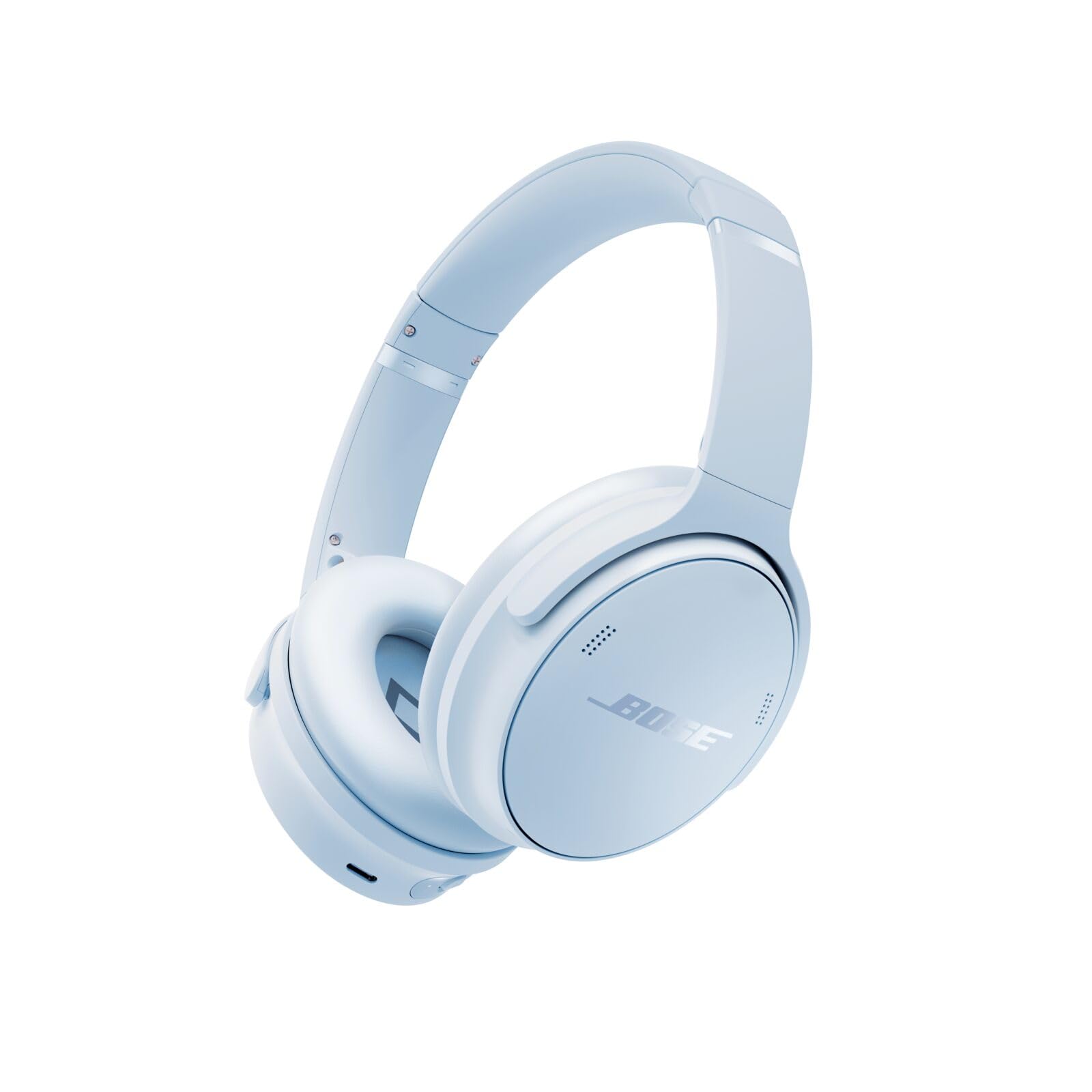
Image: Bose QuietComfort Headphones in Ice Blue, showcasing the overall design and included accessories.
Setup
1. Charging the Headphones
Before first use, fully charge your headphones. Connect the included USB-C cable to the charging port on the headphones and to a USB power source. A full charge takes approximately 2.5 hours and provides up to 24 hours of listening time. A quick 15-minute charge can provide up to 2.5 hours of additional playtime.

Image: Side view of the headphones, highlighting the USB-C charging port.
2. Initial Bluetooth Pairing
- Power on your headphones.
- Activate Bluetooth pairing mode (refer to the safety sheet for specific button presses if needed).
- On your device (smartphone, tablet, computer), go to Bluetooth settings and select "Bose QuietComfort Headphones" from the list of available devices.
- Once connected, you will hear an audio prompt confirming the connection.
3. Bose App Installation
Download the Bose app from your device's app store. The app provides guided setup, allows personalization of settings, and ensures your headphones receive the latest software updates for optimal functionality and access to new features.
Operating Instructions
Noise Cancellation Modes
Your Bose QuietComfort Headphones feature two primary listening modes:
- Quiet Mode: Provides full noise cancellation, blocking out ambient sounds for an immersive listening experience.
- Aware Mode: Allows you to hear your surroundings while still enjoying your audio, useful for situational awareness.
Toggle between these modes using the dedicated button on the ear cup. Custom modes can be configured via the Bose app, including a Wind Block feature to reduce wind noise.

Image: Close-up of the left ear cup, showing the noise cancellation mode button and other controls.
Audio Control and EQ
Experience high-fidelity audio with your headphones. Use the Bose app to access the Adjustable EQ, allowing you to customize bass, mid-range, and treble levels to your preference. The headphones also support Spotify Tap for quick access to your music.
Multi-point Bluetooth Connectivity
The multi-point toggle feature enables seamless switching between multiple connected devices without the need to disconnect and reconnect each time.
Wired Operation
For situations where Bluetooth is not available or preferred, or when the battery is depleted, you can use the included audio cable with an in-line microphone to connect your headphones as a wired device.
Maintenance
Cleaning
Regularly clean your headphones to maintain performance and hygiene. Use a soft, dry cloth to wipe the earcups and headband. For stubborn dirt, a slightly damp cloth can be used, but ensure no moisture enters any openings.
Storage
When not in use, store your headphones in the provided protective case to prevent damage from dust, scratches, and impacts. The headphones are designed to fold compactly for storage.
Video: Demonstrates how to fold the Bose QuietComfort Headphones for storage in their case. This video is provided by a seller and shows the product's compact design.
Water Resistance
These headphones are not water resistant. Avoid exposure to liquids, moisture, and extreme humidity to prevent damage.
Troubleshooting
| Problem | Solution |
|---|---|
| Headphones not powering on | Ensure the headphones are fully charged. Connect to a power source using the USB-C cable. |
| Cannot pair via Bluetooth | Ensure headphones are in pairing mode. Check your device's Bluetooth settings and try reconnecting. Restart both devices if necessary. |
| Noise cancellation not working effectively | Verify that Quiet Mode is active. Ensure earcups form a good seal around your ears. Check for updates in the Bose app. |
| Audio quality issues | Check audio source quality. Adjust EQ settings in the Bose app. Try a wired connection to rule out Bluetooth interference. |
| Bose app not connecting | Ensure Bluetooth is enabled on your device and the headphones are powered on. Restart the app or reinstall if issues persist. |
For further assistance, refer to the Bose app or visit the official Bose support website.
Specifications
- Brand: Bose
- Model Number: 884367-1800
- Model Name: Bose QuietComfort Bluetooth Headphones, Ice Blue
- Ear Placement: Over Ear
- Noise Control: Active Noise Cancellation
- Connectivity Technology: Wireless (Bluetooth 5.1)
- Bluetooth Range: 30 feet
- Battery Life: Up to 24 hours
- Battery Charge Time: 2.5 hours (15 min charge for 2.5 hrs playtime)
- Charging Interface: USB-C
- Wired Connectivity: 2.5 mm Jack (Audio cable with in-line microphone included)
- Control Type: Button, App
- Weight: 240 g
- Material: Plastic
- Water Resistance Level: Not Water Resistant
- Additional Features: Adjustable EQ, Multi-point Bluetooth, Quiet and Aware Listening Modes, Integrated Remote Control
Warranty and Support
Warranty Information
Your Bose QuietComfort Headphones come with a 1-year manufacturer's warranty. Please retain your proof of purchase for warranty claims. For detailed warranty terms and conditions, refer to the documentation included with your product or visit the official Bose website.
Customer Support
For technical support, product registration, or to access FAQs and troubleshooting guides, please visit the official Bose support website or use the Bose app. The app provides the latest software updates and personalized assistance.
Bose Official Website: www.bose.com/support
Ask a question about this manual
Ask about setup, troubleshooting, compatibility, parts, safety, or missing instructions. Manuals+ will review the question and use this page’s manual context to help answer it.