
Introduction
Thank you for choosing the Zunate Voice Recorder. This device is designed to provide high-quality audio recording, real-time AI transcription, and multi-language translation capabilities, enhancing your productivity in various scenarios. Its compact design, robust features, and intuitive app control make it an ideal tool for meetings, interviews, lectures, and personal notes. Please read this manual carefully to ensure proper use and to fully utilize all features of your new voice recorder.
Product Overview
The Zunate Voice Recorder combines advanced AI technology with a sleek, portable design. Key features include:
- Ultra-Thin & Lightweight Design: Crafted from elegant aluminum alloy, measuring only 3.3mm thick and weighing 31g.
- Long Battery Life: Integrated 500mAh polymer lithium-ion battery provides up to 15 hours of continuous recording.
- Magnetic Attachment: Features a strong double-sided magnetic design for convenient placement.
- Dual-Mode Noise Reduction Recording: Equipped with dual recording engines and triple intelligent noise reduction for clear audio in various environments. Includes a vibration conduction sensor for clear phone call recordings.
- AIREC App Control: Seamlessly connect via Bluetooth 5.0 to the AIREC app for comprehensive file management, cloud backup, and advanced settings.
- Secure Data Protection: Local and cloud file encryption ensures your recordings are protected.
- Real-Time Translation: Supports real-time translation for up to 112 languages, facilitating global communication.
- AI Transcription & Summary: Utilizes GPT 4.1 technology for accurate real-time transcription and AI-generated summaries.
- HD Display & LED Indicators: Features a 0.42-inch HD screen and LED indicators for battery status and playback.
- Advanced Recording Functions: Includes automatic split recording, loop recording, and timestamp functionality.

Image: Overview of the Zunate AI Voice Recorder's key features.
Setup
1. Charging the Device
Before first use, fully charge the voice recorder using the provided USB charging cable. Connect the cable to the device's Type-C port and a standard USB power adapter (not included) or computer USB port. The LED indicator will show charging status.
2. Powering On/Off
To power on the device, press and hold the power button until the screen illuminates. To power off, press and hold the power button again until the screen turns off.
3. Installing the AIREC App
For full functionality, download the AIREC app. Scan the QR code provided in the packaging or search for "AIREC" in your device's App Store (iOS) or Google Play Store (Android).
4. Connecting via Bluetooth
Ensure Bluetooth is enabled on your smartphone. Open the AIREC app and follow the on-screen instructions to pair with your Zunate Voice Recorder via Bluetooth 5.0. The app will guide you through the connection process.
5. Using the Magnetic Ring
The included magnetic ring can be attached to your phone or other surfaces to securely mount the voice recorder, allowing for convenient hands-free recording.

Image: The slim profile and lightweight design of the Zunate Voice Recorder.
Operating Instructions
1. Basic Recording
The device supports two quick recording modes:
- One-Tap Recording: Press the designated recording button once to start recording. Press again to stop and save.
- Dual-Touch Recording: Some models may feature a dual-touch activation for recording. Refer to the on-screen prompts or app for specific instructions.
The 0.42-inch HD screen will display recording status, time, and other relevant information. The LED indicator will also show recording activity.

Image: Demonstrating dual-mode recording and one-tap recording functionality.
2. Using the AIREC App for Advanced Features
Once connected to the AIREC app, you can access a range of advanced features:
- Remote Control: Start, stop, and manage recordings directly from your smartphone.
- File Management: Organize, rename, sort, share, and edit your audio files. The app allows for quick cloud backup.
- Real-Time Transcription: View real-time text conversion of your audio. The app supports 112 languages for transcription.
- Real-Time Translation: Translate transcribed text into various languages instantly.
- AI Summary: Generate concise summaries of your recordings using GPT 4.1 technology.
- Privacy Settings: Configure settings to hide recording status and enable automatic speaker identification.

Image: Wireless connection to mobile phone for recording, transcription, summary, and translation.

Image: Real-time transcription of audio and text with ChatGPT-4 technology.
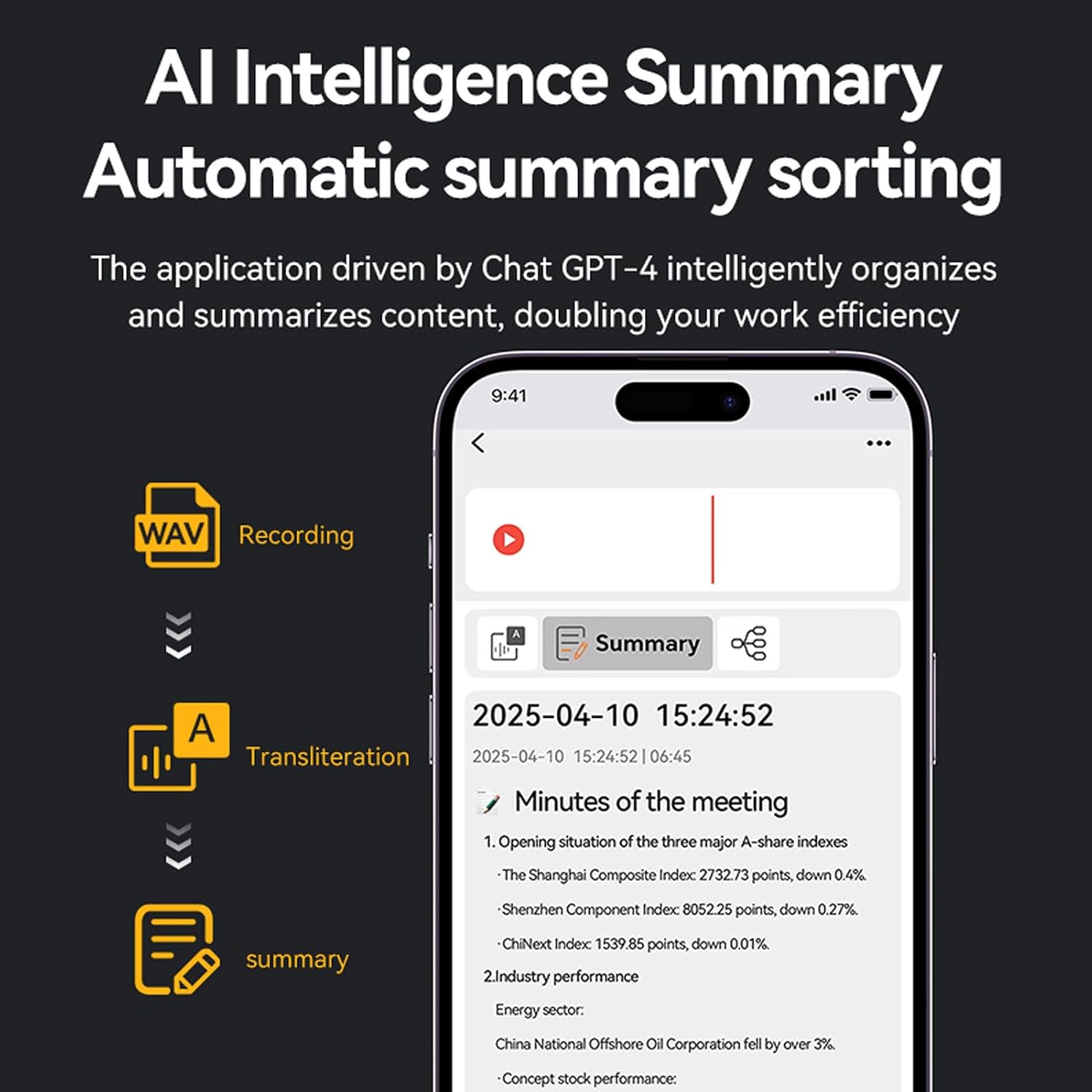
Image: AI intelligence summary and automatic sorting of content.
3. Understanding LED Indicators
- Battery LED: Indicates battery level and charging status.
- Playback LED: Illuminates during audio playback.
4. Automatic Split Recording and Loop Recording
These features can be configured via the AIREC app. Automatic split recording divides long recordings into smaller, manageable files. Loop recording overwrites the oldest recordings when storage is full (use with caution to avoid losing important data).
5. Timestamp Functionality
All recordings are automatically stamped with the date and time, aiding in organization and retrieval.

Image: Versatile applications of the Zunate Voice Recorder for different voice recording needs.
Maintenance
To ensure the longevity and optimal performance of your Zunate Voice Recorder, follow these maintenance guidelines:
- Cleaning: Use a soft, dry cloth to clean the device. Avoid liquid cleaners or abrasive materials.
- Storage: Store the device in a cool, dry place away from direct sunlight, extreme temperatures, and humidity.
- Battery Care: Avoid fully discharging the battery frequently. Charge the device regularly, even if not in use, to maintain battery health.
- Avoid Impacts: Protect the device from drops and impacts, which can damage internal components.
- Software Updates: Keep the AIREC app updated to the latest version for improved performance and new features.
Troubleshooting
If you encounter issues with your Zunate Voice Recorder, please refer to the following common problems and solutions:
Device Not Turning On
- Check Battery: Ensure the device is sufficiently charged. Connect it to a power source and allow it to charge for at least 30 minutes before attempting to power on again.
- Reset: If applicable, look for a small reset button (may require a pin) or try holding the power button for an extended period (e.g., 10-15 seconds) to force a restart.
Poor Recording Quality
- Microphone Obstruction: Ensure the microphone is not covered or blocked.
- Environment: Record in a quiet environment. While the device has noise reduction, extreme background noise can still affect quality.
- Distance: Ensure the sound source is within an optimal range of the microphone.
- Settings: Check recording settings in the AIREC app for optimal quality.
AIREC App Connection Issues
- Bluetooth: Verify that Bluetooth is enabled on both your smartphone and the voice recorder.
- App Permissions: Ensure the AIREC app has necessary Bluetooth and location permissions on your smartphone.
- Restart: Try restarting both the voice recorder and your smartphone, then attempt to reconnect.
- App Update: Make sure the AIREC app is updated to the latest version.
Transcription/Translation Inaccuracy
- Audio Clarity: Ensure the original recording is clear with minimal background noise.
- Speaker Clarity: Clear speech and pronunciation improve accuracy.
- Language Selection: Verify that the correct source and target languages are selected in the AIREC app.
- Internet Connection: Real-time transcription and translation features require a stable internet connection.
If these steps do not resolve your issue, please contact Zunate customer support for further assistance.
Specifications
| Feature | Specification |
|---|---|
| Model Number | Zunatei5tgxeowd1-12 |
| Battery Type | Integrated Polymer Lithium-ion |
| Battery Capacity | 500 mAh |
| Dimensions | Approx. 86 x 55 x 3.5 mm (3.39 x 2.17 x 0.14 inches) |
| Connectivity | Bluetooth 5.0 |
| Display | 0.42-inch HD Screen |
| Mounting | Magnetic Absorption |
| Recording Format | WAV |
| Transcription Languages | 112 Languages (via AIREC App) |
| AI Technology | GPT 4.1 for Transcription & Summary |
| App Compatibility | AIREC (iOS/Android) |
| Country of Origin | China |
Warranty and Support
Warranty Information
This Zunate Voice Recorder comes with a 2-year manufacturer's warranty. This warranty covers defects in materials and workmanship under normal use. It does not cover damage caused by misuse, accidents, unauthorized modifications, or external causes.
Customer Support
For technical assistance, warranty claims, or any questions regarding your Zunate Voice Recorder, please contact Zunate customer service. Refer to the contact information provided with your product packaging or visit the official Zunate website for support details.