
1. Introduction
This manual provides detailed instructions for the safe and efficient use of your DOOGEE U12 Android 16 Tablet. Please read this manual thoroughly before operating the device to ensure optimal performance and longevity. Keep this manual for future reference.
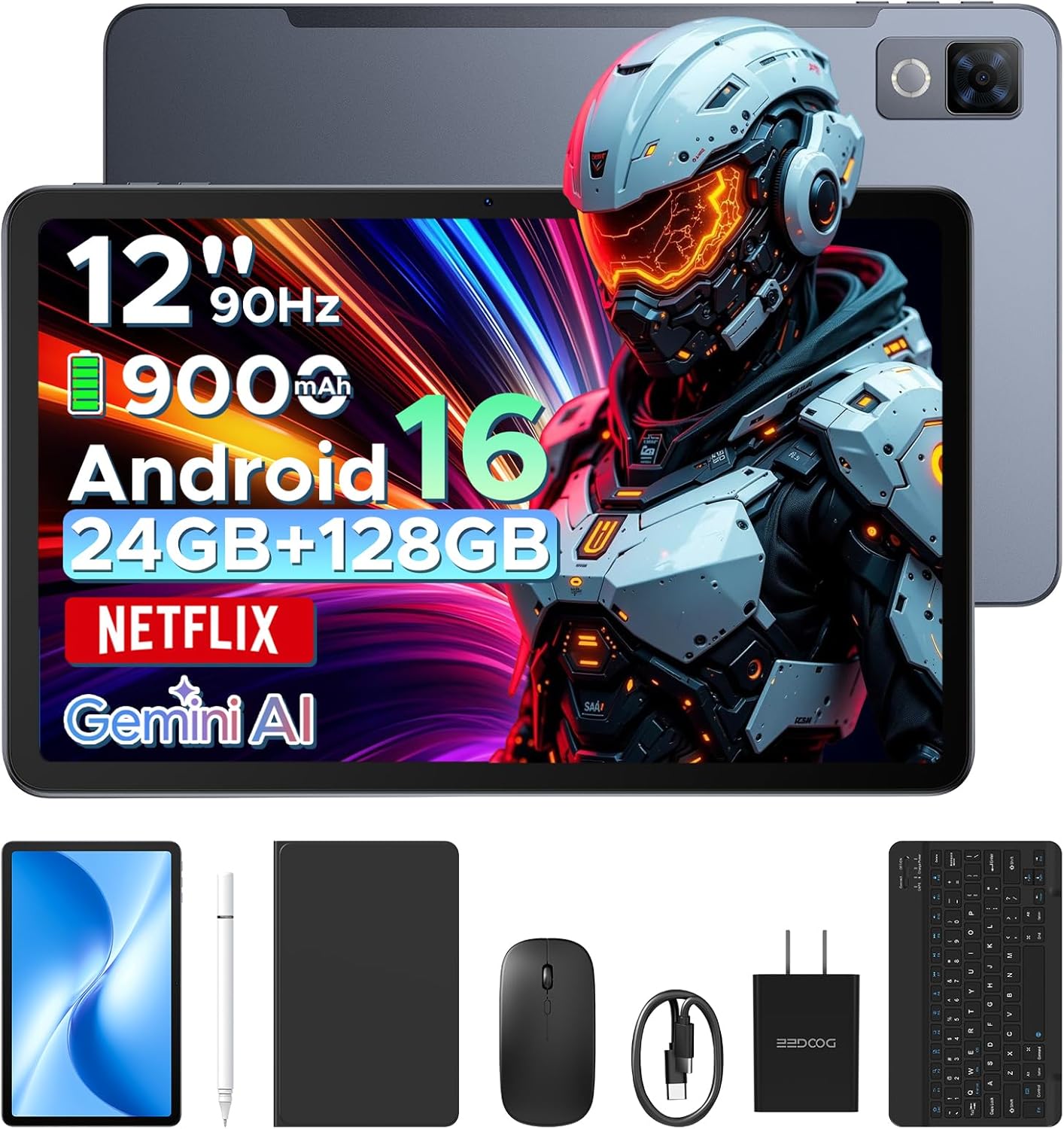
Image: The DOOGEE U12 tablet shown with its accompanying accessories, including a keyboard, mouse, and stylus.
2. Package Contents
Verify that all items are present in your package:
- DOOGEE U12 Tablet
- Bluetooth Keyboard
- Mouse
- Stylus Pen
- Screen Protector
- Protective Case
- Charger (Power Adapter)
- Type-C USB Cable
- User Manual (this document)
- Service Card

Image: An organized display of all items included in the DOOGEE U12 tablet package.
3. Setup Guide
3.1 Initial Charging
Before first use, fully charge the tablet using the provided charger and USB Type-C cable. Connect the cable to the tablet's charging port and the adapter to a power outlet. The charging indicator will show the charging status.
3.2 Power On/Off
- To Power On: Press and hold the Power button until the DOOGEE logo appears on the screen.
- To Power Off: Press and hold the Power button, then select 'Power off' from the options displayed on the screen.
- To Restart: Press and hold the Power button, then select 'Restart' from the options.
3.3 Initial Configuration
Upon first power-on, follow the on-screen prompts to set up your tablet. This includes selecting your language, connecting to a Wi-Fi network, and signing in with your Google account.
3.4 Connecting Accessories
- Bluetooth Keyboard/Mouse: Turn on the keyboard/mouse and enable Bluetooth on your tablet (Settings > Connected devices > Bluetooth). Select the accessory from the list of available devices to pair.
- Stylus Pen: The stylus pen is generally passive and does not require pairing. Simply use it directly on the screen.
- Protective Case: Install the tablet into the protective case for enhanced protection and to use it as a stand.
4. Operating Instructions
4.1 Display Features
The DOOGEE U12 features a 12-inch FHD+ IPS display with a resolution of 2000x1200 pixels and a 90Hz refresh rate. This provides clear visuals and smooth interaction.
- Widevine L1 Support: Stream high-definition content from platforms like Netflix, YouTube, and Amazon Prime Video.
- Eye Protection: Utilize Eye Comfort Mode, Dark Mode, and Auto Brightness Adjustment for reduced eye strain.
- Split-Screen Multitasking: Run two applications simultaneously by using the split-screen feature.

Image: The 12-inch 2K Ultra-Clear Big Display of the DOOGEE U12, highlighting its visual clarity.

Image: The tablet's eye protection display features, including Eye Comfort Mode, Dark Mode, and Auto Brightness Adjustment.
4.2 Performance and Storage
The tablet is powered by an Unisoc T7255 Octa-Core processor, ensuring smooth operation for various tasks.
- RAM: 24GB (6GB physical + 18GB virtual) for efficient multitasking.
- Internal Storage (ROM): 128GB for applications and files.
- Expandable Storage: Supports up to 2TB via TF (microSD) card (sold separately).

Image: A visual representation of the powerful Unisoc T7255 Octa-Core Processor.

Image: Details on the tablet's memory configuration, including 24GB RAM and 128GB ROM with expansion capabilities.
4.3 Battery Management
The DOOGEE U12 is equipped with a 9000mAh high-capacity battery.
- Fast Charging: Supports 18W fast charging for quick power replenishment.
- Reverse Charging: Features 5W reverse charging, allowing the tablet to charge other compatible devices via OTG.

Image: An illustration of the tablet's 9000mAh battery and its charging capabilities.
4.4 Cameras
Capture photos and videos with the integrated cameras:
- Rear Camera: 13 Megapixels
- Front Camera: 8 Megapixels

Image: A detailed view of the tablet's camera modules, indicating the 13MP main camera and 8MP front camera.
4.5 Connectivity
- Wi-Fi: Dual-band (2.4G/5G) for stable internet connection.
- Bluetooth: Version 5.0 for wireless accessory pairing.
- Navigation: Supports GPS, BDS, GLONASS, and Galileo for accurate positioning.
- Audio Jack: Standard 3.5mm headphone jack.

Image: An overview of additional features including facial recognition, navigation system, Widevine L1, and WiFi 5.
4.6 Android 16 OS and Gemini AI
The tablet runs on the Android 16 operating system, offering enhanced performance and features.
- Gemini AI: Integrated AI for tasks such as summarizing documents, setting meetings, and providing intelligent tips.
- Multi-user System: Create separate user profiles for different individuals.
- Parental Control: Manage and restrict access for children's profiles.
- Bedtime Mode: Schedule screen time and notifications for better sleep.
- Live Subtitles: Real-time captioning for audio content.
- Digital Health Tools: Monitor and manage your digital well-being.
- WPS Office: Pre-installed office suite for productivity tasks.

Image: An overview of the built-in Gemini AI features designed to enhance work and daily life.

Image: Various functions of the Android 16 operating system, including user management and digital well-being tools.
4.7 Audio
The tablet is equipped with dual speakers for clear audio output.

Image: The tablet's audio capabilities, featuring premium dual speakers and a 3.5mm audio jack.
4.8 Physical Design
The DOOGEE U12 features a sleek 7.8mm ultra-thin metal body, balancing portability with durability.

Image: The ultra-thin 7.8mm metal-integrated body of the DOOGEE U12 tablet.
5. Maintenance
- Cleaning: Use a soft, lint-free cloth to clean the screen and body. Avoid abrasive materials or harsh chemicals.
- Storage: Store the tablet in a cool, dry place away from direct sunlight and extreme temperatures.
- Protection: Use the provided protective case and screen protector to guard against drops and scratches.
- Software Updates: Regularly check for and install system updates to ensure optimal performance and security.
6. Troubleshooting
6.1 Tablet Does Not Power On
- Ensure the battery is charged. Connect the charger and wait a few minutes before attempting to power on again.
- Press and hold the Power button for at least 10-15 seconds to force a restart.
6.2 Screen Is Unresponsive
- Restart the tablet.
- Ensure the screen is clean and free of debris.
- If a screen protector is installed, ensure it is properly applied and not interfering with touch sensitivity.
6.3 Wi-Fi Connectivity Issues
- Toggle Wi-Fi off and on in Settings.
- Restart your Wi-Fi router.
- Forget the network and reconnect (Settings > Network & internet > Internet > Saved networks).
- Ensure the tablet is within range of the Wi-Fi signal.
6.4 Accessories Not Connecting
- Ensure the accessory is powered on and in pairing mode (if applicable).
- Verify Bluetooth is enabled on the tablet.
- Remove any previously paired instances of the accessory from the tablet's Bluetooth settings and attempt to re-pair.
- Check the accessory's battery level.
7. Specifications
| Feature | Detail |
|---|---|
| Model | DOOGEE U12 |
| Operating System | Android 16 |
| Display Size | 12 Inches |
| Display Resolution | 2000x1200 Pixels |
| Refresh Rate | 90Hz |
| Processor | Unisoc T7255 Octa-Core |
| RAM | 24GB (6GB physical + 18GB virtual) |
| Internal Storage (ROM) | 128 GB |
| Expandable Storage | Up to 2TB (TF card) |
| Battery Capacity | 9000mAh |
| Fast Charging | 18W |
| Reverse Charging | 5W |
| Rear Camera | 13 Megapixels |
| Front Camera | 8 Megapixels |
| Wi-Fi | Dual-band (2.4G/5G) |
| Bluetooth | Version 5.0 |
| Navigation | GPS/BDS/GLONASS/Galileo |
| Audio Jack | 3.5mm |
| Dimensions (LxWxH) | 11.11 x 7 x 0.31 inches |
| Weight | 1.48 pounds |
| Body Material | Metal |
| Color | Gray |
8. Warranty and Support
Your DOOGEE U12 tablet comes with comprehensive support:
- Warranty: A two-year limited warranty covers manufacturing defects.
- Technical Support: Lifetime technical support is provided.
- Customer Service: Expect 24-hour responses to your inquiries for worry-free use.
- For support, please refer to the contact information on the included Service Card or visit the official DOOGEE website.


