
1. Introduction
The SakerPlus T40 Endoscope is a high-definition industrial inspection tool designed for examining areas that are difficult to access directly. This manual provides essential information for the safe and effective operation, maintenance, and troubleshooting of your T40 Endoscope.
2. Product Features
- Waterproof Design: The T40 endoscope features a specially sealed lens with an IP67 waterproof rating, allowing for underwater operation in various complex environments.
- High-Definition Imaging: Equipped with a 1080P high-definition lens, it captures clear images in both dark and bright conditions for accurate inspection results.
- Powerful Battery: A 2600mAh large-capacity battery provides up to 3.5 hours of continuous operation, suitable for extended inspection tasks.
- Flexible Cable: Features a 5-meter standard hard cable that can be bent and folded. It uses a copper superconducting wire core for stable image transmission and extended service life.
- Simple Operation: No phone, Wi-Fi, or app installation is required. The endoscope can be used directly for various inspections.
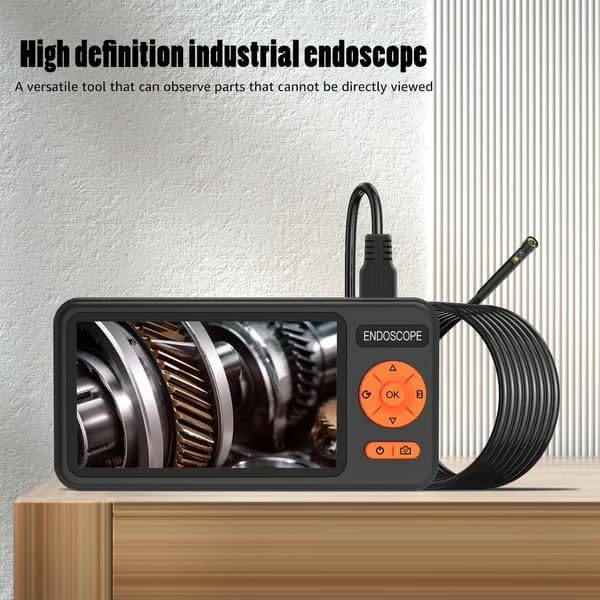
Image: The SakerPlus T40 Endoscope unit, showcasing its integrated screen and flexible cable. The screen displays a clear image of internal machinery, highlighting its high-definition capability.

Image: A close-up of the SakerPlus T40 Endoscope's lens submerged in water, illustrating its IP67 waterproof design. Icons indicate an 8mm small lens, 8 high-lighted LED lights, and IP67 waterproof rating.
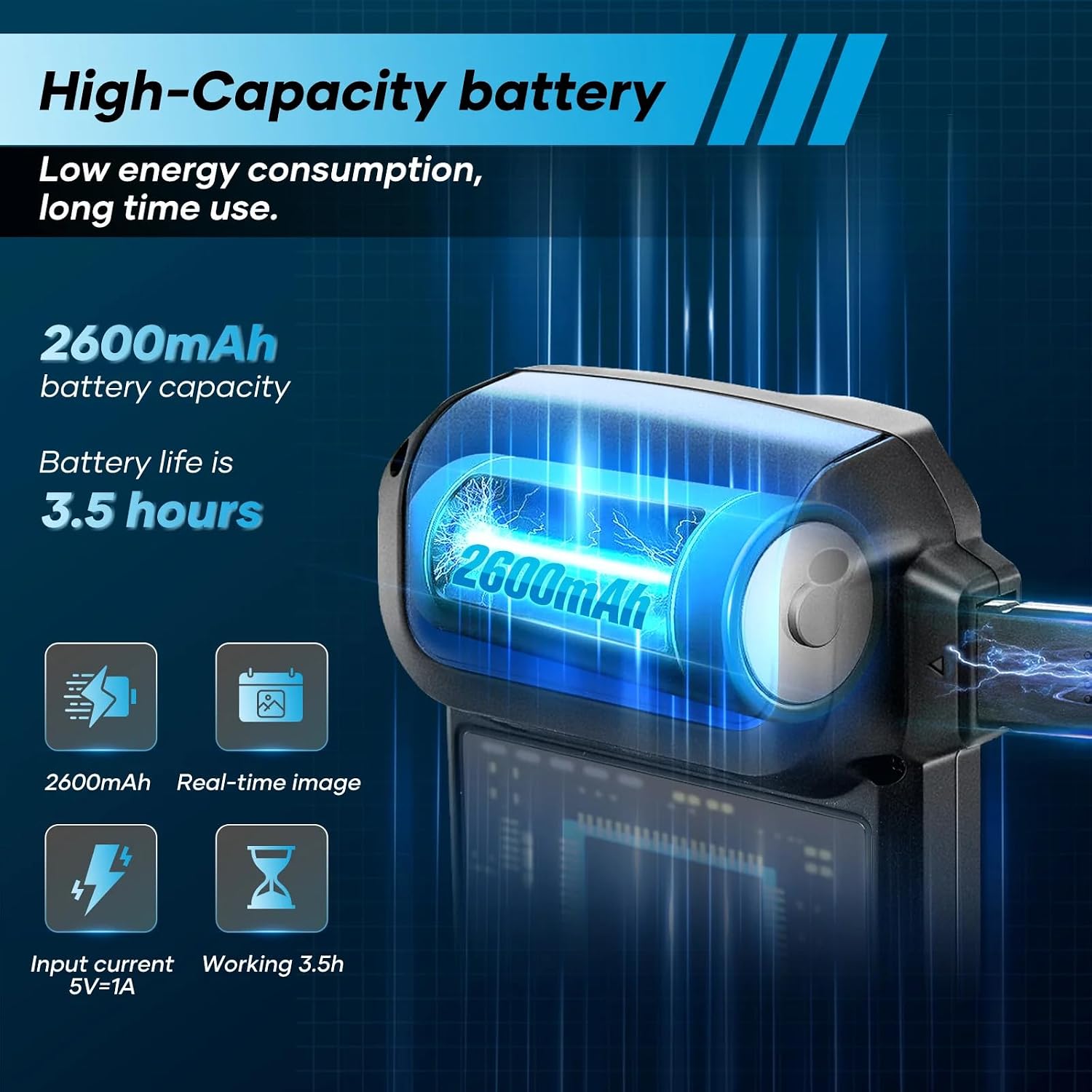
Image: Visual representation of the SakerPlus T40 Endoscope's 2600mAh battery capacity, indicating a battery life of 3.5 hours. This highlights its suitability for prolonged use.

Image: A user holding the SakerPlus T40 Endoscope, demonstrating the 5-meter long, flexible cable. Inset graphics detail the cable's standard hard wire, copper superconducting core for stable image transmission, and thickened iron wire for durability.
3. Package Contents
Upon opening the package, please verify that all items are present and in good condition:
- SakerPlus T40 Endoscope Camera Unit
4. Setup
The SakerPlus T40 Endoscope is designed for straightforward use without the need for external devices or applications.
- Charging the Device: Before first use, fully charge the endoscope using the provided charging cable. Connect the cable to the charging port on the device and a standard USB power adapter (not included). The charging indicator will show the charging status.
- Power On: Press and hold the power button (usually marked with a power symbol) to turn on the device. The screen will illuminate, displaying the live feed from the camera.
- Adjusting Brightness: If necessary, use the dedicated buttons (often marked with light bulb icons or up/down arrows) to adjust the brightness of the LED lights on the camera head for optimal visibility.

Image: The SakerPlus T40 Endoscope being used in different inspection scenarios, such as engine compartments and plumbing. The image emphasizes its simple operation without Wi-Fi, phone, or app requirements.
5. Operating Instructions
Follow these steps for effective use of your T40 Endoscope:
- Insert the Camera: Carefully guide the flexible camera cable into the area you wish to inspect. The hard cable design allows it to retain its shape for easier navigation.
- View Live Feed: Observe the live video feed on the integrated screen.
- Adjust Lighting: Use the LED brightness control buttons to illuminate dark areas.
- Capture Images/Videos: If your model supports it, use the designated buttons (often marked with a camera or video icon) to capture still images or record video footage of your inspection. Refer to the on-screen interface for specific controls.
- Retrieve Cable: Once the inspection is complete, gently pull the camera cable out of the inspected area. Avoid forceful pulling or sharp bends that could damage the cable.
- Power Off: Press and hold the power button to turn off the device.
6. Maintenance
Proper maintenance ensures the longevity and optimal performance of your endoscope.
- Cleaning the Lens: After each use, especially in dirty or wet environments, gently wipe the camera lens with a soft, dry cloth. For stubborn dirt, a slightly damp cloth can be used, followed by drying. Ensure no moisture remains on the lens.
- Cleaning the Cable: Wipe the flexible cable with a damp cloth to remove any debris. Ensure it is completely dry before storage.
- Storage: Store the endoscope in a cool, dry place, away from direct sunlight and extreme temperatures. Coil the cable loosely to prevent kinks or damage.
- Battery Care: To maintain battery health, avoid fully discharging the battery frequently. If storing for extended periods, charge the battery to approximately 50% every few months.
7. Troubleshooting
| Problem | Possible Cause | Solution |
|---|---|---|
| Device does not power on. | Low battery. | Charge the device fully. |
| No image on screen. | Camera cable not properly connected or damaged. | Ensure the camera cable is securely connected. If issue persists, contact support. |
| Image is too dark/bright. | LED brightness setting is incorrect. | Adjust the LED brightness using the dedicated buttons. |
| Image is blurry. | Lens is dirty or damaged. | Clean the camera lens gently. Ensure the object is within the camera's focal range. |
8. Specifications
- Model Name: T40 (CP88138-X60514)
- Brand: SakerPlus
- Manufacturer: sakerplus
- Camera Resolution: 1080P High-Definition
- Cable Length: 5 meters
- Waterproof Rating: IP67 (for camera lens)
- Battery Capacity: 2600mAh
- Operating Time: Up to 3.5 hours (continuous)
9. Warranty and Support
For warranty information or technical support, please refer to the documentation included with your purchase or contact SakerPlus customer service directly. Keep your purchase receipt as proof of purchase.