
Introduction
Thank you for choosing the Mesqool Digital Alarm Clock. This device is designed to provide accurate time, date, temperature, and humidity readings, along with dual alarm functions and convenient charging ports. Please read this manual carefully to ensure proper setup and operation.
Product Overview
The Mesqool Digital Alarm Clock features a large display, dual alarms with flexible settings, adjustable volume, a 9-minute snooze function, and integrated USB and Type-C charging ports. It also monitors room temperature and humidity, providing a comprehensive overview of your environment.

Image: Mesqool Digital Alarm Clock showcasing its main features including dual alarm, calendar, temperature, 5-level brightness, loud volume, humidity, 9-minute snooze, and 12/24H time format.
Setup
Power Connection
The alarm clock operates via a corded electric power source. Connect the provided AC adapter to the DC 5V port on the back of the clock and plug it into a standard wall outlet.
Battery Backup Installation
For memory backup during power outages, install 2 AAA batteries (not included) into the battery compartment on the bottom of the clock. These batteries will preserve your time and alarm settings but will not power the display.

Image: The Mesqool Digital Alarm Clock connected to an AC power source, with a view of the battery compartment for AAA battery backup.
Operating Instructions
Setting the Time
- Press and hold the TIME SET button until the hour digits flash.
- Use the +HOUR and -MIN buttons to adjust the hour and minute respectively.
- Press TIME SET again to confirm.
- To switch between 12-hour and 24-hour format, press the 12/24H button.

Image: The clock showing both 12-hour (PM 2:30) and 24-hour (14:30) time formats, illustrating the time setting flexibility.
Setting the Date and Temperature Unit
- Press the DATE button to cycle through Year, Month, and Day settings. Use +HOUR and -MIN to adjust.
- Press the °F/°C button to switch between Fahrenheit and Celsius temperature display.
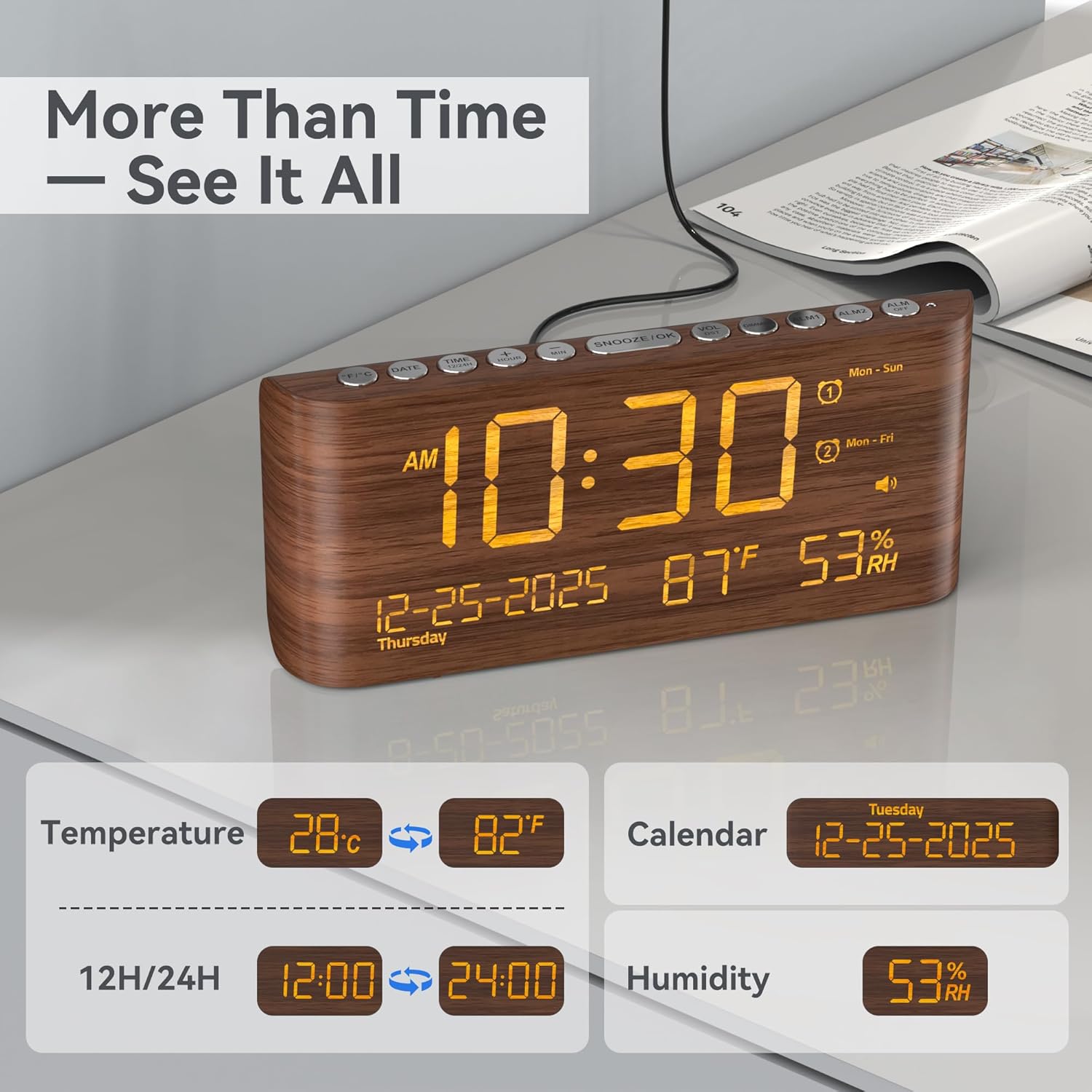
Image: The clock displaying current time, date, temperature in Fahrenheit and Celsius, and humidity percentage.
Setting Alarms (Alarm 1 and Alarm 2)
The clock supports two independent alarms with four setting modes: Everyday (Mon-Sun), Weekdays (Mon-Fri), Weekends (Sat-Sun), or One-Time.
- Press and hold ALM1 or ALM2 button until the alarm time flashes.
- Use +HOUR and -MIN buttons to set the desired alarm time.
- Press ALM1 or ALM2 again to select the alarm mode (Mon-Sun, Mon-Fri, Sat-Sun, One Time).
- Press ALM1 or ALM2 one more time to confirm and activate the alarm. An alarm icon will appear on the display.
- To turn off an alarm, press the corresponding ALM OFF button.

Image: The clock illustrating the dual alarm feature with four setting modes: Mon-Sun, Mon-Fri, Sat-Sun, and One Time.
Adjusting Alarm Volume
The alarm volume can be adjusted from 65dB to 120dB.
- While the alarm is sounding, press the VOL/DST button to cycle through volume levels.
- Alternatively, you can adjust the volume during normal operation by pressing the VOL/DST button.

Image: The clock displaying the adjustable volume range from 65dB to 120dB, suitable for various preferences.
Snooze Function
When the alarm sounds, press the large SNOOZE/OK button to activate the 9-minute snooze function. The alarm will sound again after 9 minutes. To cancel snooze and turn off the alarm for the day, press any other button.
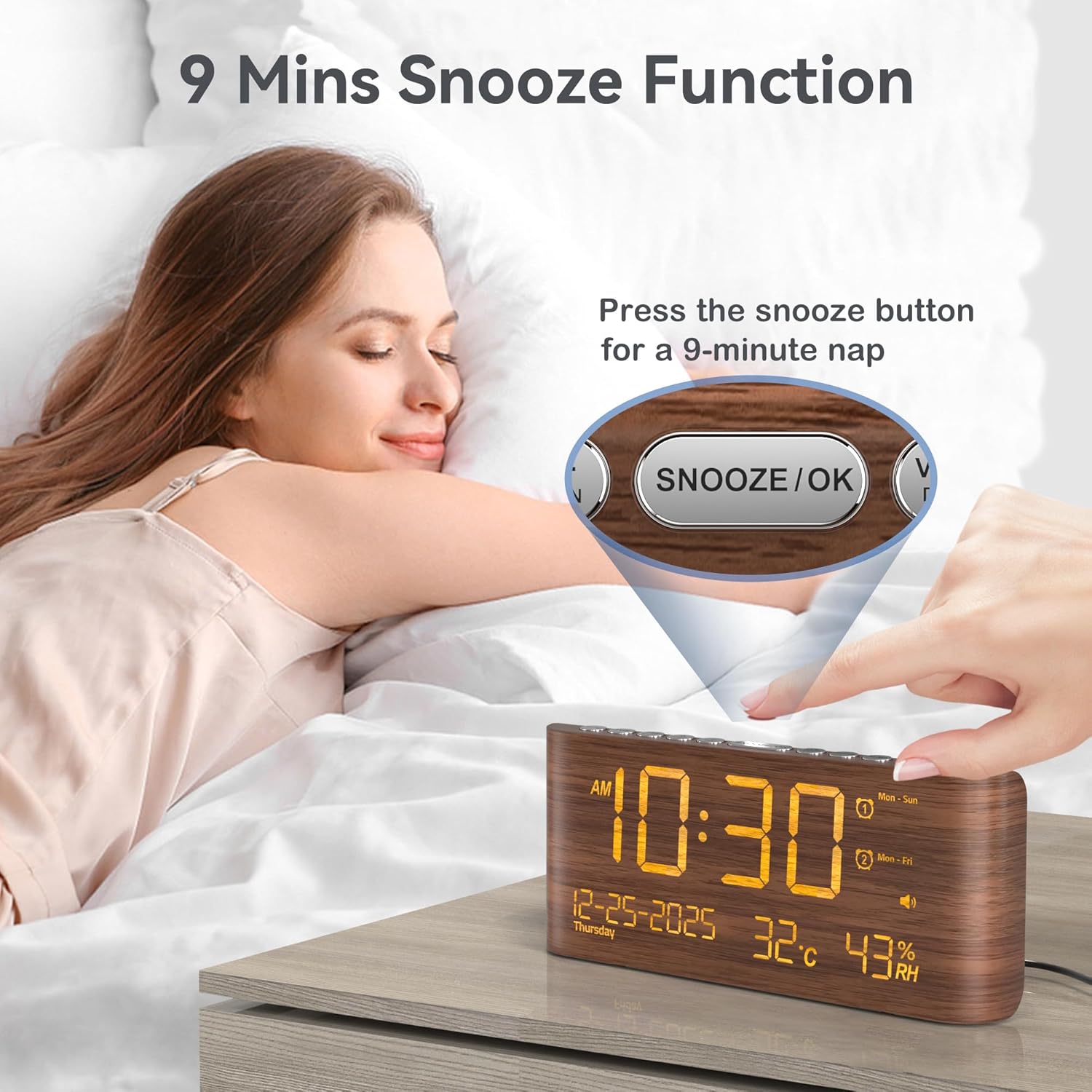
Image: A hand pressing the SNOOZE/OK button on the Mesqool Digital Alarm Clock, activating the 9-minute snooze function.
Display Brightness Adjustment
The display brightness can be adjusted across 5 levels.
- Press the DIMMER button repeatedly to cycle through the 5 brightness levels.

Image: Five different displays of the Mesqool Digital Alarm Clock, each showing a distinct brightness level from dimmest to brightest.
Using the Charging Ports
The clock features a USB-A port and a Type-C port for charging external devices simultaneously.
- Connect your device's charging cable to either the USB-A or Type-C port on the back of the alarm clock.
- Ensure the alarm clock is powered on for the charging ports to function.

Image: The Mesqool Digital Alarm Clock with a smartphone and earbuds charging simultaneously via its USB-A and Type-C ports.
Official Product Video
Video: An official product video from Mesqool demonstrating the features and functionality of the Digital Alarm Clock with Temperature and Humidity display.
Maintenance
- Clean the clock with a soft, dry cloth. Do not use abrasive cleaners or solvents.
- Avoid exposing the clock to extreme temperatures, direct sunlight, or high humidity.
- Ensure the clock is placed on a stable surface to prevent accidental falls.
- If the clock will not be used for an extended period, remove the backup batteries to prevent leakage.
Troubleshooting
| Problem | Possible Cause | Solution |
|---|---|---|
| Display is blank | No power connection or power outage. | Ensure the AC adapter is securely plugged in. Check the power outlet. If using battery backup, the display will not light up, only settings are saved. |
| Alarm does not sound | Alarm is not activated or volume is too low. | Verify the alarm icon is displayed. Check alarm settings and increase volume using the VOL/DST button. |
| Time/Settings reset after power outage | Backup batteries are not installed or are depleted. | Install new AAA batteries for backup. |
| Charging ports not working | Clock is not powered or cable is faulty. | Ensure the clock is connected to AC power. Try a different charging cable. |
Specifications
- Brand: Mesqool
- Model: MQL-CR1019
- Color: Brown
- Display Type: Digital
- Screen Size: 8.7 inches
- Product Dimensions: 8.07"W x 3.62"H
- Power Source: Corded Electric (AC adapter included)
- Battery Backup: 2x AAA batteries (not included)
- Special Features: Calendar Display, Temperature Display, Humidity Display, Dual Alarm, Large Screen Display, Loud Alarm (65-120dB), 5-Level Dimmable Display, 9-Minute Snooze
- Connectivity Technology: USB-A, Type-C (charging ports)
- Frame Material: Wood (finish)
Warranty and Support
This Mesqool Digital Alarm Clock comes with an 18-month warranty from the date of purchase. If you encounter any issues or have questions regarding your product, please contact Mesqool customer support through the retailer where you purchased the item or visit the official Mesqool website for assistance.
Manufacturer: Mesqool E-commerce Co,ltd