
1. Introduction
This manual provides essential information for the safe and efficient operation of your FULODE 2CH-PA Professional 2-Channel Power Amplifier. This amplifier is designed to deliver powerful and clear audio for various applications, including live events, DJ setups, and studio environments. Please read this manual thoroughly before use to ensure proper setup and to maximize the performance and longevity of your equipment.
2. Safety Information
To prevent electric shock, fire, or damage to the unit, please observe the following safety precautions:
- Power Source: Connect the unit only to an AC power outlet of the specified voltage. Ensure the power cord is securely plugged in.
- Grounding: Always use a power cord with a grounded plug. Do not defeat the safety purpose of the grounding-type plug.
- Ventilation: Ensure adequate ventilation. Do not block ventilation openings. Maintain at least 10 cm (4 inches) of clear space around the unit for proper airflow.
- Heat: Do not install near any heat sources such as radiators, heat registers, stoves, or other apparatus (including amplifiers) that produce heat.
- Water and Moisture: Do not expose this appliance to rain or moisture. Do not place objects filled with liquids, such as vases, on the apparatus.
- Servicing: Do not attempt to service this product yourself. Refer all servicing to qualified service personnel.
- Cables: Route all cables carefully to prevent tripping hazards and damage.
3. Product Overview
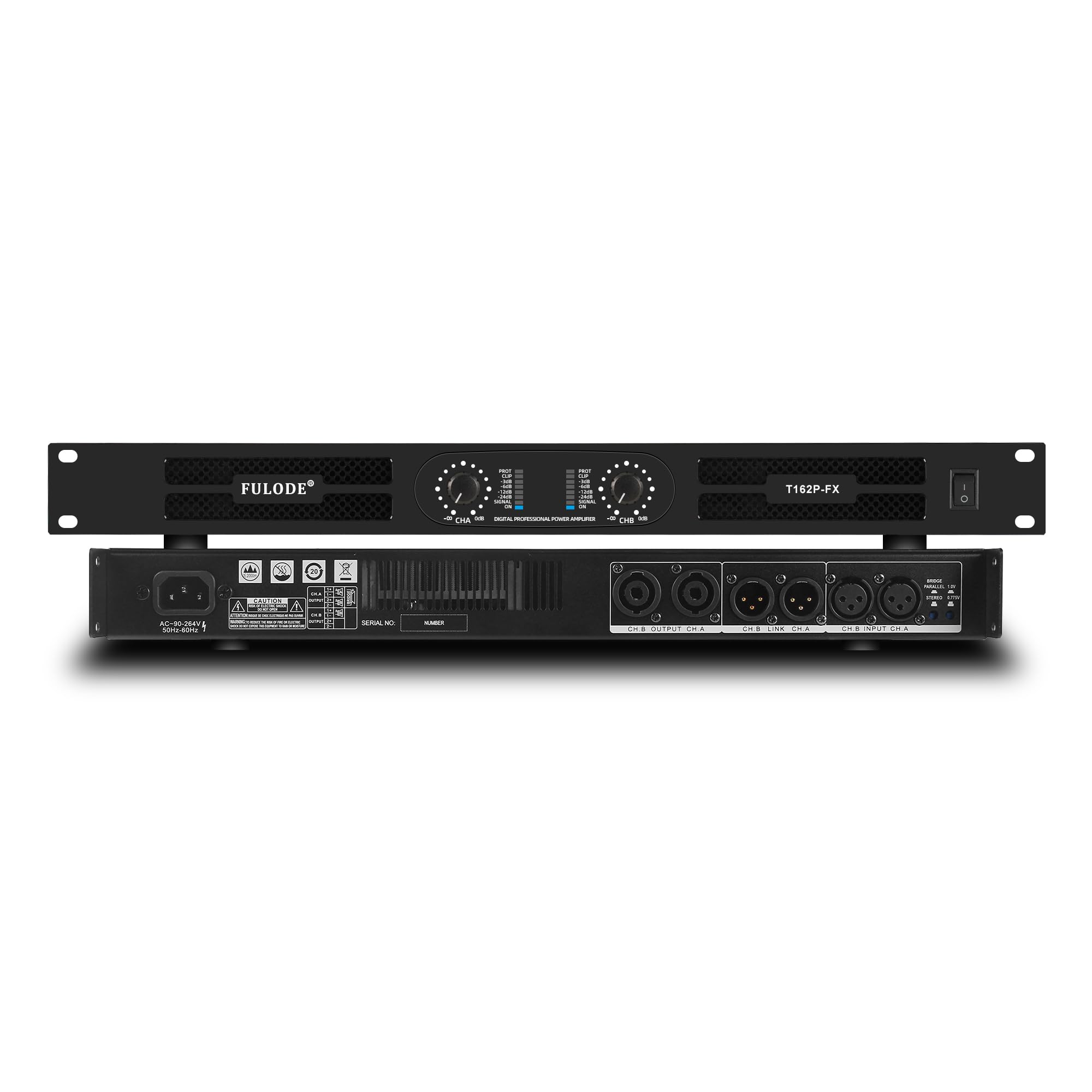
The FULODE 2CH-PA amplifier features advanced Class-D technology for high efficiency and a compact 1U rackmount design. Key features include:
- High-Efficiency Power: Delivers up to 2 x 1500W RMS at 4Ω or 2 x 1000W RMS at 8Ω.
- Class-D Technology: Ensures superior power efficiency and a lightweight design.
- Versatile Operation Modes: Supports Stereo, Bridge, and Parallel modes for flexible system configurations.
- Professional Connectivity: Equipped with 2 XLR inputs and 2 Speakon outputs.
- Comprehensive Protection: Includes intelligent protection against overload, overheat, DC faults, and short circuits, along with an integrated limiter.
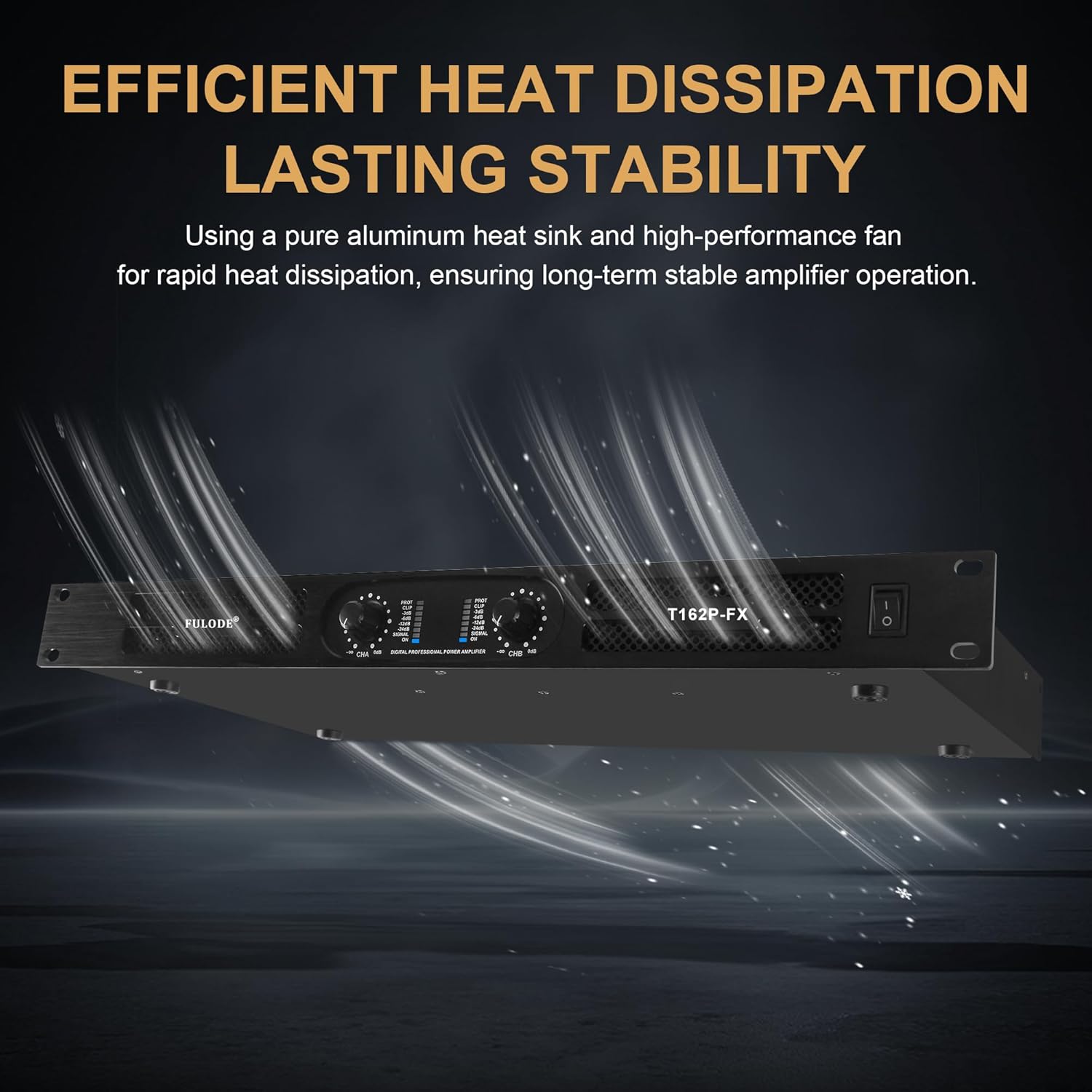
- Cooling System: Features a variable-speed cooling fan and high-efficiency heat sink for stable operation.
- Durable Construction: Housed in a rugged all-metal 1U rackmount chassis.

4. Setup
4.1 Unpacking and Inspection
Carefully remove the amplifier from its packaging. Inspect the unit for any signs of damage that may have occurred during transit. If damage is found, contact your dealer immediately.
4.2 Rack Mounting
The FULODE 2CH-PA is designed for standard 1U rack mounting. Secure the amplifier to a rack using appropriate rack screws. Ensure there is sufficient space for ventilation around the unit.
4.3 Connecting Audio Sources
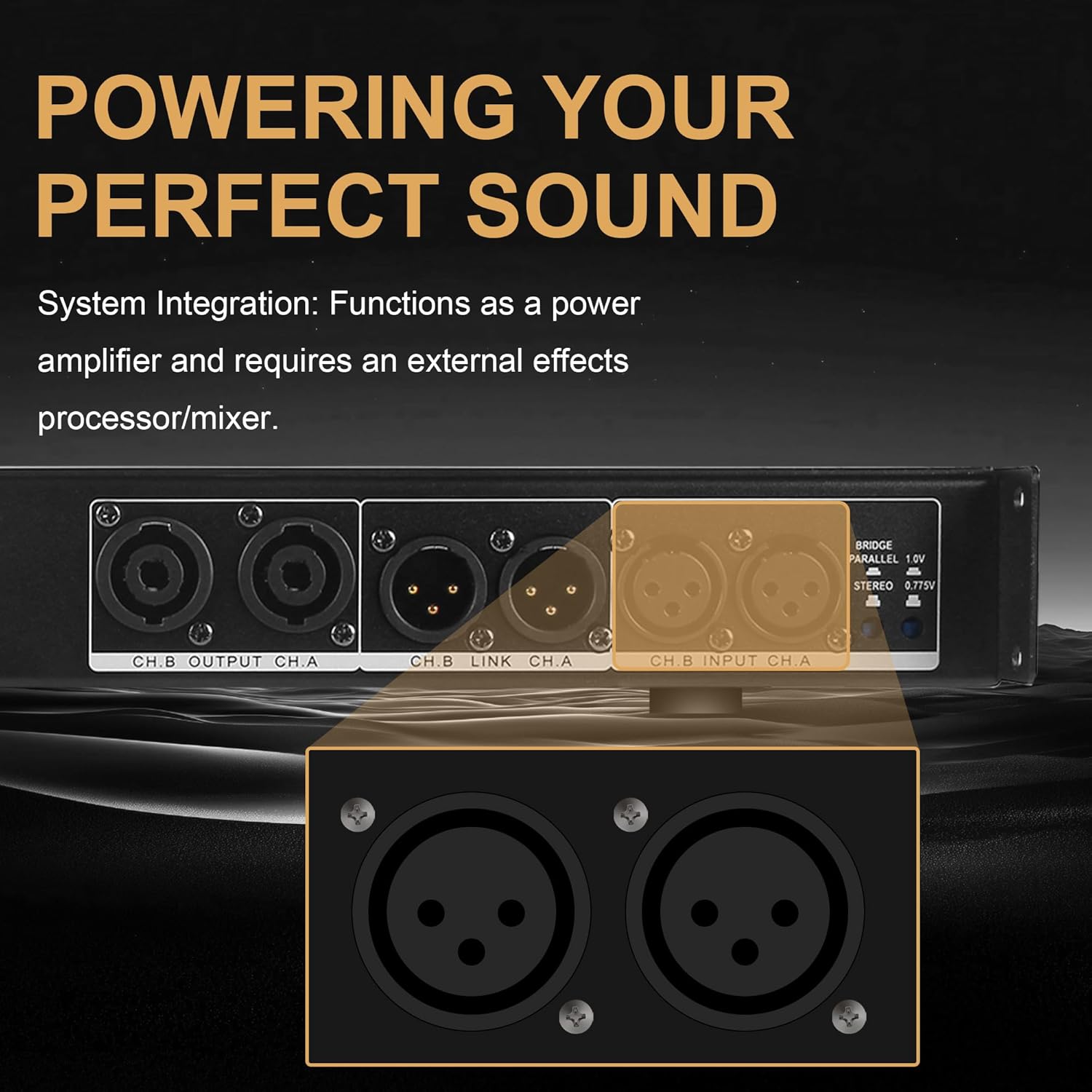
Connect your audio source (e.g., mixer, audio interface) to the amplifier's XLR input connectors (CH.A INPUT, CH.B INPUT) on the rear panel. Use high-quality XLR cables for optimal signal integrity.
4.4 Connecting Speakers
Connect your speakers to the Speakon output connectors (CH.A OUTPUT, CH.B OUTPUT) on the rear panel. Ensure correct polarity and use appropriate gauge speaker cables for your setup.
4.5 Power Connection
Connect the provided AC power cord to the amplifier's power inlet and then to a suitable grounded AC power outlet. Ensure the power switch on the front panel is in the OFF position before connecting to power.
4.6 Operating Mode Selection
The amplifier supports three operating modes: Stereo, Parallel, and Bridge. Select the desired mode using the STEREO/PARALLEL/BRIDGE switch on the rear panel. Always turn off the amplifier and set volume knobs to minimum before changing modes.
- Stereo Mode (Default): Set the switch to STEREO (button released). Input signal to CH.A outputs to CH.A, and input signal to CH.B outputs to CH.B. Each channel operates independently.
- Parallel Mode: Press the switch to select PARALLEL mode. Input signal to CH.A or CH.B; both channels receive the same signal and have independent level control.
- Bridged Mode: Press the switch to select BRIDGED mode. Use INPUT CH.A only and wire the speaker to +1 / -2 of the CH.A Speakon output for mono, high-power output.

4.7 Connection Diagram Example

4.8 Video: Product Overview and Setup
5. Operating Instructions
5.1 Powering On/Off
- Ensure all connections are secure and volume controls are set to minimum.
- Flip the power switch on the front panel to the ON position. The amplifier will undergo a 3-second soft-start delay.
- To power off, set the power switch to the OFF position.
5.2 Adjusting Gain Controls
Each channel (CH.A and CH.B) has an independent gain control knob on the front panel. Slowly increase the gain to achieve the desired output level. Monitor the signal and limit indicators to prevent clipping.
5.3 Understanding Indicators
- SIGNAL LED: Illuminates when an audio signal is present on the respective channel.
- LIMIT LED: Illuminates when the output signal is approaching clipping. Reduce the gain if this LED frequently lights up to prevent distortion and speaker damage.
- PROTECT LED: Illuminates if the amplifier enters protection mode due to overload, overheat, DC fault, or short circuit. The amplifier will mute output until the condition is resolved.
6. Maintenance
6.1 Cleaning
Regularly clean the exterior of the amplifier with a soft, dry cloth. Do not use abrasive cleaners, solvents, or waxes. Ensure ventilation openings are free from dust and debris.
6.2 Ventilation
Periodically check that the cooling fan is operating correctly and that airflow is not obstructed. Proper ventilation is crucial for maintaining optimal operating temperatures and preventing overheating.
6.3 Cable Management
Ensure all audio and power cables are in good condition and properly routed to avoid strain or damage. Damaged cables can lead to poor performance or safety hazards.
7. Troubleshooting
If you encounter issues with your FULODE 2CH-PA amplifier, refer to the following common problems and solutions:
| Problem | Possible Cause | Solution |
|---|---|---|
| No power | Power cord disconnected; power outlet faulty; power switch off; internal fuse blown. | Check power cord connection; try a different outlet; ensure power switch is ON; contact service for fuse replacement. |
| No sound output | Input cables disconnected; speaker cables disconnected; gain set to minimum; incorrect mode selection; PROTECT LED active. | Verify all cable connections; increase gain; check mode switch; if PROTECT LED is on, resolve the fault condition (e.g., short circuit, overheating). |
| Distorted sound | Input signal too high; amplifier overloaded (LIMIT LED active); faulty cables; speaker impedance mismatch. | Reduce input signal level; lower amplifier gain; check and replace faulty cables; ensure speaker impedance matches amplifier specifications. |
| Overheating / PROTECT LED active | Insufficient ventilation; prolonged high-power operation; short circuit in speaker wiring. | Ensure clear ventilation paths; reduce output level; check speaker wiring for shorts. Allow unit to cool down. |
8. Specifications
The following table details the technical specifications of the FULODE 2CH-PA Professional 2-Channel Power Amplifier:
| Feature | Specification |
|---|---|
| Rated Power (8Ω) | 2 x 800W |
| Rated Power (4Ω) | 2 x 1500W |
| Rated Power (Bridged 8Ω) | 1 x 1500W |
| Frequency Response | 15Hz-20KHz (+1dB) |
| Total Harmonic Distortion (THD) | <0.1% |
| Slew Rate | 28V/MS |
| Damping Factor | >240 (1KHz, 8Ω) |
| Signal-to-Noise Ratio (SNR) | 110dB |
| Input Sensitivity | 0.775V/1V |
| Input Impedance | (BALANCED) 20K ohm (UNBALANCED) 10K ohm |
| Power Supply Voltage | AC~90V-264V 50HZ-60HZ |
| Item Weight | 11.38 pounds (5.16 kg) |
| Product Dimensions | 19.01 x 9.25 x 1.97 inches (48.3 x 23.5 x 5 cm) |

9. Warranty and Support
FULODE products are designed for reliability and performance. This product comes with a limited warranty against defects in materials and workmanship. For specific warranty terms and conditions, please refer to the warranty card included with your product or visit the official FULODE website.
For technical support, troubleshooting assistance, or service inquiries, please contact FULODE customer support through the contact information provided on the official website or your purchase documentation. When contacting support, please have your product model number (2CH-PA) and purchase date available.