
1. Introduction
This manual provides detailed instructions for the installation, operation, and maintenance of your Loocam 8CH 4K PoE Security Camera System. This system is designed to provide comprehensive surveillance with advanced features for home and business security.
Key Features:
- 8MP 4K Ultra HD Resolution: Captures clear images and video, day and night.
- Smart AI Detection: Distinguishes between people and vehicles to reduce false alarms.
- Two-Way Audio: Enables communication through the camera's built-in microphone and speaker.
- Plug-and-Play PoE Setup: Simplifies installation with a single cable for power and data.
- 2TB HDD & H.265+ NVR: Provides secure local storage with efficient video compression.
- Weatherproof Design: IP66-rated cameras for reliable outdoor performance.
- Scalable 16-Channel System: Supports expansion up to 16 cameras.
Package Contents:
- 1x 8-Channel 8MP NVR with 2TB Hard Drive Pre-installed
- 8x 8MP 4K PoE Cameras
- 8x Camera Power Adapters
- 1x NVR Power Adapter
- 1x Ethernet Cable
- 1x HDMI Cable
- 1x USB 2.0 Mouse
2. Setup
Follow these steps to set up your Loocam 8CH 4K PoE Security Camera System.
2.1 Initial Connection
- Connect the NVR to a monitor using the provided HDMI cable.
- Connect the USB mouse to the NVR.
- Connect the NVR to your router using the provided Ethernet cable for network access.
- Connect the NVR power adapter and power on the system.
2.2 Camera Installation
The PoE (Power over Ethernet) cameras simplify installation by using a single Ethernet cable for both power and video transmission.
- Mount each camera in your desired location, ensuring a clear field of view.
- Connect one end of an Ethernet cable to the camera's PoE port.
- Connect the other end of the Ethernet cable to an available PoE port on the NVR. The camera will automatically power on and connect to the NVR.

Image: Loocam 4K PoE Security Camera System demonstrating 8MP 3840x2160 resolution and 100ft night vision for clear day and night monitoring.

Image: Diagram illustrating the connection of PoE cameras to the NVR, highlighting the simplicity of the wired setup.
2.3 System Expansion
The NVR supports up to 8 channels directly. To expand the system to 16 channels, an additional PoE switch is required. Connect the PoE switch to the NVR via an Ethernet cable, then connect additional cameras to the PoE switch.

Image: An overview of the Loocam PoE camera system, showing the NVR and multiple cameras, illustrating the system's expandability.
3. Operating
This section covers the main operational features of your security camera system.
3.1 Live View and Recording
Once connected, the NVR will display live feeds from all connected cameras. The system supports 24/7 continuous recording, scheduled recording, and alarm-triggered recording.

Image: A monitor displaying live feeds from multiple cameras, indicating 24/7 recording capability.
3.2 Smart AI Detection
The system features advanced AI that can accurately detect and distinguish between human and vehicle movements, minimizing false alarms from other movements like animals or swaying branches. Alerts are sent to your connected smartphone.
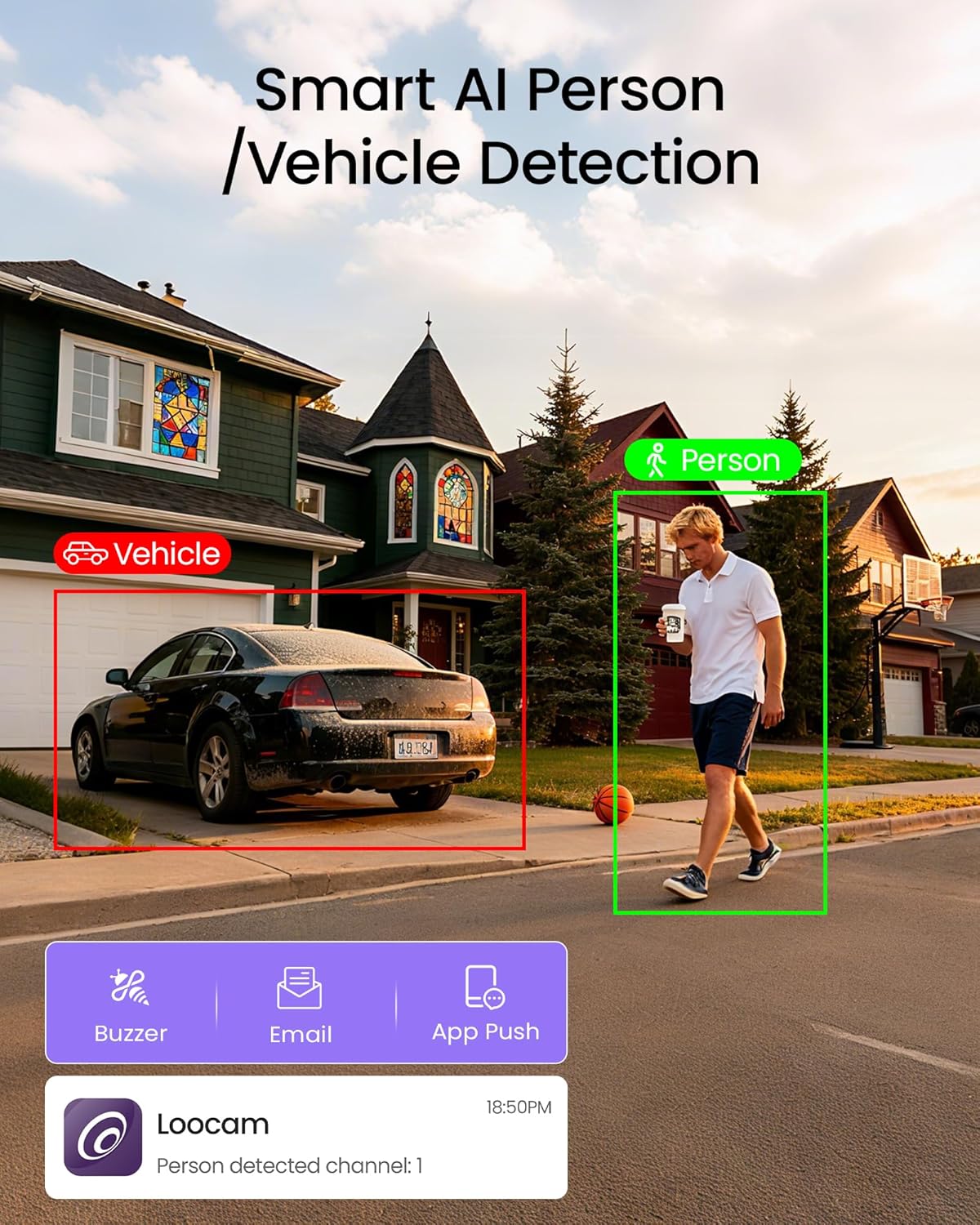
Image: A scene showing a person and a vehicle with detection boxes, illustrating the AI's ability to identify specific objects and send alerts.
3.3 Two-Way Audio
Each camera is equipped with a microphone and speaker, allowing for real-time two-way communication. Use the mobile app to speak to visitors or deter intruders directly.
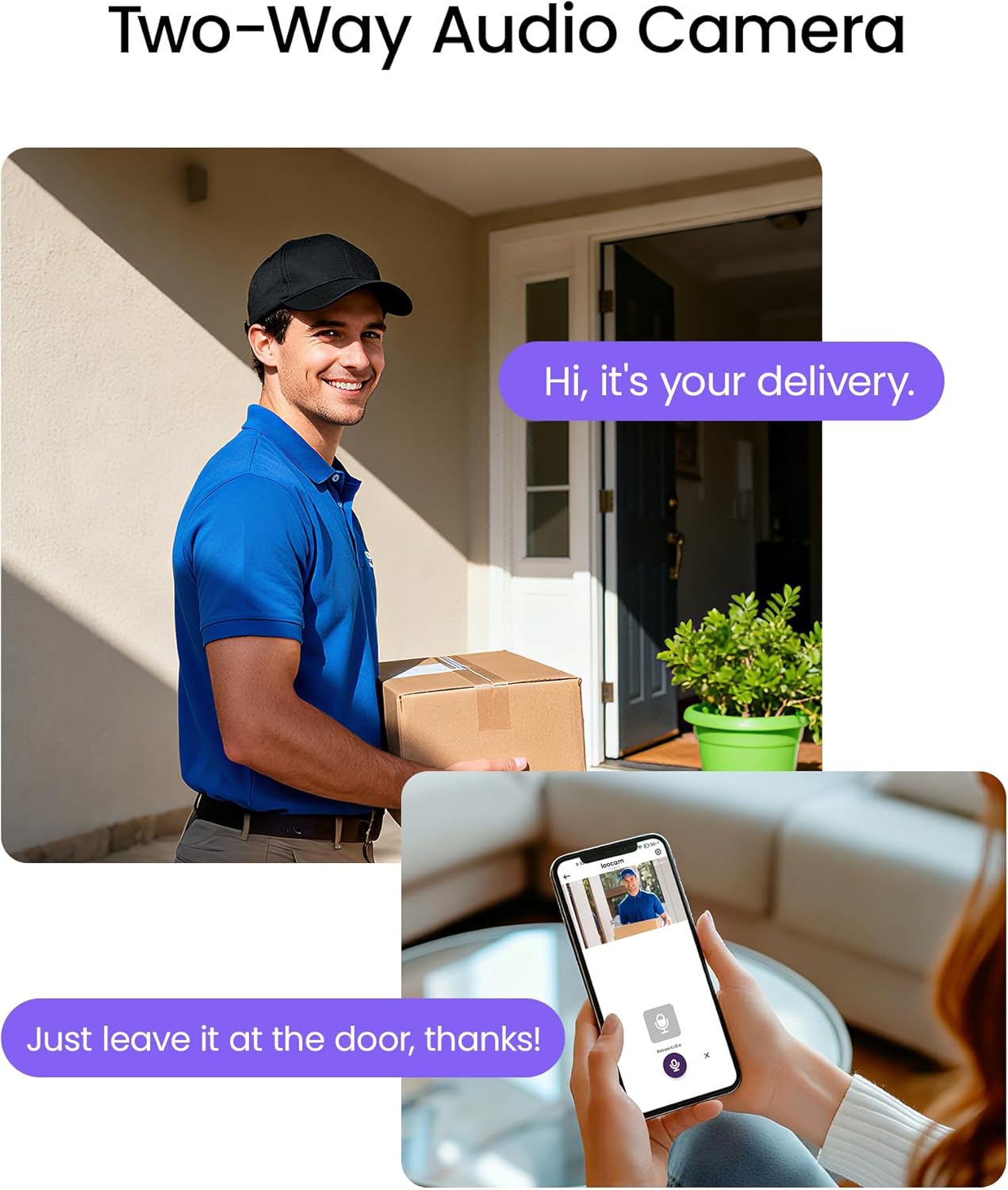
Image: A person speaking through a smartphone app to someone at their doorstep, demonstrating the two-way audio feature.
3.4 Privacy Masking
To protect privacy, you can define up to 5 privacy zones within the camera's view. These areas will be masked in the video feed, ensuring sensitive areas are not recorded.

Image: A house with designated 'Privacy Mask' zones and a 'Detection Zone', illustrating how specific areas can be excluded from surveillance.
3.5 Video Playback
Recorded footage can be reviewed via timeline playback or event-based playback through the NVR interface or mobile application.

Image: Screenshots showing scheduled, motion, and continuous recording options, along with timeline and event playback interfaces.
3.6 AI-Driven Passenger Flow Statistics (Business Intelligence)
For business applications, the system can analyze foot traffic, providing data on customer flow within defined zones. This feature offers insights for optimizing store layouts and operations.

Image: A retail store view with a person highlighted for detection and a graph showing statistical data for passenger flow.
3.7 Official Product Video
Video: An official Loocam video demonstrating the features of the CCTV camera security system, including 4K resolution, night vision, AI detection, and two-way audio. This video provides a visual overview of the system's capabilities.
4. Maintenance
Proper maintenance ensures the longevity and optimal performance of your security system.
4.1 Hard Drive Management
The NVR comes with a pre-installed 2TB HDD for continuous recording. The system supports expansion up to 8TB. Regularly check the hard drive status through the NVR interface to ensure sufficient storage space. Older footage will be overwritten automatically when the disk is full, based on your recording settings.
4.2 H.265+ Video Compression
The system utilizes H.265+ encoding, which significantly maximizes storage efficiency and ensures smooth playback. This advanced compression technology allows for longer recording times with the same storage capacity compared to older H.264 standards.

Image: A comparison illustrating the storage efficiency of H.265+ compression over H.264, showing how H.265+ requires less storage for the same video quality.
4.3 Camera Cleaning
Periodically clean the camera lenses with a soft, damp cloth to remove dust, dirt, or water spots that may obstruct the view. Avoid using harsh chemicals.
4.4 Weather Resistance
The cameras are IP66-rated for weather resistance, designed to withstand various outdoor conditions. Ensure all cable connections are secure and waterproofed during installation to maintain this rating.

Image: An outdoor camera shown in rainy conditions, highlighting its weatherproof design and durability.
5. Troubleshooting
Refer to this section for common issues and their solutions.
5.1 No Video Display
- Check Power: Ensure the NVR and cameras are properly powered.
- Cable Connections: Verify all HDMI and Ethernet cables are securely connected.
- Monitor Input: Confirm your monitor is set to the correct input source (e.g., HDMI 1).
5.2 No Network Connection
- Ethernet Cable: Ensure the Ethernet cable between the NVR and router is connected and undamaged.
- Router Status: Check if your router is functioning correctly and has internet access.
- NVR Network Settings: Access the NVR's network settings to confirm DHCP is enabled or static IP is correctly configured.
5.3 False AI Detections
- Adjust Sensitivity: Reduce the detection sensitivity in the NVR or app settings.
- Define Privacy Zones: Use privacy masking to exclude areas with frequent non-human/vehicle movement (e.g., trees, busy roads).
- Camera Placement: Re-angle the camera to minimize detection of irrelevant areas.
5.4 Two-Way Audio Issues
- Volume Settings: Check the volume levels on both the NVR/app and the camera.
- Microphone/Speaker Obstruction: Ensure nothing is blocking the camera's microphone or speaker.
- Network Stability: A stable internet connection is crucial for clear two-way audio.
6. Specifications
| Feature | Detail |
|---|---|
| Brand | Loocam |
| Model Number | LC8P8B-8W82S-220 |
| Connectivity Technology | Wired (PoE) |
| Video Capture Resolution | 4K (8MP) |
| Number of Channels | 8 (Expandable to 16 with PoE switch) |
| Memory Storage Capacity | 2 TB HDD (Expandable to 8 TB) |
| Power Source | DC |
| Operating System | Proprietary/Embedded OS |
| Compatible Devices | Laptops, Personal Computers, Smartphones, TV, Tablets |
| Signal Format | Digital |
| Camera Description | 8MP 4K Ultra HD, Weatherproof (IP66), Dome Type |
| Night Vision Range | 100 Feet |
| Recording Mode | Event, Schedule, Continuous |
| Optical Sensor Technology | CMOS |
| Hardware Interface | Ethernet |
| Lens Type | Wide Angle |
| Video Input | RJ45 |
| Color | White |
| Item Dimensions (NVR) | 13 x 11 x 11.81 inches (approximate) |
7. Warranty and Support
Loocam is committed to providing reliable products and excellent customer service.
7.1 Warranty Information
- 30-Day Money Back Guarantee: If you are not satisfied with your purchase, you may return it within 30 days for a full refund.
- 2-Year Limited Warranty: Your Loocam security camera system is covered by a 2-year limited warranty against manufacturing defects.
7.2 Technical Support
- 24/7 Online Support: Access our support resources and contact our team anytime for assistance.
- Lifetime Technical Support: Loocam provides lifetime technical support for all its products.
For further assistance, please visit the official Loocam website or contact our customer service team.

Image: An illustration detailing Loocam's customer support commitments, including warranty and technical assistance.


