
1. Introduction
Thank you for choosing the OasiSmile Sonic Electric Toothbrush WL-T1006. This manual provides essential information for the safe and effective use of your new toothbrush. Please read it thoroughly before first use and retain it for future reference. This sonic toothbrush is designed to provide a deep and efficient clean, contributing to improved oral hygiene.
2. Package Contents
Please check the package contents to ensure all items are present:
- 1 x OasiSmile Sonic Electric Toothbrush Handle
- 4 x Replacement Brush Heads
- 1 x USB Charging Cable
- 1 x User Manual (this document)

Image 2.1: Contents of the OasiSmile Sonic Electric Toothbrush package, including the handle, four brush heads, and charging cable.
3. Product Features
The OasiSmile Sonic Electric Toothbrush WL-T1006 incorporates advanced technology for superior oral care:
- 41,000 VPM High-Efficiency Cleaning: Utilizes ultrasonic technology for deep plaque removal.
- 5 Professional Cleaning Modes: Offers tailored brushing experiences for various oral needs.
- 100-Day Extended Battery Life: Long-lasting power for convenience, especially during travel.
- 2-Minute Smart Timer with 30-Second Quadrant Reminders: Promotes dentist-recommended brushing habits.
- IPX7 Waterproof Design: Ensures safe use in wet environments.
- 4 Replacement Brush Heads: Provides a year's supply of brush heads with U-shaped bristle design.
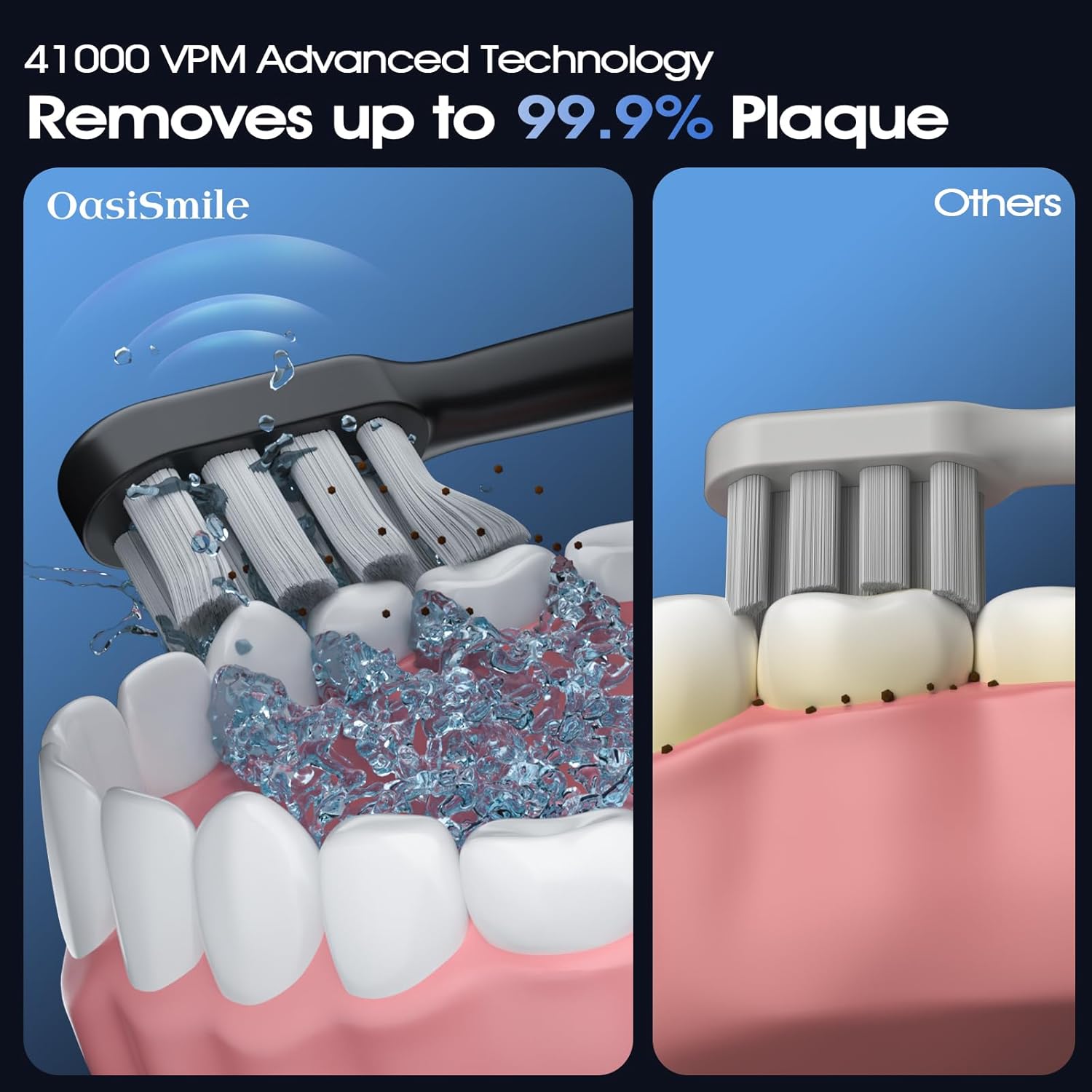
Image 3.1: Visual representation of the 41,000 VPM advanced technology effectively removing plaque from teeth and gum lines, compared to a standard brush.
4. Setup
4.1 Attaching the Brush Head
- Align the brush head with the metal shaft on the toothbrush handle.
- Push the brush head down firmly until it clicks into place. Ensure it is securely attached.

Image 4.1: A set of four replacement brush heads, highlighting their U-shaped design, dense DuPont bristles, and rounded tips for effective and gentle cleaning.
4.2 Initial Charging
Before first use, fully charge the toothbrush. Refer to Section 7 for detailed charging instructions.
5. Operating Instructions
5.1 Powering On/Off
- To power on, press the power button once.
- To power off, press and hold the power button for 2 seconds.
5.2 Changing Modes
- While the toothbrush is on, press the power button repeatedly to cycle through the 5 cleaning modes.
- The toothbrush will remember the last used mode and start in that mode the next time it is powered on.
5.3 Brushing Technique
- Wet the brush head and apply a small amount of toothpaste.
- Place the brush head against your teeth at a slight angle towards the gum line.
- Press the power button to select your desired mode.
- Gently move the brush head slowly across each tooth surface. Do not scrub aggressively.
- The smart timer will pause briefly every 30 seconds to indicate when to move to the next quadrant of your mouth.
- After 2 minutes, the toothbrush will automatically turn off.
- Rinse your mouth and the brush head thoroughly after brushing.
6. Cleaning Modes
The OasiSmile Sonic Electric Toothbrush offers five distinct cleaning modes:
- White: 41,000 VPM for eliminating stubborn plaque and whitening teeth.
- Clean: Daily clean mode to remove plaque, coffee stains, and tea stains.
- Sensitive: Gentle massage for gums and teeth, suitable for sensitive oral care needs.
- Polish: Brightens your smile by polishing tooth surfaces.
- Massage: Improves gum health by delivering soothing vibrations to gum tissue.
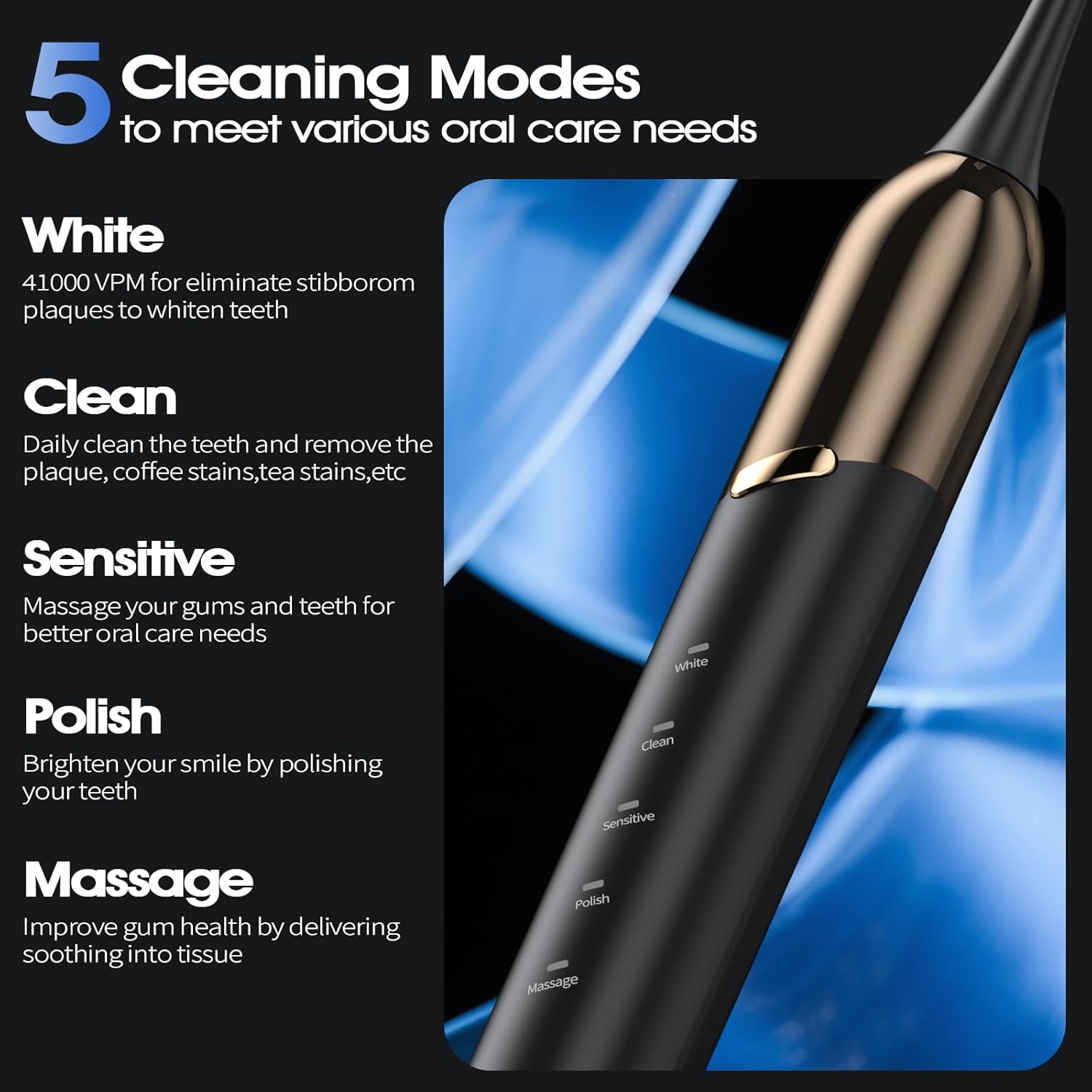
Image 6.1: Detailed descriptions of the five cleaning modes available on the OasiSmile toothbrush, with an image of the toothbrush handle showing the mode indicators.
7. Battery and Charging
7.1 Charging the Toothbrush
- Ensure the charging port cover at the bottom of the handle is securely closed before charging.
- Connect the USB charging cable to the charging port on the toothbrush handle.
- Plug the other end of the USB cable into a compatible USB power adapter (not included) or a USB port.
- The indicator light will show charging status. A full charge typically takes approximately 3 hours.
7.2 Battery Life
A single 3-hour charge provides up to 100 days of use, based on brushing twice a day for 2 minutes each time. This extended battery life makes it convenient for travel without frequent recharging.
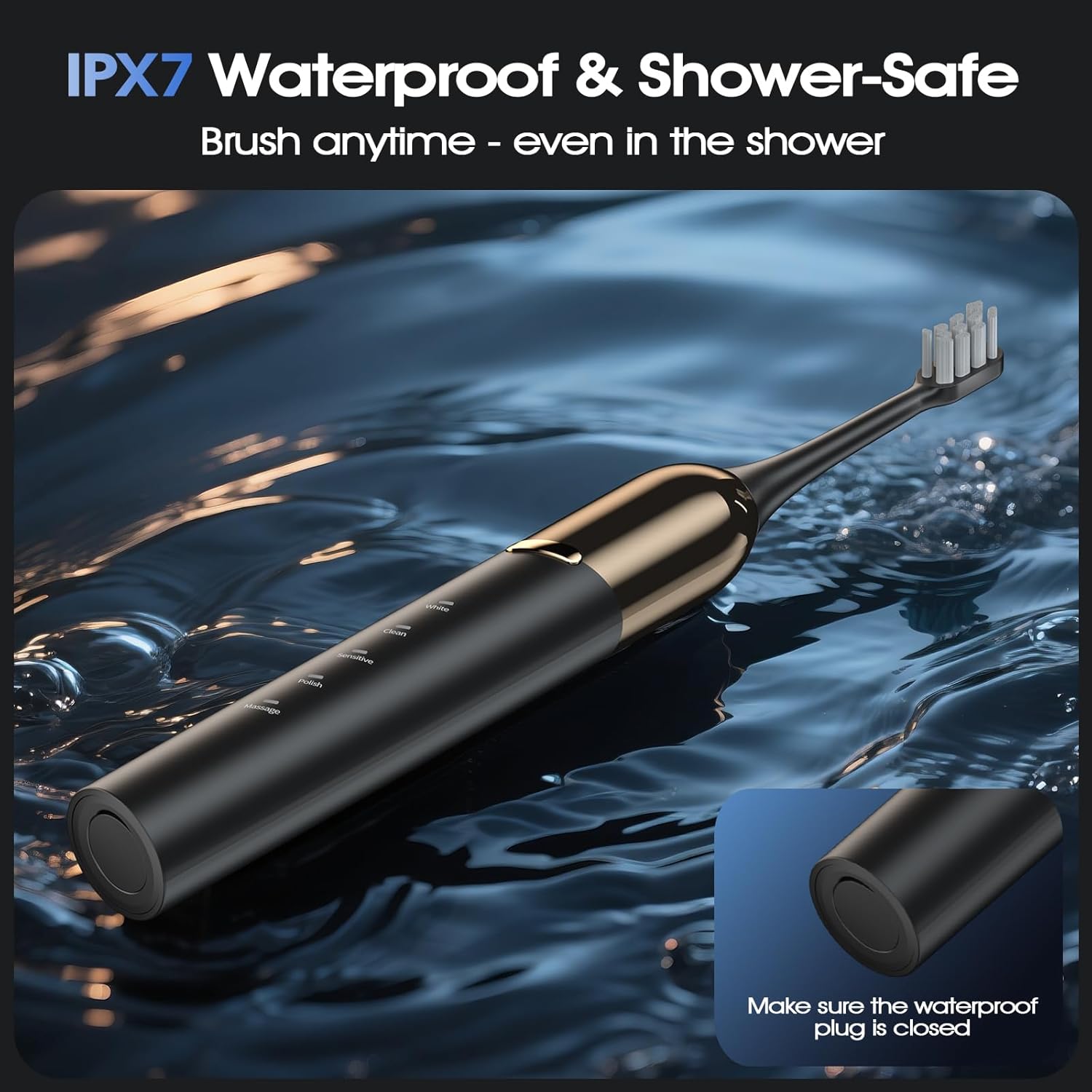
Image 7.1: The OasiSmile toothbrush connected to a USB charging cable, illustrating the charging process.

Image 7.2: A visual representation highlighting the impressive battery life: a 3-hour charge provides up to 100 days of usage, ensuring consistent cleaning power.
8. Waterproofing (IPX7)
The OasiSmile Sonic Electric Toothbrush is IPX7 waterproof, meaning it can be safely used in the bath or shower. However, ensure the charging port cover is always securely closed when the toothbrush is exposed to water to prevent internal damage.

Image 8.1: The OasiSmile toothbrush partially submerged in water, illustrating its IPX7 waterproof rating and emphasizing the importance of closing the waterproof plug.
9. Smart Timer
The built-in 2-minute smart timer ensures you brush for the dentist-recommended duration. Additionally, a 30-second quadrant reminder gently pauses the brushing action, signaling you to move to a different section of your mouth. This helps ensure thorough cleaning of all areas.
Image 9.1: A visual guide to the 2-minute smart timer and 30-second quadrant reminder system, promoting balanced and effective brushing across all areas of the mouth.
10. Maintenance
10.1 Cleaning the Toothbrush
- After each use, rinse the brush head thoroughly under running water.
- Wipe the toothbrush handle with a damp cloth. Do not immerse the handle in water for extended periods, even with its waterproof rating, to prolong its lifespan.
- Ensure no toothpaste residue accumulates around the metal shaft.
10.2 Replacing Brush Heads
It is recommended to replace the brush head every 3 months, or sooner if the bristles become frayed or worn. The package includes four replacement brush heads, providing approximately one year of use.
11. Troubleshooting
If you encounter any issues with your OasiSmile Sonic Electric Toothbrush, please refer to the following common solutions:
- Toothbrush not turning on: Ensure the battery is charged. Connect to the charger and check if the indicator light illuminates.
- Weak vibrations: The battery may be low. Charge the toothbrush fully.
- Brush head loose: Ensure the brush head is pushed down firmly onto the metal shaft until it clicks.
- Unusual noise: Check if the brush head is correctly attached. If the noise persists, contact customer support.
For issues not covered here, please contact OasiSmile customer support.
12. Specifications
| Feature | Specification |
|---|---|
| Model | WL-T1006 |
| Vibration Frequency | Up to 41,000 VPM |
| Cleaning Modes | 5 (White, Clean, Sensitive, Polish, Massage) |
| Battery Life | Up to 100 days (based on 2 min/2 times daily) |
| Charging Time | Approx. 3 hours |
| Waterproof Rating | IPX7 |
| Timer | 2-minute Smart Timer, 30-second Quadrant Reminder |
| Power Source | Battery Powered |
13. Warranty and Support
OasiSmile products are manufactured to high-quality standards. For warranty information or technical support, please refer to the warranty card included in your package or visit the official OasiSmile website. If you have any questions or require assistance, please contact our customer service team.