
1. Introduction
Thank you for choosing the ZonLi 12V Battery Operated Heated Blanket. This portable heated throw is designed to provide warmth and comfort in various outdoor and indoor settings, including camping, car travel, stadium events, and home use. It features a fast-heating system, durable waterproof and windproof materials, and a long-lasting power bank for extended use.

Image: The ZonLi 12V Battery Operated Heated Blanket shown with its included 20000mAh power bank, USB-C charging cable, car adapter, and carry bag.
Key Features:
- Fast 12V Heating System with Safety Control: Advanced carbon fiber heating technology warms up in seconds. Features 3 adjustable heat settings (113°F–158°F) and auto shut-off protection.
- IPX4 Waterproof & Windproof: Designed for outdoor conditions, repelling rain and snow while resisting wind.
- 20000mAh Rechargeable Power Bank: Provides up to 6 hours of continuous heat. Rechargeable via USB-C or car adapter.
- Premium Sherpa Fleece & Ripstop Nylon: Double-layer structure for luxurious warmth and durability, with feather-silk filling for heat retention.
- Portable and Washable: Foldable design with a branded carry bag for easy transport and storage. Machine washable for simple maintenance.
2. Setup
Connecting the Power Bank:
- Locate the zippered pocket on the blanket.
- Inside the pocket, find the power cable.
- Connect the power cable from the blanket to the output port on the 20000mAh power bank.
- Place the power bank securely inside the zippered pocket and close the zipper.

Image: Hands demonstrating how to remove the battery and cover the connector, illustrating the battery pocket location.
Initial Charging:
Before first use, fully charge the power bank using the provided USB-C cable and a compatible power adapter (not included) or the car adapter. The power bank has indicator lights to show the charge level.

Image: Visual representation of the power bank's versatility, showing it can be charged via USB-C or car adapter, and can also charge other devices.
3. Operating Instructions
Powering On and Adjusting Heat Settings:
- Once the power bank is connected, press and hold the power button on the blanket for approximately 3 seconds until the indicator light illuminates.
- The blanket will typically start on the highest heat setting (Red light).
- Press the power button briefly to cycle through the heat settings:
- Red Light: High Heat (158°F)
- White Light: Medium Heat (140°F)
- Blue Light: Low Heat (113°F)
- To turn off the blanket, press and hold the power button for approximately 3 seconds until the light turns off.
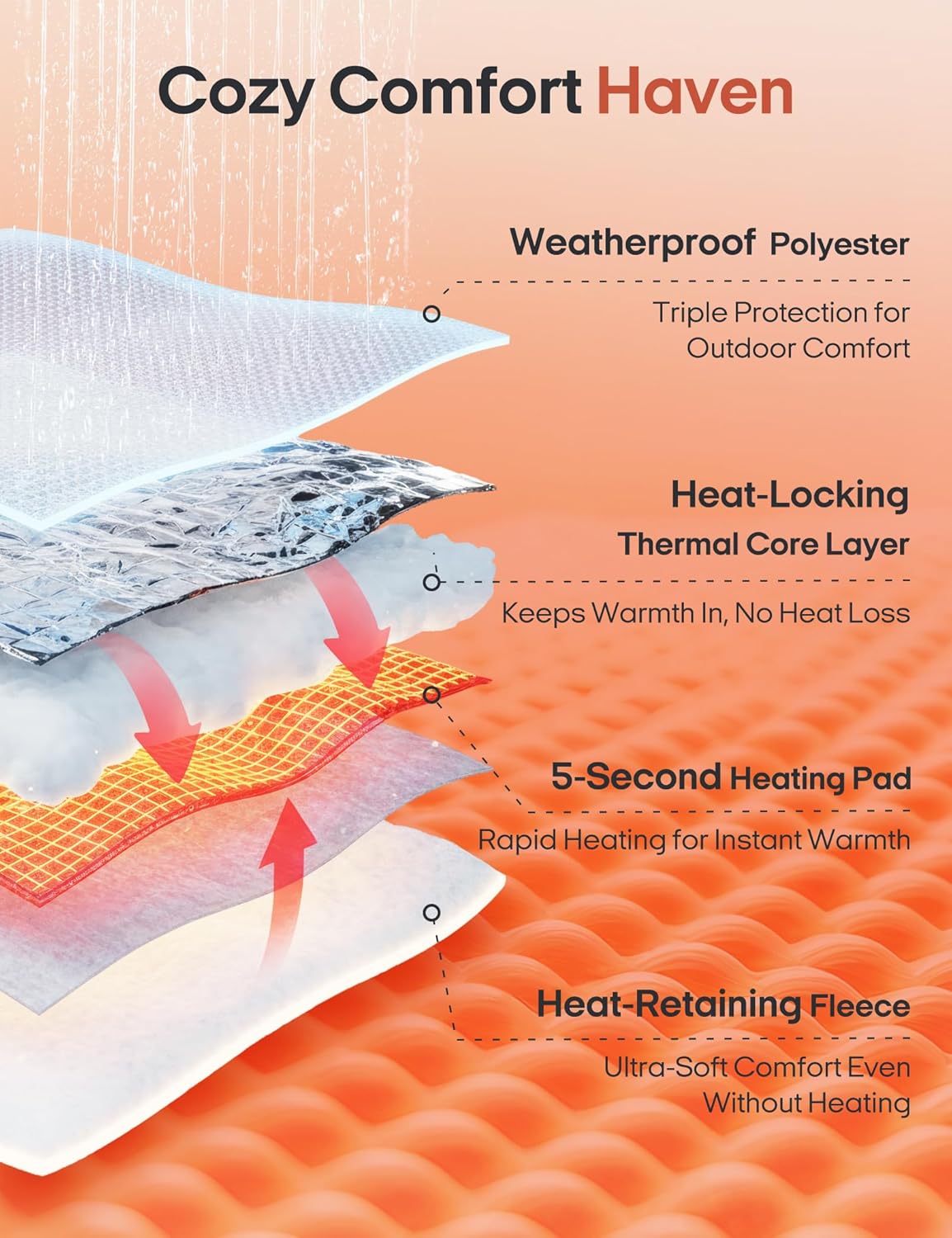
Image: Illustration of the blanket's heating elements and temperature settings.
Wearing and Usage:
The blanket can be worn like a cape or used as a traditional throw. It features snaps to secure it around your body, allowing for hands-free movement. The Sherpa fleece lining provides warmth even without the heating function activated.
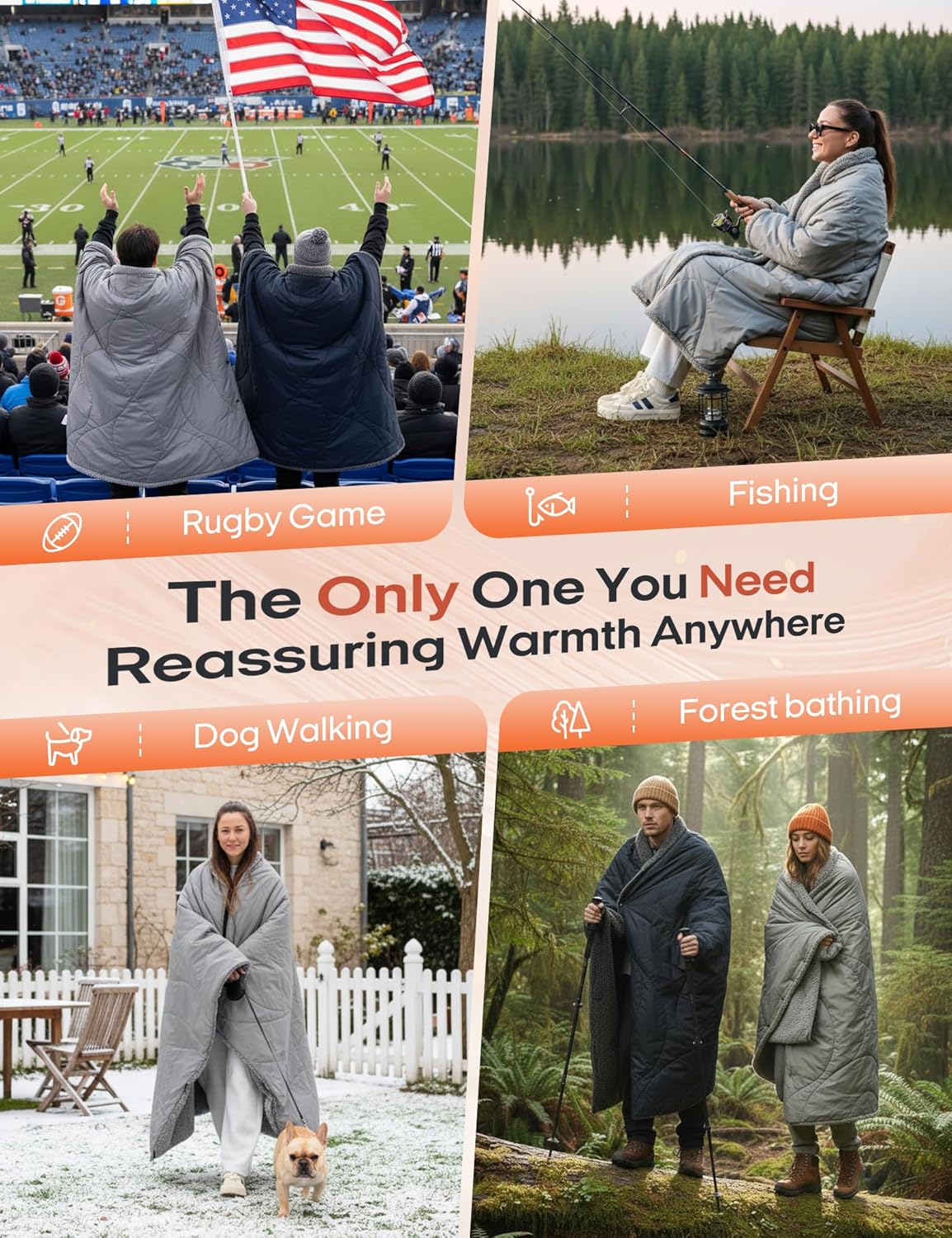
Image: Examples of the blanket being used in different outdoor activities, highlighting its versatility.
Official Product Videos:
ZonLi Portable Heated Blanket for Outdoor
Video: This video demonstrates the portability and outdoor utility of the ZonLi heated blanket, showcasing its features in various settings.
Enjoy Z-Walk anywhere
Video: This video highlights the freedom of movement and comfort provided by the Z-Walk heated blanket in different environments.
Heated Blanket Throw 3 Levels 8 Heating Zone Wearable shawl
Video: A demonstration of the heated blanket's three heat levels and its design as a wearable shawl.
Heated Blanket Battery Operated for Camping
Video: This video showcases the battery-operated heated blanket's suitability for camping and other outdoor adventures.
4. Maintenance
Washing Instructions:
To ensure the longevity of your heated blanket, follow these washing instructions carefully:
- Always remove the power bank from the zippered pocket before washing.
- Ensure the power cable connector is covered with its protective cap.
- Machine wash gently in cold water (max 30°C / 86°F).
- Do not bleach or iron.
- Air dry or tumble dry on low heat. Do not dry clean.
Image: Visual guide for proper care and washing of the heated blanket.
5. Troubleshooting
Common Issues and Solutions:
- Blanket not heating: Ensure the power bank is fully charged and correctly connected to the blanket's cable. Press and hold the power button on the blanket for 3 seconds to activate.
- Indicator light not turning on: Check if the power bank is charged. If the power bank is charged but the light doesn't turn on, try disconnecting and reconnecting the power bank.
- Short battery life: Battery life varies with heat setting. Higher settings consume more power. Ensure the power bank is fully charged before use. Cold ambient temperatures can also affect battery performance.
- Uneven heating: Ensure the blanket is laid out flat and not bunched up, which can concentrate heat in certain areas.
- Auto shut-off: The blanket has a safety auto shut-off feature. If it turns off unexpectedly, it may be due to overheating or low battery. Allow it to cool down or recharge the power bank.
6. Specifications
| Feature | Detail |
|---|---|
| Material | Sherpa, Waterproof polyester |
| Color | Grey |
| Brand | ZonLi |
| Special Feature | Cordless |
| Style | Casual |
| Blanket Form | Throw Blanket |
| Age Range (Description) | Adult |
| Product Dimensions | 10"L x 2.7"W |
| Theme | indoor |
| Pattern | Solid |
| Recommended Uses For Product | Camping, Travel |
| Seasons | All, Fall, Spring, Winter |
| Fill Material | Feather Silk |
| Product Care Instructions | Machine Wash |
| Size | 51x70 inches |
| Fabric Type | Sherpa, Waterproof Polyester |
| Unit Count | 1.0 Count |
| Number of Items | 1 |
| Fabric Warmth Description | Heavyweight |
| Model Name | OUYJ362553906 |
| Manufacturer | Kuangzan (Zhejiang) Home Co., Ltd |
| Item Weight | 4.27 pounds |
| Date First Available | October 8, 2025 |
7. Warranty and Support
ZonLi stands behind the quality of its products. For warranty information, technical support, or any inquiries regarding your heated blanket, please refer to the contact details provided on the product packaging or visit the official ZonLi website. Please retain your proof of purchase for any warranty claims.