
1. Introduction
This manual provides essential information for the safe and efficient operation of your Maidsonic M12 100W Peak Bluetooth Speaker. Please read this manual thoroughly before using the product and retain it for future reference.
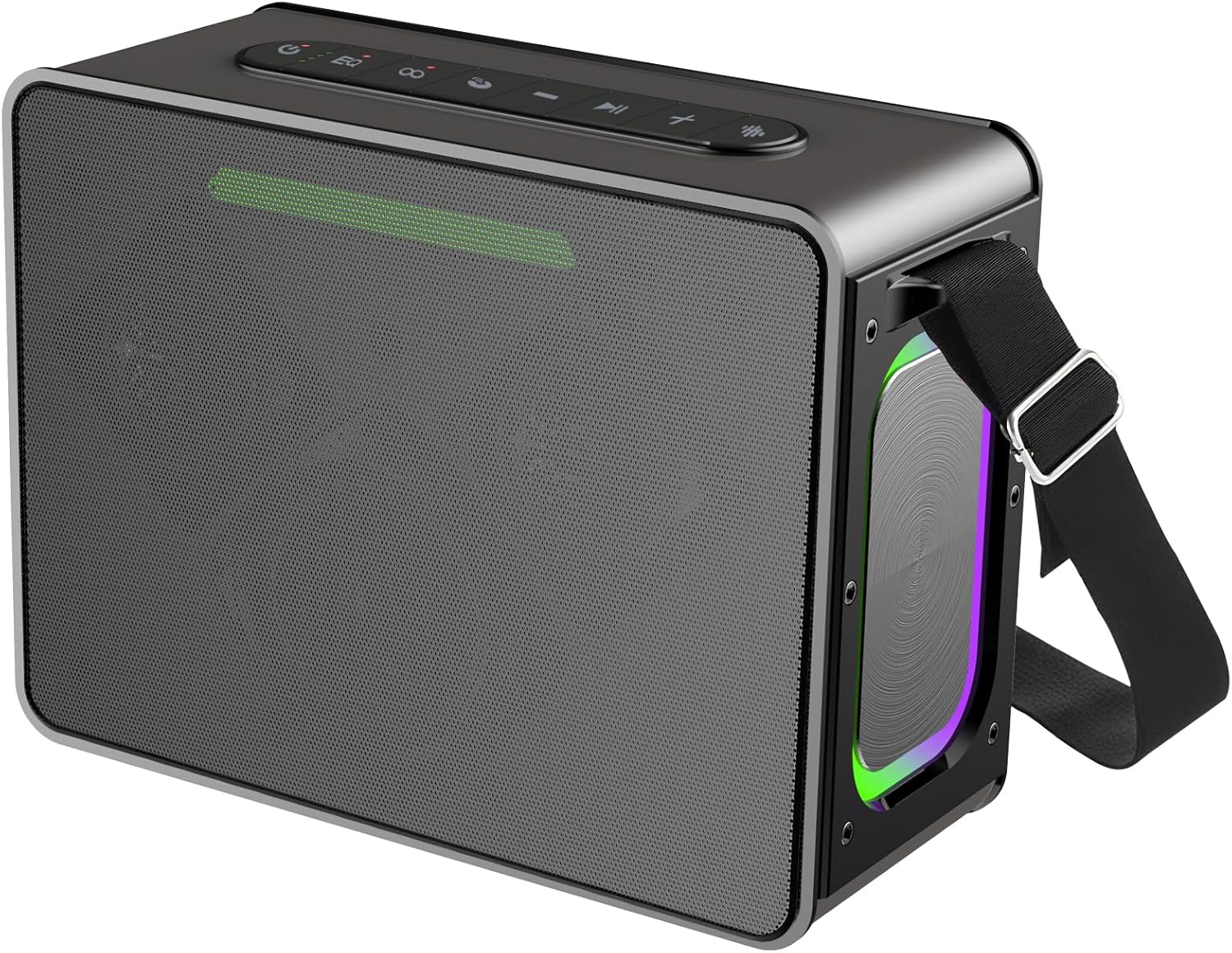
Image: The Maidsonic M12 Bluetooth Speaker, showcasing its robust design and integrated carrying strap.
2. Package Contents
Verify that all items listed below are included in your package:
- M12 Wireless Speaker x 1
- Type-C Charging Cable x 1
- Aux Cable x 1
- Shoulder Straps x 1
- User Manual x 1

Image: Illustration of the Maidsonic M12 speaker and its included accessories: charging cable, AUX cable, shoulder strap, and user manual.
3. Product Overview
3.1 Speaker Components
The M12 speaker features a robust audio system designed for clear and powerful sound reproduction.

Image: An exploded view of the speaker's internal components, highlighting the tweeter and dual woofers responsible for its 100W peak output.
3.2 Controls and Ports
Familiarize yourself with the control panel and connection ports for optimal use.

Image: Top-down view of the speaker's control panel with buttons for power, EQ, volume, playback, and LED lights. A rear view shows the various input ports.
- Power Button: Press and hold to power on/off.
- EQ Button: Cycle through different equalizer modes.
- Light Button: Control LED light modes.
- Volume Up/Next Track: Short press for volume up, long press for next track.
- Play/Pause Button: Play or pause audio.
- Volume Down/Previous Track: Short press for volume down, long press for previous track.
- Bluetooth Button: Enter Bluetooth pairing mode.
- Type-C Port: For charging the speaker.
- AUX Port: For wired audio input.
- TF Card Slot: For playing music from a MicroSD card.
- USB Port: For playing music from a USB drive.
4. Setup
4.1 Charging the Speaker
Before first use, fully charge the speaker. Connect the provided Type-C charging cable to the speaker's Type-C port and the other end to a compatible USB power adapter (not included).
- The charging indicator lights will show the charging status.
- A full charge provides up to 36 hours of playtime, depending on volume and light usage.

Image: A visual representation of the speaker's 36-hour battery life, showing day and night usage scenarios.
4.2 Power On/Off
Press and hold the Power button for approximately 3 seconds to turn the speaker on or off.
4.3 Bluetooth Pairing
- Turn on the speaker. It will automatically enter Bluetooth pairing mode, indicated by a flashing LED light.
- On your device (smartphone, tablet, computer), enable Bluetooth and search for available devices.
- Select "Maidsonic M12" from the list of devices.
- Once connected, the speaker will emit an audible confirmation, and the LED light will stop flashing.

Image: A graphic demonstrating the quick and stable Bluetooth 5.3 pairing process between the M12 speaker and a mobile device.
5. Operating Instructions
5.1 Music Playback
- Play/Pause: Press the Play/Pause button.
- Volume Up/Down: Short press the Volume Up (+) or Volume Down (-) buttons.
- Next/Previous Track: Long press the Volume Up (+) for next track, or Volume Down (-) for previous track.
5.2 True Wireless Stereo (TWS) Pairing
You can pair two Maidsonic M12 speakers together for an immersive stereo sound experience.
- Ensure both M12 speakers are powered on and not connected to any other Bluetooth device.
- On one speaker (this will be the primary speaker), press the Bluetooth button twice. It will enter TWS pairing mode.
- The primary speaker will search for the secondary speaker. Once connected, both speakers will emit an audible confirmation.
- Now, connect your device to the primary speaker via Bluetooth as described in Section 4.3.
- Audio will now play in stereo through both speakers.

Image: An illustration depicting two M12 speakers wirelessly connected to a laptop, demonstrating the True Wireless Stereo (TWS) functionality for 200W combined output.
5.3 LED Light Modes
Press the Light button to cycle through various LED light modes, including synchronization with music beats, or to turn the lights off.

Image: The M12 speaker showcasing its dynamic, colorful LED lights, which can enhance the listening experience.
5.4 Hands-Free Calls
When connected via Bluetooth, the built-in microphone allows for hands-free calling.
- Answer/End Call: Press the Play/Pause button.
- Reject Call: Long press the Play/Pause button.

Image: A user comfortably making a hands-free phone call, demonstrating the speaker's integrated microphone functionality.
5.5 EQ Modes
Press the EQ button to switch between different sound equalization modes, optimizing audio for various music genres or listening preferences.
5.6 Auxiliary (AUX) Input
Connect external audio devices directly to the speaker using the provided 3.5mm AUX cable.
- Connect one end of the AUX cable to your audio device's headphone jack.
- Connect the other end to the AUX port on the M12 speaker.
- The speaker will automatically switch to AUX mode.

Image: A person playing an electric guitar connected to the M12 speaker via its AUX input, illustrating its use as a portable amplifier.
6. Maintenance
6.1 Waterproofing (IPX7)
The Maidsonic M12 speaker is IPX7 waterproof, meaning it can be submerged in water up to 1 meter for 30 minutes. Ensure all port covers are securely closed before exposing the speaker to water.
- Do not expose to saltwater or other chemicals.
- After exposure to water, wipe the speaker dry before charging.

Image: The M12 speaker on a wet surface, demonstrating its IPX7 waterproof capability, suitable for outdoor and poolside use.
6.2 Cleaning
Wipe the speaker with a soft, damp cloth. Do not use abrasive cleaners or solvents.
7. Troubleshooting
| Problem | Solution |
|---|---|
| Speaker does not power on. | Ensure the speaker is charged. Connect to a power source and try again. |
| Cannot pair via Bluetooth. | Ensure the speaker is in pairing mode. Turn off and on your device's Bluetooth. Move closer to the speaker. |
| No sound. | Check volume levels on both the speaker and your connected device. Ensure the correct input mode (Bluetooth, AUX, TF, USB) is selected. |
| TWS pairing fails. | Ensure both speakers are M12 models and not connected to other devices. Try resetting both speakers and repeating the TWS pairing steps. |
8. Specifications
| Feature | Detail |
|---|---|
| Brand | Maidsonic |
| Model Name | M12 |
| Speaker Type | Portable Speaker |
| Speaker Maximum Output Power | 100 Watts |
| Connectivity Technology | Auxiliary, Bluetooth |
| Bluetooth Version | 5.3 |
| Waterproof Rating | IPX7 |
| Battery Life | Up to 36 hours |
| Product Dimensions | 10.4"D x 5.16"W x 8.74"H |
| Item Weight | 5.02 pounds |
| Mounting Type | Tabletop Mount |
| UPC | 739719288446 |
9. Safety Information
- Do not disassemble, repair, or modify the speaker.
- Keep away from extreme temperatures, direct sunlight, and open flames.
- Do not expose to corrosive liquids.
- Dispose of the battery and speaker according to local regulations.
- Avoid prolonged listening at high volumes to prevent hearing damage.
10. Warranty and Support
Maidsonic products are designed and manufactured to the highest quality standards. For warranty information or technical support, please refer to the contact details provided on the Maidsonic official website or your purchase documentation.
For further assistance, please contact Maidsonic customer service.