
Amico KFM42PLY3B01R1-D
Amico 42-inch Low Profile Ceiling Fan with Light and Remote Control
Model: KFM42PLY3B01R1-D
Introduction
This manual provides detailed instructions for the safe installation, operation, and maintenance of your Amico 42-inch Low Profile Ceiling Fan with Light and Remote Control. Please read this manual thoroughly before installation and keep it for future reference.

Image: Two Amico 42-inch low profile ceiling fans with lights, remote control, and reversible blades (black and walnut options shown).
Important Safety Information
- Risk of Electric Shock: Before installing or servicing the fan, disconnect the power supply by turning off the circuit breaker. Consult a qualified electrician if you are unfamiliar with proper electrical wiring connections.
- All electrical connections must be in accordance with local and National Electric Code (N.E.C.) standards and ANSI/NFPA 70.
- Do not alter, re-locate, or remove wiring when nothing is wrong with the product. Double-check all connections and screws to ensure they are tight and correct.
- Verify that the supply voltage is correct by comparing it with the product information (120 Volts).
- Ensure the installation site allows a minimum of 7.5 feet from the fan blades to the floor.
- Do not connect to dimmer switches or fan speed switches to prevent operational malfunctions. Use conventional on/off switches only.
Video: This video provides a visual guide to the installation process for the Amico 42-inch Flush Mount Ceiling Fan. It covers checking accessories, safety precautions, mounting the tray, assembling blades, wiring connections, and final assembly.
Setup and Installation
Follow these steps for proper installation. Refer to the installation video for visual guidance.
1. Unpacking and Accessory Check
Carefully unpack all components. Verify that all parts listed in your product manual are present and undamaged. The package includes the fan motor, blades, mounting tray, light kit, remote control, and necessary hardware.
2. Mounting the Ceiling Tray
- Disconnect power at the circuit breaker.
- Remove any existing bracket from the ceiling junction box.
- Use the provided 4 screws to securely attach the Amico ceiling mounted tray to the ceiling junction box. Ensure it is firmly fixed.
3. Assembling the Fan Body
- Slide the circular ring onto the fan motor.
- Align the screws on the upper cover with the holes on the lower cover.
- Install and tighten 3 screws to ensure stability.
4. Attaching the Blades
Each blade has two usable sides (e.g., black and walnut). Choose the side that best fits your decor. In this model, the black side faces downward after installation.
- Attach the blade bracket to each blade using three sets of screws and nuts. Tighten them securely.
- Install each assembled blade onto the fan motor using two screws. Repeat for all three blades.
- To reduce fan wobble, ensure all screws securing the mounting bracket and blades are tightened.

Image: Visual representation of the easy installation process, highlighting a 30-minute installation time and reduced electrician fees.
5. Installing the Light Kit
- Align the lampshade with the grooves on the fan base.
- Push the lampshade in to lock it into place.
6. Wiring Connections
- Connect the Green Wire to the Ground wire from your ceiling.
- Connect the White Wire to the Neutral wire from your ceiling.
- Connect the Black Wire to the Live wire from your ceiling.
- Ensure the white and black wire pairs are inserted tightly into their connectors.
- Place all wires and the controller inside the control box.
7. Final Assembly
- Remove the two diagonal screws on the ceiling mounted tray.
- Align the screw on the bracket with the L-shape slot hook in the canopy.
- Slightly rotate the fan body to ensure it is in position.
- Install the two pre-removed screws and tighten all four screws on four sides to secure the fan to the ceiling.
- Move the circular ring to the top and tighten it securely to cover the mounting hardware.
Operating Instructions
Your Amico ceiling fan is controlled by the included remote control. The fan and light can be operated separately.
Remote Control Functions
- Fan Speed: Adjust between 6 levels of wind speed.
- Light Control: Turn the light on/off, adjust brightness (10%-100% dimmable), and select from 3 color temperatures (3000K, 4000K, 6000K).
- Timer: Set the fan to automatically shut off after 1, 2, or 4 hours.
- Reversible DC Motor: Change the fan direction for summer (downward airflow for cooling) or winter (upward airflow to circulate warm air). The fan will momentarily stop before reversing direction.

Image: An Amico 42-inch ceiling fan with its remote control, highlighting features like customizable light, 6-speed adjustable fan, super quiet operation, timer settings, and reversible DC motor.
Memory Function
The fan and light feature a memory function. After selecting your desired light brightness, color temperature, and fan speed, turn off the power using a conventional wall switch. When the power is turned on again, the light and fan will resume their previous settings. Ensure the light is turned off for more than 10 seconds for the memory function to properly save settings.

Image: Illustrates the light memory function: select desired settings, turn off for >10 seconds, then turn on to restore previous settings.
Maintenance
Regular maintenance ensures optimal performance and longevity of your ceiling fan.
- Cleaning: To clean the fan, wipe with a soft, damp cloth. Do not use abrasive cleaners or solvents. Ensure power is disconnected before cleaning.
- Blade Inspection: Periodically check the fan blades for any signs of damage or looseness. Tighten screws if necessary.
- Light Source: The integrated LED light source is designed for long-term use. If replacement is ever needed, please contact customer support.
Troubleshooting
If you experience issues with your Amico ceiling fan, refer to the following common problems and solutions:
| Problem | Possible Cause | Solution |
|---|---|---|
| Fan does not start | No power supply; Loose wiring; Remote control battery low. | Check circuit breaker; Ensure all wires are securely connected; Replace remote control batteries (2 AAA batteries included). |
| Fan wobbles | Loose mounting screws; Unbalanced blades. | Ensure all mounting bracket and blade screws are tightened; Check for bent blades or uneven installation. |
| Light does not work | Loose wiring; LED driver issue. | Check light kit wiring connections; Contact customer support if LED driver is suspected. |
| Remote control not working | Battery low/dead; Remote not paired. | Replace batteries; Refer to remote pairing instructions in the full manual (if applicable, not detailed here). |
If the problem persists after attempting these solutions, please contact Amico customer support.
Specifications
| Feature | Detail |
|---|---|
| Brand | Amico |
| Model Name | KFM42PLY3B01R1-D |
| Size | 42 inches |
| Electric Fan Design | Ceiling Fan (Flush Mount) |
| Number of Blades | 3 |
| Motor Type | Brushless DC Motor |
| Power Source | AC input, DC motor |
| Voltage | 120 Volts |
| Wattage | 35 watts |
| Noise Level | 35 Decibels |
| Special Features | LED Light, Quiet Operation, Remote Controlled, Timer, Reversible |
| Light Color Temperature | 3000K, 4000K, 6000K (Dimmable 10%-100%) |
| Room Type | Bedroom, Home Office, Living Room, Study Room |
| Indoor/Outdoor Usage | Indoor (Damp Rated, avoid direct rain exposure) |
| Product Dimensions | 40.15"D x 40.15"W x 8.66"H |
| Item Weight | 16.63 pounds |
| Included Components | Remote (2 AAA batteries included) |
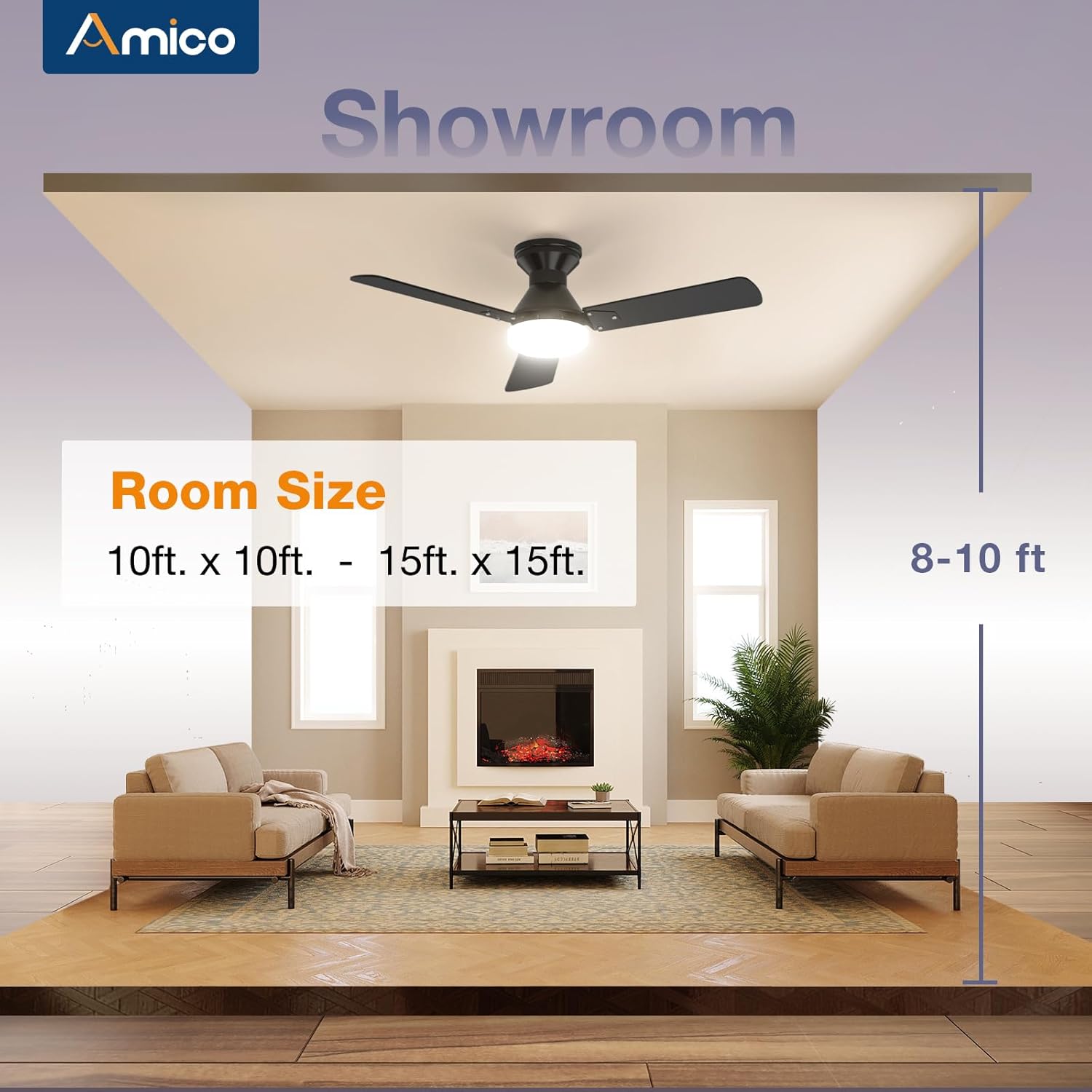
Image: Illustrates the recommended room size (10ft x 10ft to 15ft x 15ft) and ceiling height (8-10ft) for optimal performance of the Amico 42-inch ceiling fan.
Warranty Information
Amico provides the following warranty for your ceiling fan:
- Whole Fan: 24-month (2-year) worry-free warranty.
- Motor: 10-year warranty.
This warranty covers defects in materials and workmanship under normal use. Please retain your proof of purchase for warranty claims.
Customer Support
For any issues during installation, operation, or if you require technical assistance, please contact Amico customer support.
- Technical Support: Available 24 hours.
- If your LED light board or remote control is damaged or lost, please contact us for assistance.
You can find contact information on the Amico brand store page or through your purchase platform.
Related documentsKFM42PLY3B01R1-D


Ask a question about this manual
Ask about setup, troubleshooting, compatibility, parts, safety, or missing instructions. Manuals+ will review the question and use this page’s manual context to help answer it.