
ROCAM CR1030DAB
ROCAM CR1030DAB Solar Emergency Radio User Manual
Model: CR1030DAB | Brand: ROCAM
Introduction
Thank you for choosing the ROCAM CR1030DAB Solar Emergency Radio. This portable device is designed to provide reliable communication, power, and illumination in various situations, from daily use to emergencies. It features DAB+/FM radio, Bluetooth 5.0 connectivity, multiple charging options including solar and hand crank, a powerful 12000mAh battery, a 2.4-inch color display, SOS alarm, and LED lighting. Please read this manual carefully to ensure proper operation and maintenance.
Product Overview
Package Contents
- ROCAM CR1030DAB Emergency Radio
- USB-C Charging Cable
- User Manual
Component Identification
Familiarize yourself with the radio's components:

Figure 1: Front view of the ROCAM CR1030DAB radio, showing the speaker grille, 2.4-inch color display, and control buttons for power, mode, SOS, flashlight, settings, and navigation.

Figure 2: Side view of the ROCAM CR1030DAB radio, highlighting the hand crank, USB-C input, USB-A output, and volume knob.
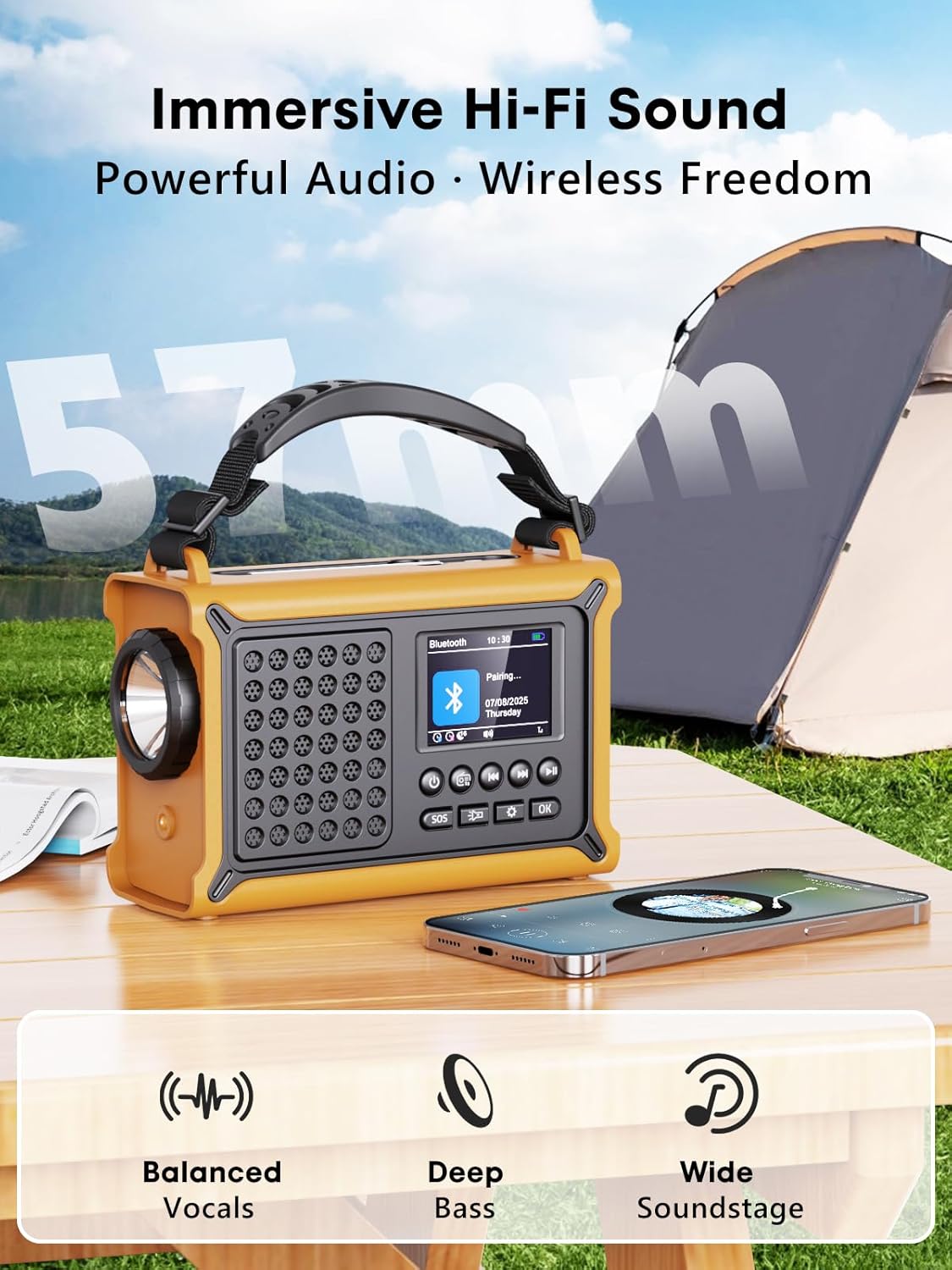
Figure 3: Top view of the ROCAM CR1030DAB radio, showing the integrated solar panel and telescopic antenna.
Setup
Initial Charging
Before first use, fully charge the radio's internal 12000mAh battery using the provided USB-C cable and a compatible USB power adapter (not included). The charging indicator on the display will show progress.
Inserting AAA Batteries (Optional Backup)
For an additional power backup, you can insert 3 AAA batteries (not included) into the dedicated compartment. This provides an alternative power source if the main rechargeable battery is depleted and other charging methods are unavailable.

Figure 4: Rear view of the radio with the AAA battery compartment open, showing where to insert three AAA batteries for backup power.
Operating Instructions
Power On/Off
Press and hold the Power button to turn the radio on or off.
Mode Selection
Press the MODE button to cycle through available modes: DAB+, FM, Bluetooth, and Time/Alarm.
Video 1: Demonstration of switching between DAB+, FM, Bluetooth, and Time/Alarm modes on the ROCAM CR1030DAB radio's 2.4-inch color display. This video highlights the user interface and ease of mode selection.
DAB+ Radio Operation
- Switch to DAB+ mode using the MODE button.
- Extend the telescopic antenna for optimal reception.
- Press the SCAN button to perform an automatic scan for available DAB+ stations. The radio can store up to 40 DAB+ presets.
- Use the Previous/Next buttons to navigate through the scanned stations.
- Adjust volume using the rotary knob on the side.
FM Radio Operation
- Switch to FM mode using the MODE button.
- Extend the telescopic antenna for optimal reception.
- Press the SCAN button to perform an automatic scan for available FM stations. The radio can store up to 40 FM presets.
- Alternatively, use the Previous/Next buttons for manual tuning or to navigate presets.
- Adjust volume using the rotary knob on the side.
Bluetooth Pairing
- Switch to Bluetooth mode using the MODE button. The display will show "Pairing...".
- On your smartphone or Bluetooth-enabled device, search for "CR1030DAB" in the Bluetooth settings.
- Select "CR1030DAB" to pair. Once connected, the radio will indicate "Connection Successful".
- You can now stream audio from your device to the radio.
Charging External Devices (Power Bank Function)
The radio's 12000mAh battery can be used to charge external USB devices like smartphones.
- Connect your device's USB charging cable to the USB-A output port on the side of the radio.
- The radio will automatically begin charging your device.
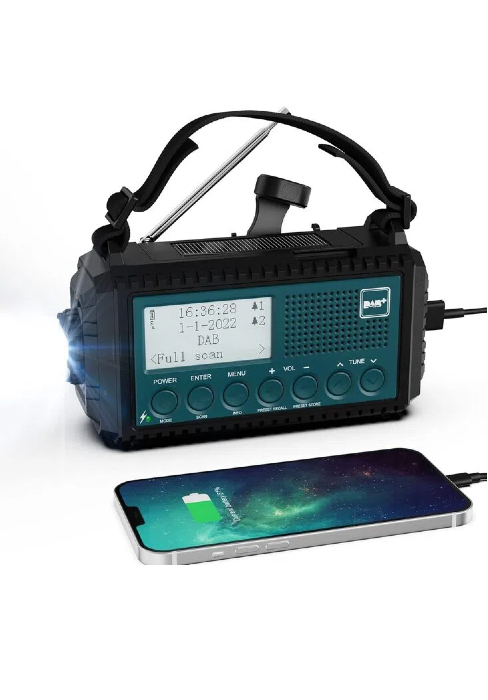
Figure 5: The ROCAM CR1030DAB radio connected via USB to a smartphone, demonstrating its power bank functionality.
Lighting Functions
The radio includes a 5W LED flashlight and a 12-LED reading lamp.
- Flashlight: Press the Flashlight button once for low brightness, a second time for high brightness, and a third time to turn it off.
- Reading Lamp: Open the solar panel to reveal the reading lamp. Press the Reading Lamp button (usually located near the lamp) to turn it on/off.

Figure 6: The ROCAM CR1030DAB radio with its powerful 5W LED flashlight illuminated, demonstrating its use in low-light conditions.

Figure 7: The ROCAM CR1030DAB radio with its 12-LED reading lamp activated, providing soft, glare-free illumination for reading.
SOS Alarm Function
In an emergency, press and hold the SOS button to activate a loud 120dB alarm and a flashing red light. Press it again to deactivate.

Figure 8: The ROCAM CR1030DAB radio with its SOS alarm active, emitting a loud sound and flashing red light for emergency signaling.
Setting Time and Alarms
In Time/Alarm mode, use the Settings button and navigation controls to set the current time, and configure up to two alarms and a sleep timer (15-120 minutes).
Charging Methods
The ROCAM CR1030DAB offers multiple ways to recharge its internal 12000mAh battery:
- USB-C Charging: Connect the provided USB-C cable to the radio's input port and a USB power source. This is the fastest charging method.
- Solar Charging: Place the radio with the solar panel facing direct sunlight. The 8500mm² solar panel will slowly charge the battery. This method is ideal for maintaining charge or for emergency power in sunny conditions.
- Hand Crank Charging: Rotate the hand crank clockwise or counter-clockwise at a steady pace. Cranking for 1 minute can provide approximately 5-10 minutes of radio use or a short burst of flashlight power. This is an emergency charging method.
- AAA Battery Backup: If the internal battery is depleted, the radio can operate using 3 AAA batteries (not included).

Figure 9: The ROCAM CR1030DAB radio showcasing its solar panel and hand crank, illustrating the multiple charging options available.
Maintenance
- Keep the radio clean by wiping it with a soft, dry cloth. Do not use abrasive cleaners or solvents.
- Ensure the solar panel is clean and free of obstructions for efficient charging.
- Store the radio in a cool, dry place when not in use.
- For prolonged storage, charge the internal battery at least once every 3 months to maintain battery health.
- The radio is IPX6 water-resistant, meaning it can withstand strong jets of water. However, it is not designed for submersion. Avoid exposing it to heavy rain for extended periods or submerging it in water.
Troubleshooting
| Problem | Possible Cause | Solution |
|---|---|---|
| Radio does not turn on. | Battery is depleted. | Charge the radio via USB-C, solar panel, or hand crank. Ensure AAA batteries are inserted correctly if using backup power. |
| Poor radio reception (DAB+/FM). | Antenna not extended; weak signal area; interference. | Fully extend the telescopic antenna. Relocate the radio to an area with better signal. Avoid placing near electronic devices that may cause interference. |
| Bluetooth device fails to pair. | Radio not in pairing mode; device too far; Bluetooth off on external device. | Ensure the radio is in Bluetooth pairing mode. Keep devices within 10 meters. Check Bluetooth settings on your external device. |
| External device not charging. | Radio battery too low; incorrect cable; device not compatible. | Ensure the radio's internal battery has sufficient charge. Use a functional USB charging cable. Verify your device is compatible with USB charging. |
| Display is blank or unreadable. | Low battery; display settings. | Charge the radio. Check display brightness settings in the menu. |
Specifications
- Model: CR1030DAB
- Brand: ROCAM
- Radio Bands: DAB+, DAB, FM
- Bluetooth Version: 5.0
- Battery Capacity: 12000 mAh (Rechargeable Li-ion)
- Backup Power: 3 x AAA batteries (not included)
- Charging Methods: USB-C, Solar Panel (8500 mm²), Hand Crank (650 mA)
- Display: 2.4-inch Color HD Screen
- Presets: 80 Stations (40 DAB+, 40 FM)
- Speaker: 57 mm
- Flashlight: 5W LED (Up to 80m range)
- Reading Lamp: 12-LED
- SOS Alarm: 120 dB with flashing red light
- Water Resistance: IPX6
- Dimensions: 12.1L x 17.3W x 7.4H cm
- Supported Languages: 12 languages (including English, French, German, Italian, Spanish, Dutch, Portuguese, Swedish, Danish, Norwegian, Finnish, Polish)
Warranty and Support
ROCAM products are designed for reliability and performance. For warranty information, please refer to the documentation included with your purchase or contact ROCAM customer support.
If you encounter any issues or have questions not covered in this manual, please contact our customer support team:
- Website: www.rocam.com
- Email: support@rocam.com
Please have your model number (CR1030DAB) and purchase date ready when contacting support.
Related documentsCR1030DAB


Ask a question about this manual
Ask about setup, troubleshooting, compatibility, parts, safety, or missing instructions. Manuals+ will review the question and use this page’s manual context to help answer it.