1. Introduction
This instruction manual provides comprehensive guidance for the safe and efficient use of your Facmogu ST-839 2.1CH Mini Bluetooth Stereo Amplifier. Please read this manual thoroughly before operating the device and retain it for future reference.
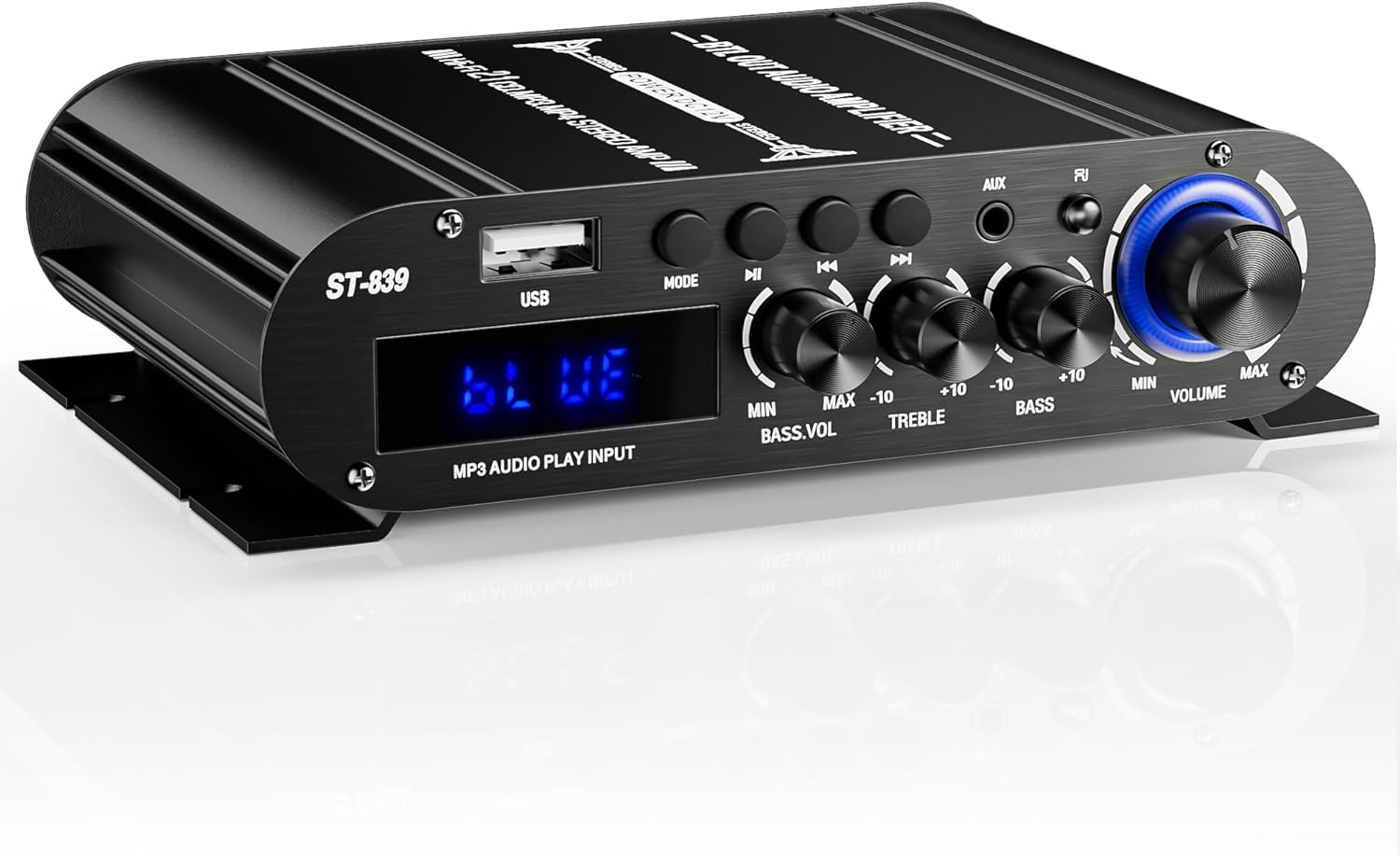
Image 1.1: Front view of the Facmogu ST-839 Mini Bluetooth Stereo Amplifier.
2. Product Overview
2.1 Key Features
- Compact Yet Powerful Performance: Delivers RMS 25W×2 (stereo) + 40W (passive subwoofer) output.
- Flexible Audio Controls: Adjustable master volume, bass, treble, and dedicated subwoofer volume.
- Multiple Input Options: Bluetooth for wireless streaming, USB, AUX, and RCA input ports.
- Sleek & Space-Saving Design: Compact size with a matte black finish.
- Easy Operation: Bright digital LED display and remote control functionality.
2.2 What's in the Box
- ST-839 Audio Amplifier
- DC12V 5A Power Adapter
- Remote Control
- User Manual (this document)

Image 2.1: Contents of the Facmogu ST-839 package.
3. Safety Instructions
To ensure safe operation and prevent damage, please observe the following precautions:
- Do not expose the device to rain, moisture, or extreme temperatures.
- Ensure proper ventilation to prevent overheating.
- Use only the provided power adapter.
- Do not open the amplifier casing; refer servicing to qualified personnel.
- Keep out of reach of children.
- Disconnect power before making any connections or disconnections.
4. Setup
4.1 Component Identification

Image 4.1: Front and Rear Panel Layout of the ST-839 Amplifier.
Front Panel Controls:
- USB Input: For connecting USB storage devices.
- MODE Button: Switches between input modes (Bluetooth, USB, AUX, RCA).
- Play/Pause Button: Controls media playback.
- Previous/Next Song Buttons: Navigates tracks.
- BASS.VOL Knob: Adjusts subwoofer volume.
- TREBLE Knob: Adjusts high-frequency audio.
- BASS Knob: Adjusts low-frequency audio.
- AUX Input: 3.5mm jack for auxiliary audio sources.
- Indicator Light: Displays current status.
- VOLUME Knob: Master volume control.
- Display Screen: Shows current mode and status.
Rear Panel Connections:
- Audio Input (RCA): For connecting external audio sources via RCA cables.
- Passive Subwoofer Input (SUPER BASS): Connects to a passive subwoofer.
- Speaker Outputs (R/L): Connects to passive stereo speakers.
- DC12V 3A Power Input: Connects to the provided power adapter.
4.2 Connecting Speakers and Subwoofer
- Ensure the amplifier is powered off and unplugged.
- Connect your passive stereo speakers to the "R" (Right) and "L" (Left) speaker output terminals on the rear panel. Ensure correct polarity (+ to + and - to -).
- Connect your passive subwoofer to the "SUPER BASS" terminals on the rear panel.
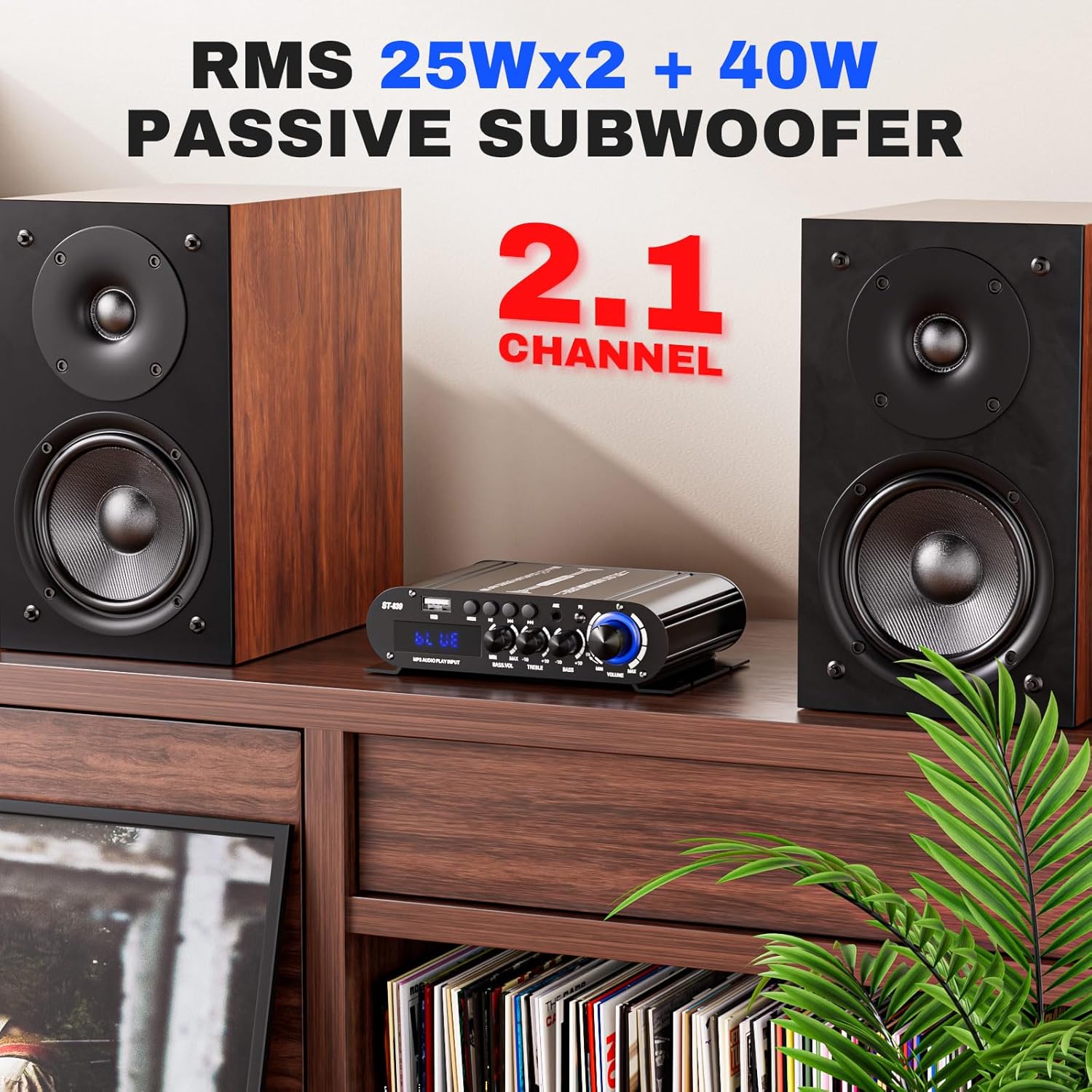
Image 4.2: Example of a 2.1 channel speaker setup with the ST-839 amplifier.
4.3 Connecting Audio Sources
The ST-839 supports multiple audio input methods:
- Bluetooth: For wireless connection from smartphones, tablets, or other Bluetooth-enabled devices.
- USB: For playing audio files directly from a USB flash drive.
- AUX (3.5mm): For connecting devices with a 3.5mm audio output (e.g., computers, portable music players).
- RCA: For connecting devices with RCA audio outputs (e.g., TVs, DVD players).

Image 4.3: Universal connectivity options for the ST-839 amplifier.
4.4 Power Connection
- Connect the DC12V 5A power adapter to the "DC12V 3A" input port on the rear of the amplifier.
- Plug the power adapter into a suitable wall outlet.
5. Operating Instructions
5.1 Powering On/Off
Turn the VOLUME knob clockwise until the display screen illuminates to power on the amplifier. Turn it counter-clockwise until it clicks off to power off.
5.2 Input Selection
Press the MODE button on the front panel or the remote control to cycle through available input sources: Bluetooth, USB, AUX, and RCA. The display screen will indicate the currently selected mode.
5.3 Bluetooth Pairing
- Switch the amplifier to Bluetooth mode using the MODE button. The display will show "BLUE".
- On your Bluetooth-enabled device (e.g., smartphone), search for available Bluetooth devices.
- Select "ST-839" from the list to pair. Once connected, the amplifier will indicate a successful connection.
5.4 USB Playback
- Insert a USB flash drive containing audio files into the USB input port.
- Switch the amplifier to USB mode using the MODE button. The amplifier will automatically begin playing audio files.
- Use the Play/Pause, Previous, and Next buttons on the front panel or remote to control playback.
5.5 Volume and Tone Controls
- VOLUME Knob: Adjusts the overall output volume.
- BASS Knob: Adjusts the low-frequency response of the main speakers.
- TREBLE Knob: Adjusts the high-frequency response of the main speakers.
- BASS.VOL Knob: Adjusts the dedicated volume level for the passive subwoofer output.
5.6 Remote Control Functions
The included remote control allows for convenient operation from a distance. Functions include:
- Power On/Off
- Mode Selection
- Volume Up/Down
- Mute
- Play/Pause
- Previous/Next Track
- Numeric Keypad for direct track selection (USB mode)

Image 5.1: Operating the amplifier with the remote control.
6. Troubleshooting
| Problem | Possible Cause | Solution |
|---|---|---|
| No power | Power adapter not connected or faulty; outlet not working. | Check power connections. Try a different outlet. Ensure the VOLUME knob is turned on. |
| No sound output | Incorrect input selected; speaker wires loose; volume too low; audio source issue. | Verify input mode. Check speaker wire connections and polarity. Increase volume. Test with a different audio source. |
| Bluetooth not connecting | Amplifier not in Bluetooth mode; device too far; device already connected to another amplifier. | Ensure amplifier is in "BLUE" mode. Move device closer. Disconnect from other Bluetooth devices. |
| Distorted sound | Volume too high; incorrect impedance speakers; faulty audio source. | Reduce volume. Ensure speakers are 4-8Ω. Test with a different audio source. |
| Remote control not working | Batteries dead or incorrectly inserted; obstruction between remote and amplifier. | Replace remote batteries. Ensure clear line of sight to the amplifier's IR receiver. |
7. Specifications
| Model Number | A50802-MG-US |
| Output Power | RMS 25W x 2 (Stereo) + 40W (Passive Subwoofer) |
| Channels | 2.1 Channel |
| Connectivity Technology | Bluetooth, USB, AUX (3.5mm), RCA |
| Compatible Devices | Smartphone, Tablet, Television, Personal Computer |
| Speaker Impedance | 4-8Ω |
| Power Input | DC12V 5A (Adapter included) |
| Item Weight | 1.48 pounds (approx. 0.67 kg) |
| Dimensions (L x W x H) | 5.9 x 4.5 x 1.4 inches (14.8 x 11.5 x 3.5 cm) |
Image 7.1: Physical dimensions of the ST-839 amplifier, also showing package contents.
8. Maintenance
- Cleaning: Use a soft, dry cloth to clean the exterior of the amplifier. Do not use liquid cleaners or aerosols.
- Storage: When not in use for extended periods, store the amplifier in a cool, dry place away from direct sunlight and extreme temperatures.
- Ventilation: Ensure that the ventilation openings are not blocked to prevent overheating.
9. Warranty and Support
This product comes with a standard manufacturer's warranty. For specific warranty details, please refer to the warranty card included with your purchase or contact Facmogu customer support. For technical assistance or further inquiries, please visit the official Facmogu website or contact their support channels.
Facmogu Official Store: Visit Facmogu Store on Amazon


