
1. Introduction
This manual provides detailed instructions for the assembly, operation, maintenance, and troubleshooting of your AODK 4-Tier Display Cabinet with RGB Lights. Please read this manual thoroughly before assembly and use to ensure proper function and safety.
2. Safety Information
- Anti-Tipping: Always install the provided anti-tip kit to secure the cabinet to a wall. This prevents accidental tipping, especially in households with children or pets.
- Power Adapter: The display shelf does not include a power adapter for the RGB lights. A DC 5V/2A power adapter is required. Ensure the adapter meets these specifications to prevent damage or malfunction.
- Multiple Cabinet Setup: When connecting multiple cabinets, avoid using a single USB hub for all light strips. Sharing a USB hub with multiple cabinets or other devices (like phones) may cause power overload, flickering, or instability. It is recommended to use a separate power source for each cabinet.
- Assembly: Two-person assembly is recommended for safety and ease of installation.
- Weight Capacity: Each shelf is designed to hold up to 44 lbs securely. Do not exceed this weight limit to prevent structural damage or collapse.
- Material: The cabinet features a sturdy steel frame and tempered glass doors. The side panels are made of acrylic. Handle glass components with care during assembly.
3. Package Contents
Verify that all components are present before beginning assembly. The package includes all necessary tools and illustrated instructions. If any parts are missing or damaged, please contact customer service.
4. Assembly Instructions
Follow the included illustrated instructions carefully. Two-person assembly is recommended for optimal safety and efficiency.
4.1. General Assembly Steps
- Unpack all components and lay them out on a clean, soft surface to prevent scratches.
- Identify each part using the provided labels and diagrams.
- Assemble the main frame structure according to the step-by-step guide.
- Install the tempered glass doors and acrylic side panels.
- Attach the reinforced back panel.
- Secure the anti-tip kit to the top of the cabinet and to a wall stud.
4.2. Dimensions Overview
Refer to the image below for detailed product dimensions to ensure it fits your intended space.

4.3. Stability Features
The cabinet is designed with enhanced stability features, including a reinforced back panel and a cable management port for a tidy setup. An anti-tip kit is included and must be installed for safety.


4.4. Assembly Video Guide
For a visual step-by-step guide, please watch the official assembly video:
Video: A detailed, step-by-step guide on how to assemble your AODK Display Cabinet. This video covers the entire assembly process from unboxing to final setup.
5. Operating Instructions (RGB Lights)
Your AODK display cabinet features integrated RGB lighting with various control options.
5.1. Powering the Lights
- Connect the RGB light strips to a DC 5V/2A power adapter (not included).
- Ensure each cabinet has its own dedicated power source if using multiple units to prevent power overload.
5.2. Controlling the Lights via App
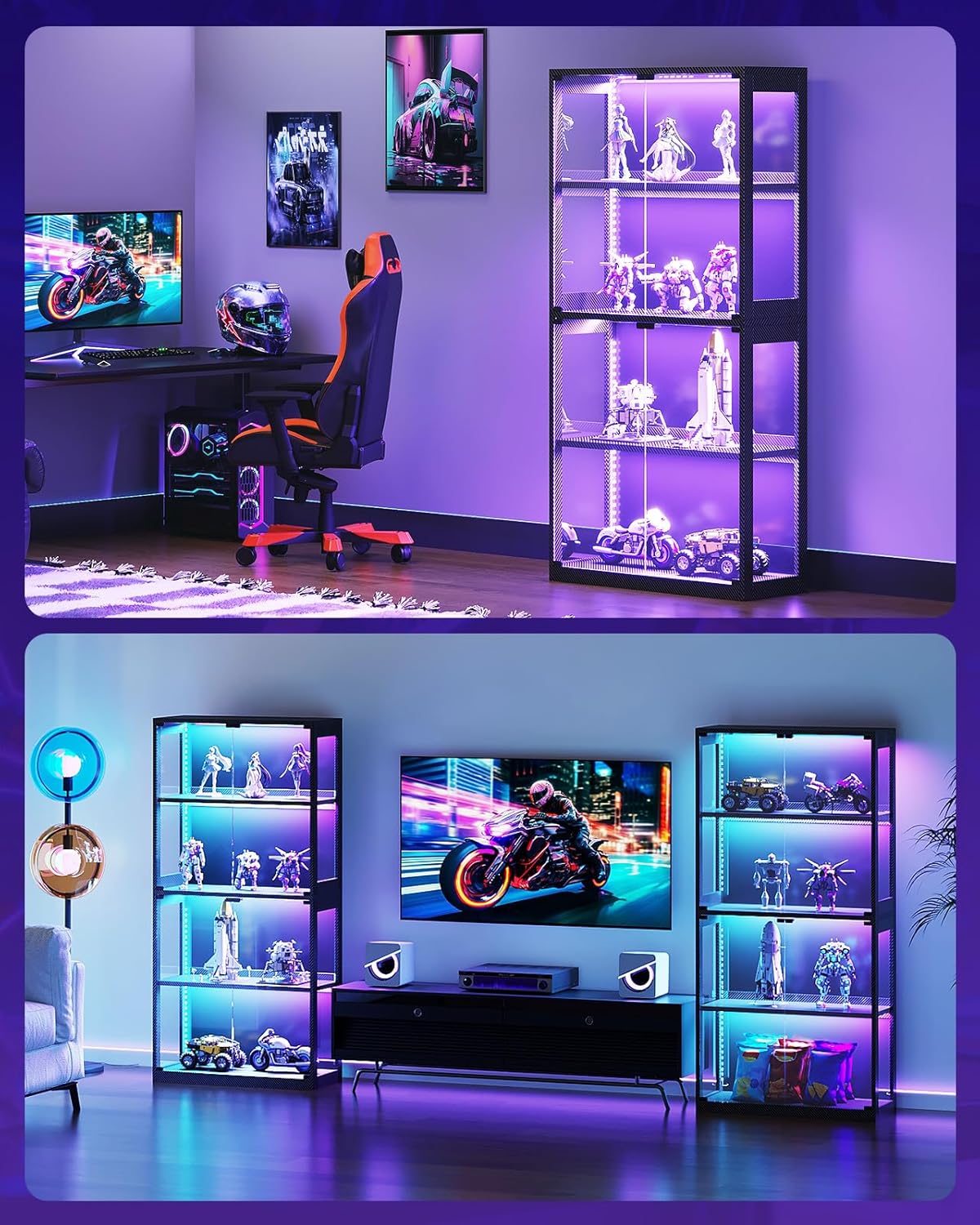
The RGB lights can be controlled via a dedicated mobile application, offering 6,000 colors and dynamic modes.
- Download the official AODK lighting control app from your device's app store.
- Follow the in-app instructions to pair your display cabinet's lights.
- Use the app to select colors, adjust brightness, choose dynamic lighting modes, and sync lights to music.
- The app also supports controlling multiple display shelves and synchronizing their lights.
5.3. Product Overview Video
See the display cabinet and its lighting features in action:
Video: An overview of the AODK Display Cabinet, showcasing its glass doors and how it can be used to display collections with integrated lighting.
Video: A short demonstration highlighting how the AODK Display Case is designed to showcase collectibles, featuring its lighting effects.
6. Maintenance
- Cleaning Glass Surfaces: Use a soft, lint-free cloth and a non-abrasive glass cleaner to clean the tempered glass doors and acrylic side panels. Avoid harsh chemicals that may damage the surfaces.
- Cleaning Cabinet Frame: Wipe the steel and wood components with a damp cloth and mild detergent if necessary. Dry immediately with a clean cloth.
- Dusting: Regularly dust the interior and exterior of the cabinet to maintain clarity and prevent dust buildup on collectibles.
- Light Strips: Ensure light strips are free from dust and obstructions for optimal performance. Do not attempt to clean the light strips with liquids.
7. Troubleshooting
- Lights Not Turning On:
- Ensure the DC 5V/2A power adapter is correctly connected and plugged into a working power outlet.
- Verify that the light strips are properly connected to the control unit.
- Check the app connection and ensure the lights are powered on within the app.
- Lights Flickering or Unstable:
- This often indicates a power overload. Ensure you are using a dedicated DC 5V/2A power adapter for each cabinet, especially if you have multiple units. Avoid sharing USB hubs with other devices.
- Check for loose connections between the power adapter, control unit, and light strips.
- App Connectivity Issues:
- Ensure your mobile device's Bluetooth is enabled and within range of the cabinet.
- Restart the app and/or your mobile device.
- Unplug and replug the cabinet's power adapter to reset the light control unit.
- Doors Sticking:
- Ensure the cabinet is assembled correctly and is level on the floor. Adjust leveling feet if necessary.
- Check for any obstructions or debris around the door hinges or magnetic closures.
8. Specifications
| Feature | Specification |
|---|---|
| Brand | AODK |
| Model Name | BA0602030100OK1 |
| Color | Black |
| Material | Steel, Wood, Glass Door |
| Product Dimensions (D x W x H) | 11.7"D x 27.6"W x 63"H |
| Number of Shelves | 4 |
| Shelf Weight Capacity | 44 lbs per shelf |
| Number of Doors | 2 |
| Mounting Type | Floor Mount |
| Lighting Type | RGB LED (App Controlled) |
| Power Requirement (Lights) | DC 5V/2A (Adapter not included) |
| Additional Features | Anti-Tipping Kit, Reinforced Back Panel, Cable Management Port |
9. Warranty and Support
AODK offers a 30-day refund or replacement policy for this product. If you encounter any quality concerns or require assistance with installation, our customer service team is available to provide support.
For further assistance, please refer to the contact information provided with your purchase or visit the official AODK website.