
1. Product Overview
The Noble FoKus Apollo headphones are designed to deliver high-fidelity audio with advanced features for an enhanced listening experience. They incorporate a unique hybrid driver system, active noise cancellation, and versatile connectivity options.
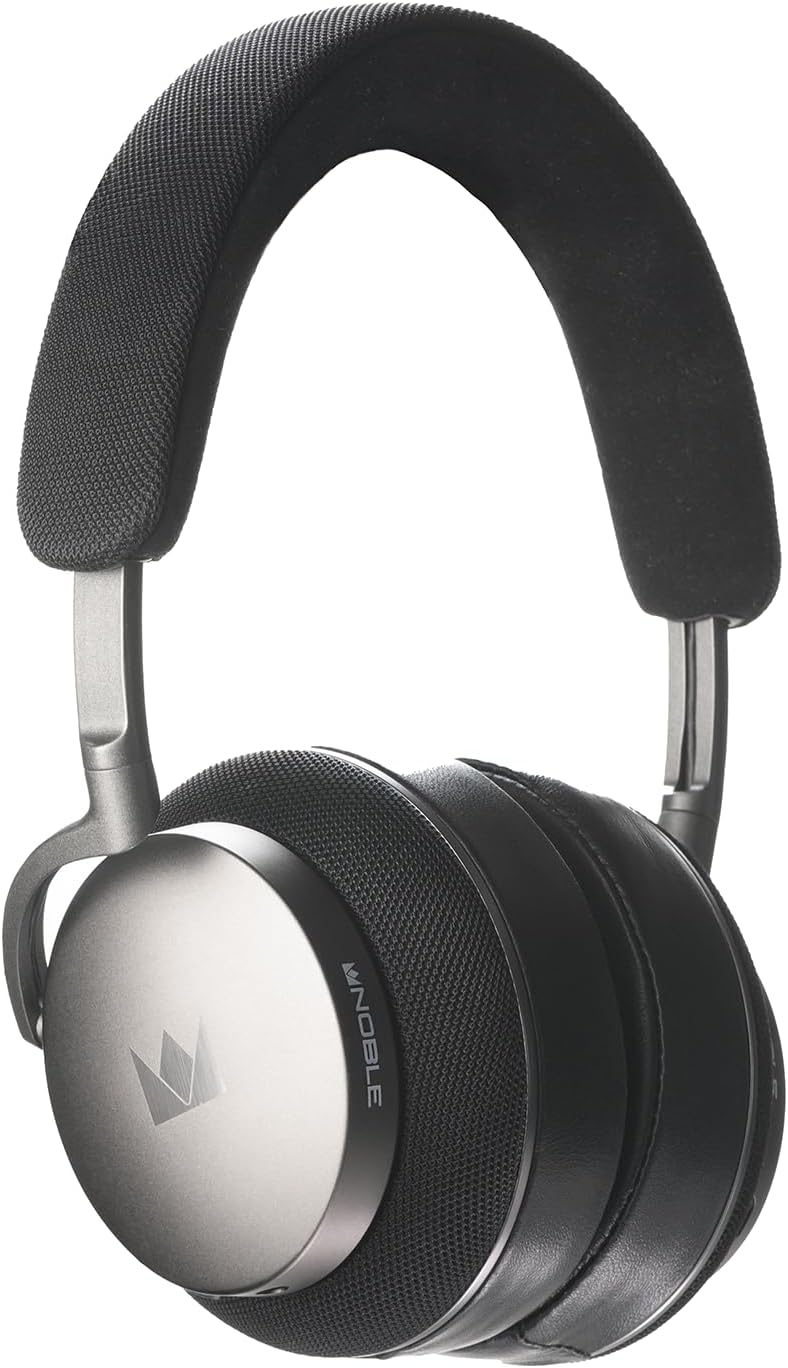
Image 1.1: Front view of the Noble Fokus Apollo Over-Ear Wireless Headphones.
2. Package Contents
Verify that all items are present in the package:
- Noble Fokus Apollo Over-Ear Wireless Headphones x 1
- EVA Carrying Case x 1
- 3.5mm Auxiliary Cable x 1
- 3.5mm to 4.4mm Adapter x 1
- USB-C Charging Cable x 1
- Two-Prong Airline Adapter x 1
- 1/4" Adapter for Headphone Amplifiers x 1
- Detachable Boom Microphone x 1
3. Key Features
- Hybrid Driver System: Features a 40mm dynamic driver and a 14.5mm planar magnetic driver for balanced audio reproduction.
- Hybrid Active Noise Cancellation (ANC): Reduces ambient noise by up to -35dB.
- High-Resolution Audio Support: Compatible with LDAC, aptX HD, and AAC codecs.
- Bluetooth 5.3: Provides stable wireless connectivity and multi-point support.
- Long Battery Life: Up to 80 hours of playback without ANC, 60 hours with ANC.
- Detachable Boom Microphone: Enhances call clarity with an onboard mute switch.
- Wired Connectivity: Supports 3.5mm auxiliary cable connection.
- Premium Materials: Constructed with an anodized aluminum frame, memory foam, protein leather earpads, and Alcantara headband.
- Noble FoKus App Compatibility: Allows for sound customization, including EQ and hearing test features.
4. Initial Setup
4.1 Charging the Headphones
Before first use, fully charge the headphones. Connect the supplied USB-C cable to the charging port on the headphones and the other end to a USB power source (e.g., computer, wall adapter).
- The LED indicator will show charging status.
- A full charge typically takes approximately 2-3 hours.
4.2 Powering On/Off
- To Power On: Press and hold the Power button for 3 seconds until the LED indicator lights up.
- To Power Off: Press and hold the Power button for 5 seconds until the LED indicator turns off.
5. Operating Instructions
5.1 Bluetooth Pairing
- Ensure the headphones are powered off.
- Press and hold the Power button for approximately 5-7 seconds until the LED indicator flashes blue and red, indicating pairing mode.
- On your device (smartphone, tablet, computer), enable Bluetooth and search for available devices.
- Select "Noble FoKus Apollo" from the list.
- Once connected, the LED indicator will flash blue slowly.
The headphones support multipoint connection, allowing simultaneous connection to two devices. To connect a second device, repeat the pairing process while already connected to the first. The headphones will automatically switch between devices based on audio playback.
5.2 Active Noise Cancellation (ANC) and Transparency Mode
The headphones feature a dedicated button to cycle through noise control modes:
- Press the ANC button once to activate Active Noise Cancellation.
- Press the ANC button again to switch to Transparency Mode, which allows ambient sounds to pass through.
- Press the ANC button a third time to turn off noise control.
5.3 Wired Connection
For wired listening, connect the supplied 3.5mm auxiliary cable to the headphone's audio jack and your audio source. The headphones can be used passively in wired mode even when powered off or out of battery.
- Use the 3.5mm to 4.4mm adapter for compatible audio sources.
- Use the 1/4" adapter for headphone amplifiers.

Image 5.1: Side view of the headphones, highlighting the audio input ports.
5.4 Using the Detachable Boom Microphone
Attach the boom microphone to the designated port on the left earcup for enhanced voice clarity during calls or gaming. The boom mic includes a physical mute switch.
- Slide the switch on the boom mic to mute or unmute your voice.
- The headphones also feature an integrated 6-mic system for calls when the boom mic is not attached.

Image 5.2: Close-up of the earcup, showing the port for the detachable boom microphone.
5.5 Noble FoKus App
Download the Noble FoKus app from your device's app store to access additional features, including:
- Customizable Equalizer (EQ) settings.
- Personalized hearing test for optimized sound profiles.
- Firmware updates.
6. Care and Maintenance
- Cleaning: Use a soft, dry cloth to clean the headphones. Avoid abrasive materials or harsh chemicals.
- Earpads: The protein leather earpads are user-replaceable. Refer to Noble's official website or support for replacement instructions and parts.
- Storage: Store the headphones in the provided EVA carrying case when not in use to protect them from dust and damage.
- Temperature: Avoid exposing the headphones to extreme temperatures or direct sunlight for prolonged periods.
7. Troubleshooting Guide
| Issue | Possible Cause | Solution |
|---|---|---|
| No power | Low battery | Charge the headphones using the USB-C cable. |
| Cannot pair via Bluetooth | Headphones not in pairing mode; device Bluetooth off; interference | Ensure headphones are in pairing mode (flashing blue/red). Turn device Bluetooth off and on. Move closer to the device. |
| No sound in wired mode | Cable not fully inserted; incorrect adapter | Ensure the 3.5mm cable is fully inserted into both the headphones and the audio source. Verify correct adapter usage. |
| Poor call quality with boom mic | Mic muted; mic not fully inserted | Check the mute switch on the boom mic. Ensure the boom mic is securely attached to the headphone port. |
| ANC not effective | ANC not activated; improper fit | Press the ANC button to activate ANC. Adjust headphones for a snug fit over your ears. |
8. Technical Specifications
| Feature | Specification |
|---|---|
| Model Name | FoKus Apollo |
| Driver Type | Hybrid (1x 40mm Dynamic + 1x 14.5mm Planar Magnetic) |
| Noise Control | Hybrid Active Noise Cancellation (up to -35dB) |
| Bluetooth Version | 5.3 |
| Supported Codecs | LDAC, aptX HD, AAC, aptX, SBC |
| Battery Life (ANC Off) | Up to 80 hours |
| Battery Life (ANC On) | Up to 60 hours |
| Connectivity | Bluetooth, 3.5mm Jack, USB-C |
| Impedance | 32 Ohms |
| Sensitivity | 102 dB |
| Frequency Response | Up to 40 KHz |
| Material | Aluminum, Protein Leather, Alcantara |
| Weight | 3.08 pounds (approx. 1.4 kg) |
9. Official Product Video
Video 9.1: An official product video showcasing the Noble Fokus Apollo Over-Ear Wireless Headphones, highlighting key features and design elements.
10. Warranty and Support
Noble provides a limited warranty for the FoKus Apollo headphones against defects in materials and workmanship. For detailed warranty information, product registration, and technical support, please visit the official Noble Audio website or contact their customer service.
The Noble FoKus app also serves as a resource for product information and support features.


