
Introduction
Thank you for choosing the Saiyin DS6302G2 Sound Bar. This manual provides essential information for the safe and efficient operation of your new sound bar. Please read this manual thoroughly before use and retain it for future reference. The Saiyin DS6302G2 is a 60W Bluetooth 5.3 soundbar designed to enhance your audio experience with dual bass drivers, clear voice technology, and virtual surround sound. It offers multiple connectivity options including TV-ARC, Optical, and AUX, making it suitable for various devices such as TVs, PCs, gaming consoles, and projectors.

Image: The Saiyin DS6302G2 Sound Bar shown with its included remote control.
What's in the Box
Carefully unpack your sound bar and ensure all items are present. If any items are missing or damaged, please contact customer support.
- 1 x Saiyin Sound Bar
- 1 x Remote Control (batteries not included)
- 1 x Power Adapter
- 1 x Optical Cable
- 1 x 3.5mm Audio Cable
- 1 x User Manual (this document)
- 1 x Quick Start Guide
- Wall Mounting Kit (2 x Wall anchors, 2 x Screws)

Image: All components included in the Saiyin Sound Bar package.
Setup
Placement Options
The Saiyin DS6302G2 Sound Bar can be placed on a flat surface in front of your TV or mounted on a wall.
- Tabletop Placement: Position the sound bar centrally below your TV, ensuring it does not obstruct the TV's remote sensor.
- Wall Mounting: Use the included wall mounting kit. Ensure the wall can support the weight of the sound bar. Refer to the Quick Start Guide for detailed wall mounting instructions.

Image: The sound bar can be wall-mounted and is suitable for TVs from 24 to 75 inches.
Connecting to Power
- Connect the power adapter to the DC IN port on the back of the sound bar.
- Plug the power adapter into a wall outlet.
Audio Connections
The sound bar supports multiple audio input methods. Choose the connection type that best suits your device.
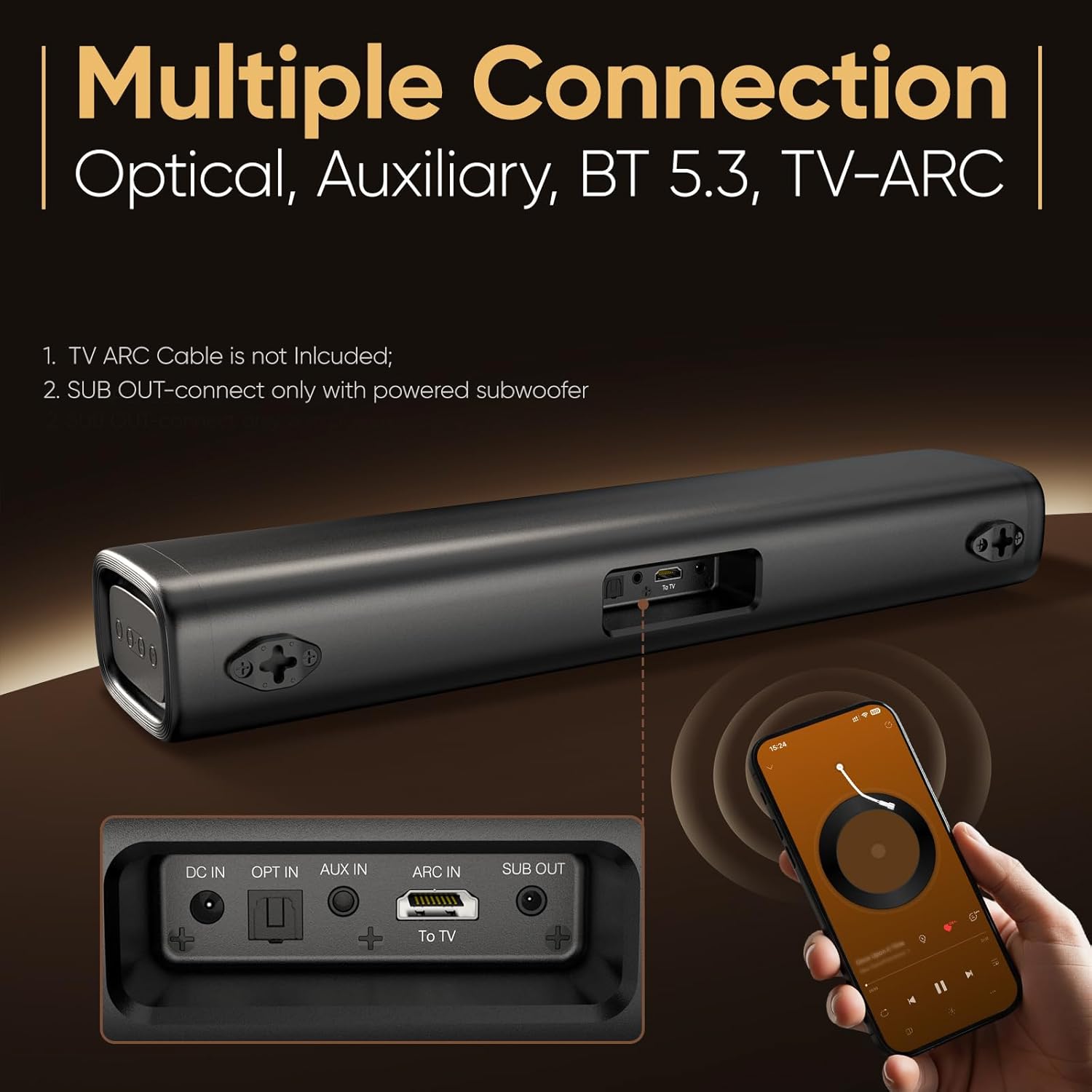
Image: Close-up of the sound bar's rear connection ports.
- TV-ARC (Recommended for TVs):
Connect an HDMI cable (not included) from your TV's HDMI ARC port to the ARC IN port on the sound bar. This allows your TV remote to control the sound bar's volume and power. - Optical (Digital Audio):
Connect the included optical cable from your TV's Optical Out port to the OPT IN port on the sound bar. Ensure to remove protective caps from both ends of the optical cable before connecting. - AUX (Analog Audio):
Connect the included 3.5mm audio cable from your device's headphone jack or AUX Out port to the AUX IN port on the sound bar. - Bluetooth 5.3 (Wireless):
For wireless connection, select Bluetooth mode on the sound bar and pair it with your Bluetooth-enabled device (e.g., smartphone, tablet, PC).

Image: Instructions for configuring TV audio output settings, including selecting HDMI (ARC)/Optical and disabling Dolby/DTS.
TV Audio Settings
After connecting the sound bar to your TV, you may need to adjust your TV's audio output settings:
- Navigate to your TV's audio settings menu.
- Select the audio output to HDMI (ARC) or Optical, depending on your connection type.
- Set the Digital Output Audio Format to PCM/Stereo.
- If experiencing no sound or distorted sound, disable Dolby/DTS on your TV and streaming apps.
Operating the Sound Bar
Power On/Off
Press the Power button on the sound bar or the remote control to turn the unit on or off.
Selecting Input Source
Press the 'Input' or 'Source' button on the remote control or the sound bar to cycle through available input modes: TV-ARC, Optical, AUX, and Bluetooth.

Image: A user operating the sound bar with the remote control.
Volume Control
Use the Volume Up (+) and Volume Down (-) buttons on the remote control or the sound bar to adjust the volume level.
Bluetooth Pairing
- Select Bluetooth mode on the sound bar. The indicator light will flash.
- On your device, enable Bluetooth and search for 'Saiyin DS6302G2'.
- Select the sound bar from the list to pair. The indicator light will become solid blue once connected.
Sound Modes
The sound bar features three preset sound modes optimized for different content types:
- Movie Mode: Enhances bass for a more immersive cinematic experience.
- News Mode: Optimizes vocal clarity for dialogue-heavy content.
- Music Mode: Provides a balanced audio profile for music playback.

Image: The three immersive sound modes (Movie, News, Music) and their audio characteristics.
Remote Control Compatibility
The Saiyin sound bar is compatible with various TV remotes for convenience:
- Compatible with Fire TV remote.
- Compatible with Apple TV remote.
- Compatible with Google Chromecast remote.
- Additional remotes compatible with Roku Express or Roku TVs can be provided upon request (not compatible with Roku stick).
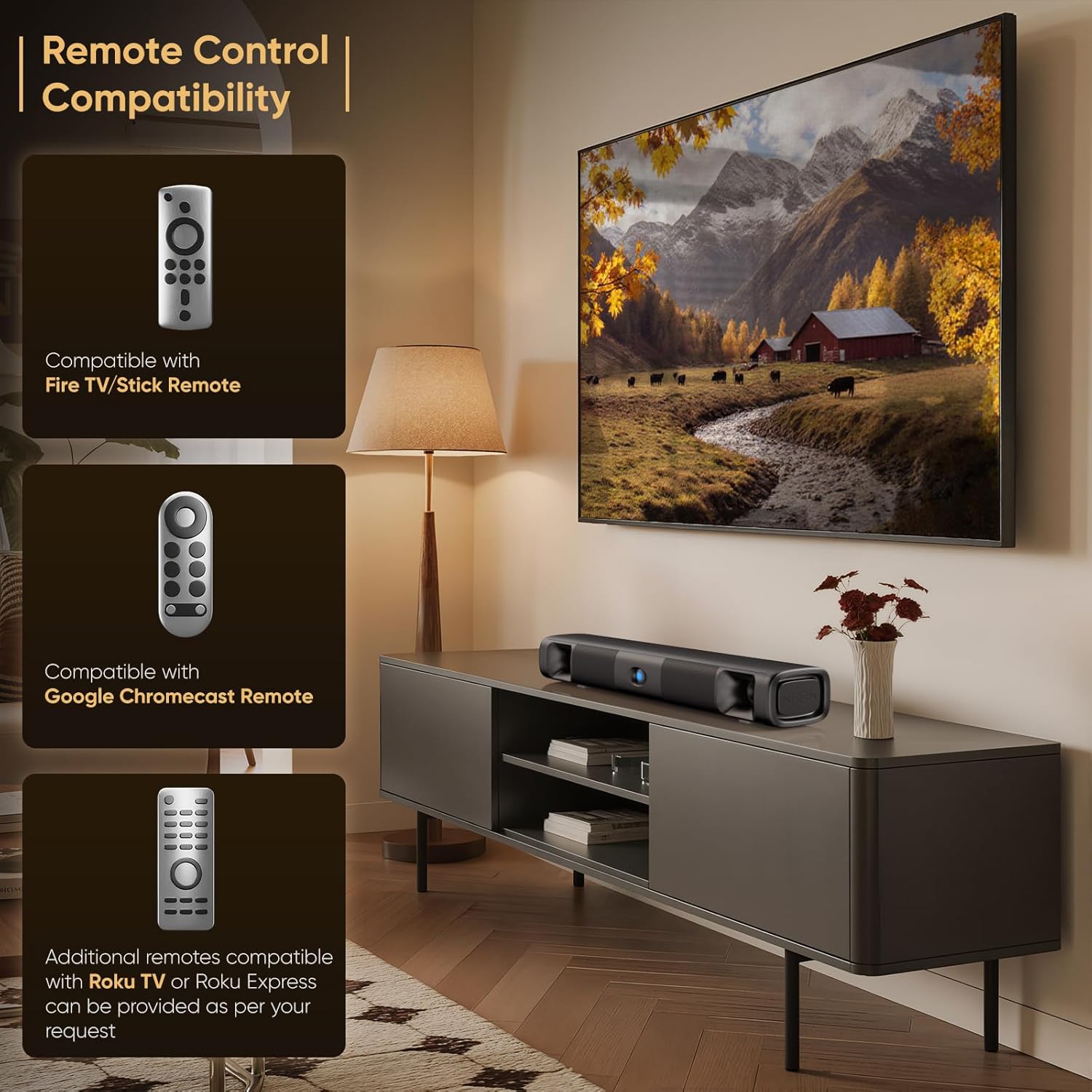
Image: The sound bar's remote control compatibility with popular streaming device remotes.
Maintenance
To ensure the longevity and optimal performance of your Saiyin Sound Bar, follow these maintenance guidelines:
- Cleaning: Use a soft, dry cloth to wipe the surface of the sound bar. Do not use liquid cleaners or abrasive materials, as they may damage the finish.
- Ventilation: Ensure the sound bar has adequate ventilation. Do not block any ventilation openings.
- Environment: Avoid placing the sound bar in direct sunlight, near heat sources, or in areas with high humidity or dust.
- Power Cord: Regularly check the power cord for any signs of damage. If damaged, discontinue use and contact customer support.
Troubleshooting
If you encounter issues with your sound bar, refer to the following common problems and solutions:
| Problem | Possible Cause | Solution |
|---|---|---|
| No sound from the sound bar |
|
|
| Bluetooth pairing fails |
|
|
| Remote control not working |
|
|
Specifications
| Model Name | Saiyin soundbar DS6302G2 |
| Speaker Type | Soundbar |
| Connectivity Technology | Auxiliary, Bluetooth, Optical, TV-ARC |
| Bluetooth Version | 5.3 |
| Audio Output Mode | Stereo |
| Surround Sound Channel Configuration | 2.0 |
| Special Feature | Bass Boost |
| Product Dimensions | 17.1"D x 5.6"W x 3.6"H |
| Item Weight | 3.08 pounds (1.4 Kilograms) |
| Control Method | Remote |
| Mounting Type | Wall Mount |
| Manufacturer | Saiyin Electronic Co., Ltd |
Warranty and Support
Saiyin products are designed for reliability and performance. For warranty information and customer support, please refer to the contact details provided in your Quick Start Guide or visit the official Saiyin website. Keep your purchase receipt as proof of purchase for warranty claims.
For further assistance, you may contact Saiyin customer service through their official channels. Please have your model number (DS6302G2) and purchase date ready when contacting support.


