
PowMr POW-LVM3K-24V
Contents
PowMr 3000W Solar Inverter (Model POW-LVM3K-24V) User Manual
Pure Sine Wave Inverter with 80A MPPT Controller
1. Introduction
This manual provides essential information for the safe and efficient operation of your PowMr 3000W Solar Inverter, model POW-LVM3K-24V. This device is a pure sine wave inverter designed to convert 24V DC power from batteries into 110/120V AC power for household and office loads. It features a built-in 80A MPPT charge controller and supports various 24V battery types, including Lead-Acid (sealed, AGM, Gel, Flooded) and Lithium batteries. Please read this manual thoroughly before installation and use.

Figure 1: Front view of the PowMr 3000W Solar Inverter, showing the display and control buttons.
2. Safety Information
Please observe the following safety precautions to prevent injury and damage to the inverter or connected equipment:
- Installation must be performed by qualified personnel.
- Ensure all wiring complies with local and national electrical codes.
- Do not disassemble the inverter. There are no user-serviceable parts inside.
- Keep the inverter away from flammable materials, moisture, and direct sunlight.
- Ensure proper ventilation around the inverter to prevent overheating.
- Always disconnect power from the battery and solar panels before performing any maintenance or wiring.
- Use appropriate personal protective equipment (PPE) during installation.
3. Product Overview
3.1 Key Features
- Pure Sine Wave Output: Provides clean power suitable for sensitive electronics.
- Integrated MPPT Charge Controller: 80A Maximum Power Point Tracking for efficient solar charging.
- High PV Input: Supports up to 4000W PV input with a maximum open circuit voltage of 450V.
- Wide Battery Compatibility: Suitable for 24V Lead-Acid (sealed, AGM, Gel, Flooded) and Lithium batteries.
- Multiple Charging Modes: PV priority, Utility priority, Hybrid Charging, and Only Solar Charging.
- Dual Output Modes: Inverter and Mains modes.
- LCD Display & LED Indicators: For dynamic display of system data and operating status.
- Comprehensive Protection: Includes short circuit, over/under voltage, overload, and reverse polarity protection.
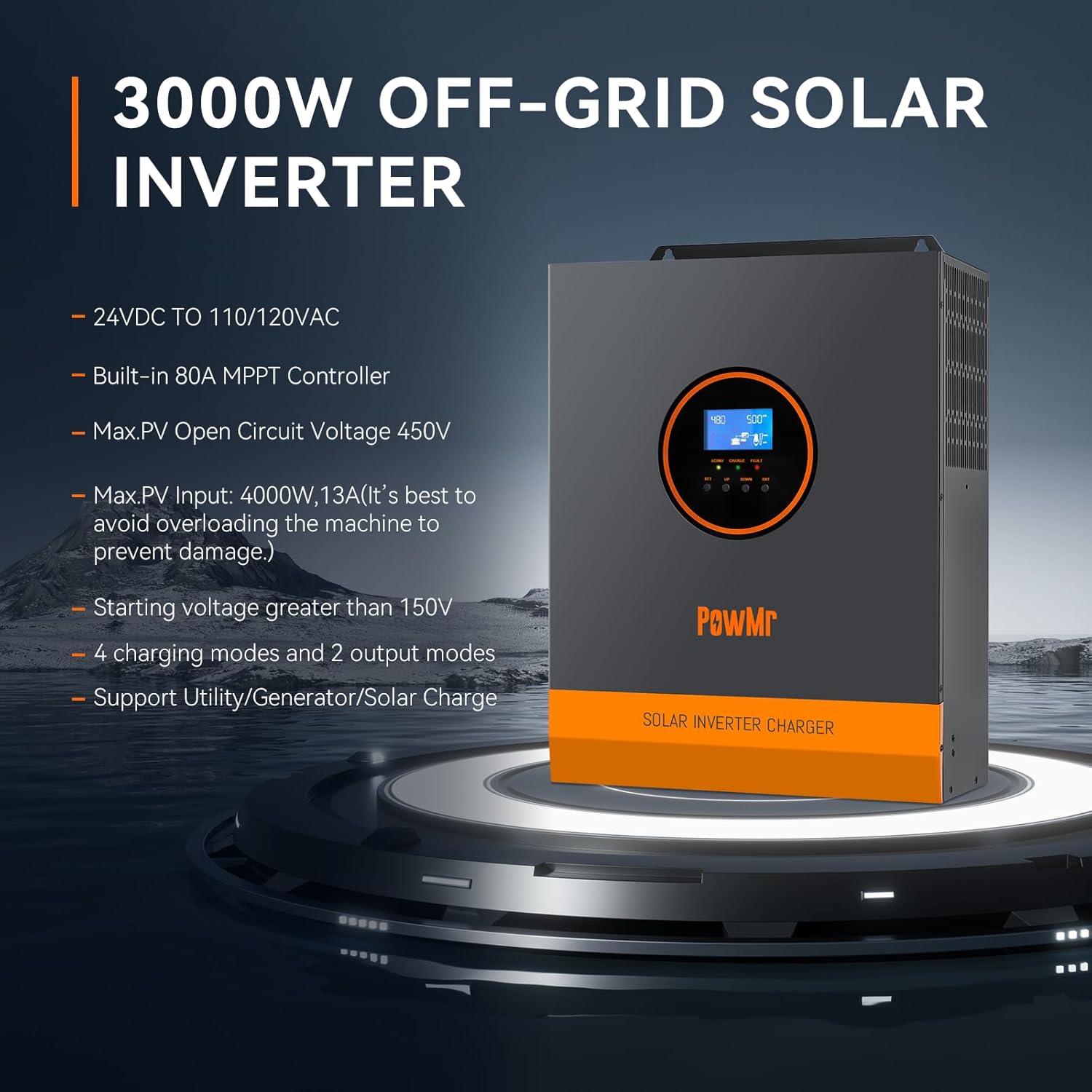
Figure 2: PowMr 3000W Solar Inverter highlighting its main features such as 24V to 110/120VAC conversion, 80A MPPT controller, and 450V max PV input.
3.2 Components and Connections

Figure 3: Rear and side view of the inverter with numbered components and connection points.
- AC input port
- AC output port
- CAN communication port
- USB communication port
- RS485 communication port
- Dry contact port
- Grounding screw hole
- Overload protector
- Battery port
- Cooling fan
- ON/OFF rocker switch
- PV port
- Touch key (for display navigation)
- LED Indicator
- LCD screen
4. Setup and Installation
4.1 Wiring Diagram
The following diagram illustrates the recommended wiring connections for the PowMr 3000W Solar Inverter. Ensure all connections are secure and correctly polarized.

Figure 4: Detailed wiring diagram showing connections for solar panels, battery, AC input (utility/generator), and AC output loads.
- Solar Panel Connection: Connect solar panels in series to achieve the required voltage. The maximum PV input power is 4000W, with a maximum open circuit voltage of 450V. The starting voltage must be greater than 150V. Typically, 4-6 solar panels are needed, depending on their open circuit voltage. Use 12AWG PV wire.
- Battery Connection: Connect a 24V battery bank (Lithium or Lead-Acid) to the battery port. A recommended battery capacity is 200AH. Use 2AWG battery wire. Ensure correct polarity.
- AC Input Connection: Connect utility power or a generator to the AC input port. The AC input voltage is 120Vac±5%, frequency 50Hz/60Hz. Max AC bypass current is 40A. Use 10AWG AC wire.
- AC Output Connection: Connect your AC loads to the AC output port. The AC output power is ≤3000W, rate voltage 120Vac±5%, rate current 27.5A.
- Grounding: Always connect the PE protective conductor to ground first.
4.2 Battery Compatibility
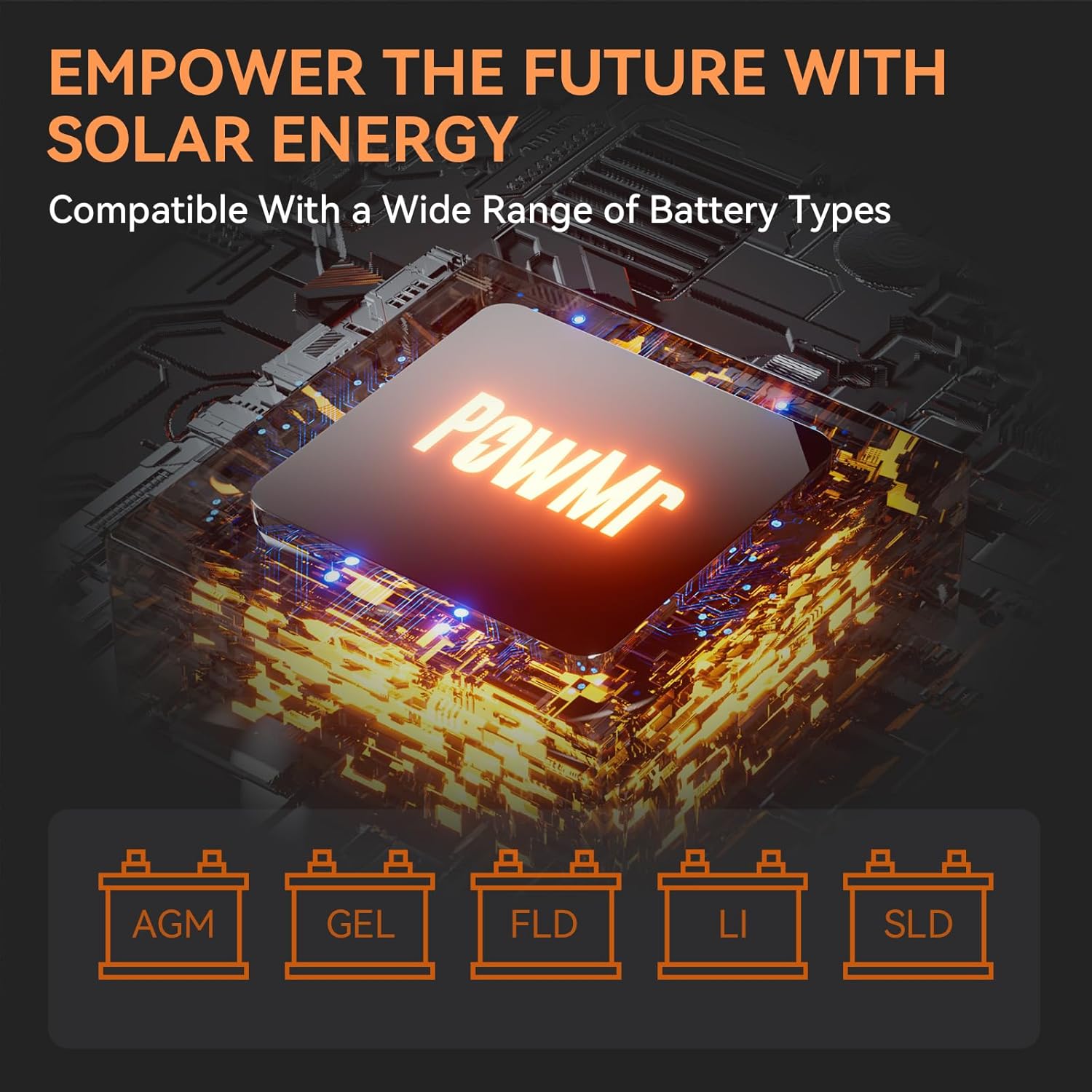
Figure 5: Icons representing compatible battery types: AGM, GEL, FLD (Flooded), LI (Lithium), SLD (Sealed Lead-Acid).
The inverter is compatible with various 24V battery types. Ensure the correct battery type is selected in the inverter's settings for optimal charging and discharge performance.
5. Operating Modes
The PowMr 3000W Solar Inverter offers flexible charging and output modes to suit different energy management needs.

Figure 6: Visual representation of the four charging modes and three load output working modes.
5.1 Four Charging Modes
- Solar Charging: Prioritizes charging the battery from solar panels.
- Electricity Utility Priority: Prioritizes charging the battery from the utility grid.
- Solar Priority: Prioritizes using solar power for loads and charging, then utility.
- Hybrid Charging: Combines solar and utility charging based on system settings and availability.
5.2 Three Load Output Working Modes
- PV Priority: Loads are powered primarily by solar energy.
- Utility Priority: Loads are powered primarily by the utility grid.
- Inverter Mode: Loads are powered by the inverter from battery energy.
These modes can be configured via the LCD display and control buttons on the inverter.
6. Maintenance
Regular maintenance ensures the longevity and optimal performance of your inverter.
- Cleaning: Periodically clean the exterior of the inverter and ensure cooling fan vents are free from dust and debris. Use a dry cloth.
- Connections: Annually check all electrical connections (solar, battery, AC input/output) for tightness and corrosion.
- Environment: Ensure the installation environment remains within specified temperature and humidity ranges.
- Battery Health: Monitor battery voltage and health according to the battery manufacturer's recommendations.
7. Troubleshooting
If the inverter is not operating as expected, refer to the following common issues and solutions:
| Problem | Possible Cause | Solution |
|---|---|---|
| No power output | Inverter OFF, low battery voltage, overload, wiring issue | Check ON/OFF switch, check battery voltage, reduce load, inspect wiring. |
| No solar charging | PV input voltage too low, solar panels disconnected, MPPT fault | Ensure PV voltage >150V, check solar panel connections, consult manual for MPPT error codes. |
| Overload error | Connected load exceeds inverter capacity | Reduce connected load. The inverter has an overload protector. |
| High temperature warning | Insufficient ventilation, blocked cooling fan | Ensure adequate airflow, clean cooling fan vents. |
| Inverter not turning on | Battery not connected, battery voltage too low | Connect battery, charge battery to sufficient voltage. |
For specific error codes displayed on the LCD, refer to the detailed troubleshooting section in the full product manual or contact PowMr customer support.
8. Specifications
| Feature | Specification |
|---|---|
| Model Name | POW-LVM3K-24V |
| Wattage | 3000 watts |
| Power Source | Solar Powered |
| Input DC Voltage | 24V |
| Output AC Voltage | 110/120Vac |
| Max PV Input Power | 4000W |
| Max PV Open Circuit Voltage | 450V |
| Starting Voltage | >150V |
| MPPT Charge Controller | 80A |
| Recommended Uses | Home, Office |
| Product Dimensions | 14 x 11 x 4.7 inches |
| Item Weight | 17.6 pounds |
9. Warranty and Support
For warranty information and technical support, please refer to the documentation included with your product or visit the official PowMr website. Contact the manufacturer directly for assistance with product issues, repairs, or replacement parts.
Documents and downloads
Ask a question about this manual
Ask about setup, troubleshooting, compatibility, parts, safety, or missing instructions. Manuals+ will review the question and use this page’s manual context to help answer it.