
Introduction
This manual provides comprehensive instructions for the installation, operation, and maintenance of your VEVOR Automatic Curtain Opener, Model LY-1998. This device is designed to automate your existing Roman rod curtains, offering convenience through app, remote, and voice control. Please read this manual thoroughly before use to ensure proper functionality and longevity of the product.
Package Contents
Verify that all items listed below are included in your package. If any components are missing or damaged, please contact VEVOR customer support.
- 1 x Main Unit (Automatic Curtain Opener)
- 1 x Remote Control
- 1 x Type-C Cable
- 1 x Wireless Gateway (Hub)
- 2 x Roman Rod Hooks
- 1 x 3m Traction Rope
- 1 x Connector Plate
- 1 x User Manual
- 1 x Bracket
- 1 x Remote Control Back Adhesive
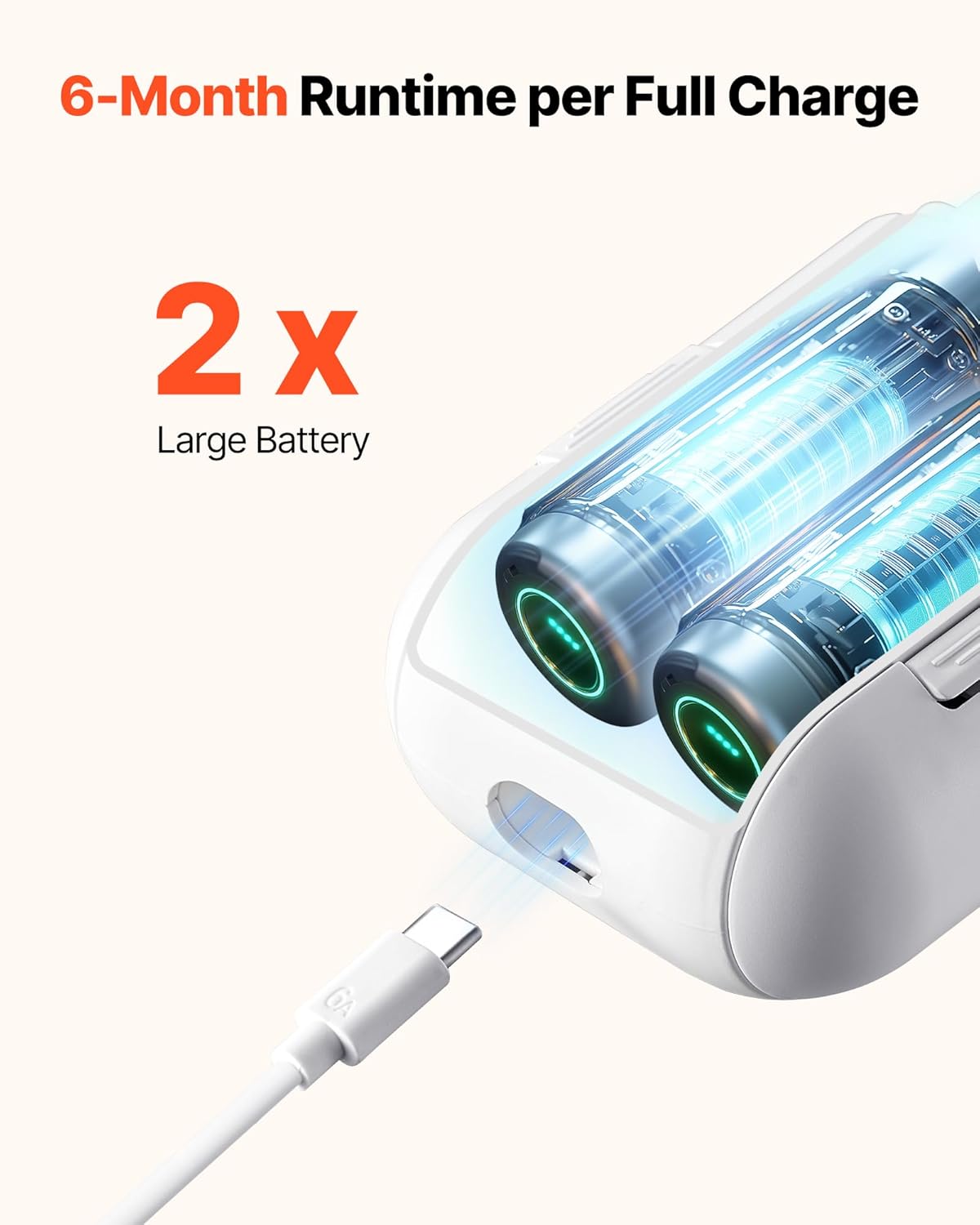
Image: The VEVOR Automatic Curtain Opener main unit, remote control, Type-C cable, wireless gateway, Roman rod hooks, traction rope, connector plate, user manual, bracket, and remote control back adhesive.
Product Features
- Easy Installation: Hangs directly on existing Roman rods without drilling or complex disassembly.
- Roman Rod Compatibility: Designed for grommet and ring-top curtains on Roman rods with a diameter of 0.3 - 1.6 inches (8 - 40 mm). Supports curtains up to 35 lbs (16 kg).
- Multiple Control Methods: Control via dedicated remote, mobile application, or voice commands through Amazon Alexa and Google Assistant.
- Smart Automation: Features include adjustable travel range, timed opening and closing, light and temperature sensing, position control, and custom scene creation.
- Silent Operation: Equipped with a Quiet Mode for minimal noise during operation, ideal for bedrooms.
- Long Battery Life: Two built-in 2000mAh batteries provide up to six months of use on a single charge.
Setup and Installation
1. Compatibility Check
Ensure your Roman rod has a diameter between 0.3 and 1.6 inches (8-40 mm). The opener is suitable for curtains with ring tops or grommets.

Image: Illustration of Roman rod compatibility, showing a suitable diameter range of 0.3 - 1.6 inches (8 - 40 mm).

Image: Visual examples of the curtain opener installed on both ring-top and grommet style curtains.
2. Attaching the Opener to the Rod
The VEVOR Automatic Curtain Opener is designed for simple hanging. Follow these steps:
- Step 1: Open the arms of the main unit.
- Step 2: Position the opener on the Roman rod, ensuring the hooks securely grip the rod.
- Step 3: Close the arms to secure the opener in place.

Image: A visual guide demonstrating the three steps to hang and control the curtain opener on a Roman rod.
3. Using the Transition Patch
If your Roman rod has telescopic connections or uneven surfaces, use the included transition patch to ensure smooth movement of the curtain opener.

Image: Diagram showing how the transition patch helps the curtain opener move smoothly over rod connections.
4. Connecting to the App and Hub
To enable smart control features, connect your device to the mobile application and wireless gateway.
- Download App: Download the recommended smart home application (e.g., Tuya Smart or Smart Life) to your smartphone. Ensure your phone is connected to the internet.
- Pair the Hub: Power on the wireless gateway (hub). Press the power button twice on the hub until the blue light flashes. Then, long-press the button for 5 seconds until the red light stays on, indicating pairing mode.
- Add Device in App: Open the app, tap "Add Device," and select "Smart Curtain Robot." Follow the in-app instructions to complete the device addition process.

Image: A step-by-step visual guide for downloading the app, pairing the hub, and adding the device within the mobile application.
Operating Instructions
1. Remote Control
Use the included remote control for basic open, stop, and close functions. The remote has a range of up to 32.8 ft (10 m).

Image: A hand holding the remote control, demonstrating its use to operate curtains from a distance of up to 32.8 ft (10 m).
2. Mobile App Control
The mobile app provides comprehensive control over your curtain opener, allowing you to manage curtains anytime, anywhere.
- Open/Close curtains fully or partially.
- Set custom opening and closing percentages.
- Access smart features like timers and scene settings.

Image: A woman using a mobile phone to control curtains via the app, illustrating finger-tip control.
3. Voice Control
Integrate your VEVOR Automatic Curtain Opener with Amazon Alexa or Google Assistant for convenient voice commands.
- Ensure your wireless gateway is connected to your smart home ecosystem.
- Use commands such as "Hey Alexa, close the curtains" or "Hey Google, open the curtains to 50%."

Image: A woman interacting with a smart speaker to control her curtains using voice commands, demonstrating seamless integration with smart ecosystems.
4. Smart Features
- Timed Opening and Closing: Set schedules for your curtains to open or close automatically at specific times. This can simulate presence or wake you gently with natural light.
- Light and Temperature Sensing: The opener can be configured to react to ambient light and temperature changes, adjusting curtains for optimal comfort and energy efficiency.
- Position Control and Travel Calibration: Calibrate the opener's travel range to precisely match your curtain's width. This allows for accurate partial opening and closing.
- Silent Mode: Activate Silent Mode for reduced operational noise, ensuring minimal disturbance, especially during sleep hours.

Image: A woman waking up in a bright room, illustrating the benefit of timed curtain opening for a gentle start to the day.

Image: A woman sleeping undisturbed in a bedroom, highlighting the silent operation feature of the curtain opener.

Image: A smartphone screen displaying the app interface for setting the opening and closing range of the curtains, including travel calibration options.
Charging and Battery Life
The VEVOR Automatic Curtain Opener is equipped with two 2000mAh batteries, providing an extended runtime of up to six months on a full charge with regular use. Use the provided Type-C cable to charge the device when the battery indicator shows low power.

Image: A close-up view of the VEVOR Automatic Curtain Opener being charged via its Type-C port, highlighting the dual large batteries.
Maintenance
To ensure optimal performance and longevity of your VEVOR Automatic Curtain Opener, follow these simple maintenance guidelines:
- Cleaning: Wipe the exterior of the device with a soft, dry cloth. Do not use abrasive cleaners or immerse the unit in water.
- Battery Care: Charge the device fully before initial use and whenever the battery is low. Avoid prolonged storage with a completely depleted battery.
- Rod Inspection: Periodically check your Roman rod for any obstructions or rough spots that might impede the opener's movement. Ensure the rod is clean and smooth.
- Firmware Updates: Check the mobile application regularly for any available firmware updates for the device and wireless gateway to ensure you have the latest features and bug fixes.
Troubleshooting
If you encounter issues with your VEVOR Automatic Curtain Opener, refer to the following common problems and solutions:
| Problem | Possible Cause | Solution |
|---|---|---|
| Device does not move or gets stuck. | Curtain too heavy; rod diameter incompatible; rod obstruction; insufficient charge. | Ensure curtain weight is within 35 lbs (16 kg). Verify rod diameter is 0.3-1.6 inches. Check rod for obstructions and use transition patch if needed. Charge the device fully. |
| Difficulty with app pairing or voice control. | Incorrect pairing steps; Wi-Fi connectivity issues; hub not powered or paired. | Review the "Connecting to the App and Hub" section. Ensure stable Wi-Fi connection. Confirm the wireless gateway is powered on and successfully paired. |
| Curtains do not open/close to desired position. | Travel calibration not set or incorrect. | Perform travel calibration through the mobile application to define the full opening and closing range accurately. |
| Remote control not responding. | Remote battery low; out of range; interference. | Replace remote battery. Ensure you are within 32.8 ft (10 m) of the device. Minimize potential signal interference. |
If the problem persists after attempting these solutions, please contact VEVOR customer support for further assistance.
Specifications
| Feature | Detail |
|---|---|
| Item Model Number | LY-1998 |
| Compatible Track Type | Roman Rod |
| Power | 8 W |
| Battery Capacity/Cell | 2000 mAh * 2 |
| Remote Control Range | 32.8 ft / 10 m |
| Compatible Roman Rod Diameter | 0.3 - 1.6 in (8 - 40 mm) |
| Product Dimensions (L x W x H) | 9.4 x 3.4 x 2.2 in (240 x 86 x 55 mm) |
| Rated Voltage | DC 7.2 V |
| Battery Quantity | 2 |
| Material | ABS |
| Product Weight | 1.5 lbs / 0.69 kg |
| Maximum Curtain Weight per Unit | 35 lbs / 16 kg |
Warranty and Support
VEVOR products are designed for durability and performance. For warranty information, please refer to the warranty card included with your product or visit the official VEVOR website. If you require technical assistance, troubleshooting, or have questions regarding your VEVOR Automatic Curtain Opener, please contact VEVOR customer support through their official channels. Provide your model number (LY-1998) and purchase details for efficient service.

