
Introduction
Thank you for choosing the Hupoaf H87 Wireless Sport Earbuds. These earbuds are designed to provide an immersive audio experience with deep bass and clear calls, featuring a secure ear hook design ideal for active lifestyles. This manual will guide you through the setup, operation, and maintenance of your new earbuds.
What's in the Box
- 1 x Fast Charging Case
- 2 x Wireless Earbuds Sport
- 3 x Pairs of Earplugs (S, M, L)
- 1 x USB-C Charging Cable
- 1 x Instruction Manual
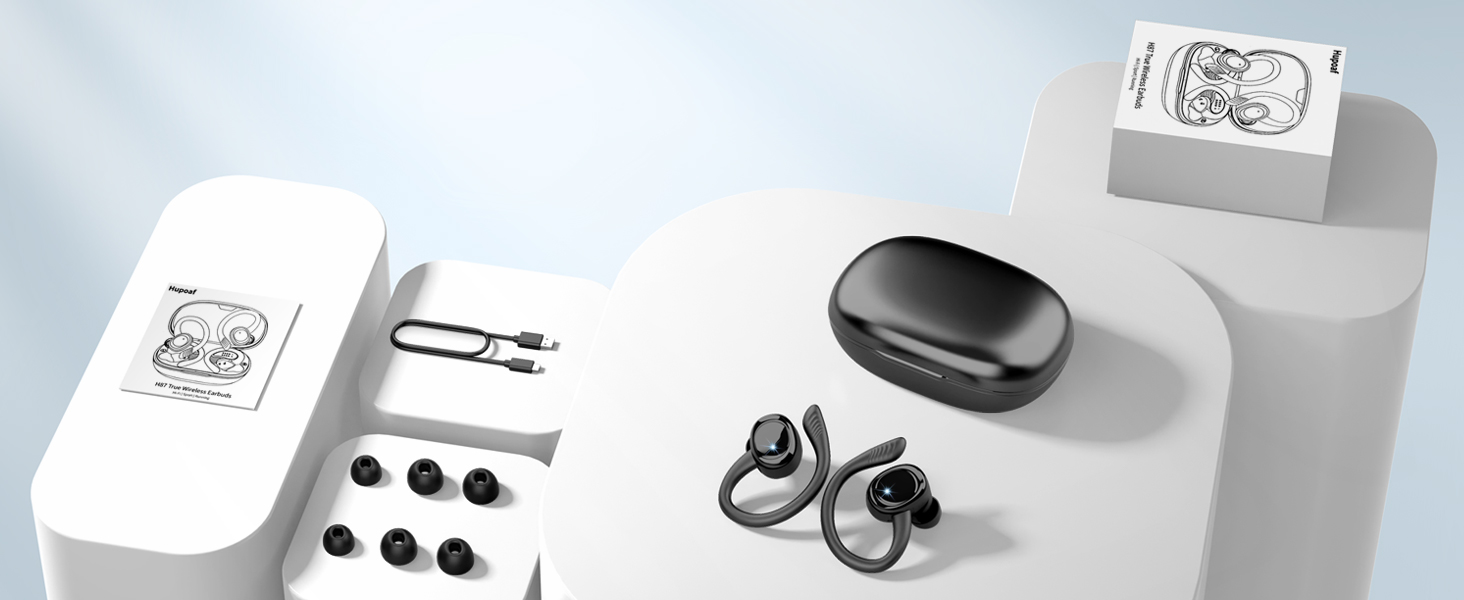
Image: All items included in the Hupoaf H87 Wireless Sport Earbuds package.
Product Overview
The Hupoaf H87 earbuds feature advanced technology for superior sound and user convenience.
- Immersive Sound: Equipped with 14.2mm dynamic drivers for powerful deep bass and crisp treble.
- ENC Noise Cancellation: Built-in high-performance ENC noise-cancelling microphones reduce background noise for crystal-clear calls.
- Secure Fit: Ergonomic ear hook design with soft silicone material ensures stability during high-intensity activities.
- Bluetooth 5.4: Provides faster, more stable connections with reduced delays and wide compatibility across iOS, Android, and Windows devices.
- Long Battery Life: Up to 10 hours of single playback, with a total of 50 hours using the charging case. USB-C fast charging fully charges in 1.5 hours.
- IP7 Waterproof: Designed to resist sweat, rain, and short-term immersion, making them ideal for sports enthusiasts.
- Smart Touch Control: Easily manage music, calls, volume, and voice assistant with simple touch gestures.
- LED Display: Real-time display of charging case power and individual earbud charging status.

Image: Hupoaf H87 earbud highlighting ENC Noise Canceling for clear calls.

Image: Detailed internal structure of the Hupoaf H87 earbud, emphasizing its 14.2mm dynamic driver for high-fidelity stereo sound.
Setup
1. Charging the Earbuds and Case
Before first use, fully charge the earbuds and charging case. Place the earbuds into the charging case. Connect the USB-C charging cable to the port on the back of the case and to a power source. The LED display on the case will show the battery percentage of the case and the charging status of each earbud.
- Charging Time: Approximately 1.5 hours for a full charge.
- Earbud Playback: Up to 10 hours on a single charge.
- Total Playtime: Up to 50 hours with the charging case.

Image: The Hupoaf H87 charging case with earbuds inside, showing the digital battery percentage for the case and individual earbud charge indicators.
2. Pairing with Your Device
The earbuds will automatically enter pairing mode when removed from the charging case.
- Ensure your device's Bluetooth is turned on.
- Open the charging case and remove both earbuds. They will automatically power on and enter pairing mode.
- On your device, search for Bluetooth devices and select "H87" from the list.
- Once connected, you will hear a voice prompt confirming successful pairing.
- The earbuds are compatible with iOS, Android, and Windows devices.

Image: A smartphone displaying the Bluetooth pairing menu, with the Hupoaf H87 earbuds visible and connected, illustrating quick and broad compatibility.
3. Wearing the Earbuds
For optimal sound quality and a secure fit, choose the correct ear tip size and adjust the ear hooks.
- Select the ear tips (S, M, L) that best fit your ear canal.
- Place the earbud into your ear canal and gently rotate it to ensure a snug fit.
- Adjust the flexible ear hook over your ear to secure the earbud in place.

Image: The Hupoaf H87 earbuds are shown with their flexible ear hooks and various ear tip sizes, emphasizing their suitability for sports and IP7 waterproof design.
Operating Instructions
The Hupoaf H87 earbuds feature intuitive touch controls for easy management of your audio and calls.
Touch Controls Overview
- Play/Pause: Single tap on either earbud.
- Volume Up: Single tap on the Right earbud.
- Volume Down: Single tap on the Left earbud.
- Next Track: Press and hold the Right earbud for 2 seconds.
- Previous Track: Press and hold the Left earbud for 2 seconds.
- Answer/End Call: Single tap on either earbud.
- Reject Call: Press and hold either earbud for 2 seconds.
- Activate Voice Assistant (Siri/Google Assistant): Triple tap on either earbud.

Image: A visual guide to the smart touch controls on the Hupoaf H87 earbuds, showing icons for various functions like play/pause, volume, calls, and Siri activation.
Maintenance
Proper care will extend the life and performance of your Hupoaf H87 earbuds.
- Cleaning: Regularly wipe the earbuds and charging case with a soft, dry cloth. Avoid using harsh chemicals or abrasive materials.
- Water Resistance: The earbuds are IP7 waterproof, meaning they can withstand sweat, rain, and short-term immersion in water. However, they are not suitable for swimming or prolonged submersion. Ensure the charging port is dry before charging.
- Storage: Store the earbuds in their charging case when not in use to protect them and keep them charged. Avoid extreme temperatures.
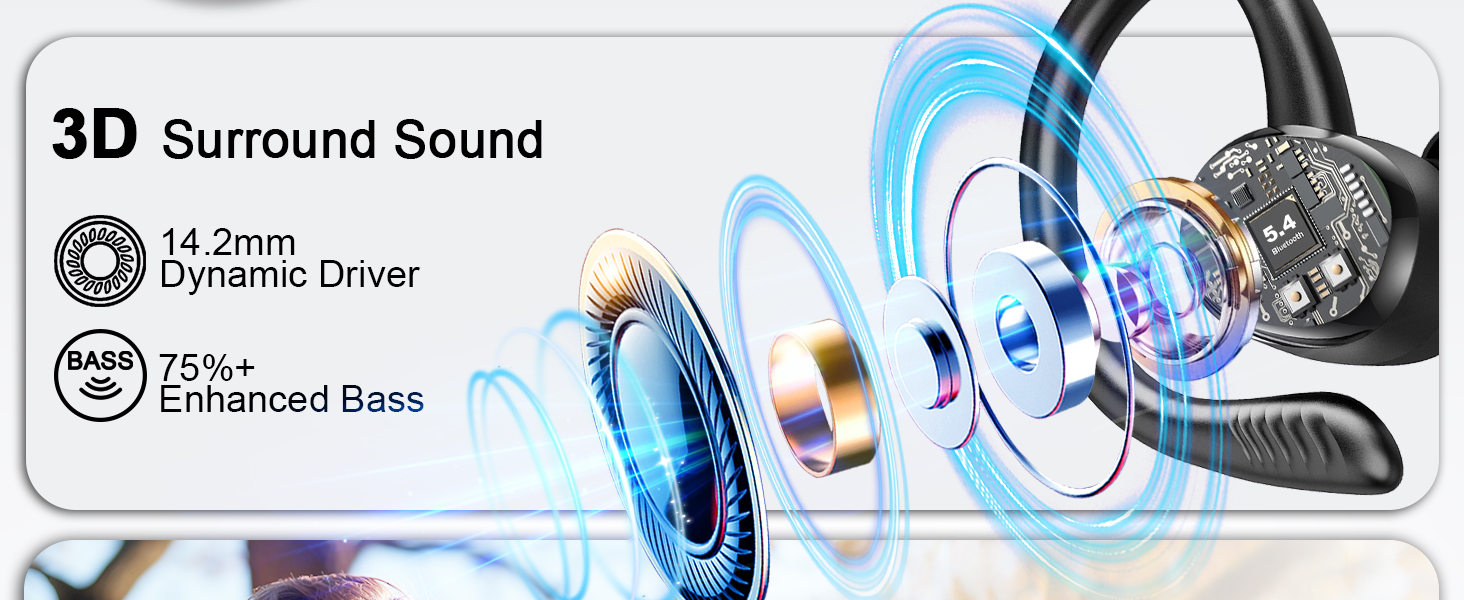
Image: The Hupoaf H87 earbuds are shown partially submerged in water, demonstrating their IP7 waterproof capabilities, suitable for rain, splashes, and sweat.
Troubleshooting
If you encounter any issues with your earbuds, try the following steps:
- No Sound: Ensure earbuds are charged and properly paired. Check device volume.
- Pairing Issues: Place earbuds back in the case, then remove them to re-enter pairing mode. Forget "H87" from your device's Bluetooth list and try pairing again.
- Intermittent Connection: Ensure earbuds are within Bluetooth range (20 meters) of your device. Avoid obstacles that may interfere with the signal.
- Earbuds Not Charging: Check if the charging cable is securely connected and the charging case has power. Clean the charging contacts on both the earbuds and the case.
Specifications
| Feature | Specification |
|---|---|
| Model Name | H87 |
| Connectivity Technology | Wireless (Bluetooth 5.4) |
| Bluetooth Range | 20 Meters |
| Noise Control Features | ENC Noise Cancellation, Sound Isolation |
| Water Resistance Level | IP7 Waterproof |
| Battery Life (Earbuds) | 10 Hours (single charge) |
| Total Battery Life (with case) | 50 Hours |
| Charging Time | 1.5 Hours |
| Control Type | Touch Control |
| Ear Placement | In Ear |
| Form Factor | Over Ear |
| Audio Driver Type | Dynamic Driver |
| Item Weight | 5 ounces |
| Product Dimensions | 1.18 x 0.79 x 1.18 inches |
Warranty and Support
Hupoaf is committed to your satisfaction.
- 1-Year Warranty: Your Hupoaf H87 earbuds come with a 1-year warranty from the date of purchase.
- Customer Service: For any questions, troubleshooting assistance, or warranty claims, please contact our dedicated 24/7 customer service team. Refer to the contact information provided in the packaging or on the official Hupoaf website.
Official Product Video
Video: An official Hupoaf video showcasing the Hupoaf Wireless Earbuds Sports with Earhook, demonstrating their features and use for running and active lifestyles.