
1. Introduction
Thank you for purchasing the Hiwill A51 Dolby Atmos 5.1ch Soundbar System. This manual provides essential information for setting up, operating, and maintaining your soundbar system to ensure optimal performance and longevity. Please read this manual thoroughly before use and retain it for future reference.
2. Important Safety Information
To reduce the risk of electric shock, fire, or damage to the unit, please observe the following safety precautions:
- Do not expose this appliance to rain or moisture.
- Do not place objects filled with liquids, such as vases, on the apparatus.
- Do not block any ventilation openings. Install in accordance with the manufacturer's instructions.
- Do not install near any heat sources such as radiators, heat registers, stoves, or other apparatus (including amplifiers) that produce heat.
- Protect the power cord from being walked on or pinched, particularly at plugs, convenience receptacles, and the point where they exit from the apparatus.
- Only use attachments/accessories specified by the manufacturer.
- Unplug this apparatus during lightning storms or when unused for long periods of time.
- Refer all servicing to qualified service personnel. Servicing is required when the apparatus has been damaged in any way, such as power-supply cord or plug is damaged, liquid has been spilled or objects have fallen into the apparatus, the apparatus has been exposed to rain or moisture, does not operate normally, or has been dropped.
3. Package Contents
Please check that all items listed below are included in your package:
- Hiwill A51 Soundbar
- Wired Subwoofer
- 2x Wired Surround Speakers
- Power Cable
- Quick Start Guide
- Remote Control (with battery included)
- Warranty Card
- HDMI Cable
4. Product Overview
4.1 System Components
The Hiwill A51 system consists of a main soundbar unit, a wired subwoofer, and two wired surround speakers.
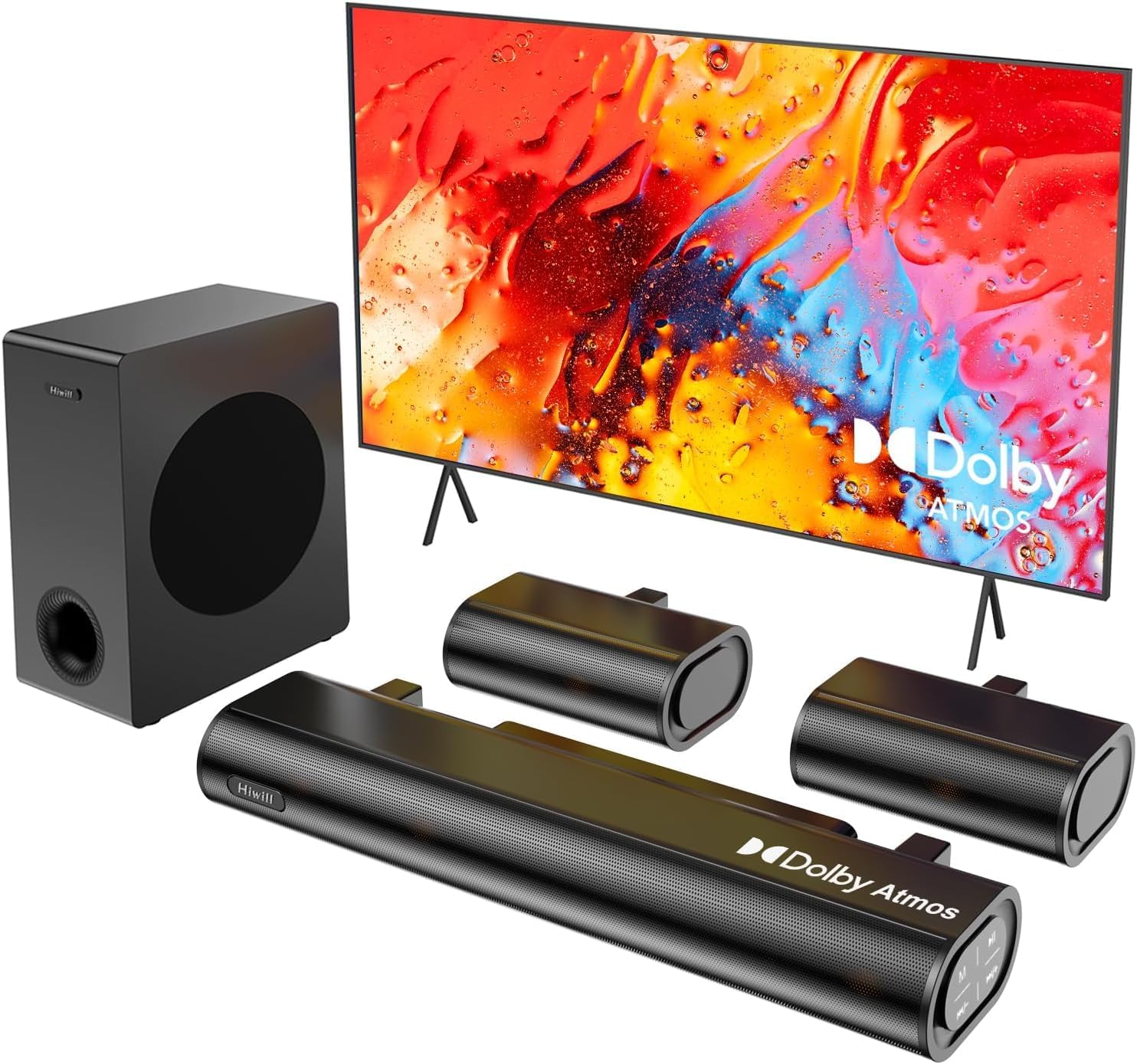
Figure 4.1: Hiwill A51 Soundbar System Components
4.2 Soundbar Features
The soundbar features multiple input ports for versatile connectivity and an integrated display for status information.

Figure 4.2: Soundbar Rear Panel Connections
4.3 Speaker Driver Construction
The system utilizes high-quality speaker drivers with aluminum-magnesium alloy diaphragms and copper shorting rings for enhanced audio clarity and reduced interference.

Figure 4.3: Speaker Driver Internal Components
5. Setup
5.1 Physical Connection
Follow these steps to connect your Hiwill A51 Soundbar System:
- Place the soundbar in front of your television, ensuring it does not obstruct the TV's remote sensor.
- Position the wired subwoofer on the floor, ideally near the soundbar.
- Connect the two wired surround speakers to the designated ports on the soundbar or subwoofer as per the connection diagram.
- Connect the soundbar to your TV using one of the recommended connection methods (HDMI eARC is preferred).
- Connect the power cable to the soundbar and then to a power outlet.

Figure 5.1: Typical 5.1ch Sound System Setup
5.2 Speaker Placement
Proper placement of the surround speakers is crucial for an immersive audio experience. The system supports independent 12-level adjustment for rear speaker volume.
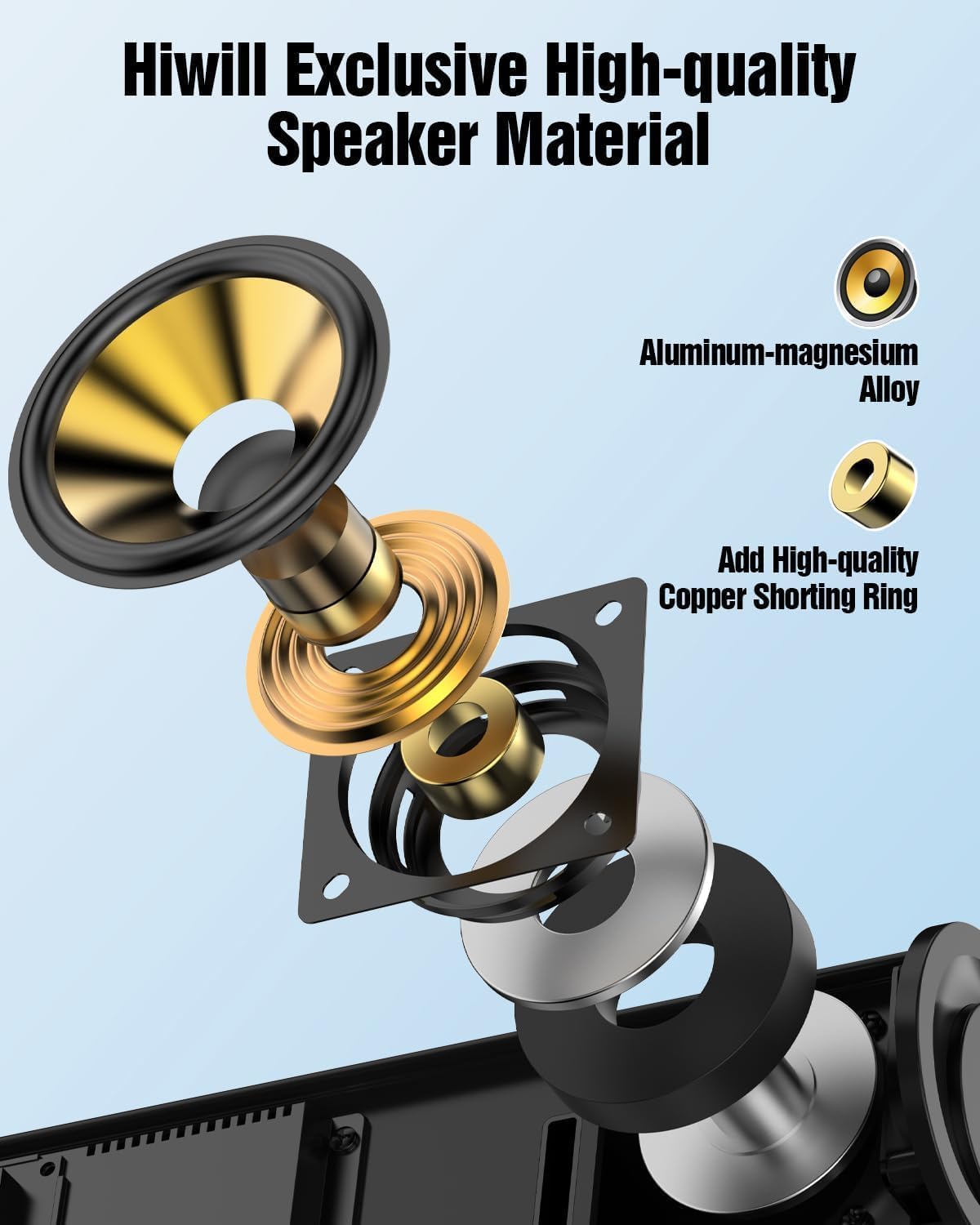
Figure 5.2: Rear Surround Speaker Placement and Adjustment
5.3 Connection Methods
The Hiwill A51 offers multiple connectivity options. HDMI eARC is recommended for the best audio quality and Dolby Atmos support.
| Feature | HDMI eARC | HDMI ARC |
|---|---|---|
| Full Name | Enhanced Audio Return Channel | Audio Return Channel |
| Bandwidth | Up to 37 Mbps | Up to 1 Mbps |
| Audio Format Support | Uncompressed audio (e.g., Dolby Atmos/Dolby TrueHD/DTS:X/PCM 7.1/DTS-HD Master Audio) | Compressed audio (e.g., Dolby Digital/DTS/PCM 2.0 (stereo)) |
| Channel Support | Up to 7.1 channels, even 32 channels (e.g., Dolby Atmos) | Up to 5.1 channels |
| Audio Quality | High-resolution audio (e.g., 24-bit/192kHz) | Standard-definition audio |
| Latency | Very low (optimized lip-sync) | Higher (may affect lip-sync) |
| Device Compatibility | Requires HDMI 2.1 or later | Requires HDMI 1.4 or later |
| Cable Requirements | High-speed HDMI cable (package has included) | Standard HDMI cable |
For optimal performance, use the connection method that best suits your TV and content:
| Connection Method | Audio Quality | Supports Dolby Atmos | Recommendation Rating |
|---|---|---|---|
| HDMI eARC | Best (uncompressed high-res audio) | Fully supported | ★★★★★ |
| HDMI ARC | Good (compressed audio) | Partially supported* | ★★★★☆ |
| Optical | Fair (compressed audio) | Not supported | ★★★☆☆ |
| Bluetooth | Fair (wireless transmission) | Not supported | ★★☆☆☆ |
| AUX | Poor (stereo audio) | Not supported | ★☆☆☆☆ |
*Partially supports means that HDMI ARC can only support Atmos transmitted via Dolby Digital Plus, but not Dolby TrueHD Atmos.
6. Operating Instructions
6.1 Basic Operation
- Power On/Off: Press the power button on the soundbar or remote control.
- Volume Control: Use the Volume Up/Down buttons on the soundbar or remote.
- Input Selection: Press the 'Input' button on the remote or soundbar to cycle through HDMI eARC, Optical, Bluetooth, and AUX inputs.
6.2 Remote Control
The included remote control provides full functionality for your soundbar system, including independent adjustment for bass, surround sound, and treble.
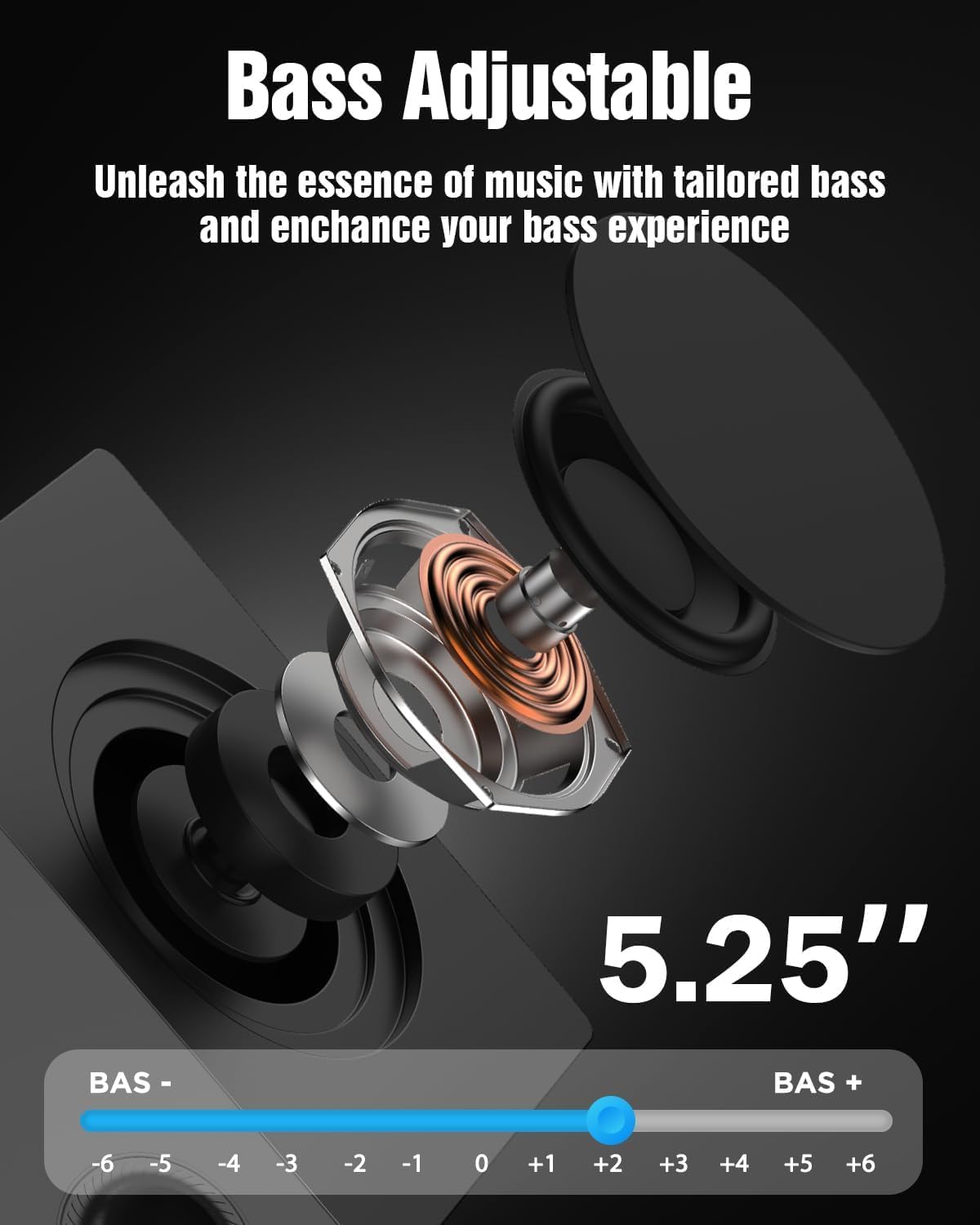
Figure 6.1: Remote Control Layout
6.3 EQ Modes
Select from various EQ modes to optimize your audio experience for different content types:
- PureSound: Provides a balanced, uncolored audio profile.
- Movie: Enhances dialogue and dynamic range for cinematic content.
- Music: Optimizes for musical playback with rich bass and clear highs.
- News: Focuses on vocal clarity for news broadcasts and spoken content.

Figure 6.2: Soundbar Display with EQ Modes
6.4 Bass Adjustment
The subwoofer's bass level can be adjusted to your preference using the remote control. This allows you to tailor the low-frequency response to your listening environment and content.

Figure 6.3: Bass Level Adjustment
6.5 Firmware Upgrade
New firmware versions may be released to enhance performance, add features, or address issues. Please contact Hiwill support for information on available firmware upgrades and instructions on how to apply them.

Figure 6.4: Firmware Upgrade Benefits
7. Maintenance
7.1 Cleaning
To maintain the appearance and performance of your soundbar system:
- Wipe surfaces with a soft, dry cloth.
- Do not use abrasive cleaners, waxes, or solvents as they may damage the finish.
- Ensure the unit is unplugged before cleaning.
7.2 Storage
If storing the unit for an extended period, unplug it from the power outlet and store it in a cool, dry place, away from direct sunlight and extreme temperatures.
8. Troubleshooting
If you encounter issues with your Hiwill A51 Soundbar System, refer to the table below for common problems and solutions.
| Problem | Possible Cause | Solution |
|---|---|---|
| No power | Power cable not connected; Power outlet not active | Ensure power cable is securely connected; Test outlet with another device. |
| No sound | Incorrect input selected; Volume too low; Mute activated; Incorrect TV audio settings | Select correct input source; Increase volume; Deactivate mute; Check TV audio output settings (e.g., PCM, Bitstream). |
| No sound from surround speakers | Surround speakers not connected; Surround volume too low; Source content is stereo | Ensure surround speakers are properly connected; Increase surround speaker volume via remote; Note that some content may not have discrete surround channels. |
| Bluetooth pairing issues | Device too far; Soundbar not in pairing mode; Interference | Move device closer; Put soundbar into Bluetooth pairing mode; Avoid other wireless devices. |
| Remote control not working | Battery depleted; Obstruction; Remote sensor blocked | Replace battery; Remove obstructions; Ensure remote is pointed at the soundbar's sensor. |
If the problem persists after trying these solutions, please contact Hiwill customer support.
9. Specifications
Below are the technical specifications for the Hiwill A51 Dolby Atmos 5.1ch Soundbar System:
| Feature | Detail |
|---|---|
| Model Name | A51 |
| Speaker Type | Soundbar with Wired Subwoofer and Wired Surround Speakers |
| Surround Sound Channel Configuration | 5.1 |
| Special Feature | Dolby Atmos Soundbar |
| Connectivity Technology | Auxiliary, Bluetooth, HDMI (eARC), Optical, USB |
| Wireless Communication Technology | Bluetooth |
| Speaker Maximum Output Power | 380 Watts |
| Frequency Response | 45 Hz |
| Product Dimensions (Soundbar) | 16.93"D x 2.36"W x 4.45"H |
| Item Weight | 13.22 pounds (total system) |
| Material | Metal or High-Quality Plastic |
| Color | Black |
| Manufacturer | Hiwill |
10. Warranty and Support
10.1 Warranty Information
This product comes with a limited manufacturer's warranty. Please refer to the included Warranty Card for specific terms, conditions, and duration of coverage. Retain your proof of purchase for warranty claims.
10.2 Customer Support
For technical assistance, troubleshooting beyond this manual, or warranty inquiries, please contact Hiwill customer support. Contact details can typically be found on the Warranty Card or the official Hiwill website.


