
1. Product Overview
The PATONA BP-SCL1 is a high-capacity rechargeable lithium-ion battery designed as a direct replacement for Leica 24003 BP-SCL5 batteries. It is fully compatible with Leica M10, M10P, and M10R camera models. This battery features a 1200 mAh capacity and 7.4 V, providing reliable power for extended photography sessions. Integrated safety features protect against overcharge and short circuits, ensuring safe operation for your camera and battery.

Image 1.1: Front view of the PATONA BP-SCL1 battery, displaying its capacity (1200mAh) and voltage (7.4V).
2. Safety Information
Please read and understand all safety warnings before using the battery to prevent injury or damage to the product and your camera.
- WARNING: To reduce the risk of fire or burns, do not disassemble, crush, puncture, short external contacts, or dispose of in fire or water.
- Keep the battery out of reach of children.
- Do not expose the battery to high temperatures (above 60°C / 140°F) or direct sunlight.
- Avoid dropping the battery or subjecting it to strong impacts.
- If the battery shows signs of damage, swelling, or leakage, discontinue use immediately and dispose of it properly.
- Dispose of batteries properly according to local regulations. Do not dispose of with household waste. Look for recycling symbols on the battery.
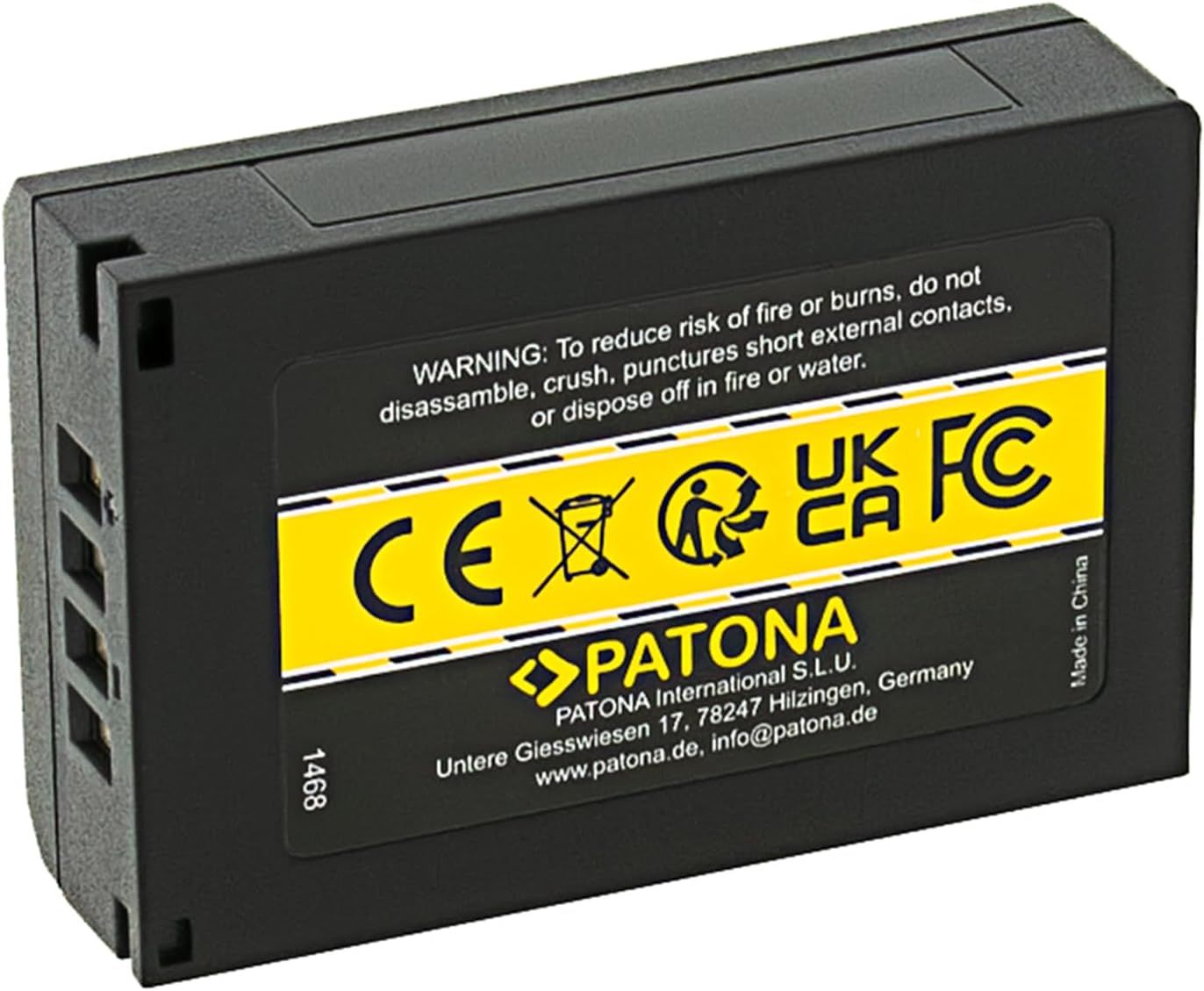
Image 2.1: Back view of the PATONA BP-SCL1 battery, showing safety warnings and regulatory compliance marks (CE, UKCA, FC).
3. Setup
3.1 Charging the Battery
- Use a compatible Leica charger or a PATONA charger specifically designed for BP-SCL5 type batteries.
- Insert the PATONA BP-SCL1 battery into the charger, ensuring the contacts align correctly.
- Connect the charger to a power source. The charger's indicator light will typically show the charging status (e.g., red for charging, green for fully charged).
- Charge the battery until the indicator shows a full charge. Charging time may vary depending on the charger and the battery's initial charge level.
3.2 Inserting the Battery into the Camera
- Ensure your Leica M10, M10P, or M10R camera is powered off before inserting or removing the battery.
- Locate and open the battery compartment cover on your camera.
- Insert the PATONA BP-SCL1 battery into the compartment, aligning the battery's contacts with those in the camera. Ensure it clicks into place securely.
- Close the battery compartment cover firmly until it latches.
4. Operating Instructions
4.1 Checking Battery Level
The PATONA BP-SCL1 battery is equipped with an info-chip. This feature allows your compatible Leica camera to display the remaining battery runtime and charge level directly on the camera's screen or viewfinder. This provides convenient and accurate information about your battery status during use.
- Power on your Leica M10, M10P, or M10R camera.
- Refer to the camera's display or electronic viewfinder for the battery status indicator. The info-chip will enable the camera to show the remaining charge percentage or a graphical representation of the battery level.

Image 4.1: Visual representation of the info-chip feature, enabling direct readability of remaining battery runtime on compatible cameras.
5. Maintenance
Proper maintenance extends the life and performance of your battery.
- Store the battery in a cool, dry place (ideally between 15°C and 25°C / 59°F and 77°F) when not in use.
- Avoid fully discharging the battery for extended periods, as this can reduce its overall lifespan.
- If the battery will not be used for a long time (e.g., several months), charge it to approximately 50-60% before storage. Recharge it every 3-6 months to maintain its health.
- Keep battery contacts clean. If necessary, gently wipe them with a dry, lint-free cloth. Do not use liquids or abrasive cleaners.
- Protect the battery from moisture and extreme temperatures.
6. Troubleshooting
If you encounter issues with your PATONA BP-SCL1 battery, refer to the table below for common problems and solutions.
| Issue | Possible Cause | Solution |
|---|---|---|
| Battery not charging. | Charger not connected, faulty charger/cable, incorrect battery insertion. | Ensure the charger is properly connected to a power source. Verify the battery is correctly inserted into the charger. Try a different power outlet or charger if available. |
| Camera not powering on with battery. | Battery not charged, incorrect insertion, dirty contacts, faulty battery. | Ensure the battery is fully charged. Check that the battery is inserted correctly and the compartment cover is securely closed. Clean battery contacts on both the battery and camera with a dry cloth. |
| Short battery life. | Battery not fully charged, heavy camera usage, battery aging. | Ensure the battery is fully charged before use. Reduce camera usage of power-intensive features (e.g., live view, continuous shooting, Wi-Fi). Battery performance can degrade over time with repeated charge cycles. |
| Battery gets unusually hot during charging/use. | Overcharging, internal fault, environmental factors. | Discontinue use immediately. Ensure you are using a compatible charger. If the issue persists, the battery may be faulty and should be replaced. |
7. Specifications
| Feature | Detail |
|---|---|
| Brand | PATONA |
| Model Number | PT 1468 |
| Battery Composition | Lithium-ion |
| Capacity | 1200 mAh |
| Voltage | 7.4 V |
| Energy | 8.9 Wh |
| Weight | 52 Grams |
| Dimensions (L x W x H) | 5.6 x 3.6 x 1.7 cm |
| Compatibility | Leica M10, M10P, M10R, Leica 24003 BP-SCL5 |
| Reusability | Rechargeable |
| Safety Features | Overcharge protection, short-circuit protection |
8. Warranty and Support
PATONA products are manufactured with high-quality standards and undergo rigorous testing. For specific warranty information, terms, and conditions, please refer to the official PATONA website or contact your retailer directly. It is recommended to keep your purchase receipt as proof of purchase for any warranty claims.
For technical support, product inquiries, or further assistance, please contact PATONA customer service:
- Manufacturer: PATONA International S.L.U.
- Address: Untere Giesswiesen 17, 78247 Hilzingen, Germany
- Website: www.patona.de
- Email: info@patona.de

Image 8.1: Regulatory compliance logos (CE, UKCA, FC) and manufacturer contact details.